1. 서론
The Keychron K2 Max is a versatile 75% layout mechanical keyboard designed for seamless integration across Mac, Windows, and Linux operating systems. It offers tri-mode connectivity, including 2.4 GHz wireless, Bluetooth 5.1, and Type-C wired options, ensuring high performance for both gaming and productivity. Featuring QMK/VIA open-source firmware for extensive customization and enhanced acoustic foams for a superior typing experience, the K2 Max is built for durability and user comfort.
2. 패키지 내용
Please verify that all items are present in your Keychron K2 Max package:
- 1x Fully Assembled Keychron K2 Max Keyboard
- 1x Type-A - Type-C 케이블
- 1x USB Type-A 2.4GHz Receiver
- 수신기용 1x 확장 어댑터
- 1x 키캡 및 스위치 풀러
- 1x 드라이버
- Windows OS용 추가 키캡
3. 제품 오버view
The Keychron K2 Max features a compact 75% layout, providing essential keys while saving desk space. It includes an RGB backlight for customizable illumination and is built with enhanced acoustic foams for a comfortable and quiet typing experience.
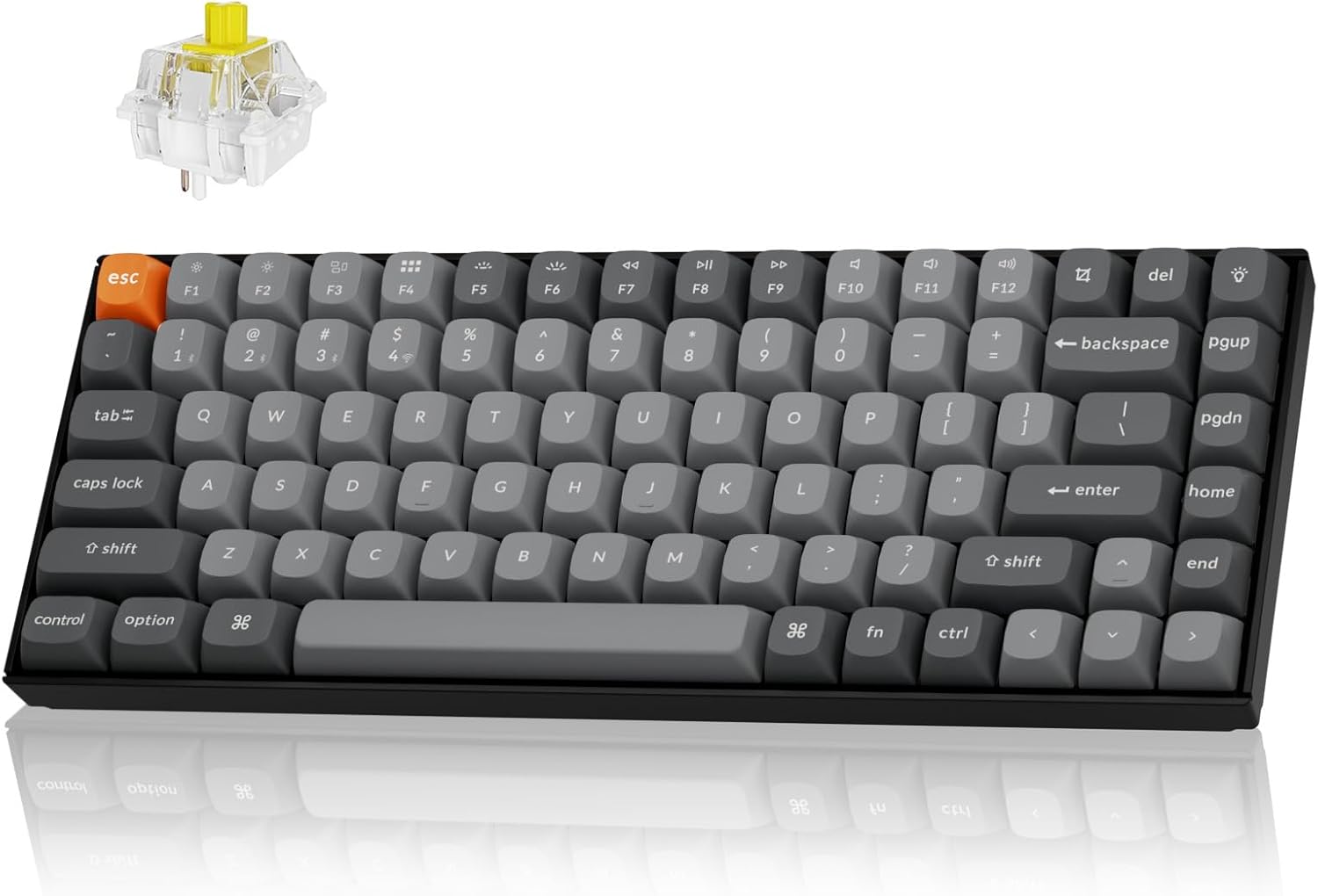
Keychron K2 Max 키보드를 소개합니다.asing its 75% layout and Banana switches.
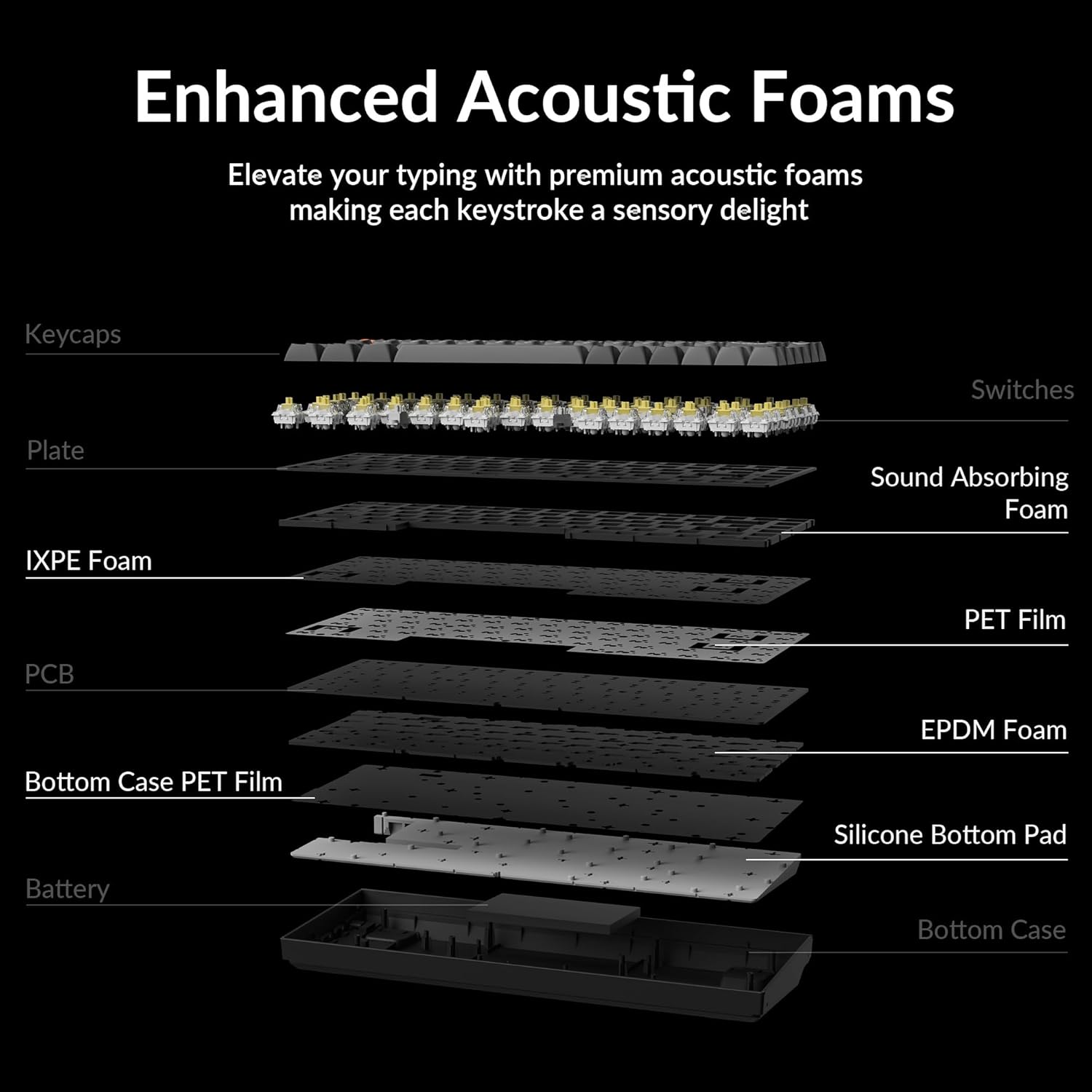
폭발 view illustrating the internal structure of the Keychron K2 Max, highlighting the enhanced acoustic foams (IXPE and EPDM) and other layers designed for a superior typing experience.
4. 설정
4.1 초기 충전
Before first use, it is recommended to fully charge your Keychron K2 Max keyboard. Connect the provided Type-A to Type-C cable to the keyboard's USB-C port and a power source. The 4000mAh rechargeable battery provides extended usage time.
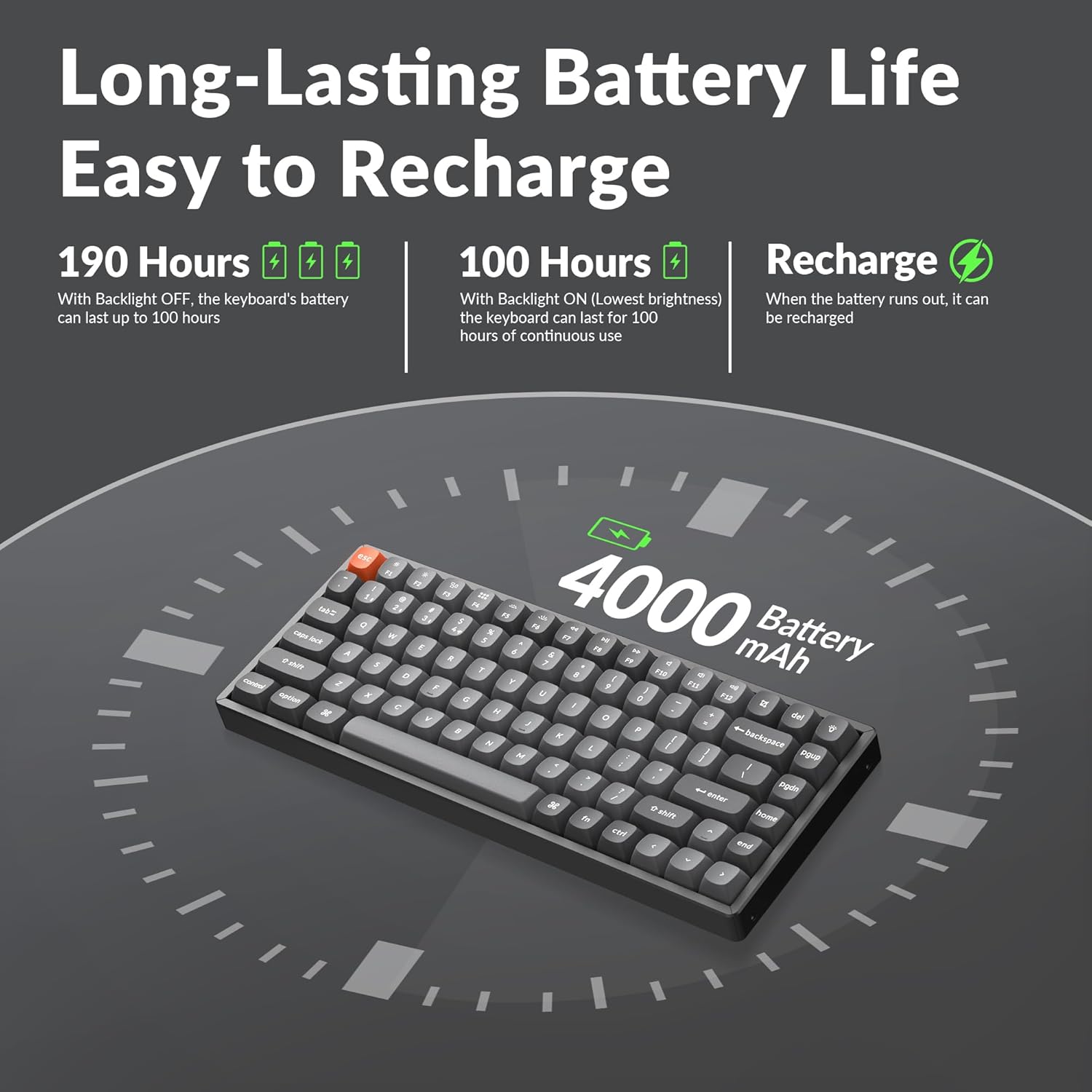
An illustration detailing the impressive battery life of the K2 Max, offering up to 190 hours of usage without backlight and 100 hours with backlight at lowest brightness.
4.2 연결 모드
The K2 Max supports three connection modes:
- 2.4GHz 무선: For optimal gaming and work performance with a 1000Hz polling rate. Insert the 2.4GHz USB receiver into your device's USB port. The keyboard should automatically connect.
- 블루투스 5.1 : Connect up to 3 devices and switch seamlessly.
- Toggle the keyboard switch to Bluetooth mode.
- 누르고 있으세요 Fn + 1 (또는 2, 3) for 4 seconds until the indicator light flashes rapidly, indicating pairing mode.
- On your device, search for "Keychron K2 Max" in Bluetooth settings and connect.
- Type-C 유선: 제공된 USB Type-C 케이블을 사용하여 키보드를 기기에 직접 연결하십시오.

The Keychron K2 Max demonstrating its versatile tri-mode connectivity options: Bluetooth 5.1, 2.4 GHz wireless, and Type-C wired, allowing seamless connection to multiple devices.
4.3 OS Compatibility Switch
The K2 Max is fully optimized for both macOS and Windows. Use the OS toggle switch located on the side of the keyboard to select your operating system. Extra keycaps for Windows are included for a native experience.

The K2 Max keyboard highlighting its full compatibility with both macOS and Windows operating systems, including a set of additional keycaps for Windows users.
5. 사용 설명서
5.1 주요 기능
The 75% layout includes all essential keys, including a dedicated function row (F1-F12) and navigation keys. Multimedia keys are optimized for macOS, providing native control over media playback and volume.
5.2 백라이트 제어
The keyboard features an RGB backlight. Use the dedicated backlight keys (usually Fn + Lightbulb icon or similar) to cycle through various lighting effects, adjust brightness, and change colors.
5.3 QMK/VIA 사용자 정의
The Keychron K2 Max supports QMK open-source firmware and VIA software, allowing for extensive customization of key remapping, macros, and lighting effects. Access the Keychron Launcher web app for easy configuration without requiring any software installation.

A visual representation of the Keychron Launcher web app, which enables users to customize key remapping, macros, and lighting settings via QMK/VIA firmware without installation.
6. 유지관리
6.1 키보드 청소
To clean your keyboard, power it off and disconnect any cables. Use a soft, lint-free cloth slightly dampened with water or a mild cleaning solution. For dust and debris between keycaps, use compressed air or a small brush. The included keycap puller can be used to carefully remove keycaps for deeper cleaning.
6.2 배터리 관리
To prolong battery life, avoid fully discharging the keyboard frequently. Store the keyboard in a cool, dry place when not in use for extended periods. If storing for a long time, ensure the battery is charged to about 50%.
7. 문제 해결
| 문제 | 가능한 원인 | 해결책 |
|---|---|---|
| Keyboard not connecting via 2.4 GHz/Bluetooth | Low battery, incorrect mode, pairing issue, receiver not detected. | Charge the keyboard. Ensure the mode switch is set correctly. Re-pair the Bluetooth connection (Fn + 1/2/3 for 4s). Try a different USB port for the receiver. |
| 키가 응답하지 않음 | 배터리 부족, 소프트웨어 오류, 물리적 손상. | Charge the keyboard. Try connecting via wired mode. Restart your computer. If specific keys, check for debris under keycap. |
| 백라이트가 작동하지 않음 | Backlight turned off, low battery, software setting. | Press backlight control keys to turn on/adjust. Charge the keyboard. Check VIA software settings. |
| 지연 또는 입력 지연 | 간섭, 수신기/기기와의 거리, 배터리 부족. | Reduce distance to receiver/device. Remove sources of interference (other wireless devices). Charge the keyboard. Use wired mode for critical tasks. |
8. 사양
| 특징 | 세부 사항 |
|---|---|
| 모델명 | K2M-B4 |
| 상표 | 키크론 |
| 연결 기술 | Bluetooth 5.1, 2.4 GHz Wi-Fi, USB Type-C |
| 키보드 설명 | 기계적 |
| 특징 | RGB 백라이트 |
| 색상 | Keychron Super Banana Switch |
| 키의 개수 | 84 |
| 호환 장치 | Laptop, Gaming Console, PC (Mac/Windows/Linux) |
| 배터리 | 1개의 리튬 폴리머 배터리(포함) |
| 품목 무게 | 3.08파운드 |
| 패키지 크기 | 15.27 x 6.42 x 2.24 인치 |
| 원산지 | 중국 |
9. 보증 및 지원
9.1 보증 정보
Keychron 제품은 일반적으로 제조상의 결함에 대한 제한적 보증을 제공합니다. 자세한 내용은 Keychron 공식 보증서를 참조하십시오. web해당 지역에 적용되는 구체적인 보증 약관은 웹사이트 또는 구매 서류를 참조하십시오.
9.2 고객 지원
For technical assistance, troubleshooting, or warranty claims, please visit the official Keychron support page or contact their customer service team. Detailed contact information can usually be found on the Keychron web대지.


