1. 서론
This manual provides essential instructions for setting up, operating, and maintaining your SUAAT S10 10-inch Android 14 Tablet. Please read this manual thoroughly before using your device to ensure proper functionality and to maximize its lifespan. The SUAAT S10 tablet features an Octa-Core processor, 22GB RAM, 128GB ROM (expandable to 1TB), 5G+2.4G WiFi, Bluetooth 5.0, an 8000mAh battery, and an 8MP rear camera with a 5MP front camera.
2. 패키지 내용
아래 나열된 모든 품목이 제품 패키지에 들어 있는지 확인하세요.
- SUAAT S10 정제
- 블루투스 키보드
- 무선 마우스
- 보호 케이스
- Screen Protector (Tempered Glass)
- USB Type-C 충전 케이블
- 전원 어댑터
- OTG 어댑터
- SIM Ejector Pin (for microSD card slot)
- 사용자 설명서

Figure 2.1: Included accessories with the SUAAT S10 tablet.
3. 초기 설정
3.1 태블릿 충전
Before first use, fully charge the tablet. Connect the USB Type-C charging cable to the tablet's charging port and the power adapter to a wall outlet. The charging indicator will show the charging status. A full charge typically takes several hours.
3.2 전원 켜기/끄기
- 전원을 켜려면: 화면이 켜질 때까지 전원 버튼을 길게 누릅니다.
- 전원을 끄려면: 전원 버튼을 길게 누른 다음, 화면에 나오는 옵션에서 "전원 끄기"를 선택하세요.
- 재시작하기 위해: 전원 버튼을 길게 누른 다음, 화면에 나오는 옵션에서 "다시 시작"을 선택하세요.
3.3 Wi-Fi에 연결하기
- 이동하다 설정 > 네트워크 및 인터넷 > 와이파이.
- Wi-Fi 전환 On.
- 목록에서 원하는 Wi-Fi 네트워크를 선택하세요.
- 메시지가 표시되면 네트워크 비밀번호를 입력한 다음 탭합니다. 연결하다.
3.4 Pairing Bluetooth Accessories (Keyboard & Mouse)
- Ensure the Bluetooth keyboard and mouse are powered on and in pairing mode (refer to their respective manuals for specific instructions).
- 태블릿에서 다음으로 이동하세요. 설정 > 연결된 장치 > 블루투스.
- 블루투스 전환 On.
- 수도꼭지 새 기기 페어링.
- Select the keyboard or mouse from the list of available devices and follow any on-screen prompts to complete pairing.

Figure 3.1: SUAAT S10 tablet with keyboard and mouse accessories.
4. 태블릿 작동
4.1 안드로이드 14 인터페이스
Your SUAAT S10 tablet runs on Android 14, offering a user-friendly interface. Navigate by tapping, swiping, and pinching the screen. The home screen provides quick access to applications and widgets. Swipe down from the top for notifications and quick settings.

Figure 4.1: Android 14 operating system on SUAAT S10.
4.2 카메라 사용
태블릿에는 8MP 후면 카메라와 5MP 전면 카메라가 장착되어 있습니다. 카메라 앱을 열어 사진과 동영상을 촬영하세요. 화면을 탭하여 초점을 맞추고 셔터 버튼을 눌러 사진을 촬영하세요.

그림 4.2: 카메라 특징 및amp르 이미지.
4.3 미디어 소비
The 10-inch display with 1920x1200 resolution and Widevine L1 support provides an optimal viewing experience for videos and other media. The 8000mAh battery supports extended usage for video playback, music, and gaming.

Figure 4.3: High-definition display of the SUAAT S10 tablet.
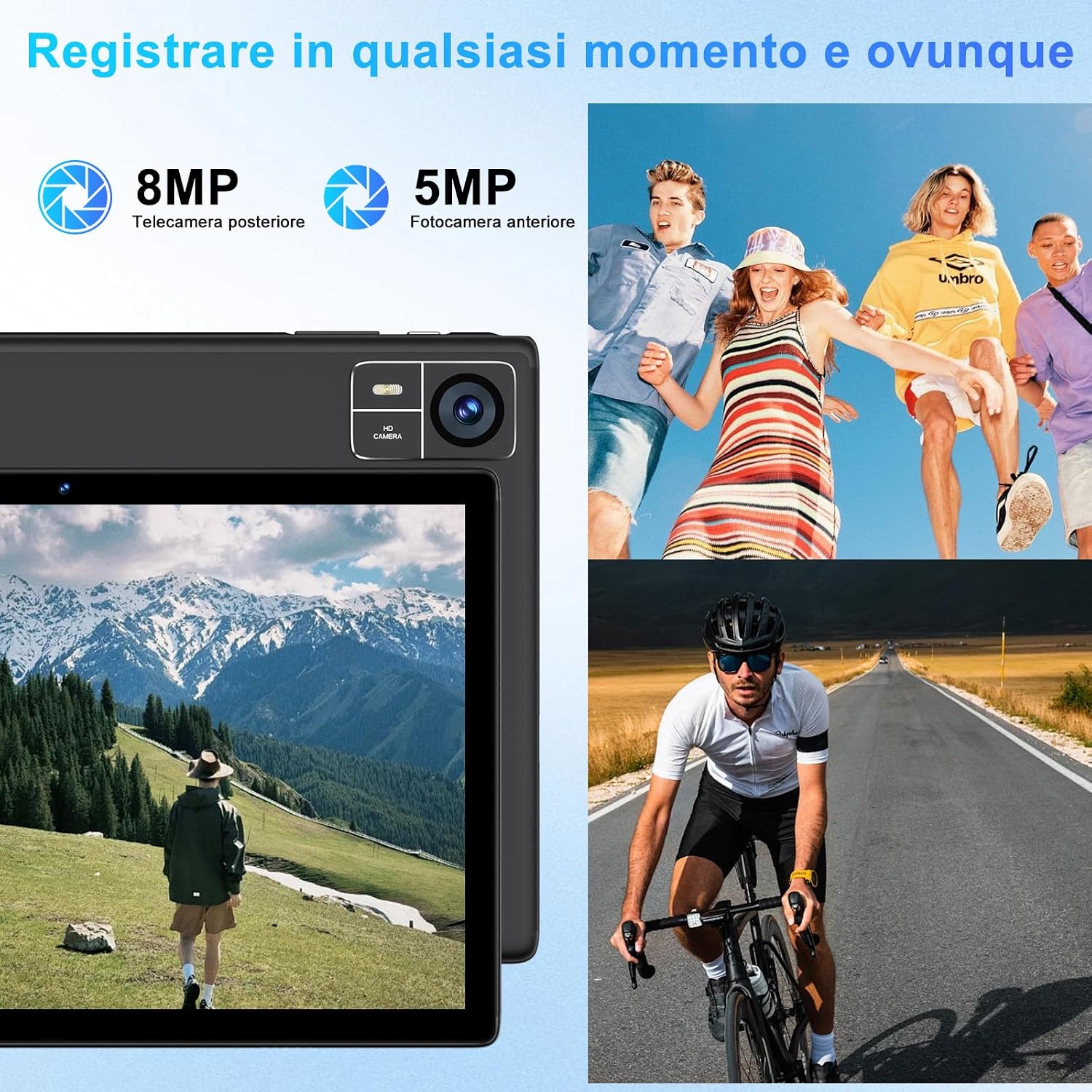
Figure 4.4: 8000mAh battery for extended use.

Figure 4.5: Tablet performance for media and applications.
5. 유지관리
5.1 태블릿 청소
Use a soft, lint-free cloth to clean the screen and body of the tablet. Avoid using harsh chemicals or abrasive materials, which can damage the screen coating or finish. For stubborn smudges, slightly damp천에 물이나 화면 전용 세척액을 묻혀 닦으세요.
5.2 배터리 관리
- 태블릿을 극한 온도(고온 또는 저온)에 노출시키지 마십시오. 배터리 성능이 저하될 수 있습니다.
- 장시간 태블릿을 완전히 방전된 상태로 두지 마세요.
- For optimal battery longevity, avoid constantly charging the tablet to 100% or letting it frequently drop to 0%.
5.3 소프트웨어 업데이트
태블릿에 최신 기능, 보안 패치 및 성능 향상이 적용되도록 정기적으로 소프트웨어 업데이트를 확인하고 설치하세요. 자세한 내용은 다음 링크를 참조하세요. 설정 > 체계 > 시스템 업데이트.
6. 문제 해결
6.1 태블릿 전원이 켜지지 않음
- 태블릿이 충분히 충전되었는지 확인하세요. 최소 30분 동안 충전기에 연결해 두세요.
- 전원 버튼을 10~15초간 길게 눌러 강제 재시작을 실행하세요.
6.2 Wi-Fi 연결 문제
- Wi-Fi가 켜져 있는지 확인하세요 설정.
- Wi-Fi 라우터와 태블릿을 다시 시작하세요.
- 네트워크는 잊어버리세요 설정 > 네트워크 및 인터넷 > 와이파이, then reconnect.
6.3 느린 성능
- 불필요한 백그라운드 애플리케이션을 닫습니다.
- 자주 사용하는 앱의 캐시 데이터를 지우세요 설정 > 앱 > [앱 이름] > 저장소 및 캐시.
- Ensure sufficient storage space is available. Delete unused files 또는 앱.
- 태블릿을 다시 시작하십시오.
6.4 Bluetooth Accessories Not Connecting
- Ensure the accessories are charged and in pairing mode.
- Check if Bluetooth is enabled on the tablet.
- Unpair and re-pair the accessories.
- Restart both the tablet and the accessories.
7. 사양
| 특징 | 사양 |
|---|---|
| 상표 | 수아트 |
| 모델 번호 | S10 |
| 운영 체제 | 안드로이드 14 |
| 프로세서 브랜드 | Unisoc Octa-Core (2.0 GHz) |
| 숫양 | 22GB (Note: This typically includes virtual RAM expansion. Actual physical RAM may be lower.) |
| 내부 저장소 | 128GB |
| 확장 가능한 스토리지 | TF 카드(microSD)를 통해 최대 1TB까지 지원 |
| 화면 크기 | 10 인치 |
| 디스플레이 해상도 | 1920x1200 픽셀(FHD) |
| 후방 카메라 | 8MP |
| 전면 카메라 | 5MP |
| 배터리 용량 | 8000mAh |
| 무선 연결 | 5G+2.4G WiFi (802.11ac, 802.11b, 802.11g, 802.11n), Bluetooth 5.0 |
| 연결 유형 | USB 타입-C |
| 치수(길이 x 너비 x 높이) | 17 x 12 x 0.8cm |
| 특별 기능 | Widevine L1 Support, Includes Keyboard and Mouse |
8. 보증 및 지원
SUAAT is committed to providing professional technical assistance and 24-hour after-sales service. For any issues, questions, or warranty claims, please contact SUAAT customer support through the official channels provided with your purchase or on the SUAAT brand web대지.

Figure 8.1: SUAAT customer support details.


