1. 서론
This manual provides essential information for the safe and efficient operation of your YELLOW JACKET ASRCS-110L Refrigerant Scale. Please read these instructions thoroughly before use to ensure proper function and to prevent damage to the unit or injury to yourself.
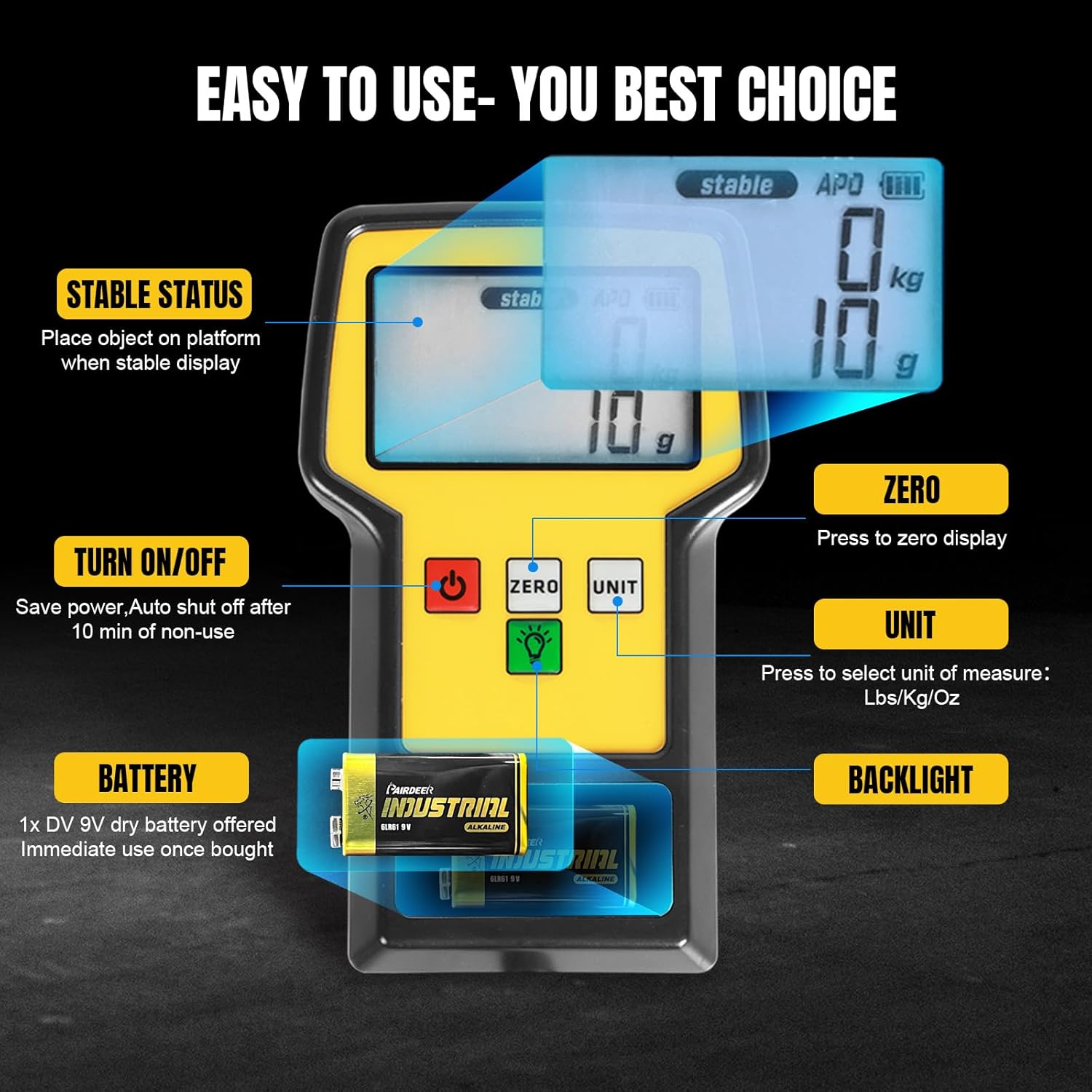
Image 1.1: The YELLOW JACKET Refrigerant Scale in operation, demonstrating its use with a refrigerant tank.
2. 안전 정보
- Always place the scale on a stable, level surface to ensure accurate readings.
- Do not exceed the maximum weight capacity of 110 lbs (50 kg). Overloading can damage the scale's sensor.
- Keep the scale away from extreme temperatures, moisture, and direct sunlight.
- Do not immerse the scale or remote display in water.
- Use only the specified DV 9V dry battery. Remove the battery if the scale will not be used for an extended period to prevent leakage.
- Handle refrigerant tanks with care and follow all safety guidelines for refrigerant handling.
3. 패키지 내용
포장을 풀 때 모든 품목이 들어 있고 상태가 양호한지 확인하세요.
- Refrigerant Scale Platform
- 코일형 케이블이 포함된 원격 디스플레이 장치
- Portable Hard Carrying Case
- DV 9V Dry Battery
- 사용 설명서(본 문서)
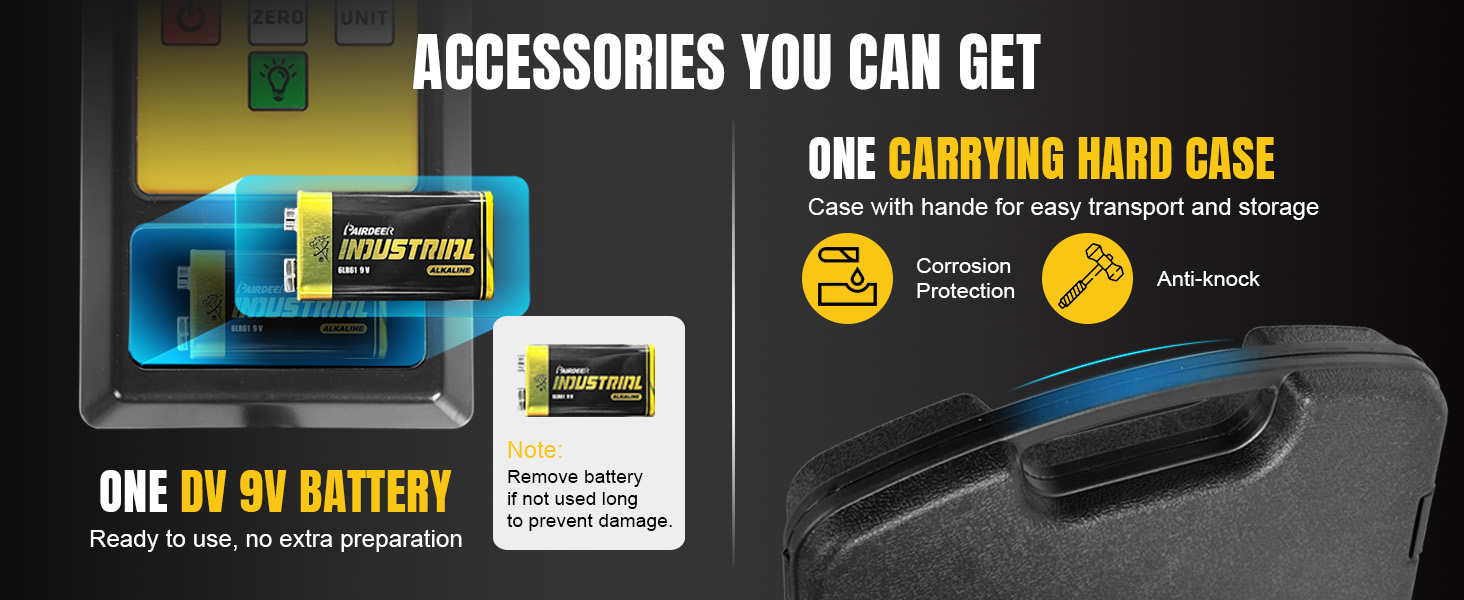
Image 3.1: Included accessories: the scale, remote, 9V battery, and hard carrying case.
4. 제품 특징
- High Accuracy Measurement: Maximum capacity of 110 lbs (50 kg) with an accuracy of ±0.05% readings +5g and a resolution of 2g/0.1oz. Supports g/Kg/Oz/Lb units.
- Ultra-large LCD Screen: Provides clear readings even in low-light conditions. The remote display features a 110° extensible bracket for hands-free view주고받음.
- 내구성 있는 구조: Equipped with a high-quality aluminum alloy frame and a 9" x 9" weighing platform with non-slip rubber pads to prevent tank movement.
- Portable Hard Case: Waterproof, dustproof, and anti-collision case ensures safe transport and storage.
- 다중 보호 기능: Displays "FULL" if weight exceeds capacity, preventing damage. Features automatic shut-off after 10 minutes of non-use to conserve battery. Backlight automatically turns off after 10 seconds, with an option for continuous illumination.
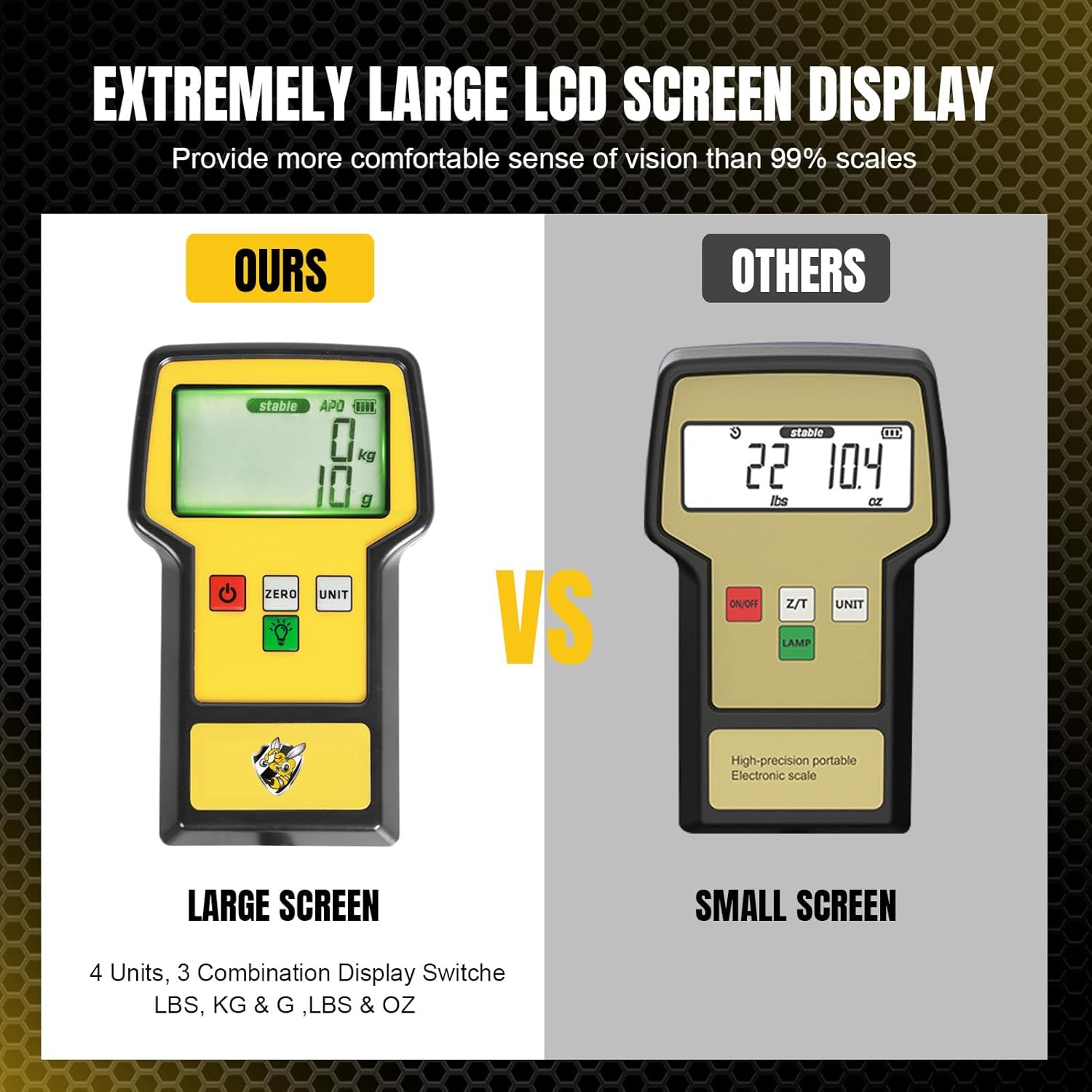
Image 4.1: The large LCD screen offers improved readability compared to smaller displays.

Image 4.2: Details of the sturdy aluminum frame and non-slip rubber platform for enhanced stability.

Image 4.3: The portable hard case provides secure storage and protection for the scale.
5. 설정
- 풀다: 휴대용 케이스에서 모든 구성품을 조심스럽게 꺼내십시오.
- 배터리 설치 : Open the battery compartment on the remote display unit and insert the provided DV 9V dry battery, ensuring correct polarity.
- Position Scale: Place the scale platform on a firm, level, and stable surface. Ensure there are no obstructions that could interfere with the weighing process.
- 원격 연결: 원격 표시 장치는 코일 케이블을 통해 계량 플랫폼에 연결됩니다. 연결이 단단히 고정되었는지 확인하십시오.
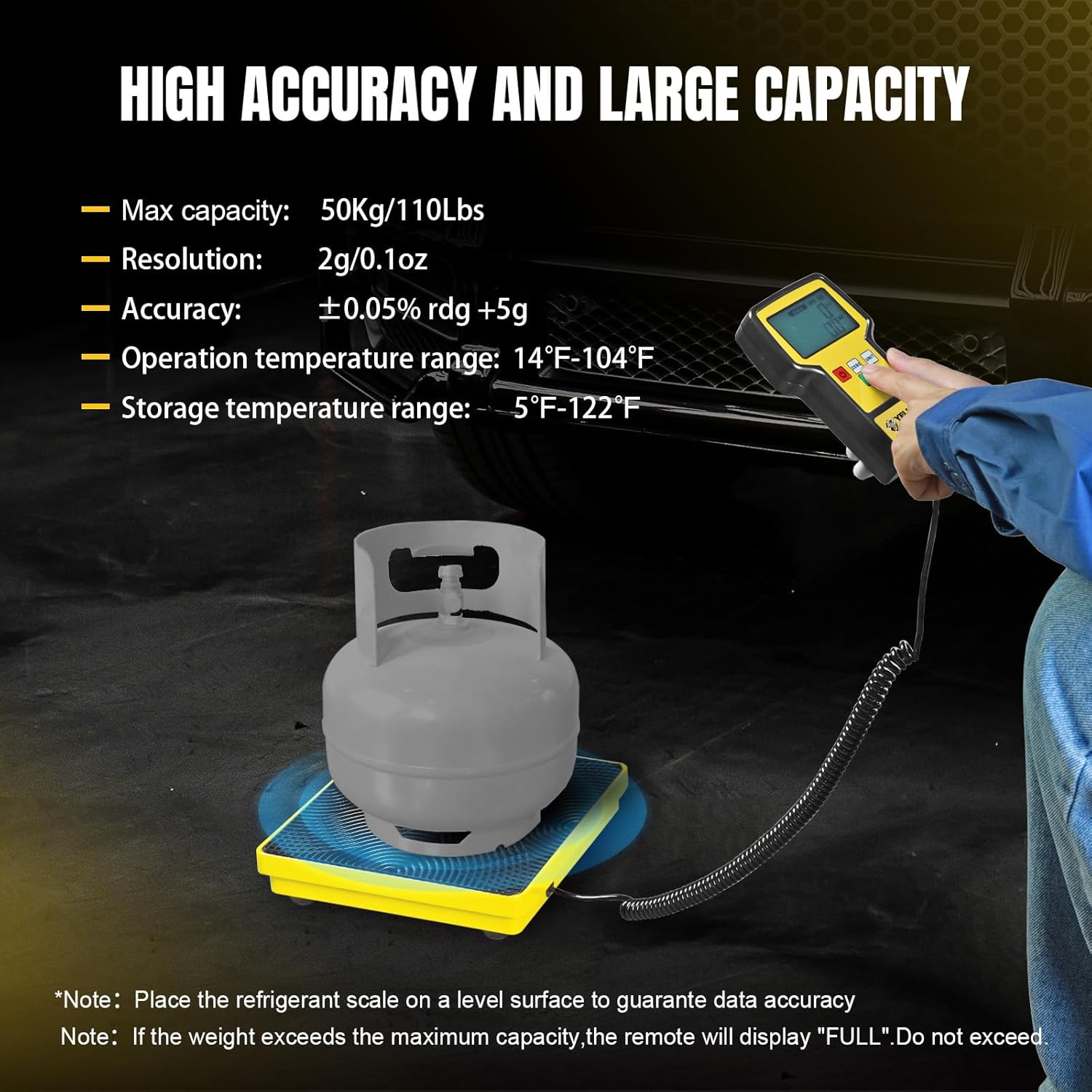
Image 5.1: Remote display controls and battery installation.
6. 사용 설명서
- 전원 켜기/끄기: 를 누르세요 켜짐/꺼짐 button to turn the scale on. The display will show a self-test sequence and then settle at zero. Press and hold the 켜짐/꺼짐 button to turn the scale off. The scale will automatically shut off after 10 minutes of inactivity.
- 스케일 영점 조정: Before placing any item on the platform, ensure the display reads "0". If not, press the 영 button to reset the reading to zero. This is crucial for accurate measurements, especially when using a container or hose.
- 단위 변환 : 를 누르세요 단위 button to cycle through the available measurement units: g (grams), Kg (kilograms), Oz (ounces), and Lb (pounds). The display will indicate the currently selected unit.
- 백라이트 제어: 를 누르세요 백라이트 button (light bulb icon) to turn the backlight on. The backlight will automatically turn off after 10 seconds to save power. To keep the backlight continuously on, press and hold the 백라이트 button for 3 seconds until a beep is heard.
- Using the Extensible Bracket: The remote display unit features a 110° extensible bracket on the back. Pull out the bracket to prop up the display for a comfortable, hands-free view잉 각도.
- 무게: Place the item (e.g., refrigerant tank) gently on the center of the scale platform. The weight will be displayed on the remote unit.
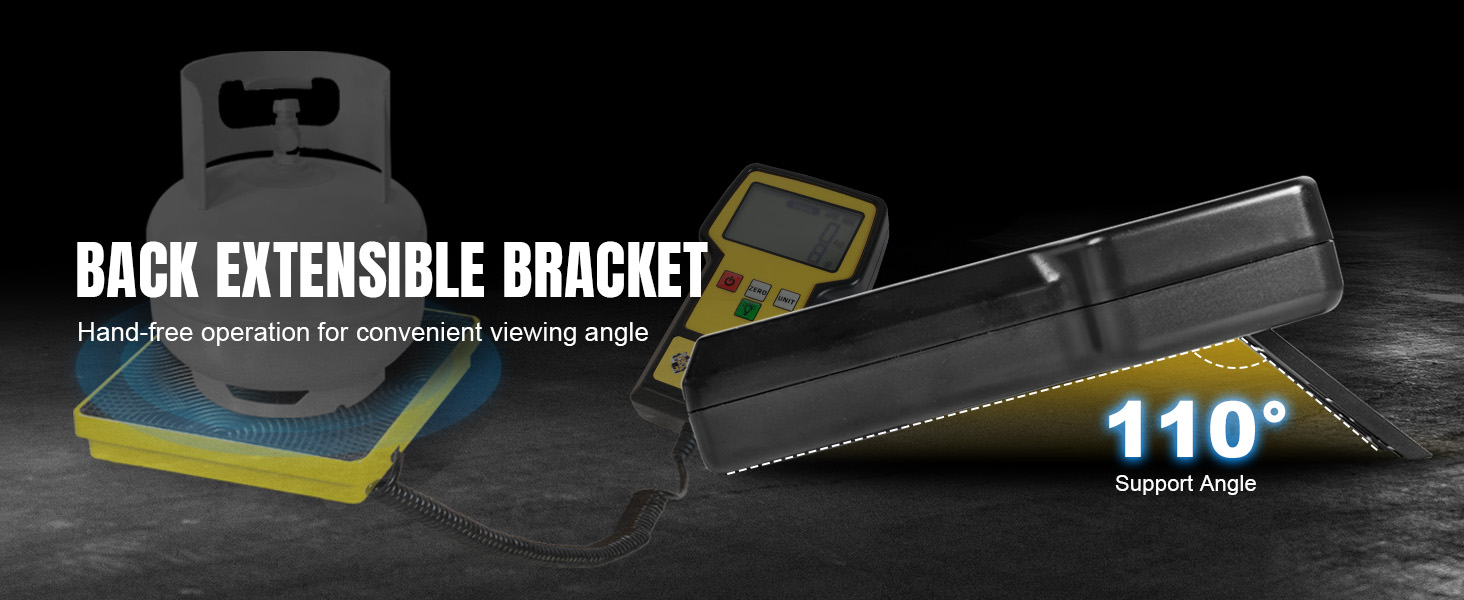
Image 6.1: The extensible bracket allows for hands-free operation and optimal view주고받음.
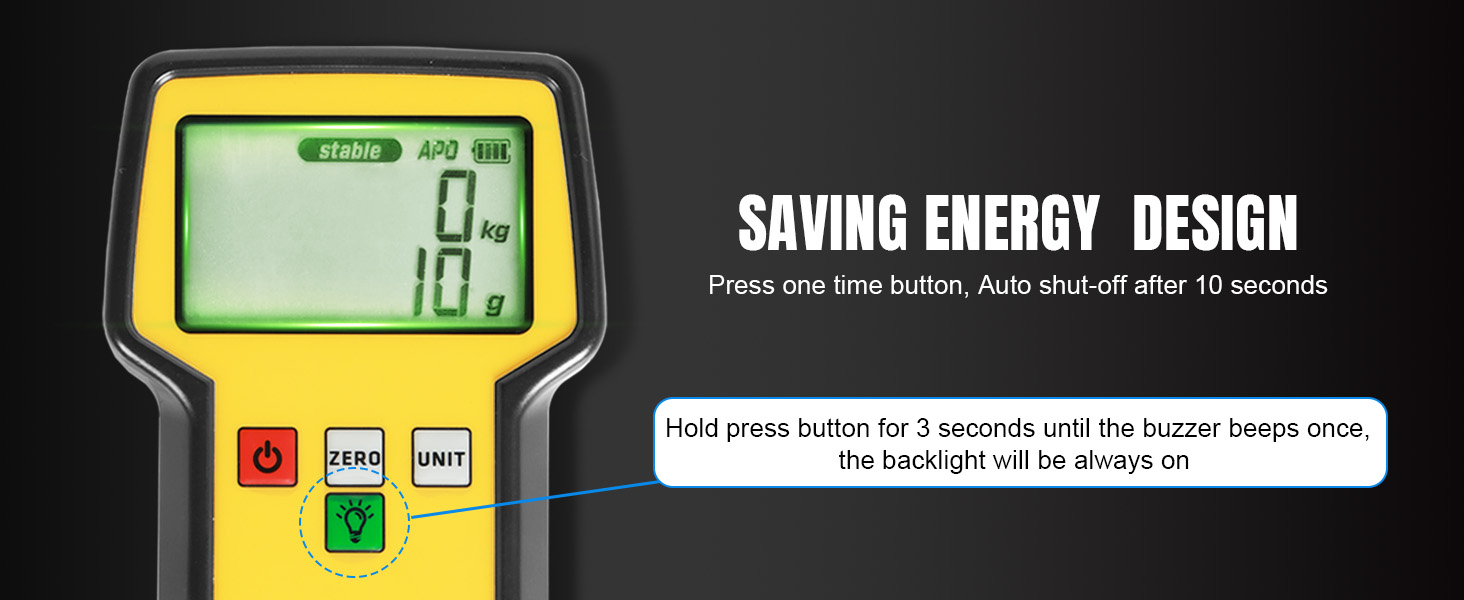
Image 6.2: Energy-saving features for backlight and auto shut-off.
7. 유지관리
- 청소: 저울 플랫폼과 원격 디스플레이를 부드러운 천으로 닦으십시오.amp 천. 연마성 세척제나 용매를 사용하지 마십시오.
- 배터리 관리 : Replace the 9V battery when the low battery indicator appears on the display. If the scale will not be used for an extended period (e.g., several months), remove the battery to prevent potential leakage and damage to the unit.
- 저장: Store the scale and its components in the provided hard carrying case in a dry, cool place, away from direct sunlight and extreme temperatures.
8. 문제 해결
| 문제 | 가능한 원인 | 해결책 |
|---|---|---|
| 부정확한 판독 | Scale not on a level surface; unstable environment (vibrations); scale not zeroed; exceeding capacity. | Ensure scale is on a stable, level surface. Avoid vibrations. Press 영 before weighing. Do not exceed 110 lbs. |
| Display shows "FULL" | Weight on platform exceeds maximum capacity. | Remove excess weight immediately to prevent damage. The maximum capacity is 110 lbs (50 kg). |
| 스케일이 켜지지 않음 | Dead or incorrectly installed battery; loose cable connection. | Check battery installation and replace if necessary. Ensure the coiled cable is securely connected to both the platform and remote. |
| 백라이트가 작동하지 않음 | Backlight auto-off feature; low battery. | 를 누르세요 백라이트 button. Hold for 3 seconds for continuous light. Check battery level. |

Image 8.1: Overload detection warning on the display.
9. 사양
| 특징 | 사양 |
|---|---|
| 모델 번호 | ASRCS-110L |
| 최대 용량 | 110파운드(50kg) |
| 정확성 | ±0.05% 측정값 +5g |
| 해결 | 2g / 0.1온스 |
| 측정 단위 | g, Kg, Oz, Lb |
| 디스플레이 유형 | Ultra-large LCD with Backlight |
| 전원 | DV 9V Dry Battery |
| 배터리 수명 | 최대 40시간(대략) |
| 플랫폼 치수 | 약 9인치 x 9인치 |
| 재료 | Aluminum Alloy Frame, Rubber Platform |
| 품목 무게 | 7.88파운드(3.58kg) |
| 패키지 크기 | 17.91 x 12.52 x 2.99 인치 |
| 작동 온도 | 14°F ~ 104°F (-10°C ~ 40°C) |
| 보관 온도 | -5°F ~ 122°F (-20°C ~ 50°C) |

Image 9.1: Detailed dimensions of the refrigerant scale.
10. 보증 및 지원
For warranty information or technical support, please refer to the documentation included with your purchase or contact YELLOW JACKET customer service. You can also visit the official YELLOW JACKET store for more information:


