1. 서론
Thank you for choosing the Holyton Drone Strobe Light. This anti-collision lamp is designed to enhance the visibility of your drone during night flights and in various other scenarios. It features multiple colors and modes, ensuring compliance with aviation regulations and improving safety. Please read this manual thoroughly before use to ensure proper operation and maintenance.
2. 안전 정보
- Always ensure the strobe light is securely attached to your drone or other object before operation.
- Adhere to all local aviation authority regulations regarding drone lighting, especially for night flying. This light meets FAA requirements for anti-collision lighting.
- 기기를 극한 온도, 장시간 직사광선 또는 습기에 노출시키지 마십시오.
- 어린이의 손이 닿지 않는 곳에 보관하세요.
- 제품을 분해하거나 개조하지 마십시오. 그렇게 하면 보증이 무효화되고 제품이 손상될 수 있습니다.
3. 패키지 내용
- Holyton Drone Strobe Light (1 unit)
- USB 충전 케이블
- Mounting Accessories (e.g., adhesive pads, rubber bands)
- 사용자 설명서
4. 제품 특징
- 높은 가시성: 120 lumens brightness with 360° coverage.
- Multiple Colors & Modes: 7 switchable colors and 7 adjustable flashing modes.
- 충전식 배터리: Provides extended use time after a quick charge.
- 가볍고 컴팩트함: Weighs only 6.5g, ideal for various drones and other applications.
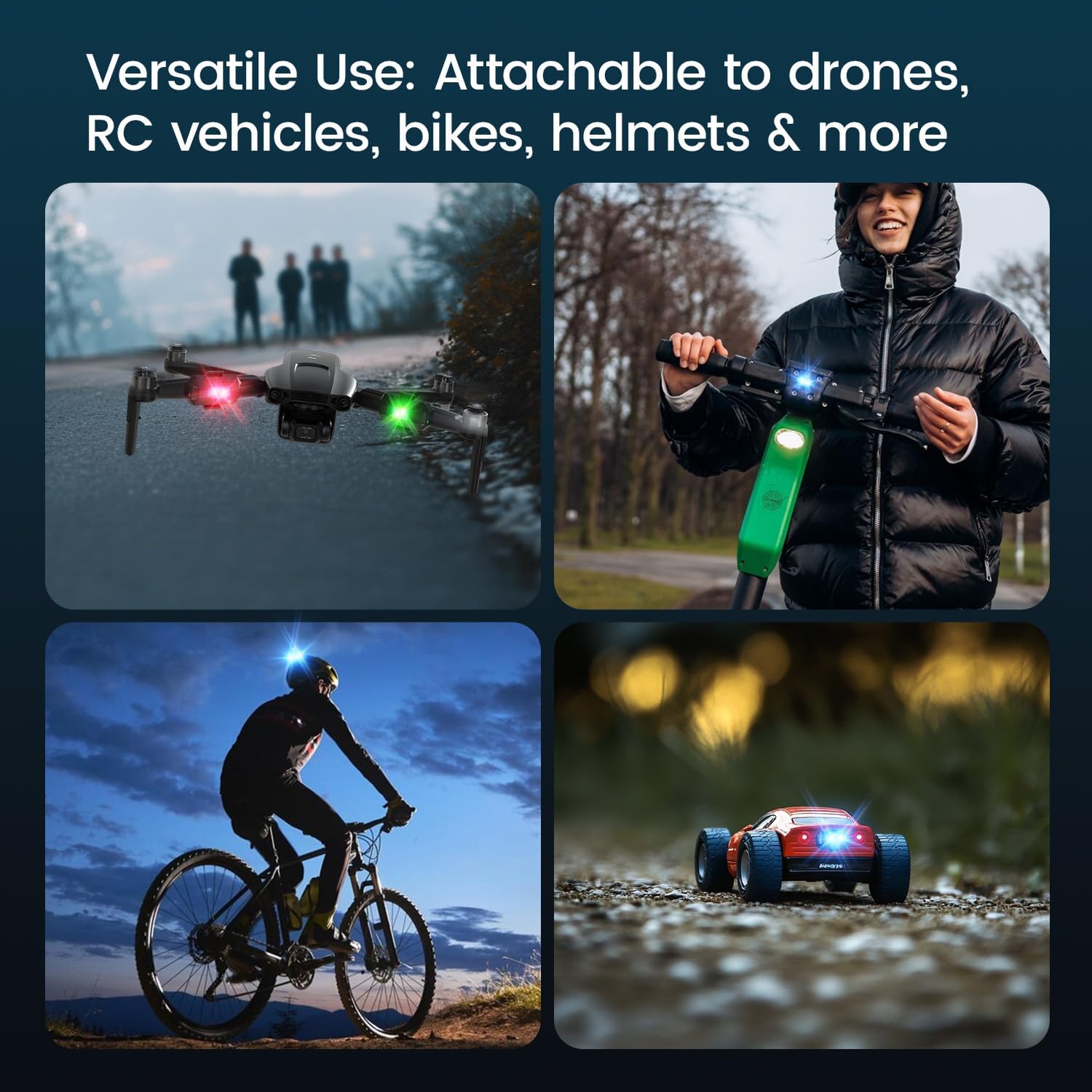
- 다양한 응용 프로그램: Suitable for drones, RC vehicles, bicycles, motorcycles, helmets, and more.
- FAA 규정 준수: Meets requirements for anti-collision lighting during night flights.
5. 설정 및 설치
5.1 초기 충전
Before first use, fully charge the strobe light. Refer to Section 6 for charging instructions.
5.2 Mounting the Strobe Light
The Holyton Drone Strobe Light can be attached to various objects using the provided mounting accessories. For drones, ensure the light does not interfere with propellers, sensors, or flight stability.
- 깨끗한 표면: Ensure the mounting surface on your drone or object is clean and dry.
- 접착제를 바르세요: Peel the backing from an adhesive pad and firmly press it onto the designated area on the strobe light.
- Attach to Drone: Peel the remaining backing from the adhesive pad and attach the strobe light to your drone. Apply firm pressure for a few seconds to ensure a secure bond. Alternatively, use rubber bands or other suitable fasteners for temporary attachment.

6. 사용 설명서
6.1 전원 켜기/끄기
- 전원 켜기: Press and hold the power button for approximately 2 seconds until the light illuminates.
- 전원 끄기 : 전원 버튼을 약 2초간 길게 누르면 표시등이 꺼집니다.
6.2 색상 및 모드 변경
The strobe light offers 7 different colors and 7 distinct flashing modes.
- 색상 변경: While the light is on, short press the power button to cycle through the available colors (e.g., white, red, green, blue, yellow, pink, ice blue).
- 모드 변경: Double-press the power button quickly to cycle through the different flashing modes (e.g., constant, slow flash, fast flash, alternating colors).

7. 충전
The Holyton Drone Strobe Light is equipped with a rechargeable Lithium Ion battery.
- 충전 포트: 마이크로 USB
- 충전 시간: 완전 충전에는 약 12분이 소요됩니다.
- 사용 시간: Up to 5 hours on a full charge, depending on the selected mode and color.
To charge, connect the provided USB charging cable to the Micro USB port on the strobe light and plug the other end into a standard USB power source (e.g., computer, wall adapter).

8. 유지관리
- 청소: 부드럽고 마른 천으로 조명을 닦으십시오. 강한 화학 약품이나 연마제를 사용하지 마십시오.
- 저장: Store the strobe light in a cool, dry place away from direct sunlight when not in use.
- 배터리 관리 : For optimal battery life, avoid fully discharging the battery frequently. Charge the device regularly, even if not in use, to maintain battery health.
9. 문제 해결
| 문제 | 가능한 원인 | 해결책 |
|---|---|---|
| 조명이 켜지지 않습니다. | 배터리가 소진되었습니다. | Charge the strobe light fully. |
| 빛은 충전되지 않습니다. | Charging cable or power source is faulty. | Try a different USB cable or power adapter. Ensure the Micro USB connector is inserted correctly. |
| 빛이 충분히 밝지 않습니다. | 배터리 부족 또는 잘못된 모드입니다. | Charge the device. Ensure a bright mode is selected (e.g., constant white light). |
| Light falls off during use. | Improper mounting or worn adhesive. | Ensure the mounting surface is clean and dry. Use new adhesive pads or more secure fastening methods. |
10. 사양
| 특징 | 세부 사항 |
|---|---|
| 모델 번호 | US03A76731000HT70402 |
| 상표 | 홀리턴 |
| 색상 | 검은색 |
| 모양 | 직사각형 |
| 마무리 유형 | 그린 |
| 광원 유형 | 발광 다이오드(LED) |
| 그늘 소재 | 플라스틱 |
| 품목 무게 | 0.352온스(약 10그램) |
| 배터리 수 | 리튬 이온 1개(포함) |
| 스타일 | 콤팩트 |
| 명도 | 120루멘(최대 광량) |
| 장착 유형 | Drone Mount (Adhesive/Strap) |
| 전구 기능 | Strobe, Flashing, Anti-Collision, Search and Rescue |
| 제품 치수 | 1"L x 1"W x 1"H (approximately) |

11. 보증 및 지원
Holyton products are designed for reliability and performance. This product comes with a standard manufacturer's warranty against defects in materials and workmanship. Please refer to the product packaging or our official web구체적인 보증 약관은 해당 사이트에서 확인하세요.
For technical support, troubleshooting assistance, or warranty claims, please contact our customer service team:
- 이메일: Holyton@foxmail.com
- 핸드폰: +1 (866) 514-8669
Our support team is available to assist you within 24 hours.


