1. 서론
Thank you for choosing the Codnida 4MP Outdoor Surveillance Camera System. This manual provides detailed instructions to help you install, operate, and maintain your security system effectively. Please read this manual thoroughly before use and retain it for future reference.
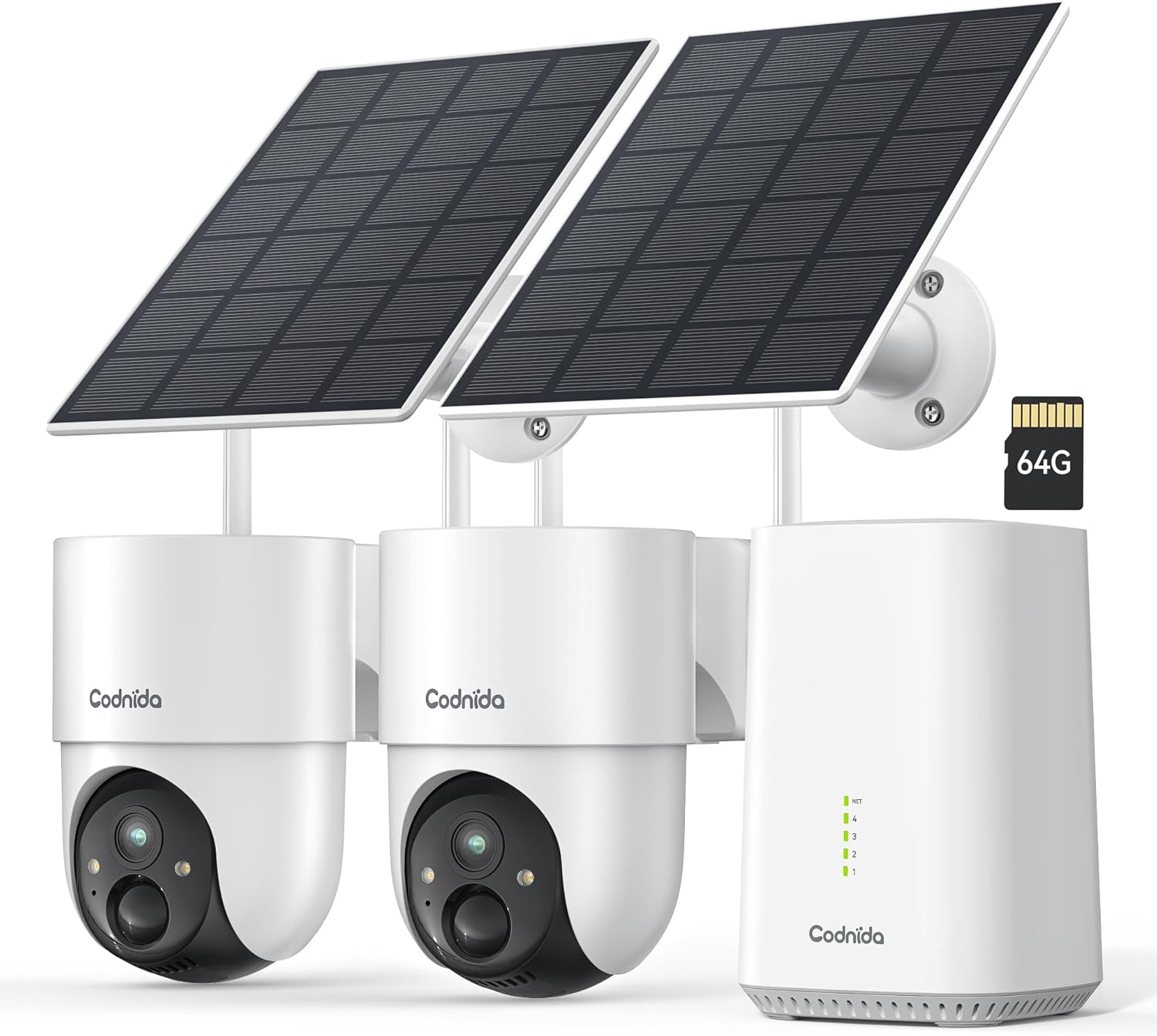
Image 1.1: Codnida 4MP Outdoor Surveillance Camera System components.
2. 패키지 내용
아래 나열된 모든 품목이 패키지에 포함되어 있는지 확인하세요. 품목이 누락되었거나 손상된 경우 고객 지원팀에 문의하세요.
- 2 x Codnida 4MP Outdoor Cameras
- 2 x 태양 전지판
- 1 x 베이스 스테이션
- 1 x HDMI 케이블
- 케이블이 있는 1 x 전원 어댑터
- 1 x 64GB TF Memory Card (pre-installed or separate)
- 1 x 네트워크 케이블
- 4 x 장착 나사
- 경고 스티커 2개
- 1 x 사용자 매뉴얼(이 문서)
3. 설정 가이드
3.1 기지국 연결
- Connect the Base Station to a power outlet using the provided power adapter.
- Connect the Base Station to your router using the provided network cable.
- Optionally, connect the Base Station to a TV or monitor using the HDMI cable for a larger display.
3.2 카메라 설치
The cameras are designed for outdoor use and are solar-powered, minimizing the need for frequent battery charging.
- 태양광 패널에 최적의 햇빛이 비치고 시야가 트인 설치 위치를 선택하십시오. view 모니터링하려는 영역의
- Mount the camera and solar panel securely using the provided screws. Ensure the solar panel is angled to receive maximum direct sunlight.
- Connect the solar panel cable to the camera.
- Ensure the camera is within range of the Base Station's Wi-Fi signal (2.4 GHz or 5 GHz).
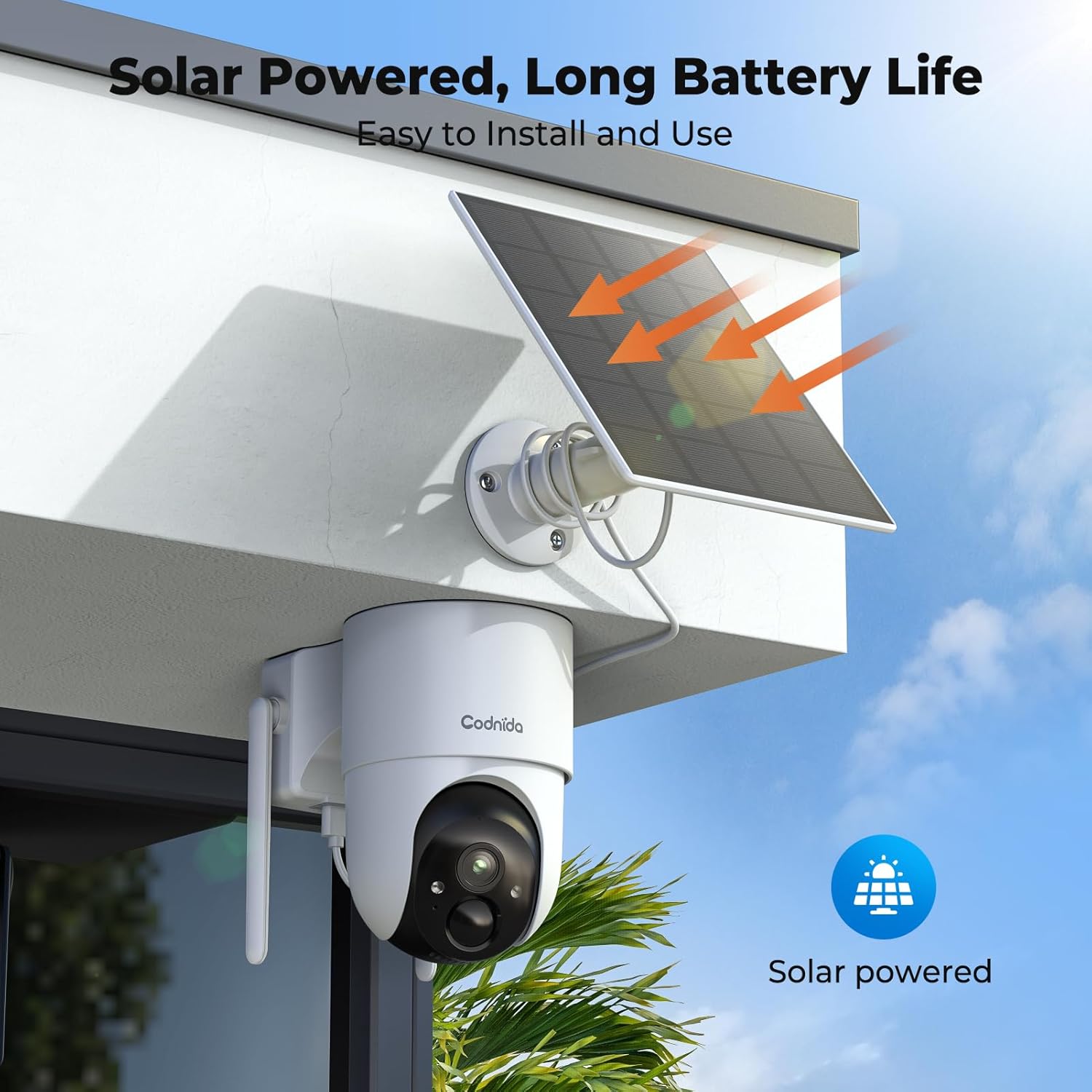
이미지 3.2.1: Example of solar-powered camera installation.
3.3 App Setup (EseeCloud)
- Download the "EseeCloud" app from your smartphone's app store.
- 새 계정을 등록하거나 이미 계정이 있는 경우 로그인하세요.
- Follow the in-app instructions to add your Base Station and cameras. This typically involves scanning a QR code or manually entering device IDs.
- 연결되면 다음을 수행할 수 있습니다. view live feeds, access recordings, and configure settings.
4. 사용 설명서
4.1 라이브 View 그리고 녹음
Access the EseeCloud app or a connected monitor to view 라이브 푸tage from your cameras. The system supports 24/7 recording to the included 64GB TF card, providing up to 120 days of video storage.

이미지 4.1.1: 라이브 view display on a monitor.
4.2 팬-틸트-줌(PTZ) 제어
The cameras offer 355° pan and 90° tilt capabilities, providing a 360° view of your surroundings. Control these movements directly from the EseeCloud app.

Image 4.2.1: Pan-Tilt control via EseeCloud app.
4.3 동작 감지 및 알림
The system features PIR motion detection, capable of identifying persons, vehicles, and animals. You will receive real-time notifications on your smartphone when motion is detected in designated areas.

Image 4.3.1: PIR motion detection identifying objects.
4.4 야간 투시경
The cameras provide crystal clear 4MP video quality, including two night vision modes: infrared and color night vision, effective up to 15 meters (65 feet).
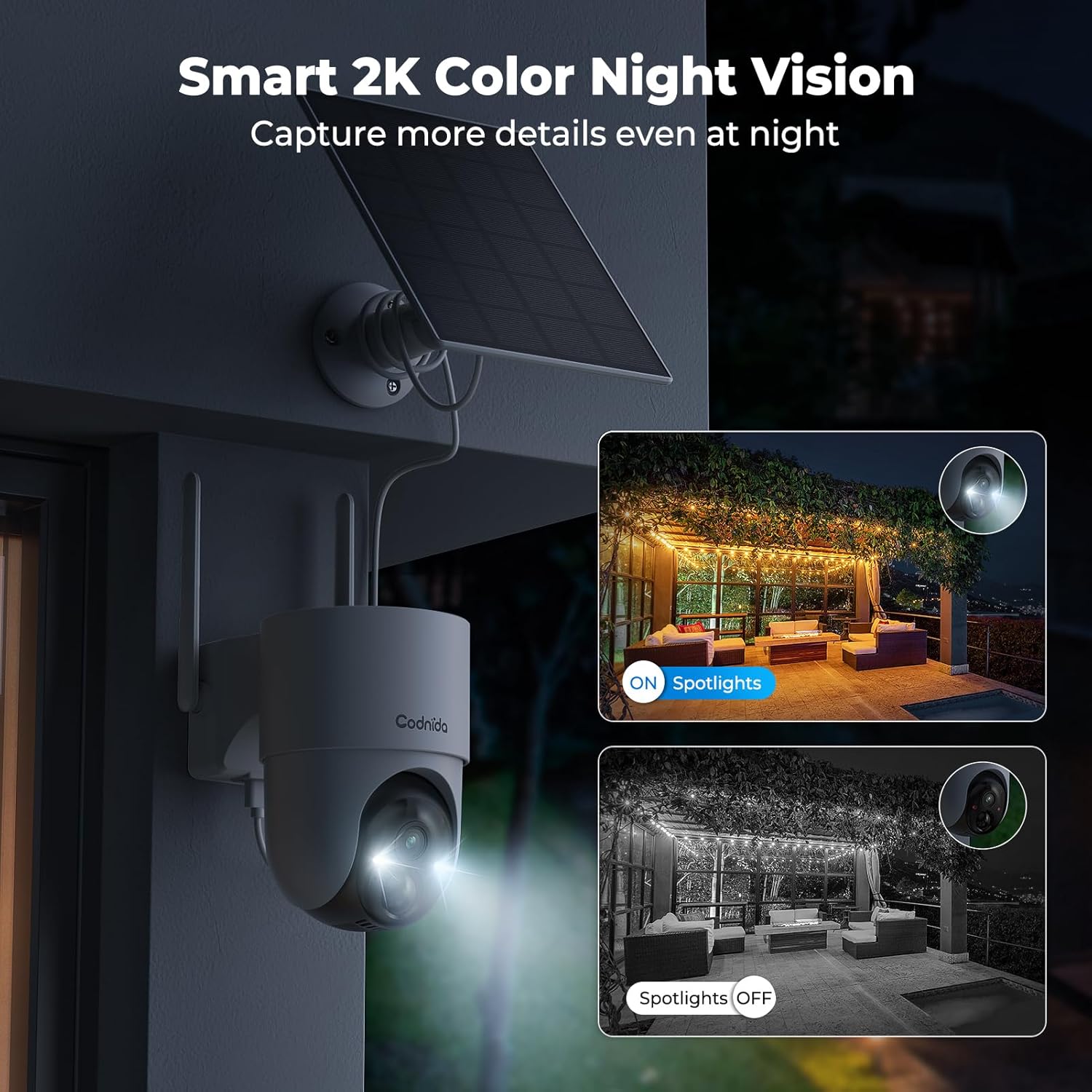
Image 4.4.1: Smart 2K color night vision with spotlights.
4.5 양방향 오디오
Utilize the built-in microphone and speaker for two-way communication through the EseeCloud app. This allows you to speak to visitors or deter intruders remotely.

Image 4.5.1: Two-way audio functionality via smartphone.
5. 유지관리
5.1 태양광 패널 관리
Regularly clean the surface of the solar panels to ensure optimal charging efficiency. Dust, dirt, and debris can reduce sunlight absorption. Use a soft, damp 청소용 천.
5.2 카메라 청소
Wipe the camera lens and body with a soft, lint-free cloth to remove any smudges or dirt. Avoid using harsh chemicals that could damage the camera's finish or lens coating. The cameras are IP65 water-resistant, designed to withstand rain and snow.

Image 5.2.1: IP65 water resistance for all-weather protection.
5.3 펌웨어 업데이트
Periodically check the EseeCloud app for available firmware updates. Keeping your device's firmware updated ensures optimal performance, security, and access to new features.
6. 문제 해결
| 문제 | 가능한 원인 | 해결책 |
|---|---|---|
| Camera not connecting to Base Station | Out of range; Wi-Fi interference; incorrect pairing. | Move camera closer to Base Station; reduce interference; re-pair camera via EseeCloud app. |
| 비디오 피드 없음 | Camera offline; network issue; power issue. | Check camera power and network connection; restart Base Station and router. |
| 화질이 나쁘다 | Dirty lens; low network bandwidth; app setting. | Clean camera lens; ensure stable Wi-Fi; select HD quality in EseeCloud app. |
| 태양광 패널이 충전되지 않음 | 햇빛 부족; 패널 오염; 연결 불량. | Relocate panel for more sun; clean panel surface; check cable connection. |
| 동작 감지 알림이 작동하지 않습니다 | Motion detection disabled; incorrect sensitivity; app notification settings. | Enable motion detection in app; adjust sensitivity; check phone notification settings for EseeCloud. |
7. 사양
| 특징 | 세부 사항 |
|---|---|
| 모델 | COD-214 (D214) |
| 비디오 해상도 | 4MP (1440p recording) |
| View잉 각도 | 360도 회전 (좌우 회전 355°, 상하 회전 90°) |
| 나이트 비전 범위 | 15미터(65피트) |
| 저장 | 64GB TF 카드(포함) |
| 연결성 | Wireless (Wi-Fi 2.4GHz/5GHz), HDMI |
| 전원 | 태양열 충전식 (리튬 이온 배터리) |
| 방수성 | IP65 (방수) |
| 특별 기능 | Two-way audio, Motion detection, HD Resolution, PTZ Technology, Night vision |
| 호환 장치 | Smartphone (EseeCloud app) |
| 재료 | 플라스틱 |
| 전력 소비 | 5 와트 |
| 설치 유형 | Screw-in (Wall, Ceiling, Tree, Door mounting) |
8. 보증 및 지원
8.1 제조업체 보증
The Codnida 4MP Outdoor Surveillance Camera System comes with a manufacturer's warranty of 1.5 years from the date of purchase. Please retain your proof of purchase for warranty claims.
8.2 고객 지원
For technical assistance, troubleshooting, or warranty inquiries, please contact Codnida customer support. Refer to the contact information provided on the product packaging or the official Codnida web대지.


