1. 서론
구매해주셔서 감사합니다asing the Timex TW14 Alarm Clock with Wireless Charger. This compact device combines a digital alarm clock with a convenient 15W wireless charging pad, suitable for various smartphones and earbuds. This manual provides essential information for setting up, operating, and maintaining your new alarm clock.
2. 패키지 내용
패키지에 모든 품목이 들어 있는지 확인하세요.
- Timex TW14 Alarm Clock with Wireless Charger
- USB-A to USB-C 전원 케이블
- 사용 설명서 (본 문서)
메모: A 18W QC3.0 adapter and 2 AAA batteries for backup are 포함되지 않음 별도로 구매해야 합니다.
3. 제품 오버view
Familiarize yourself with the components and controls of your Timex TW14 alarm clock.

이미지 3.1: 맨 위 view of the Timex TW14 alarm clock, highlighting the control buttons and the wireless charging pad. The display shows "10:09". A USB power cable is also shown.
전면 패널:
- LED 디스플레이: Shows time, alarm status, and PM indicator.
상단 패널 :
- 무선 충전 패드: 호환 기기를 충전하는 데 사용됩니다.
- "M" 버튼: Mode/Set button for time and alarm settings, also functions as snooze.
- "-" 버튼: Decrease value, navigate backward, also functions as snooze.
- "+" 버튼: Increase value, navigate forward, also functions as snooze.
후면 패널 :
- USB-C 전원 입력: 전원 케이블에 연결합니다.
하단 패널:
- 배터리 칸: For 2 AAA backup batteries.
4. 설정
4.1 전원 연결
- Connect the supplied USB-A to USB-C power cable to the USB-C input port on the rear of the alarm clock.
- Connect the USB-A end of the cable to a compatible 18W QC3.0 USB power adapter (not included).
- Plug the power adapter into a standard wall outlet. The clock display will illuminate.
4.2 배터리 백업 설치
The battery backup system maintains time and alarm settings during a temporary power outage. It does not power the clock display or wireless charging function.
- 장치 하단에서 배터리 칸을 찾으세요.
- 배터리 덮개를 엽니다.
- Insert 2 new AAA batteries (not included), observing the correct polarity (+ and -) as indicated inside the compartment.
- 배터리 덮개를 단단히 닫으세요.
5. 사용 설명서
5.1 시간 설정
- 를 누르고 계세요 M 시 숫자가 깜빡일 때까지 버튼을 누르세요.
- 사용하세요 - or + 시간을 조정하는 버튼입니다. 12시간 형식을 사용하는 경우 PM 표시를 확인하세요.
- 를 누르세요 M 시간을 확인하려면 버튼을 다시 누르세요. 그러면 분 숫자가 깜빡입니다.
- 사용하세요 - or + 버튼을 사용하여 분을 조정합니다.
- 를 누르세요 M 분을 확인하고 시간 설정 모드를 종료하려면 버튼을 한 번 더 누르십시오.
5.2 알람 설정
- 를 누르세요 M button once (do not hold) to enter alarm setting mode. The alarm time will be displayed, and the alarm icon will flash.
- 를 누르고 계세요 M 알람 시간 숫자가 깜빡일 때까지 버튼을 누르세요.
- 사용하세요 - or + 알람 시간을 조정하는 버튼입니다.
- 를 누르세요 M button again to confirm the alarm hour, and the alarm minute digits will flash.
- 사용하세요 - or + 알람 시간을 조정하는 버튼입니다.
- 를 누르세요 M button once more to confirm the alarm minutes and exit alarm setting mode. The alarm icon will remain lit, indicating the alarm is active.
- 알람을 켜거나 끄려면 다음을 누르세요. M button briefly when the current time is displayed. The alarm icon will appear or disappear.
5.3 스누즈 기능
When the alarm sounds, press any of the M, -, 또는 + buttons to activate the snooze function. The alarm will temporarily stop and sound again after approximately 9 minutes.
To turn off the alarm completely, allow the alarm to ring for its full duration or turn off the alarm via the M button when not ringing.
5.4 디스플레이 디머
LED 디스플레이의 밝기를 조절하려면 버튼을 반복해서 누르십시오. M button (when not in setting mode) to cycle through High, Low, and Off brightness levels.
5.5 무선 충전
The Timex TW14 features a 15W wireless charging pad compatible with Qi-enabled devices such as iPhone, Android smartphones, and AirPods.

이미지 5.1: An iPhone placed on the wireless charging pad of the Timex TW14 alarm clock, indicating active charging.
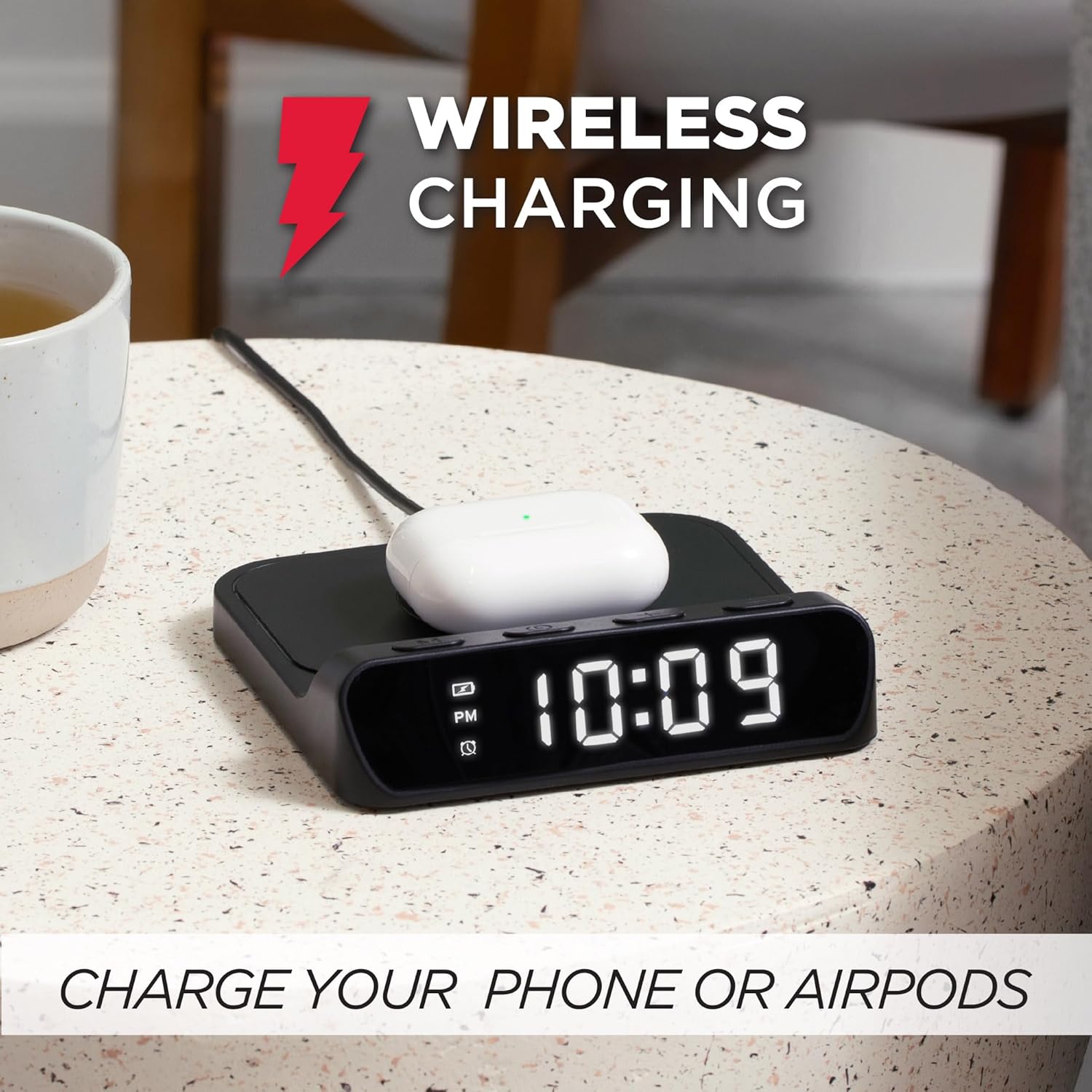
이미지 5.2: AirPods case placed on the wireless charging pad of the Timex TW14 alarm clock, indicating active charging.
- Place your Qi-enabled device (e.g., smartphone, AirPods case) directly onto the center of the wireless charging pad on the top of the alarm clock.
- Ensure the device is properly aligned with the charging coil. A charging indicator (if available on your device) will confirm charging has begun.
- If charging does not start, slightly reposition your device on the pad.
중요한 고려 사항:
- For optimal charging performance, use an 18W QC3.0 power adapter.
- 두꺼운 휴대폰 케이스나 금속 재질이 포함된 케이스는 무선 충전에 방해가 될 수 있습니다. 충전에 문제가 발생하면 이러한 케이스를 제거하십시오.
- Charging speed may vary depending on the device, its battery level, and environmental factors.
6. 유지관리
6.1 청소
To clean the unit, gently wipe the surfaces with a soft, dry cloth. Do not use liquid cleaners, abrasive materials, or chemical sprays, as these may damage the finish or internal components.
6.2 배터리 교체
Replace the 2 AAA backup batteries annually or if you notice settings are not retained during power outages. Always use new batteries and dispose of old batteries responsibly.
7. 문제 해결
If you experience issues with your Timex TW14 alarm clock, please refer to the following common problems and solutions:
| 문제 | 가능한 원인 | 해결책 |
|---|---|---|
| 시계 표시가 꺼져 있거나 작동하지 않습니다. | No power, loose connection, or display dimmer set to "Off". | Ensure the USB-C power cable is securely connected to the clock and a functional power adapter. Check if the adapter is plugged into a live outlet. Press the M button to cycle through display brightness settings (High/Low/Off). |
| 무선 충전이 작동하지 않습니다. | Device not Qi-compatible, improper alignment, phone case interference, insufficient power adapter. | Verify your device supports Qi wireless charging. Reposition the device on the center of the charging pad. Remove thick or metallic phone cases. Ensure you are using an 18W QC3.0 power adapter. |
| 무선 충전은 느립니다. | Power adapter not powerful enough, device alignment, background apps on device. | Use an 18W QC3.0 power adapter for optimal speed. Ensure perfect alignment of the device on the charging pad. Close unnecessary apps on your device. |
| Alarm settings are lost after power outage. | 백업 배터리가 방전되었거나 설치되어 있지 않습니다. | Install 2 new AAA batteries in the battery compartment, ensuring correct polarity. Replace old batteries if necessary. |
| 시간/알람 설정에 어려움이 있습니다. | 버튼을 누르는 순서가 잘못되었습니다. | Refer to sections 5.1 and 5.2 for detailed instructions on setting the time and alarm. Ensure you press and hold the M button at the correct steps. |
8. 사양
| 상표 | 타임스 |
| 모델 번호 | 티와이14 |
| 색상 | 검은색 |
| 디스플레이 유형 | Digital LED (0.8" white) |
| 특별 기능 | Alarm, 15W Wireless Charging, Display Dimmer, Battery Backup |
| 제품 치수 | 5" (Width) x 5" (Depth) x 1.2" (Height) |
| 전원 | USB-A to USB-C power cable (included), requires 18W QC3.0 adapter (not included) |
| 배터리 백업 | AAA 배터리 2개 (포함되지 않음) |
| 프레임 소재 | 플라스틱 |
| 품목 무게 | 0.2킬로그램(7온스) |

이미지 8.1: Timex TW14 alarm clock with its dimensions (5"W x 5"D x 1.2"H) clearly indicated.
9. 보증 및 지원
Timex products are manufactured to high quality standards. For information regarding warranty coverage, technical support, or customer service, please refer to the warranty card included with your purchase or visit the official Timex web사이트. 보증 청구를 위해 구매 증빙 자료를 보관하세요.


