Xiaomi Redmi Pad SE 8.7-inch WiFi Tablet User Manual
Model: VHUU5100EU
브랜드: 샤오미
소개
This comprehensive user manual provides detailed instructions for setting up, operating, maintaining, and troubleshooting your Xiaomi Redmi Pad SE 8.7-inch WiFi tablet (Model: VHUU5100EU). Please read this manual thoroughly to ensure proper usage and to maximize your device's performance and longevity.
상자 안에 무엇이 들어있나요?
Your Xiaomi Redmi Pad SE package includes the following items:
- Xiaomi Redmi Pad SE 8.7-inch WiFi Tablet
- Fast Car Dual USB 16W
- 벽면 어댑터
- USB 케이블
제품 끝view
Familiarize yourself with the key components and design of your Xiaomi Redmi Pad SE.

앞면과 뒷면 View: The Xiaomi Redmi Pad SE in Auora Green, showcasing its 8.7-inch display and the rear camera module.
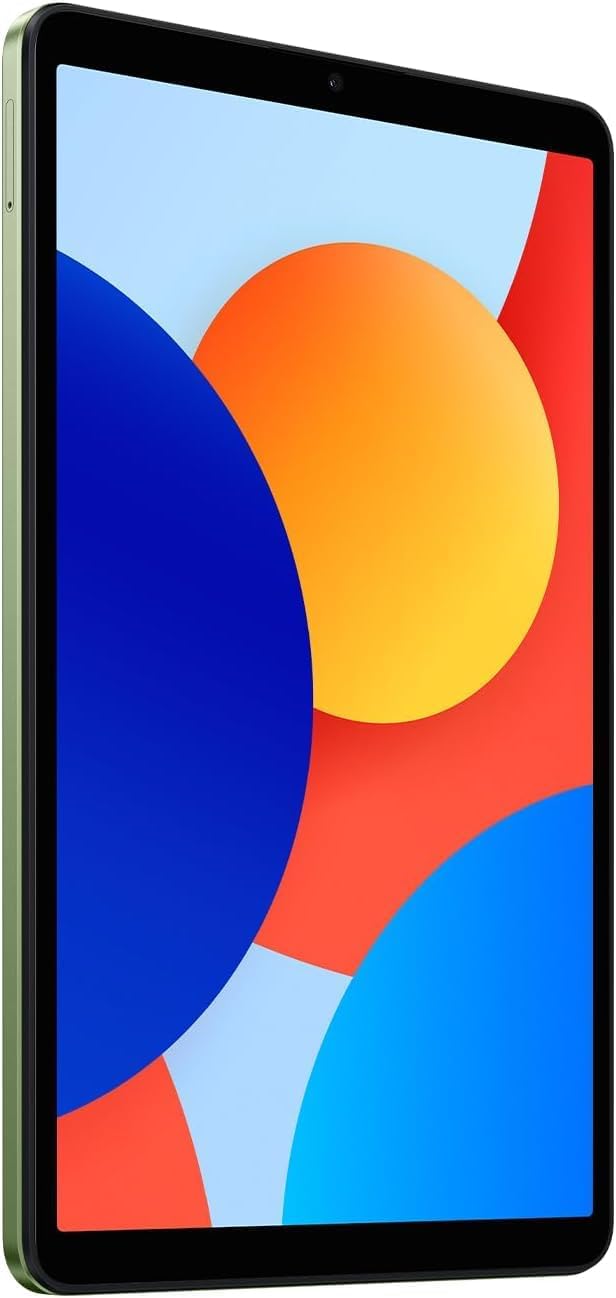
앞쪽 View: 명확한 view of the 8.7-inch LCD display, ideal for media consumption and browsing.
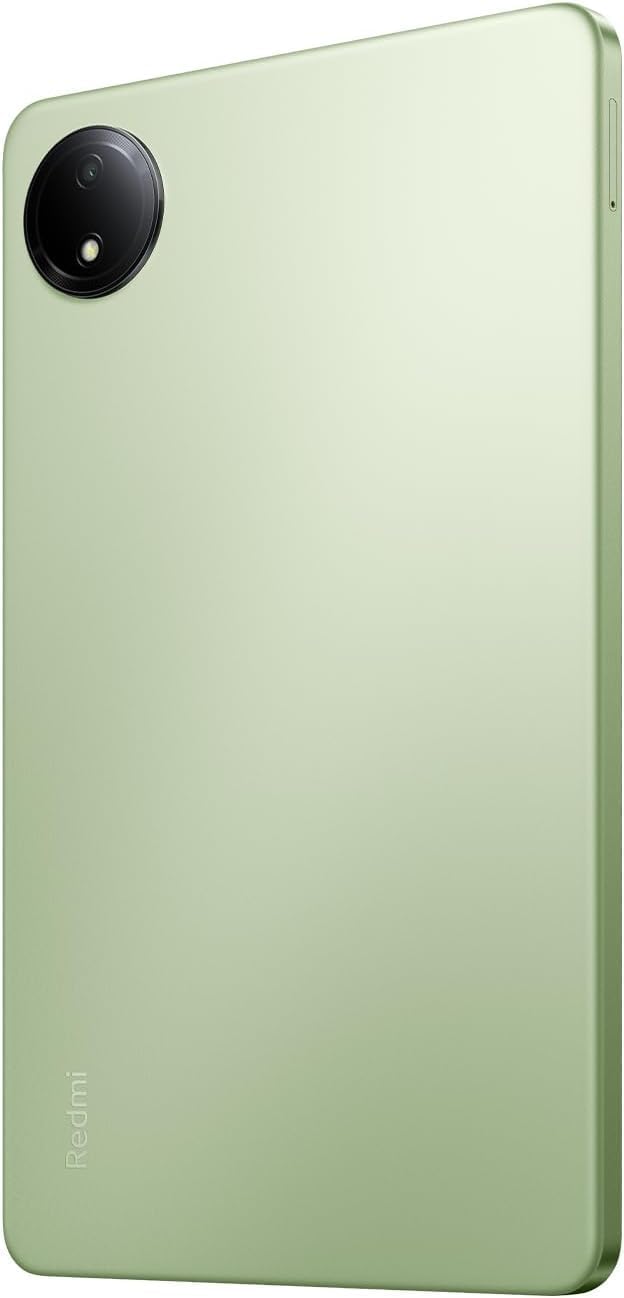
뒤쪽에 View: The sleek rear panel of the tablet, highlighting the 8MP main camera.

옆 View: 날씬한 프로file of the tablet, showing the power and volume buttons on the side.
설정
- 전원 켜기: Press and hold the Power button on the side of the tablet until the Xiaomi logo appears.
- 초기 구성: 화면의 지시에 따라 언어와 지역을 선택하고 Wi-Fi 네트워크에 연결하세요.
- 구글 계정: Google 계정으로 로그인하거나 새 계정을 만드세요. Google Play 스토어 및 기타 Google 서비스에 액세스하려면 이 계정이 필수입니다.
- 보안 설정: Set up your preferred screen lock method (PIN, pattern, password, or face unlock).
- 데이터 전송(선택 사항): If you are upgrading from another device, you may choose to transfer your data during this step.
- 설정 완료: Finish the remaining setup steps to start using your tablet.
작동 지침
기본 탐색
- 홈 화면: 홈 화면 간에 이동하려면 왼쪽이나 오른쪽으로 살짝 밀어주세요.
- 앱 서랍: 설치된 모든 애플리케이션에 접근하려면 화면 하단에서 위로 살짝 밀어주세요.
- 알림 및 빠른 설정: 화면 상단에서 아래로 스와이프하여 view 알림을 받고 빠른 설정 토글(Wi-Fi, 블루투스 등)에 액세스할 수 있습니다.
- 최근 앱: Tap the square icon (or swipe up and hold if using gestures) to view 최근 사용한 애플리케이션 간에 전환합니다.
멀티태스킹
- 분할 화면: From the recent apps screen, long-press an app icon and select the split-screen option to use two apps simultaneously.
- 플로팅 윈도우: Some apps support floating windows for quick access while using other applications.
연결성
- 와이파이: 이동하다 설정 > Wi-Fi 사용 가능한 네트워크에 연결합니다.
- 블루투스: 이동하다 설정 > 블루투스 헤드폰이나 스피커와 같은 Bluetooth 장치와 페어링합니다.
유지
배터리 관리
- 극한의 온도를 피하세요.
- 최적의 충전을 위해 정품 충전기와 케이블을 사용하세요.
- 배터리가 자주 완전히 방전되지 않도록 하세요.
소프트웨어 업데이트
기기에 최신 기능, 보안 패치 및 성능 향상이 적용되도록 정기적으로 시스템 업데이트를 확인하고 설치하세요. 자세한 내용은 다음 링크를 참조하세요. 설정 > 태블릿 정보 > 시스템 업데이트.
청소
부드럽고 보풀 없는 천으로 태블릿의 화면과 본체를 닦으세요. 강한 화학 약품이나 연마성 재질은 사용하지 마세요.
스토리지 관리
To optimize performance, regularly manage your storage by deleting unnecessary files and apps. You can expand storage using a microSD card.
문제 해결
- 장치 전원이 켜지지 않음: Ensure the tablet is charged. Connect it to the charger and wait a few minutes before attempting to power it on again.
- Wi-Fi 연결 문제: Restart your tablet and your Wi-Fi router. Forget the network in settings and reconnect.
- 느린 성능: Close unnecessary background apps, clear cache, and ensure sufficient storage space. Consider a factory reset as a last resort (back up your data first).
- 앱 충돌/멈춤: 앱의 캐시와 데이터를 지웁니다. 설정 > 앱문제가 지속되면 앱을 제거했다가 다시 설치하세요.
명세서
| 특징 | 세부 사항 |
|---|---|
| 스탠딩 스크린 디스플레이 크기 | 8.7 인치 |
| 화면 해상도 | 1340x800 |
| 최대 화면 해상도 | 1340 x 800 픽셀 |
| 프로세서 | 2 GHz Octa Core |
| 칩셋 브랜드 | 팔 |
| 운영 체제 | 안드로이드 14, 하이퍼OS |
| 품목 무게 | 13.2 온스 |
| 제품 치수 | 8.32 x 0.34 x 4.94 인치 |
| 색상 | Auora Green (ONLY WIFI) |
| 뒤쪽 Web캠 해상도 | 8 MP |
| 프로세서 브랜드 | 미디어텍 |
| 컴퓨터 메모리 유형 | DDR3 SD램 |
| 플래시 메모리 크기 | 6GB (XNUMX기가바이트) |
| 배터리 | 리튬폴리머 배터리 1개 필요(포함) |
보증 및 지원
Your Xiaomi Redmi Pad SE is covered by a manufacturer's warranty. Please refer to the warranty card included in your product packaging for specific terms and conditions. For technical support or service inquiries, please visit the official XIAOMI support web사이트를 방문하거나 고객 서비스에 문의하세요.