1. 제품 오버view
The aigo TK03 True Wireless Earbuds offer a seamless audio experience with Bluetooth 5.4 connectivity, touch controls, and a water-resistant design. This manual provides essential information for optimal use and care of your device.

Image: aigo TK03 True Wireless Earbuds and their transparent charging case.
2. 패키지 내용
제품 패키지에 모든 품목이 들어 있는지 확인하세요.
- aigo TK03 Earbuds & Charging Case
- USB 충전 케이블
- 목 매는 밧줄
- 사용자 설명서
- 선물 상자

Image: Illustration of the items included in the aigo TK03 product package.
3. 설정 및 페어링
3.1 초기 충전
Before first use, fully charge the earbuds and charging case. Connect the provided USB charging cable to the charging case and a power source. The charging indicator will provide status.
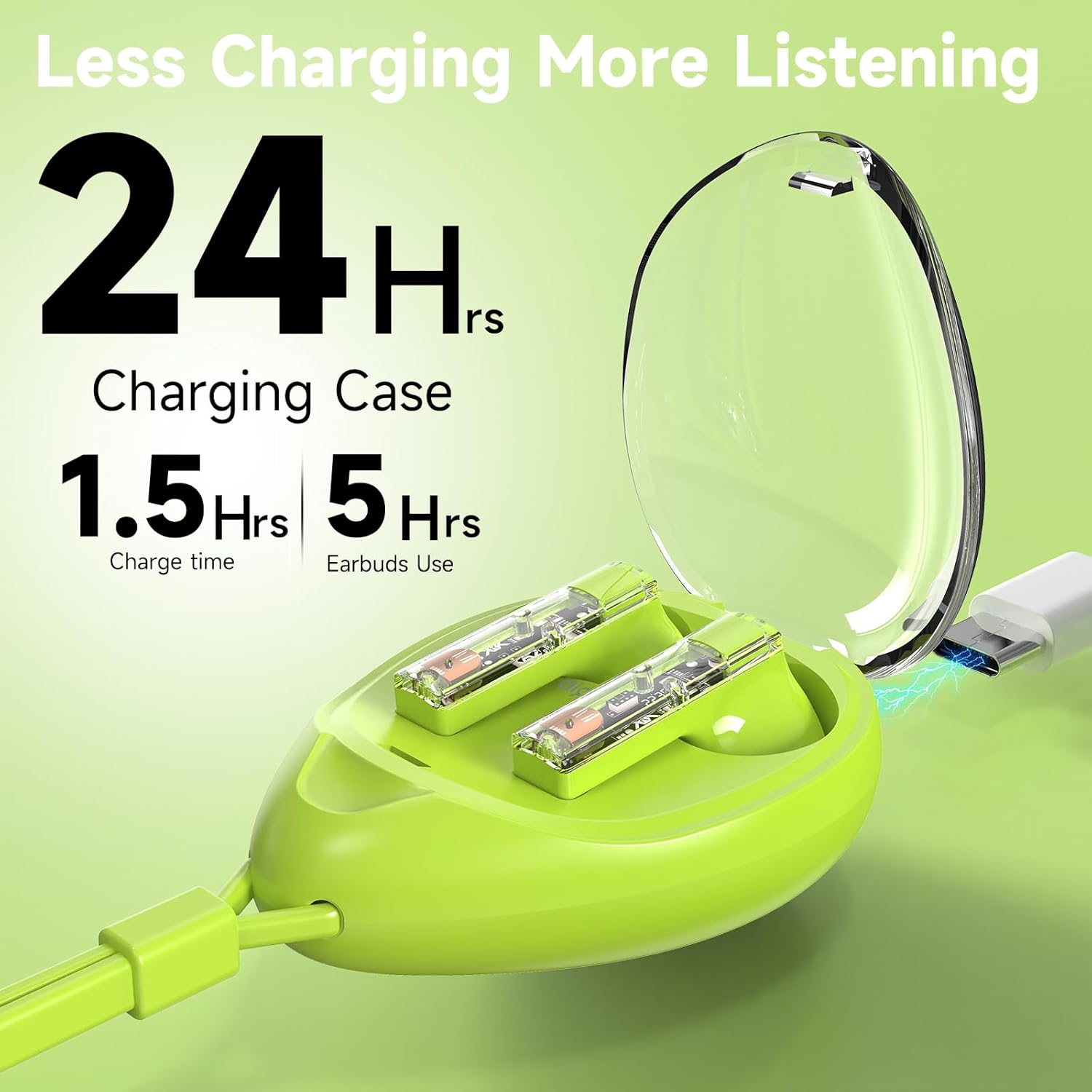
Image: The aigo TK03 charging case being charged via a USB-C cable.
3.2 블루투스 페어링
- 이어버드가 충전되어 있는지 확인하세요.
- 충전 케이스를 여세요. 이어버드가 자동으로 켜지고 페어링 모드로 진입합니다.
- 기기(스마트폰, 태블릿, 노트북)에서 Bluetooth 설정으로 이동합니다.
- Select "aigo TK03" from the list of available devices to connect.
- 연결이 완료되면 확인음이 재생되고 이어버드를 사용할 준비가 됩니다.
The earbuds feature one-step auto-pairing and wide compatibility with iOS, Android, and Windows devices.

Image: A smartphone displaying Bluetooth pairing options, with 'aigo TK03' highlighted.
4. 사용 설명서
4.1 터치 컨트롤
The aigo TK03 earbuds feature intuitive touch controls for managing audio playback and calls:
- 재생/일시 중지: 양쪽 이어버드를 한 번 탭하세요.
- 전화 받기/종료: 양쪽 이어버드를 한 번 탭하세요.
- 다음 트랙: 오른쪽 이어버드를 두 번 탭하세요.
- 이전 트랙 : 왼쪽 이어버드를 세 번 탭합니다.
- 전화 거부: 양쪽 이어버드를 두 번 탭하세요.
- 음성 비서(Siri/Google Assistant): 이어버드 중 하나를 2초간 길게 누르세요.
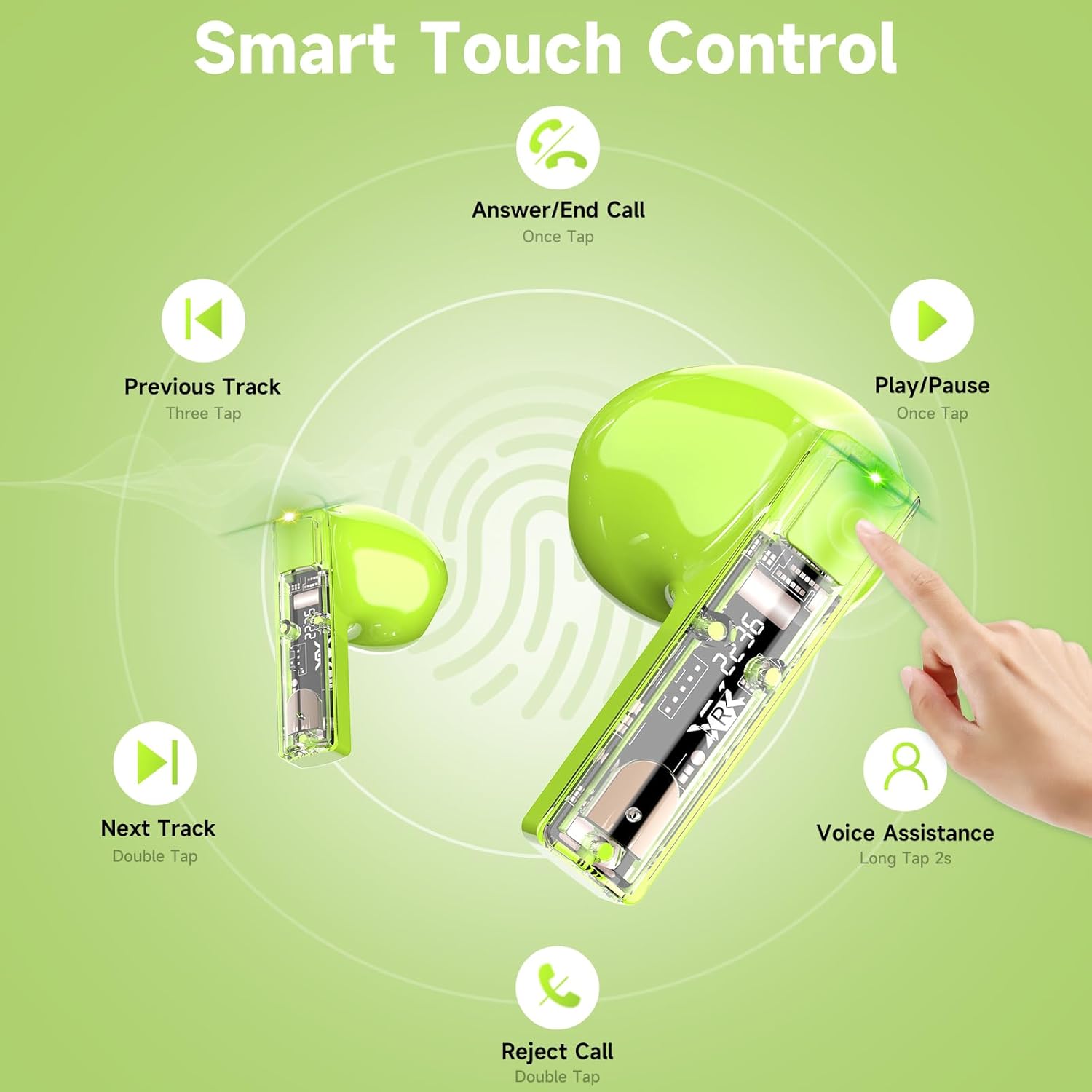
Image: Visual guide to the touch control gestures for the aigo TK03 earbuds.
4.2 음질 및 통화
The earbuds deliver Hi-Fi stereo sound through 13mm dynamic drivers. Equipped with two built-in microphones and noise reduction technology, they are designed to provide clear call quality.

Image: Depiction of the earbud's internal components highlighting Bluetooth 5.4 and call clarity features.
4.3 이어버드 착용하기
The aigo TK03 earbuds feature a shorter stem design for a comfortable in-ear fit. Ensure they are securely placed in your ears for optimal sound and stability.

Image: A user wearing the aigo TK03 earbuds, showcasing their ergonomic design and comfortable fit.
5. 유지관리 및 관리
5.1 방수성
The aigo TK03 earbuds are IPX4 water-resistant, meaning they are protected against splashing water from any direction. This makes them suitable for workouts and light rain. They are not designed for submersion in water.

Image: Earbuds with water droplets, demonstrating their water-resistant capabilities.
5.2 청소
To maintain optimal performance and hygiene, regularly clean your earbuds and charging case. Use a soft, dry, lint-free cloth. Avoid using abrasive materials or harsh chemicals. Ensure charging contacts are free of debris.
6. 문제 해결
If you encounter issues with your aigo TK03 earbuds, refer to the following common solutions:
- 소리가 나지 않거나 연결 문제가 있습니다.
- 이어폰이 충전되어 있는지 확인하세요.
- Verify Bluetooth is enabled on your device and "aigo TK03" is selected.
- 이어버드와 기기의 페어링을 해제한 후 다시 페어링해보세요.
- 블루투스 범위 15미터 이내에 있는지 확인하려면 기기에 더 가까이 이동하세요.
- 이어버드가 충전되지 않음:
- 충전 케이블이 케이스와 전원에 모두 단단히 연결되어 있는지 확인하세요.
- 이어버드와 케이스 내부의 충전 접점이 깨끗하고 이물질이 없는지 확인하십시오.
- 충전 케이스 자체에 충분한 전력이 있는지 확인하십시오.
- 터치 컨트롤이 반응하지 않음:
- 터치 컨트롤을 사용할 때는 손가락이 깨끗하고 건조한지 확인하세요.
- 이어버드를 케이스에 넣고 닫은 후 다시 열어서 다시 시작하세요.
문제가 지속될 경우 제조업체의 지원팀에 문의하십시오.
7. 사양
| 특징 | 세부 사항 |
|---|---|
| 모델명 | 티케이03 |
| 연결 기술 | 무선(블루투스 5.4) |
| 블루투스 범위 | 15 미터 |
| 오디오 드라이버 유형 | 동적 드라이버 |
| 오디오 드라이버 크기 | 13 밀리미터 |
| 주파수 범위 | 20Hz - 20,000Hz |
| 감광도 | 70데시벨 |
| 임피던스 | 25옴 |
| 배터리 수명(이어버드) | Up to 5 hours (music playback), 4 hours (call talking) |
| 총 재생 시간(충전 케이스 포함) | 최대 24시간 |
| 충전 시간 | 1.5시간 (사례 기준) |
| 방수 레벨 | IPX4(방수) |
| 제어 유형 | 터치 컨트롤 |
| 마이크 | 2(내장) |
| 품목 무게 | 4.6온스(전체 패키지) |
| 운반 케이스 무게 | 0.8 온스 |
| 휴대용 케이스 치수 | 1.29인치(길이) x 1.84인치(폭) x 2.5인치(높이) |

Image: Product dimensions for the aigo TK03 earbuds and charging case.
8. 보증 및 지원
8.1 보증 정보
For details regarding the product warranty, please refer to the warranty card included in your package or contact the retailer/manufacturer directly. Warranty terms may vary based on region and purchase location.
8.2 고객 지원
If you require further assistance or have questions not covered in this manual, please contact aigo customer support through their official web제품을 구매한 사이트 또는 소매업체.


