1. 서론
The SALCAR Smart WiFi Radiator Thermostat (Model RV21) is designed to provide intelligent control over your home heating system. This device allows you to manage room temperature efficiently, offering comfort and potential energy savings. It integrates seamlessly with your 2.4G WiFi network and can be controlled via a smartphone application or voice commands through Amazon Alexa and Google Assistant. This manual provides comprehensive instructions for installation, setup, operation, and maintenance of your thermostat.
2. 안전 정보
- 설치 및 사용 전에 모든 지침을 주의 깊게 읽으십시오.
- 직접 기기를 분해하거나 수리하지 마십시오. 정비는 자격을 갖춘 기술자에게 의뢰하십시오.
- 장치를 물, 습기 및 극한의 온도로부터 멀리 두십시오.
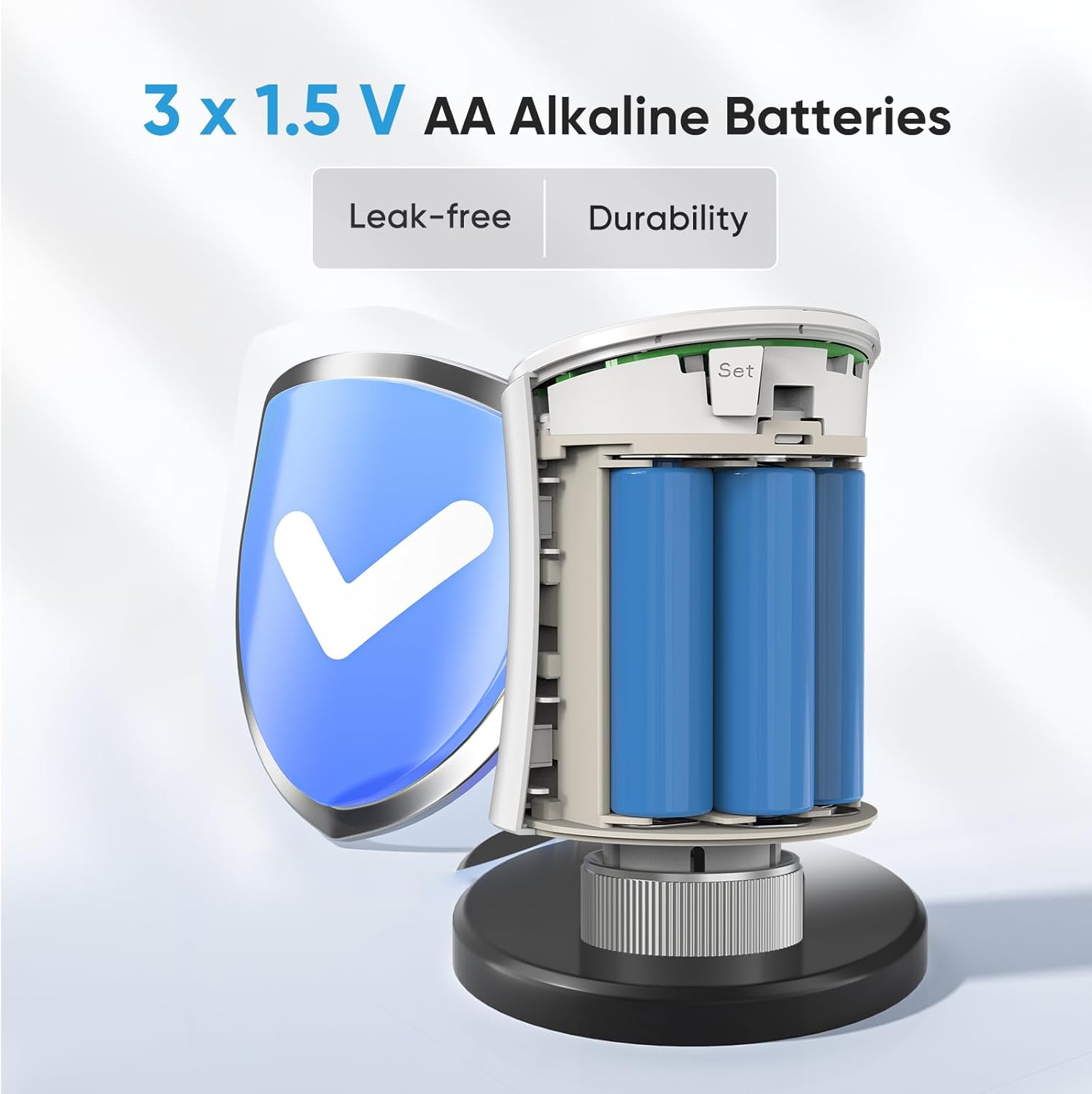
- Use only the specified battery type (3 x 1.5V AA alkaline batteries). Ensure correct polarity during installation.
- 사용한 배터리는 현지 규정에 따라 폐기하십시오.
- Ensure the device is securely mounted to prevent accidental detachment.
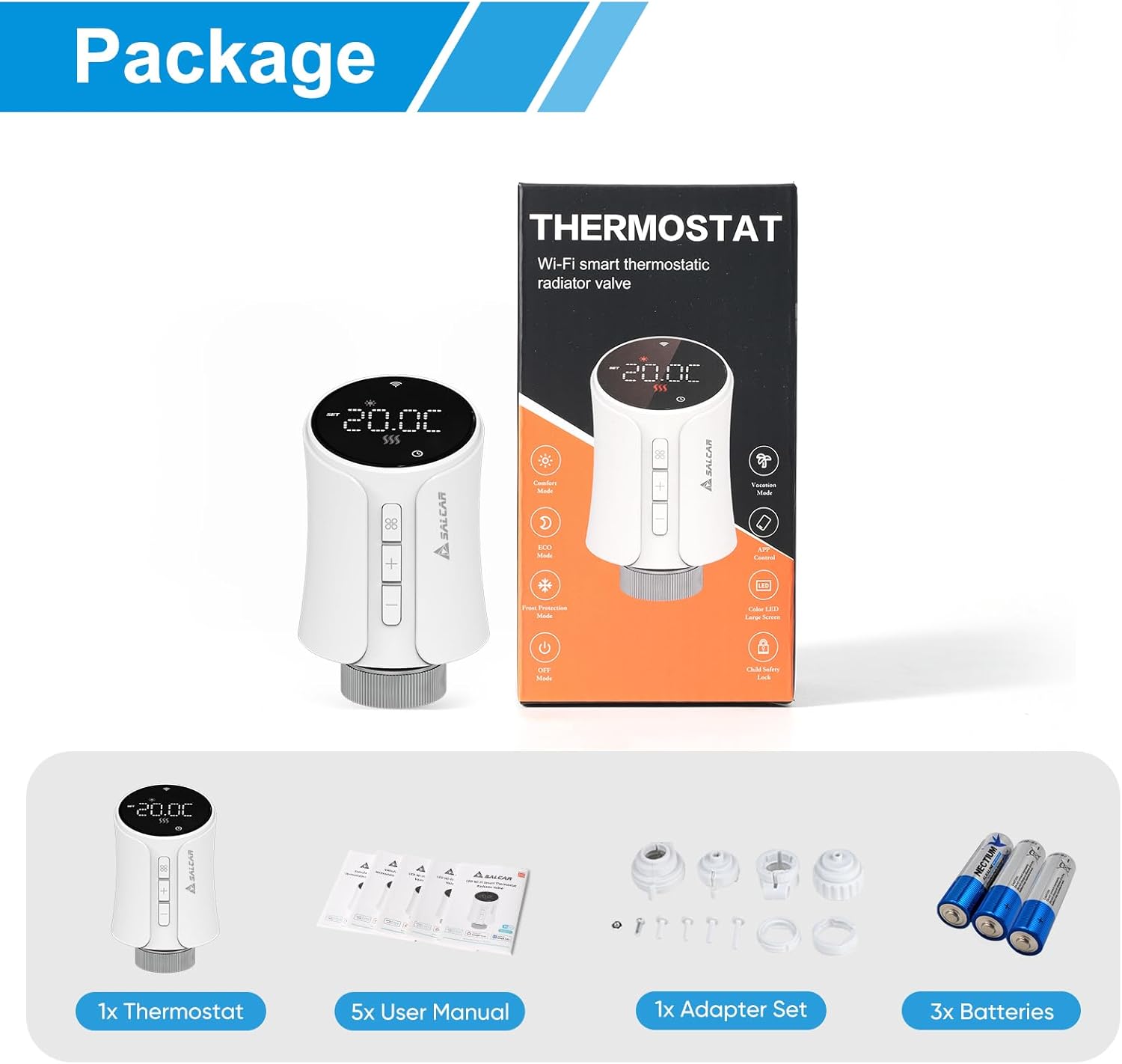
3. 패키지 내용
패키지에 모든 품목이 들어 있는지 확인하세요.
- 1 x SALCAR Smart Radiator Thermostat (Model RV21)
- 사용자 설명서 5권 (다양한 언어 지원)
- 1 x Adapter Set (RA, RAV, RAVL, Canleffi, Giacomini & M28)
- 3V AA 알카라인 배터리 1.5개
- 3 x Adapter Screws
4. 제품 오버view
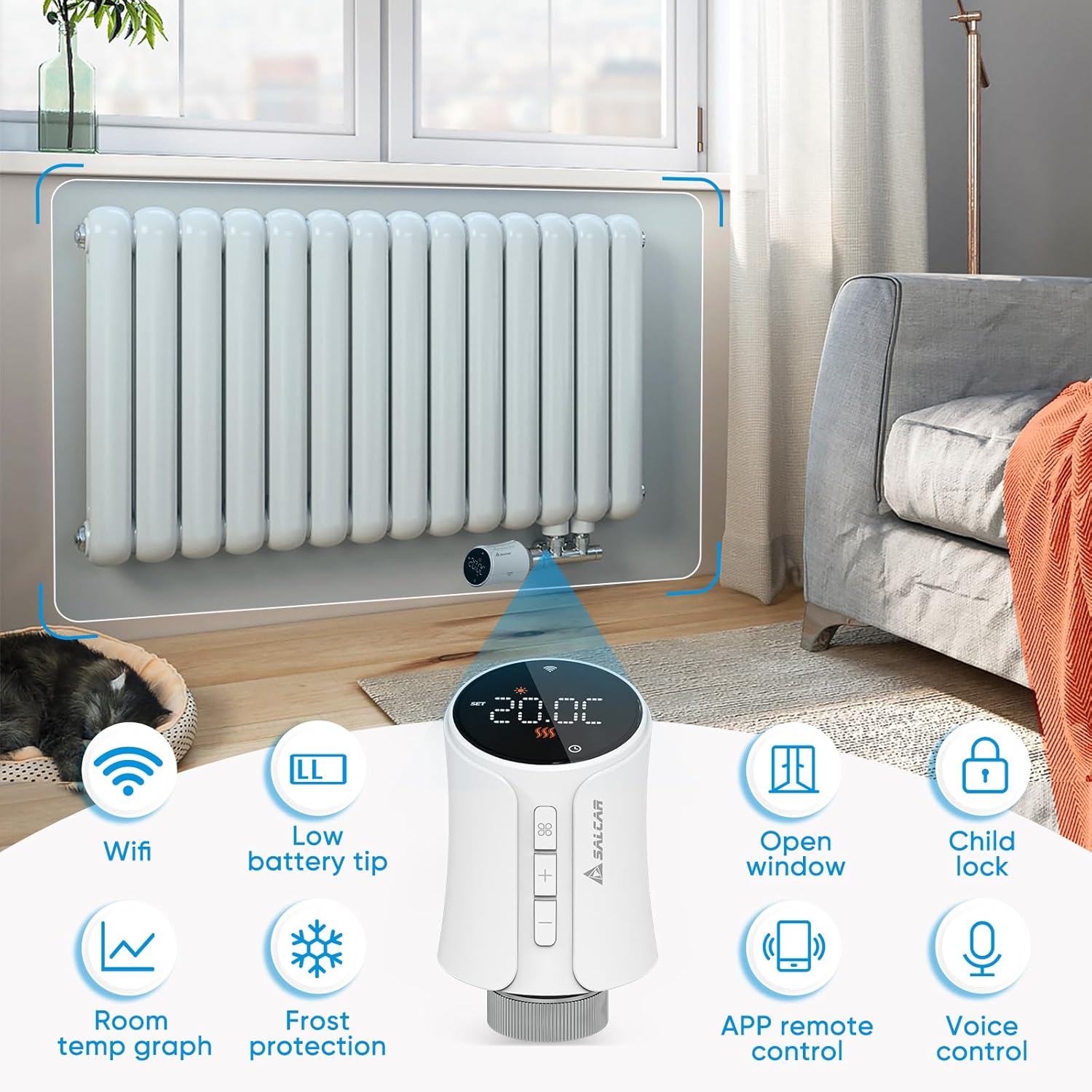
The SALCAR Smart WiFi Radiator Thermostat features a clear LED display and intuitive controls. It offers various smart functions to enhance your heating experience.
주요 특징:
- WiFi 연결성: Connects directly to your 2.4G WiFi network without a separate gateway.
- 배터리 부족 팁: 배터리 교체가 필요한 시기를 나타냅니다.
- 열린 창 감지: Automatically reduces heating when an open window is detected to save energy.
- 아동 잠금: 승인되지 않은 설정 변경을 방지합니다.
- 실내 온도 그래프: View temperature history via the app.
- 서리 보호: 배관 동결을 방지하기 위해 최소 온도를 유지합니다.
- APP 원격 제어: Full control via the Tuya Smart Life app.
- 음성 제어: Amazon Alexa 및 Google Assistant와 호환됩니다.
5. 설정
5.1 배터리 설치
- Gently twist and pull the top cover of the thermostat to open the battery compartment.
- 1.5V AA 알카라인 배터리 3개를 올바른 극성(+/-)에 맞춰 삽입합니다.
- Close the battery compartment by aligning the cover and twisting it back into place.
5.2 Mounting on Radiator
The thermostat is designed to replace existing thermostatic radiator valves (TRVs). Use the appropriate adapter from the provided set if your radiator valve is not M30 x 1.5mm.
- 라디에이터 밸브에서 기존의 온도 조절 헤드를 제거합니다.
- If necessary, select the correct adapter (RA, RAV, RAVL, Canleffi, Giacomini, or M28) that fits your radiator valve.
- Attach the chosen adapter to the radiator valve.
- Screw the SALCAR Smart Radiator Thermostat onto the adapter or directly onto the M30 x 1.5mm valve until it is secure. Do not overtighten.
5.3 App Installation (Tuya Smart Life)
- 다운로드 투야 스마트 라이프 App Store(iOS) 또는 Google Play Store(Android)에서 앱을 다운로드하세요.
- 새로운 계정을 등록하거나 기존 계정으로 로그인하세요.
5.4 Device Pairing (WiFi Connection)
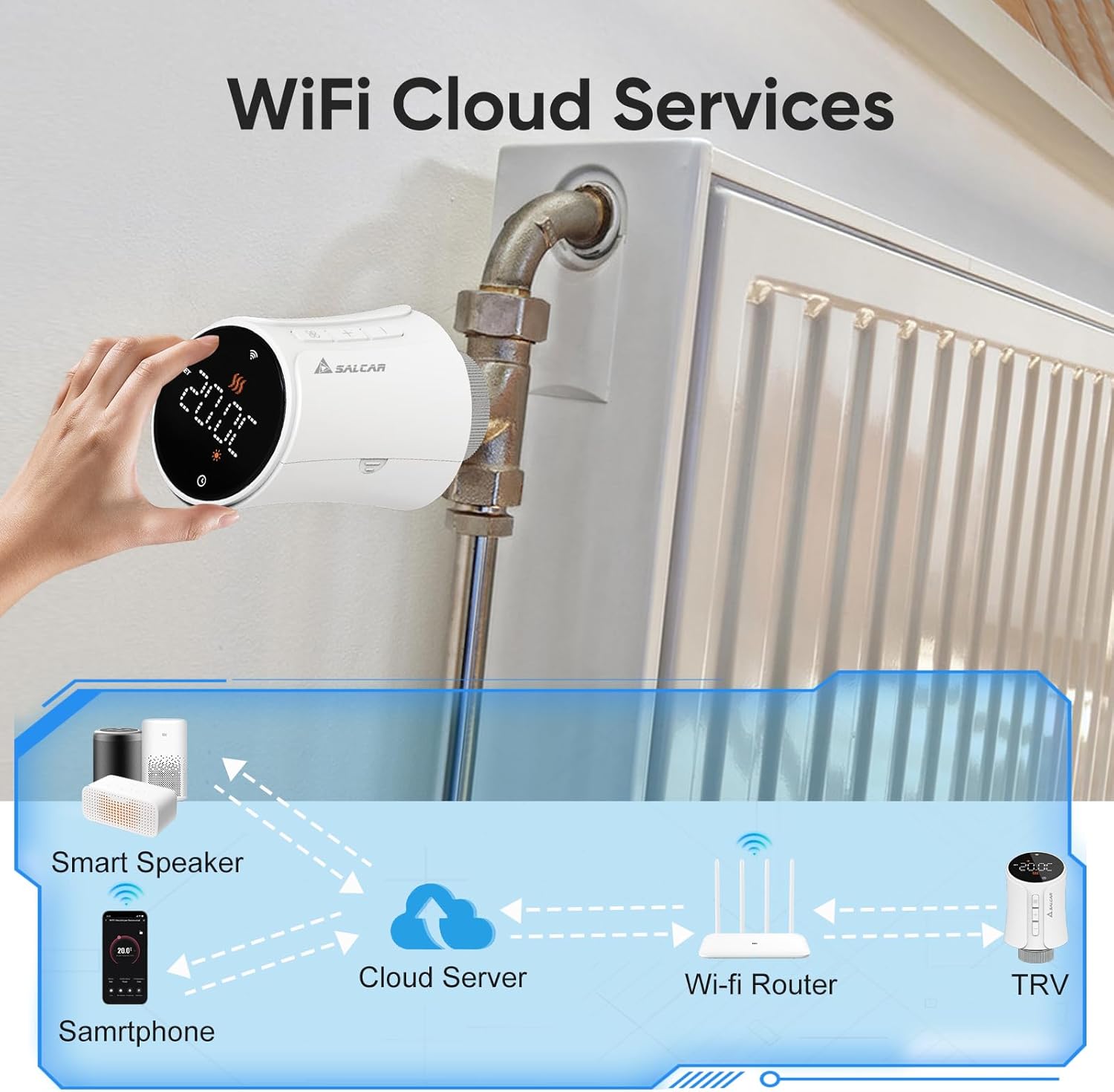
Ensure your smartphone is connected to a 2.4GHz WiFi network. The thermostat does not require a separate gateway.
- On the thermostat, press and hold the pairing button (usually indicated by a WiFi icon or similar) until the WiFi indicator on the display starts flashing rapidly. This indicates pairing mode.
- Open the Tuya Smart Life app, tap the "+" icon to add a device.
- Select "Small Home Appliance" > "Thermostat" or search for "Radiator Thermostat".
- Follow the on-screen instructions in the app to connect the thermostat to your WiFi network. You will need to enter your WiFi password.
- Once connected, the WiFi indicator on the thermostat will stop flashing and remain solid.
6. 사용 설명서
6.1 수동 제어
You can adjust the temperature directly on the thermostat using the physical buttons:
- 를 누르세요 + or - 목표 온도를 높이거나 낮추는 버튼입니다.
- The display will show the current temperature and the set target temperature.
6.2 앱 제어(투야 스마트 라이프)
The Tuya Smart Life app provides comprehensive control over your thermostat from anywhere.

작동 모드:
- 자동 모드: Follows the programmed heating schedule.
- 수동 모드: 사용자가 설정한 일정한 온도를 유지하며 일정을 무시합니다.
- 컴포트 모드: Sets the temperature to a predefined comfortable level.
- 에너지 절약 모드 : Sets the temperature to a predefined energy-efficient level.
6.3 프로그래밍 일정
Use the Tuya Smart Life app to create custom heating schedules for each day of the week. You can set different temperatures for various time periods (e.g., morning, day, evening, night) to match your lifestyle and optimize energy consumption.
6.4 음성 제어 (아마존 알렉사 및 구글 어시스턴트)
After connecting your Tuya Smart Life account to Amazon Alexa or Google Home, you can control your thermostat using voice commands.
- 온도 조절기가 Tuya Smart Life 앱과 성공적으로 페어링되었는지 확인하십시오.
- Amazon Alexa 앱이나 Google Home 앱을 엽니다.
- Navigate to "Skills & Games" (Alexa) or "Works with Google" (Google Home) and search for "Smart Life".
- Enable the Smart Life skill/service and link your Smart Life account.
- Discover devices. Your thermostat should now appear and be controllable via voice.

Examp음성 명령:
- "알렉사, [온도 조절기 이름]을 22도로 설정해 줘."
- "헤이 구글, [방 이름]의 온도는 몇 도야?"
- "알렉사, [온도 조절기 이름] 켜줘."
6.5 차일드락
Activate the child lock feature via the Tuya Smart Life app to prevent accidental or unauthorized changes to the thermostat settings by pressing the physical buttons.
6.6 열린 창 감지
The thermostat can detect a sudden drop in temperature, indicating an open window. When detected, it will temporarily pause heating to save energy. Heating will resume automatically after a set period or when the temperature stabilizes.
6.7 서리 보호
This feature ensures that the room temperature does not fall below a predefined minimum (e.g., 5°C) to protect pipes from freezing, especially useful during colder months or when you are away.
7. 유지관리
7.1 배터리 교체
When the low battery indicator appears on the display or in the app, replace the batteries promptly to ensure continuous operation. Follow the steps in Section 5.1 for battery installation.
7.2 청소
Wipe the thermostat with a soft, dry cloth. Do not use abrasive cleaners or solvents, as these can damage the device's surface or internal components.
8. 문제 해결
| 문제 | 가능한 원인 | 해결책 |
|---|---|---|
| 온도 조절 장치가 켜지지 않습니다 | 배터리가 소진되었거나 올바르게 설치되지 않았습니다. | 극성을 확인하여 새 1.5V AA 알칼리 배터리로 교체하십시오. |
| WiFi에 연결할 수 없음 | Incorrect WiFi password; thermostat too far from router; router is 5GHz only; thermostat not in pairing mode. | Verify WiFi password; move thermostat closer to router; ensure router supports 2.4GHz; put thermostat into pairing mode (flashing WiFi icon). |
| No heating despite high setting | Radiator valve stuck; thermostat not properly mounted; open window detection active. | Check radiator valve for proper function; re-mount thermostat securely; close windows/doors; check app for active open window detection. |
| 음성 제어가 작동하지 않음 | Smart Life account not linked to Alexa/Google; incorrect device name; internet connection issue. | Ensure Smart Life skill/service is enabled and linked; verify device name in Alexa/Google app; check internet connection. |
9. 사양
| 특징 | 사양 |
|---|---|
| 모델 번호 | RV21 |
| 상표 | SALCAR |
| 연결 기술 | 와이파이(2.4GHz) |
| 전원 | 3V AA 알카라인 배터리 1.5개 |
| 컨트롤러 유형 | Tuya Smart Life App, Amazon Alexa, Google Assistant |
| 온도 제어 유형 | 프로그래밍 가능, 스마트/원격 |
| 재료 | 플라스틱 |
| 색상 | 하얀색 |
| 제품 크기(L x W x H) | 5.97 x 5.97 x 9.53cm |
| 품목 무게 | 320그램 |
| 밸브 연결 | M30 x 1.5mm (with various adapters included) |

10. 보증 및 지원
For warranty information and technical support, please refer to the documentation provided with your purchase or contact SALCAR customer service. You can typically find contact details on the manufacturer's official web사이트나 소매업체를 통해 구매하세요.
Manufacturer: SALCAR GmbH
Address: An der Hebemärchte 6, 04316 Leipzig, Germany
이메일: info@salcar.de
전화: 0341 25257850


