1. 서론
The Nitecore HC60 UHE is a high-performance headlamp designed for various activities including night running, camping, hiking, hunting, and industrial work. It features a powerful 1600 lumen output, USB-C rechargeable functionality, and both white and red light beams. Constructed from durable aero-grade aluminum alloy, it is rated IP68 waterproof and impact resistant up to 2 meters.
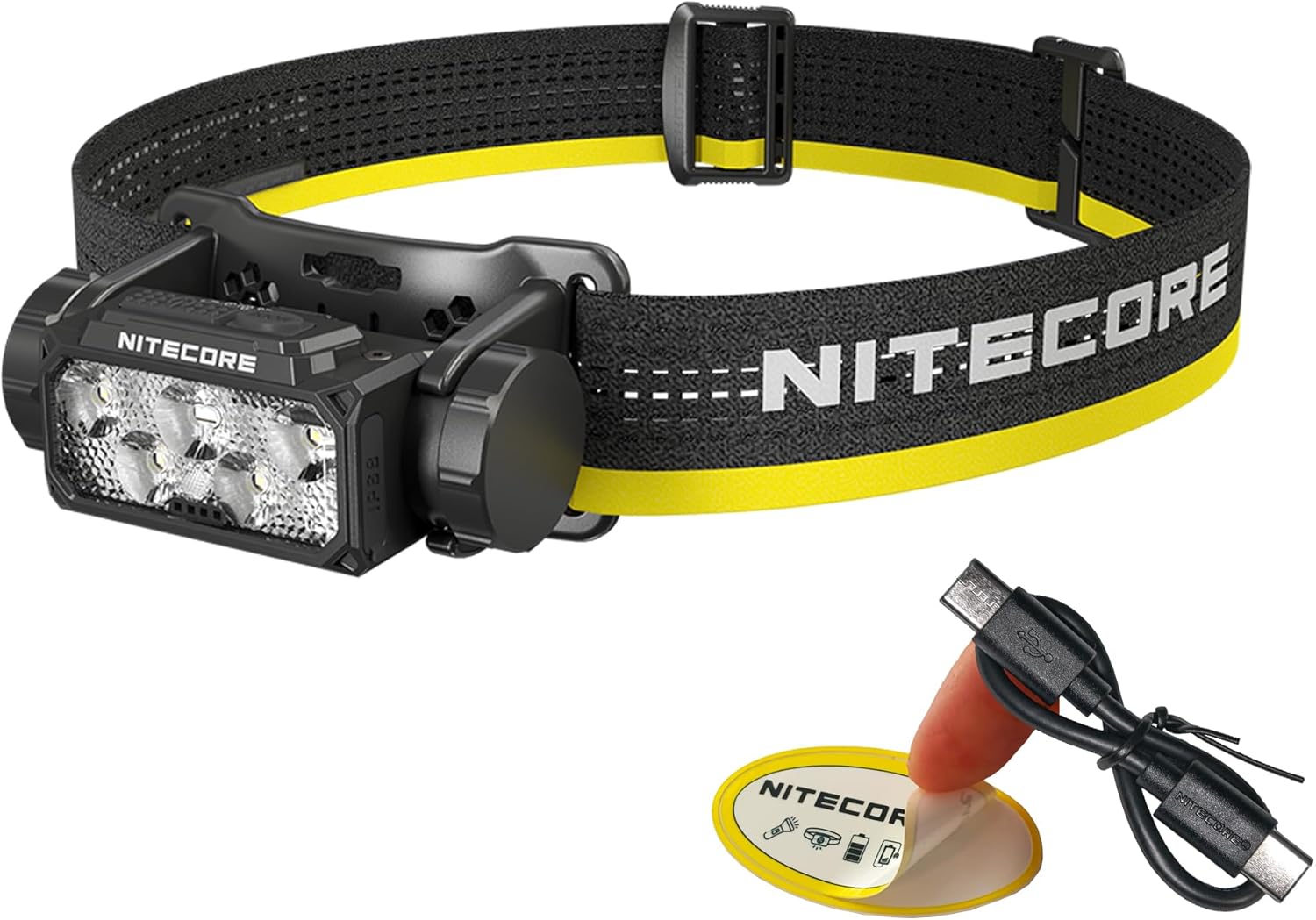
Image 1.1: Nitecore HC60 UHE Headlamp with included accessories.
2. 패키지 내용
패키지에 모든 품목이 들어 있는지 확인하세요.
- 나이트코어 HC60 UHE 헤드amp
- Nitecore NL1840 18650 Li-ion Battery (pre-installed)
- USB-C to USB-C 충전 케이블
- 머리띠
- 탑 스트랩
- 보관 케이스
- 나이트코어 스티커
3. 제품 오버view
Familiarize yourself with the components of your HC60 UHE headlamp.

이미지 3.1: 앞면 view of the HC60 UHE headlamp, highlighting the primary white and auxiliary red LED lenses.
이미지 3.2: 상단 view illustrating the dual button interface: Power Button (left) and Mode Button (right).
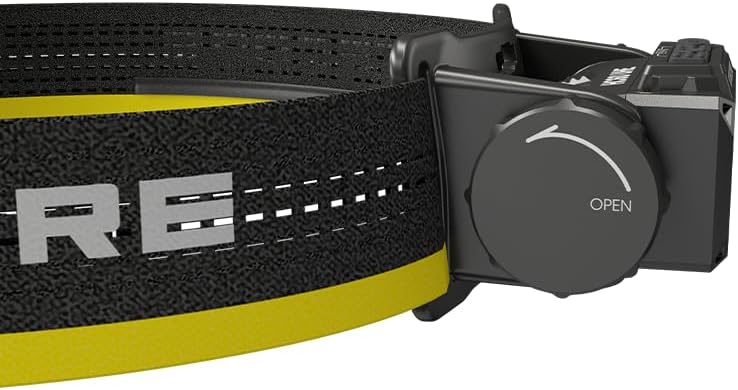
이미지 3.3: 측면 view showing the battery compartment cap with 'OPEN' indicator for battery access.
4. 설정
4.1. 배터리 설치
The Nitecore NL1840 18650 Li-ion battery is pre-installed in the HC60 UHE headlamp. To access or replace the battery:
- Unscrew the battery compartment cap located on the side of the headlamp by rotating it counter-clockwise (refer to Image 3.3).
- Insert the 18650 Li-ion battery with the positive (+) terminal facing inwards.
- Carefully screw the cap back on clockwise until secure. Ensure proper alignment to avoid cross-threading.
4.2. 충전
The HC60 UHE features a waterproof USB-C charging port. It is recommended to fully charge the battery before first use.
- 헤드라이트에서 USB-C 충전 포트를 찾으세요.amp.
- 동봉된 USB-C 충전 케이블을 헤드라이트에 연결하세요.amp's port and to a USB power source (e.g., wall adapter, power bank, computer).
- During charging, the power indicators will illuminate to show the charging status.
- Charging is complete when all power indicators are steadily lit. A full charge typically takes approximately 2 hours.

Image 4.1: The HC60 UHE headlamp being charged via its USB-C port.
4.3. 헤드밴드 조립
Attach the headband and optional top strap for secure and comfortable wear.
- Thread the main headband through the bracket slots on the headlamp.
- Adjust the length of the headband for a snug fit around your head.
- For added stability, especially during active use, attach the top strap to the designated loops on the main headband.
5. 사용 설명서
5.1. 전원 켜기/끄기
- 켜려면: Long press the Power Button for 1 second. The headlamp will turn on in the last used white light brightness level.
- 끄기: While the light is on, long press either the Power Button or the Mode Button until the light turns off.
5.2. White Light Brightness Levels
When the white light is on, short press the Power Button to cycle through the following brightness levels: ULTRALOW (8 lumens) → LOW (100 lumens) → MID (400 lumens) → HIGH (1000 lumens).
- Accessing ULTRALOW: 머리가amp is off, double press the Power Button.
- Accessing TURBO (1600 lumens): When the white light is on, double press the Power Button. The headlamp will temporarily activate TURBO mode.

이미지 5.1: 이상view of white light brightness levels and special modes.
5.3. 적색 신호등 운행
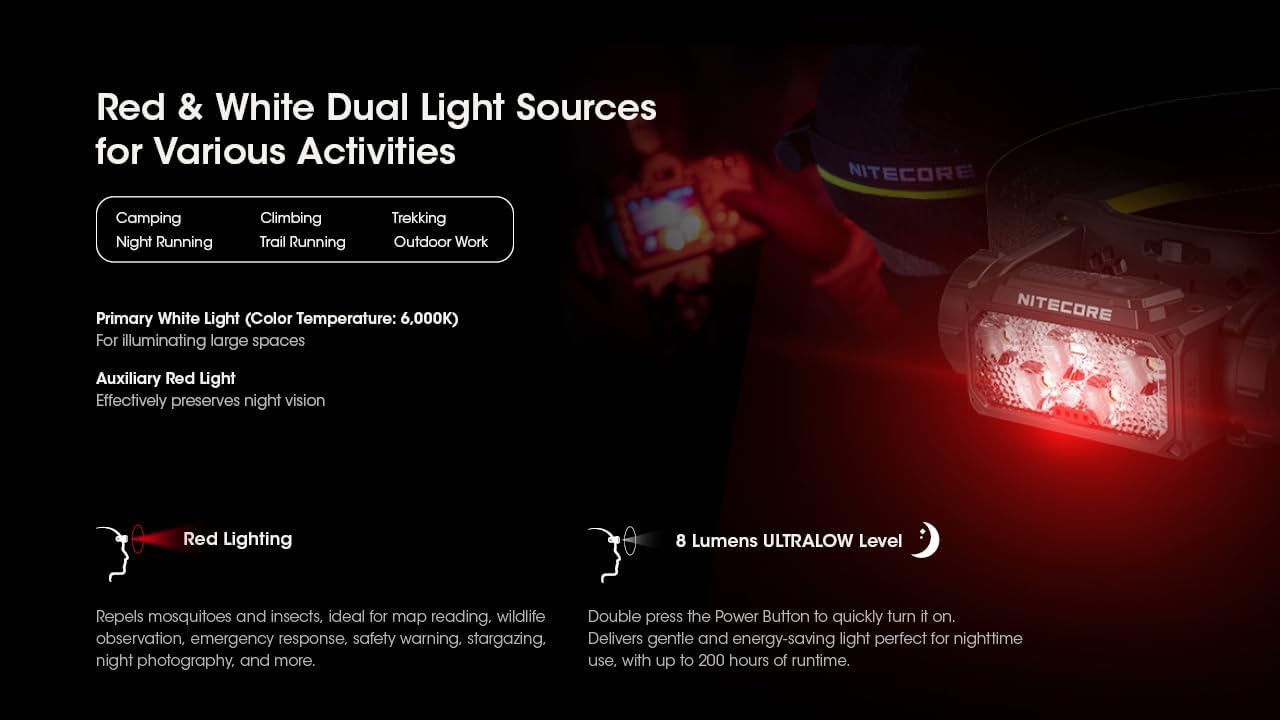
The HC60 UHE features an auxiliary red light, useful for preserving night vision and other specific tasks.
- To Turn On Red Light: 머리가amp is off, long press the Mode Button for 1 second. The red light will turn on in LOW mode.
- 빨간색 표시등 모드를 순환하려면: While the red light is on, short press the Mode Button to cycle through LOW → HIGH → SLOW FLASHING.
- To Turn Off Red Light: While the red light is on, long press the Mode Button until the light turns off.

Image 5.2: The HC60 UHE offers both primary white light and auxiliary red light for diverse applications.
5.4. 특수 모드 (SOS, 비콘)
These modes are accessible from the white light settings.
- Accessing SOS/Beacon: When the white light is on, long press the Mode Button for 1 second to activate SOS mode. Short press the Mode Button again to switch to BEACON mode.
- Exiting Special Modes: Long press the Mode Button to turn off the light, or short press the Power Button to return to the last used white light brightness level.
5.5. 전원 표시
머리amp features intuitive power indicators to display the remaining battery power.
- 머리가amp is off, short press the Mode Button. The blue indicators will light up to show battery status:
- 4 constant-on indicators: 75% - 100%
- 3 constant-on indicators: 50% - 75%
- 2 constant-on indicators: 25% - 50%
- 1 constant-on indicator: 0% - 25% (Recharge or replace the battery promptly)

Image 5.3: The blue power indicators display the remaining battery charge.
6. 유지관리
6.1. 청소
- 헤드를 닦아주세요amp 깨끗하고 부드러운 천으로
- 잘 지워지지 않는 먼지에는 약간의 d를 사용하세요.amp 천으로 닦으세요. 강한 화학 물질이나 연마재는 피하세요.
- Ensure the USB-C port cover is securely closed to maintain its waterproof rating.
6.2. 보관
- 헤드를 저장하세요amp 직사광선을 피해 서늘하고 건조한 곳에 보관하십시오.
- 장기간 보관할 경우 누액을 방지하기 위해 배터리를 분리하는 것이 좋습니다.
- Recharge the battery every three months to maintain optimal battery health.
7. 문제 해결
If you encounter issues with your Nitecore HC60 UHE, refer to the following common problems and solutions:
- 헤드amp 켜지지 않습니다:
- Ensure the battery is correctly installed with the positive (+) terminal facing inwards.
- 배터리가 충전되었는지 확인하세요. 헤드를 연결하세요.amp to a power source using the USB-C cable. If it turns on when plugged in but not otherwise, the battery may be depleted or faulty.
- Verify that the battery compartment cap is fully and correctly screwed on to ensure proper electrical contact.
- 조명 출력이 어둡거나 깜박입니다.
- 배터리가 부족할 수 있습니다. 배터리를 충전하세요.
- Ensure the battery contacts are clean. Clean them with a cotton swab if necessary.
- 헤드amp 요금을 청구하지 않습니다:
- Ensure the USB-C cable is securely connected to both the headlamp 그리고 전원.
- 케이블이나 전원 어댑터 문제인지 확인하려면 다른 USB-C 케이블이나 전원 어댑터를 사용해 보세요.
- 충전 포트에 연결을 방해할 수 있는 이물질이 있는지 확인하십시오.
If the problem persists after attempting these solutions, please contact Nitecore customer support.
8. 사양
| 특징 | 기본 백색광 | 보조 빨간불 |
|---|---|---|
| 밝기(루멘) | TURBO: 1600, HIGH: 1000, MID: 400, LOW: 100, ULTRALOW: 8 | HIGH: 15, LOW: 5, SLOW FLASHING: 15 |
| 런타임(시간) | TURBO: 3h 30m, HIGH: 5h, MID: 14h, LOW: 36h, ULTRALOW: 200h | HIGH: 95h, LOW: 150h, SLOW FLASHING: 95h |
| 빔 거리 | TURBO: 157m, HIGH: 129m, MID: 81m, LOW: 41m, ULTRALOW: 7m | 없음 |
| 충격 저항성 | 2 미터 | |
| IP 등급 | IP68 (Waterproof and Submersible) | |
- 재료: Aero-grade Aluminum Alloy with HA III hard-anodized finish
- 치수: 1.91인치 깊이 x 3.15인치 너비 x 1.65인치 높이(48.5mm x 80mm x 41.9mm)
- 무게: 4.94 ounces (140g, including battery, bracket, and headband)
- 배터리: 1 x Nitecore NL1840 18650 Li-ion Battery (included)
- 광원 유형: 주도의
- Color Temperature (White Light): 6,000K
Note: The stated data is measured using 1 x 18650 battery (4,000mAh) under laboratory conditions. This data may vary in real-world use due to different battery usage or environmental conditions.
9. 보증 정보
나이트코어 HC60 UHE 헤드amp comes with a limited warranty. For detailed information regarding warranty terms, conditions, and duration, please refer to the official Nitecore web사이트를 방문하거나 가까운 대리점에 문의하세요. 보증 청구를 위해 구매 증빙 자료로 구매 영수증을 보관하세요.
10. 고객 지원
For further assistance, technical support, or inquiries regarding your Nitecore HC60 UHE Headlamp자세한 내용은 나이트코어 공식 웹사이트를 방문하세요. web사이트에서 www.nitecore.com or contact your authorized Nitecore dealer.


