1. 서론
The Wellue 24-Hour Ambulatory Blood Pressure Monitor (ABPM) is designed for continuous, automatic blood pressure measurement over a 24-hour period. This device helps to provide a comprehensive overview of blood pressure fluctuations, including during sleep, and can assist in identifying conditions such as white coat hypertension or masked hypertension. It is a clinically accurate device, certified by ESH IP 2010, and recommended by the European Society of Hypertension (ESH) and the British and Irish Hypertension Society (BIHS).

Image 1.1: The Wellue ABPM device enables continuous blood pressure monitoring throughout the day and night.
2. 포함 사항
모든 품목이 들어 있는지 확인하려면 패키지 내용물을 확인하세요.
- 24-Hour Ambulatory Blood Pressure Monitor Unit
- USB Disk (containing ABPM software and user manual)
- 장치 클립
- Adult Cuff (22-36 cm)
- Extra Large Cuff (33-43 cm)
- 실리콘 커버
- Disposable Sweat-Absorbing Inner Cuff
- USB 데이터 케이블
- Fast Charger (EU standard)

이미지 2.1: 이상view of all items included in the Wellue ABPM package.
3. 설정
3.1 장치 충전
Before first use, fully charge the monitor using the provided USB data cable and fast charger. Connect the USB cable to the monitor and the charger, then plug the charger into a power outlet. A full charge takes approximately 2.5 hours and supports up to 200 measurements.
3.2 Installing the Cuff
- Select the appropriate cuff size (22-36 cm or 33-43 cm) for your arm. The cuff should fit snugly but not too tightly.
- Attach the cuff to the monitor's air tube connector.
- Wrap the cuff around your upper arm, ensuring the artery mark on the cuff aligns with your brachial artery. The bottom edge of the cuff should be approximately 2-3 cm above the elbow joint.
- Secure the cuff firmly using the hook-and-loop fastener.
3.3 소프트웨어 설치
The ABPM software is provided on the included USB disk. Insert the USB disk into your PC and follow the on-screen instructions to install the software. The software is compatible with Microsoft Windows operating systems (Win2003/WinXP/Win7/Win10/Win11).
3.4 PC에 연결하기
To transfer data or program the device, connect the monitor to your PC using the provided USB data cable. Ensure the software is running on your PC.

Image 3.1: Connecting the ABPM device to a PC for data transfer and programming.
4. 장치 작동
4.1 측정 세션 시작하기
Once the cuff is correctly applied and the device is charged, press the power button to turn on the monitor. The device will automatically begin measurements according to the programmed schedule. You can also initiate a manual measurement by pressing the designated button on the device.
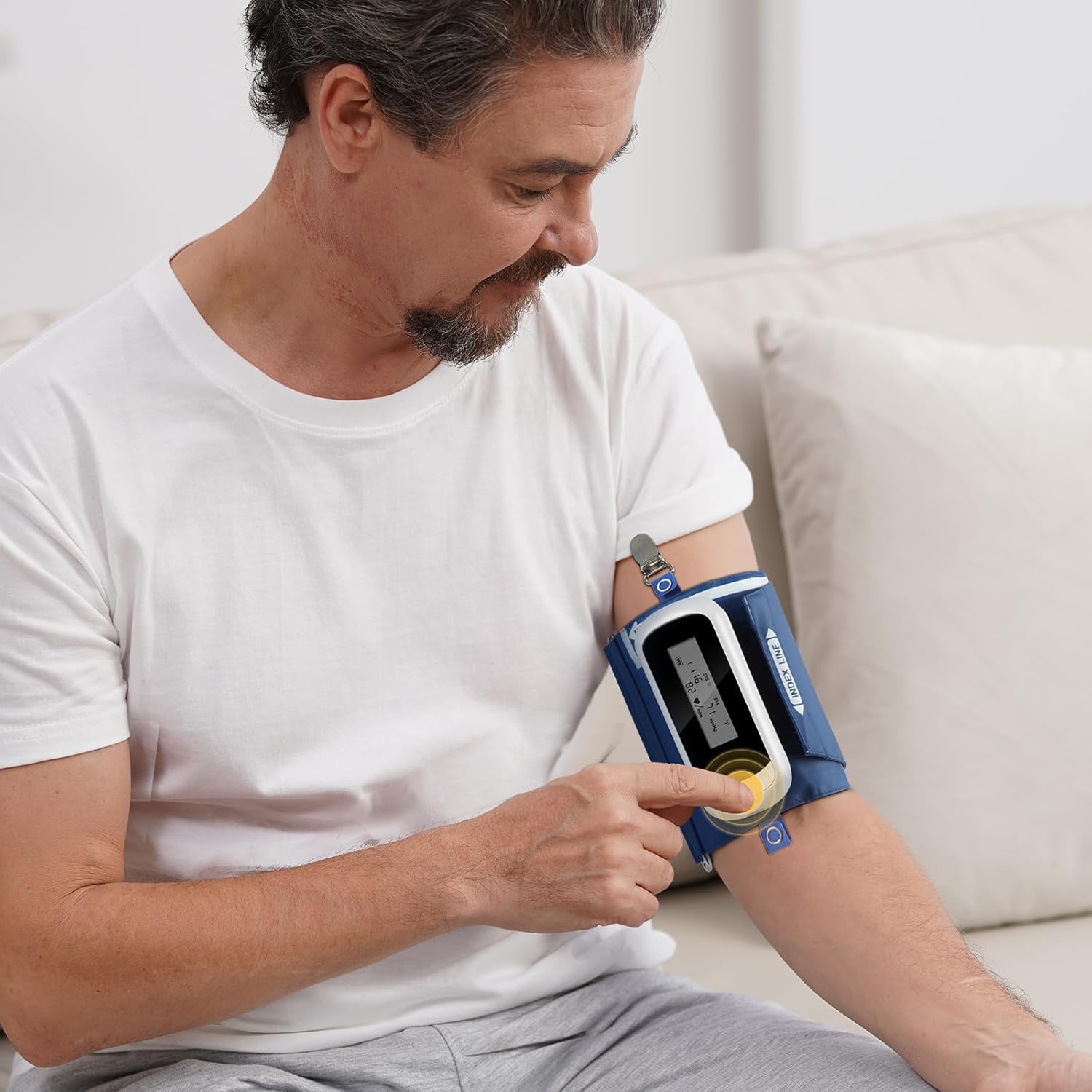
Image 4.1: Initiating a measurement on the Wellue ABPM device.
4.2 Programming Measurement Intervals
The device can be programmed via the PC software to take measurements at various intervals:
- Standard intervals: 5, 10, 15, 20, 30, 45, 60, 90, 120 minutes.
- You can define specific wake and sleep periods, as well as three special periods, for customized measurement schedules.
4.3 Data Transfer and Analysis with PC Software
After completing a monitoring session, connect the device to your PC to transfer the stored data. The software allows for comprehensive analysis:
- Advanced ABPM Analysis: Gain insights into nocturnal hypertension, morning surges, and correlations between DIA vs SYS and HR vs SYS. The Ambulatory Arterial Stiffness Index (AASI) can also be analyzed.
- Trend Graphs: Visualize up to 72 hours of data, showing blood pressure variations over time.
- 사용자 정의 가능한 보고서: Generate professional PDF reports. You can define report content, set hospital logos, and include signatures.
- 데이터 관리: User-defined data saving paths, patient search function, and comparison of BP between different measurements for the same patient.
- Visual Customization: Set colors for systolic, diastolic, sleep period, and BP limits to suit individual preferences.
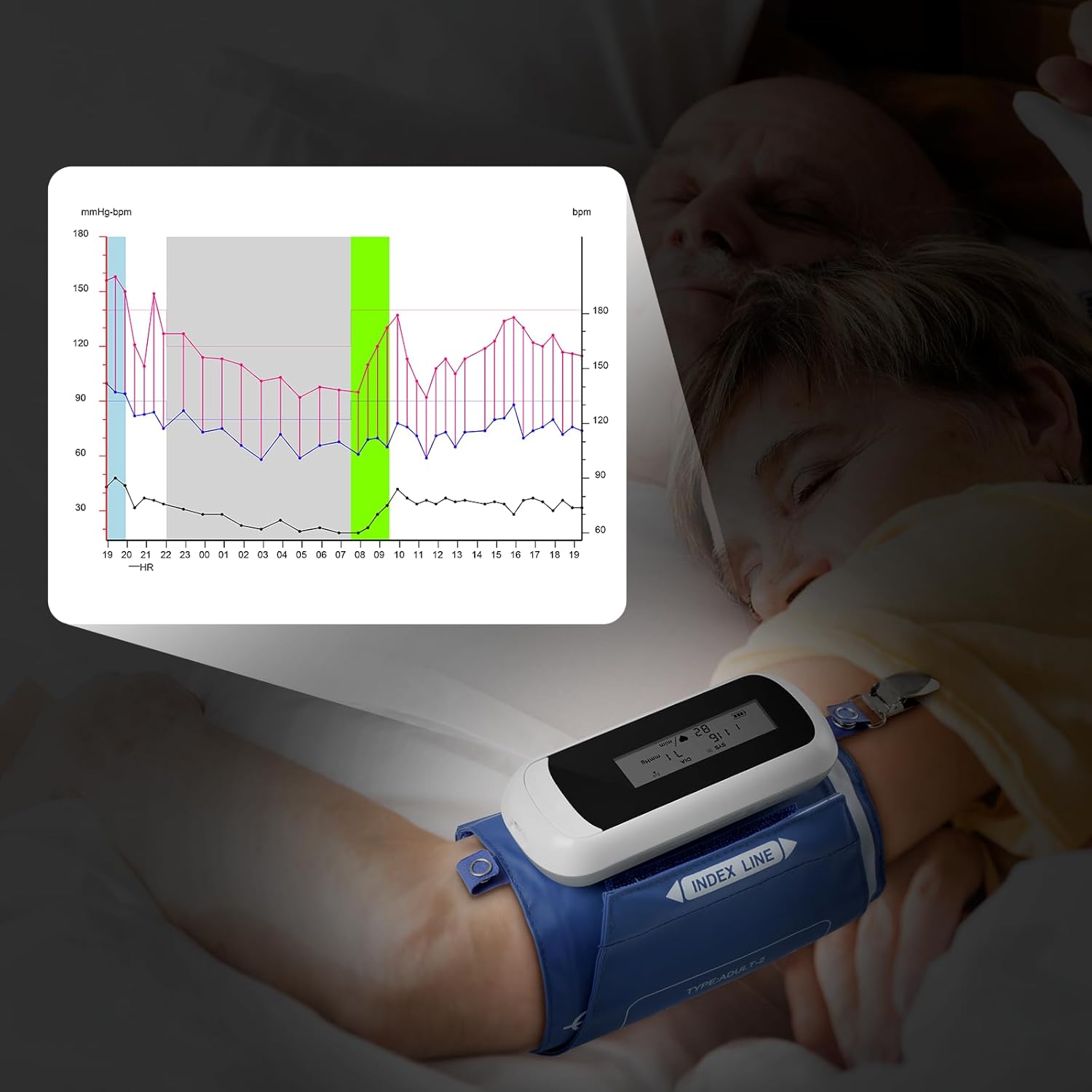
Image 4.2: Monitoring blood pressure during sleep and visualizing data trends.

Image 4.3: Analyzing comprehensive blood pressure data with the Wellue PC software.
5. 유지관리
5.1 Cleaning the Device and Cuffs
Wipe the monitor and cuffs with a soft, dry cloth. For disinfection, use a cloth lightly dampened with a mild disinfectant. Do not immerse the device in water or use abrasive cleaners.
5.2 배터리 관리
The device uses a rechargeable Li-ion battery. To prolong battery life, avoid fully discharging the battery frequently. Recharge the device when the battery indicator is low. Store the device with a partial charge if not used for extended periods.
5.3 교정
For continued accuracy, the device requires calibration at least once every two years. Please contact Wellue customer support for calibration services.
5.4 보관 조건
Store the device in a clean, dry place away from direct sunlight and extreme temperatures. Ensure the storage area is well-ventilated and free from corrosive gases. Recommended storage temperature: -20℃ to +55℃; Relative humidity: below 95%; Atmospheric pressure: 70KPa to 106KPa.
6. 문제 해결
If you encounter issues with your Wellue ABPM, please refer to the following common problems and solutions:
- 장치가 켜지지 않음: 배터리가 충전되어 있는지 확인하십시오. 기기를 충전기에 연결한 후 다시 시도하십시오.
- Cuff not inflating or deflating: Check that the cuff is securely connected to the monitor and that there are no kinks in the air tube. Ensure the cuff is correctly applied to the arm.
- 부정확한 판독값: Ensure the cuff size is correct and applied properly. Avoid movement or talking during measurements. Consult a healthcare professional if readings consistently seem incorrect.
- 소프트웨어가 기기를 감지하지 못합니다: Verify the USB cable connection. Ensure the ABPM software is installed correctly and running. Try a different USB port on your PC.
- 화면에 표시되는 오류 메시지: Refer to the detailed user manual on the USB disk for specific error code explanations and troubleshooting steps.
문제가 지속될 경우 Wellue 고객 지원팀에 문의하여 도움을 받으십시오.
7. 사양
| 특징 | 사양 |
|---|---|
| 모델 | WBP02A |
| 치수 | 119 x 52 x 21mm(4.7인치 x 2.1인치 x 0.8인치) |
| 무게 | 105 g (3.7 oz) (including battery) |
| 커프 사이즈 | Adult: 22-36 cm (8”-14”); Extra Large: 33-43 cm (13”-17”) |
| PC 요구 사항 | USB port; Microsoft Win2003/WinXP/Win7/Win10/Win11 |
| 표시하다 | LED 스크린 |
| 작업 조건 | Temperature: 5℃~40℃; RH: 10%~95%; Atmospheric Pressure: 70KPa~106KPa |
| 보관 조건 | Temperature: -20℃~+55℃; RH: <95%; Atmospheric Pressure: 70KPa~106KPa |
| 최대 인플레이션 압력 | 290mm수은 |
| 측정 방법 | 오실 로메 트리 |
| 작동 모드 | Automatic continuous operation |
| Measurement Intervals | 5, 10, 15, 20, 30, 45, 60, 90, 120 min (programmable) |
| Measurement Range (Systolic) | 40~260mmHg |
| Measurement Range (Diastolic) | 20~210mmHg |
| 측정 범위(압력) | 0~290mmHg |
| Measurement Range (Heart Rate) | 40bpm-200bpm |
| Measurement Accuracy (Pressure) | ± 3mmHg |
| Measurement Accuracy (Pulse) | ± 3bpm |
| 내부 메모리 | 최대 300 회 판독 |
| 데이터 연결 | USB 데이터 케이블 |
| 소음 수준 | 45데시벨 |
| 침투 방지 | IP22 |
| 배터리 수명 | Supports 200 measurements per charge |
| 충전 시간 | 2.5시간 |
| 정격 용량 | 1000mAh |
| 전원 공급 장치 | 3.7V Li battery |

Image 7.1: Clinical accuracy certifications for the Wellue ABPM.
8. 보증 및 지원
8.1 보증 정보
The Wellue 24-Hour Ambulatory Blood Pressure Monitor comes with a three-year warranty from the date of purchase. This warranty covers manufacturing defects and ensures reliable operation under normal use. Please retain your proof of purchase for warranty claims.
8.2 고객 지원
For technical assistance, troubleshooting, calibration services, or warranty inquiries, please contact Wellue customer support. Contact details can typically be found on the Wellue official website or within the full user manual provided on the USB disk.


