1. 서론
The Moman CP-S Motorcycle Intercom System is designed to provide clear and reliable communication for motorcyclists. Featuring advanced Bluetooth 5.1 technology, noise reduction, and a robust waterproof design, it enhances your riding experience by allowing group communication, music sharing, and hands-free phone calls.

Figure 1: Moman CP-S Intercom Unit with key features.
2. 패키지 내용
The Moman CP-S package includes the following items:
- Moman CP-S Intercom Unit
- Headphone and Microphone Set
- Mounting Clip (for helmet edge)
- Adhesive Mount (for helmet surface)
- USB 충전 케이블
- Interchangeable Decorative Shells (3 colors)
- 사용자 설명서
- Installation Tools (screwdriver)
3. 설치 가이드
Proper installation ensures optimal performance and comfort. Follow these steps to install your Moman CP-S intercom system on your helmet.
3.1. Preparing the Helmet
- Remove the helmet's inner lining and cheek pads if they are removable. This provides easier access for speaker and microphone placement.
- Identify suitable locations for the speakers (near your ears) and the microphone (near your mouth).
3.2. 인터콤 장치 설치
Choose between the clip mount or the adhesive mount based on your helmet type and preference.
Using the Clip Mount:
- Loosen the screws on the clip mount using the provided screwdriver.
- Slide the clip mount onto the bottom edge of your helmet, ensuring it is securely fastened.
- Tighten the screws to secure the clip mount in place.
접착식 마운트 사용 방법:
- Clean the desired mounting area on the side of your helmet thoroughly.
- Peel off the protective film from the adhesive mount and firmly press it onto the helmet surface for at least 30 seconds. Allow sufficient time for the adhesive to bond before attaching the intercom unit.
Attaching the Intercom Unit:
- Slide the Moman CP-S intercom unit onto the installed clip or adhesive mount until it clicks securely into place.
3.3. 스피커 및 마이크 설치
- Attach the adhesive pads to the back of the speakers.
- Carefully place the speakers inside the helmet, aligning them with your ears. Press firmly to secure.
- Attach the adhesive pad to the microphone.
- Position the microphone near your mouth, ensuring it is not obstructed by the helmet's padding.
- Connect the speaker and microphone cables to the appropriate ports on the intercom unit.
3.4. 케이블 관리
Tuck all excess cables neatly under the helmet's inner lining to prevent discomfort and ensure they do not interfere with helmet function. Reinstall any removed inner lining or cheek pads.
Video 1: Installation guide for Moman H2 Intercom (similar to CP-S).
4. 사용 설명서
4.1. 전원 켜기/끄기
- 전원 켜기: Press and hold the Power button for 3 seconds until the indicator light turns on.
- 전원 끄기 : 표시등이 꺼질 때까지 전원 버튼을 3초간 길게 누릅니다.
4.2. 블루투스 페어링
- With the device off, press and hold the Function button for 3 seconds. The red and blue indicator lights will flash, indicating pairing mode.
- On your mobile phone, enable Bluetooth and search for "FODSPORTS FX-S" (or similar device name). Select it to pair. The pairing is complete when the indicator light changes.
4.3. 음악 재생
- 재생/일시 중지: 기능 버튼을 짧게 누르세요.
- 다음 노래: Rotate the control knob forward once.
- 이전 노래: Rotate the control knob backward once.
- 볼륨 조절: Rotate the control knob forward or backward for 1 second to increase or decrease volume.

Figure 2: Music sharing feature between two riders.
4.4. 전화
- 전화 받기/종료: 기능 버튼을 짧게 누르세요.
- 전화 거부: 기능 버튼을 1초 동안 길게 누르세요.
- 음성 어시스턴트 : Single click to activate AI voice assistant (e.g., Siri, Google Assistant).
- 수동/자동 응답 통화 전환: Long press the Function button and ON/OFF button for 3 seconds.

Figure 3: AI Voice Assistant and FM Radio features.
4.5. 인터콤 통신
- The Moman CP-S supports intercom communication for up to 8 riders within a 2000m range, and 2 riders within a 1000m range.
- It is compatible with other intercom brands.
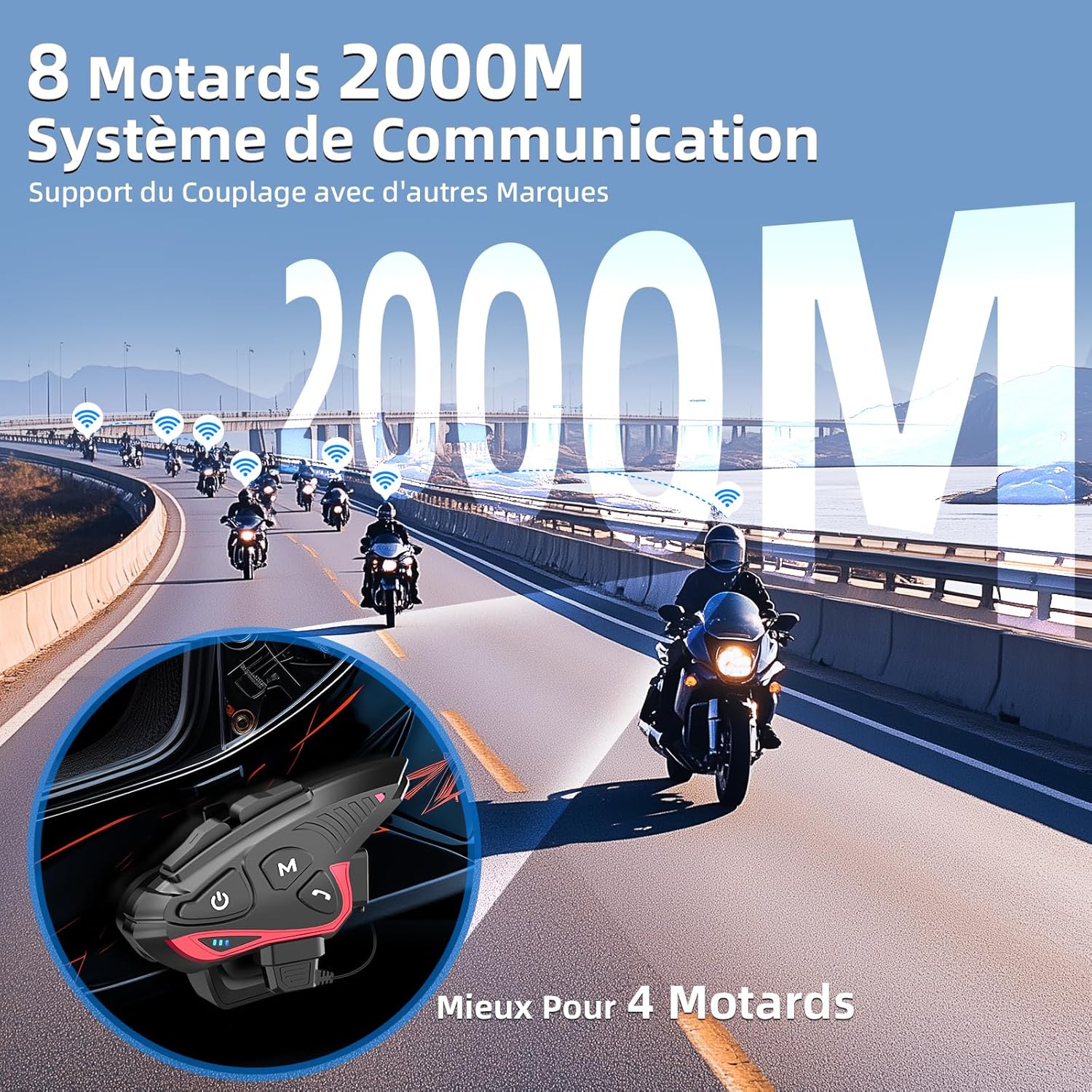
Figure 4: Group intercom communication range and capabilities.
4.6. FM 라디오
- Activate the FM radio function to listen to broadcasts while riding.
비디오 2: 끝view of Moman H2S Intercom features (similar to CP-S).
5. 사양
| 특징 | 설명 |
|---|---|
| 모델 번호 | CP-S |
| 무선 기술 | 블루투스 5.1 |
| 인터콤 범위 | Up to 2000m (8 riders), 1000m (2 riders) |
| 배터리 용량 | 900mAh |
| 충전 시간 | 2시간 |
| 인터콤 시간 | 최대 28시간 |
| 음악 재생 시간 | 최대 33시간 |
| 대기 시간 | 최대 300시간 |
| 방수성 | IP65 (방수) |
| 소음 감소 | DSP and 12th Gen CVC |
| 스피커 크기 | 40mm Hi-Fi |
| 제어 방법 | 음성, 버튼 |
| 음성 프롬프트 | 8 languages (Chinese, English, Japanese, German, French, Italian, Spanish, Korean) |
| 재료 | 플라스틱 |
| 특별 기능 | Noise cancellation, Water resistant, Music sharing, FM Radio, AI Voice Assistant, Interchangeable shells |

그림 5: 배터리 수명 및 충전 세부 정보.
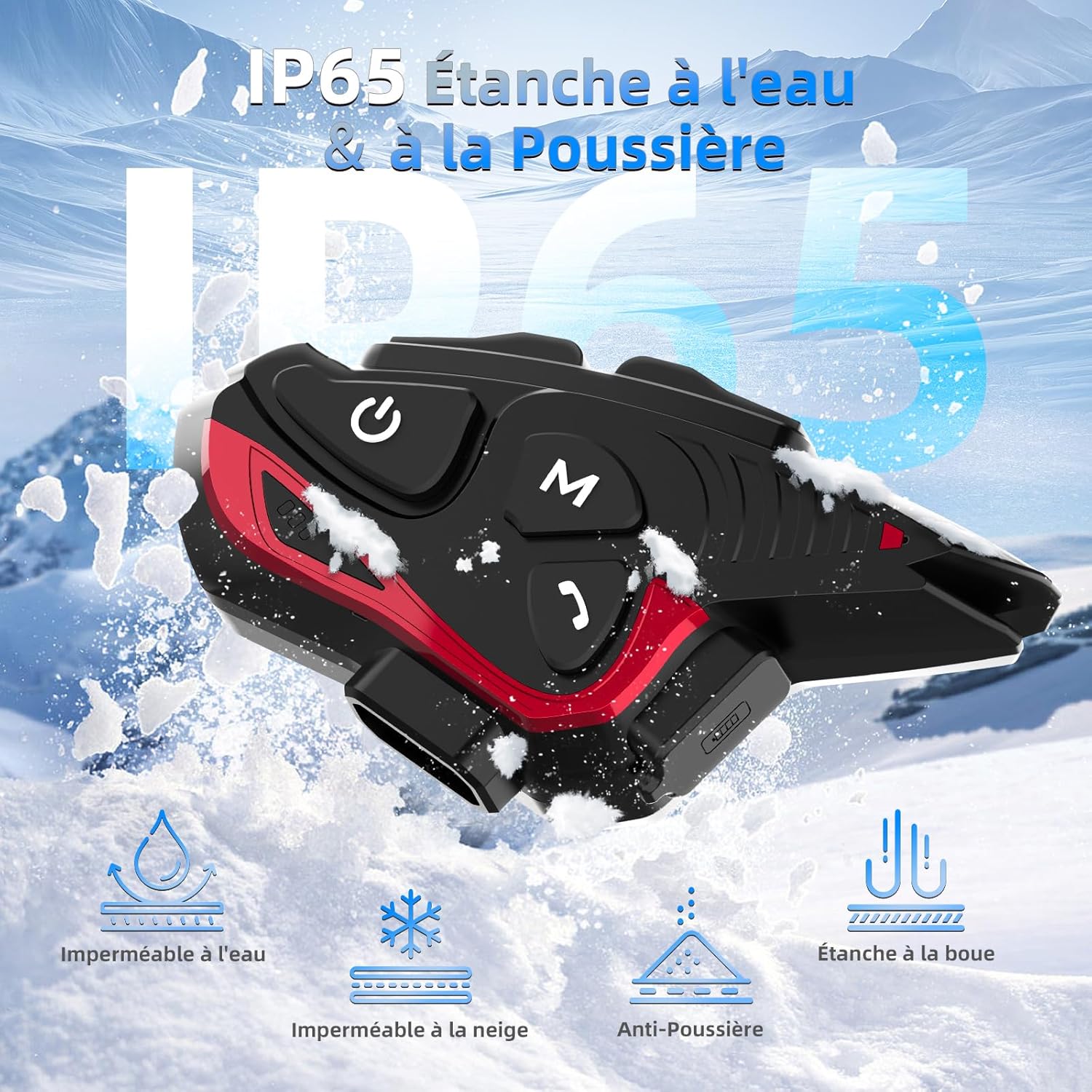
그림 6: IP65 방수 및 방진 등급.
6. 유지관리
- 기기를 깨끗하고 건조하게 유지하세요. 부드러운 천으로 닦아주세요.amp 옷감.
- 장치를 극한의 온도나 직사광선에 장기간 노출시키지 마십시오.
- 충전하지 않을 때는 방수 기능을 유지하기 위해 충전 포트 덮개를 단단히 닫아 두십시오.
- 배터리 수명 유지를 위해 사용하지 않을 때에도 정기적으로 기기를 충전하십시오.
7. 문제 해결
7.1. 힘이 없다
- Ensure the battery is charged. Connect the device to a power source using the provided USB cable.
- Check if the power button is being held for the correct duration (3 seconds).
7.2. 휴대폰과 페어링할 수 없음
- Ensure the device is in pairing mode (red and blue indicator lights flashing).
- 휴대폰의 블루투스를 껐다가 켜세요.
- 기기가 휴대폰의 통신 범위 내에 있는지 확인하십시오.
- Forget previous Bluetooth connections on your phone and try pairing again.
7.3. Poor Audio Quality/Noise
- Ensure speakers are correctly positioned near your ears and the microphone is close to your mouth.
- 마이크 주변에 장애물이 있는지 확인하십시오.
- Verify that the volume is adjusted appropriately.
- The device features DSP and CVC noise reduction, which should minimize ambient noise. If issues persist, ensure the microphone is not picking up excessive wind noise.
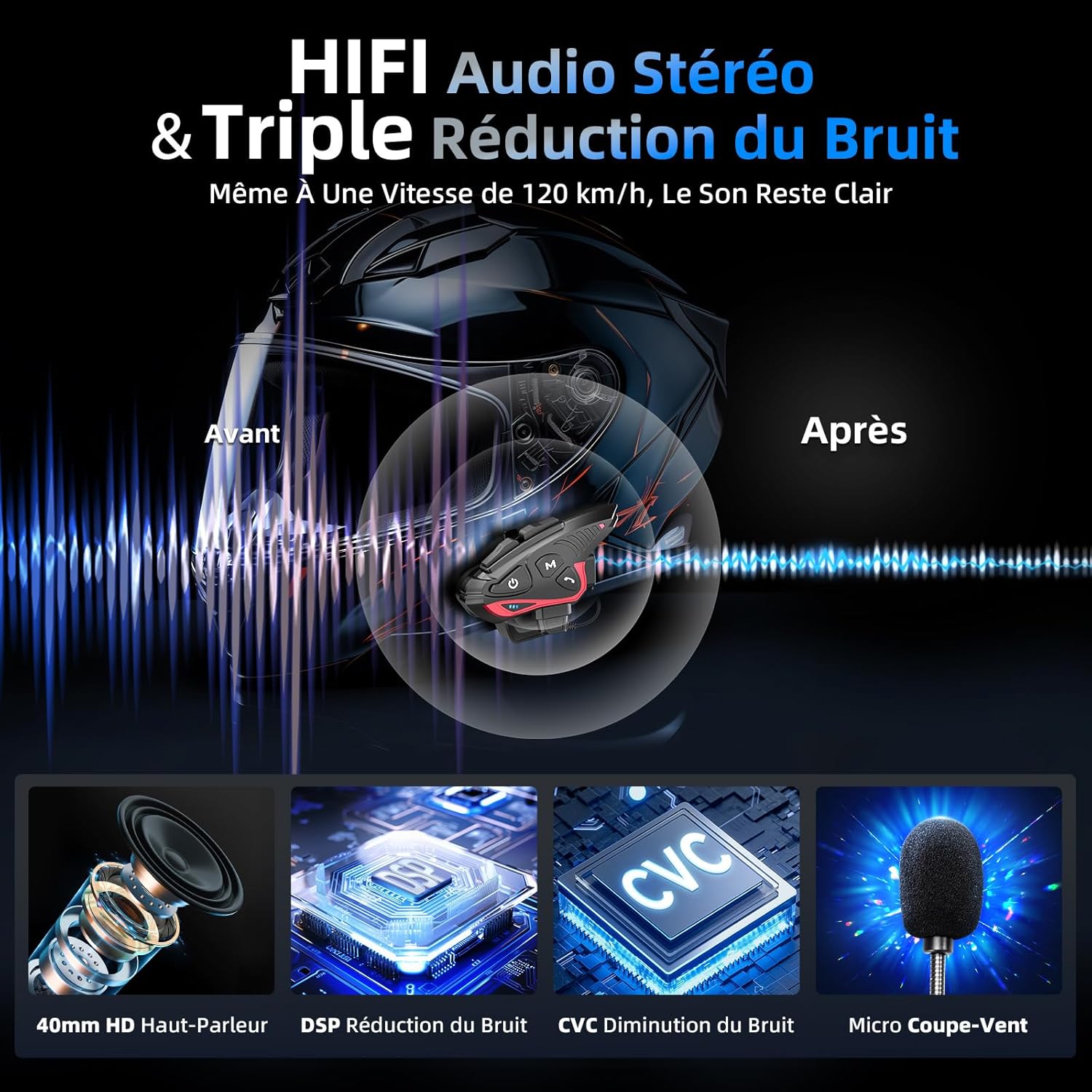
Figure 7: Audio quality and noise reduction technology.
8. 보증 및 지원
The Moman CP-S Motorcycle Intercom System comes with a 2-year manufacturer's warranty. For technical support, warranty claims, or any other inquiries, please contact Moman customer service through their official channels.


