1. 서론
The Triplett WS230 Wall Scanner is a versatile and compact tool designed for accurately detecting hidden objects behind walls. It features advanced capabilities to locate wood studs, metal objects (ferrous and non-ferrous), and live AC wiring, providing essential information for construction, home improvement, and maintenance tasks. This manual provides detailed instructions for safe and effective use of your WS230 Wall Scanner.
2. 안전 정보
기기를 사용하기 전에 모든 안전 경고 및 지침을 주의 깊게 읽어 주십시오. 이 지침을 따르지 않을 경우 감전, 화재 또는 심각한 부상을 입을 수 있습니다.
- Always assume that live electrical wires are present behind walls. Exercise extreme caution.
- Do not rely solely on the detection results. Always verify findings through other means if possible.
- 기기를 건조하고 깨끗하게 유지하십시오. 습기나 극한 온도에 노출시키지 마십시오.
- 장치를 열거나 개조하지 마십시오. 모든 정비는 자격을 갖춘 기술자에게 맡기십시오.
3. 패키지 내용
패키지에 모든 품목이 들어 있는지 확인하세요.
- Triplett WS230 Wall Scanner
- 3.7V/300mAh Lithium Ion Battery (pre-installed)
- Soft Protective Pouch Case
- 사용 설명서 (본 문서)
- USB 타입 C 충전 케이블

Figure 3.1: WS230 Wall Scanner with Pouch and USB-C Cable
4. 제품 오버view
Familiarize yourself with the components of your Triplett WS230 Wall Scanner.

그림 4.1: 전면 View of WS230 Wall Scanner

그림 4.2: 뒤로 View of WS230 Wall Scanner (QR Code: C242594011)
4.1 주요 구성 요소
- 컬러 LCD 화면: Displays detection mode, depth, battery status, and object location.
- 전원 버튼: 장치를 켜거나 끕니다.
- 모드 선택 버튼: Allows switching between Stud, Metal, and AC Voltage detection modes.
- 센서 영역: Located on the back of the device, this area must be in contact with the wall for accurate scanning.
- USB-C 충전 포트: For recharging the internal Lithium-ion battery.
5. 설정 및 충전
5.1 배터리 충전
The WS230 is equipped with a rechargeable 3.7V/300mAh Lithium-ion battery. Before first use, ensure the device is fully charged.
- Connect the provided USB Type C charging cable to the charging port on the device.
- USB 케이블의 다른 쪽 끝을 표준 USB 전원 어댑터(별도 구매) 또는 컴퓨터 USB 포트에 연결하십시오.
- LCD 화면의 배터리 표시등에 충전 상태가 나타납니다. 완전 충전에는 일반적으로 몇 시간이 소요됩니다.
5.2 전원 켜기/끄기
- 전원을 켜려면 전원 버튼 (red button) until the screen illuminates.
- 전원을 끄려면 전원 버튼 화면이 꺼질 때까지 계속합니다.
6. 운영
6.1 일반 사용 지침
- 벽면이 깨끗하고 건조한지 확인하세요.
- Avoid scanning over freshly painted or wallpapered surfaces until they are completely dry, as moisture can affect accuracy.
- Hold the scanner flat against the wall, ensuring the sensor area is in full contact.
- Move the scanner slowly and steadily across the surface.
6.2 자동 보정
The WS230 features automatic calibration for accurate results. Calibration occurs automatically upon power-on or when switching detection modes.
- Place the scanner flat against the wall in an area where you are certain there are no studs, metal, or live wires.
- 를 누르세요 전원 버튼 or select your desired mode. The screen will display "Calibrating, please wait."
- Keep the device still against the wall until calibration is complete.

Figure 6.1: Calibration in Progress
6.3 감지 모드
The WS230 offers three primary detection modes:

Figure 6.2: Multiple Detection Mode Displays
6.3.1 Stud Detection
This mode locates the center and edges of wood or metal studs behind walls.
- Select the Stud Detection mode using the appropriate button.
- Place the scanner flat against the wall and slowly move it horizontally.
- The display will indicate the presence of a stud, its center, and depth (up to 1.5 inches / 38mm). Audio alerts will also sound.

Figure 6.3: Wood Stud Detection
6.3.2 금속 탐지
This mode identifies ferrous and non-ferrous metals, such as pipes and electrical wiring (even if not live).
- Select the Metal Detection mode.
- Scan the wall slowly. The display will show "Detect metal" and indicate the object's location and type (magnetic/non-magnetic).
- Maximum detection depth is 4.0 inches (100mm).

Figure 6.4: Metal Detection

Figure 6.5: Non-Magnetic Metal Detection
6.3.3 AC 볼륨tage 감지
This mode specifically detects live AC wires behind walls, providing an essential safety feature.
- AC 볼륨을 선택하세요tage Detection mode.
- Scan the wall slowly. The display will show a lightning bolt icon and indicate the presence of live AC wiring.
- Maximum detection depth is 2 inches (50mm).
7. 유지관리
- 부드럽고 마른 천으로 기기를 닦으세요. 연마성 세제나 용제는 사용하지 마세요.
- Store the device in its protective pouch in a cool, dry place when not in use.
- Regularly charge the battery to maintain its health, even if the device is not used frequently.
8. 문제 해결
If you encounter issues with your WS230 Wall Scanner, try the following:
- 부정확한 판독: Ensure the device is properly calibrated on a clear section of the wall. Check for moisture on the wall surface.
- 전원 없음: Verify the battery is charged. Connect the USB-C cable and allow it to charge for at least 30 minutes before attempting to power on again.
- 간헐적 감지: Ensure the sensor area is in full contact with the wall and you are moving the device slowly and steadily.
If problems persist, contact Triplett customer support.
9. 사양
| 특징 | 사양 |
|---|---|
| 제품 치수 | 4.8 x 1 x 2.4 인치 |
| 품목 무게 | 4 온스 |
| 모델 번호 | WS230 |
| 배터리 | 1개의 리튬 이온 배터리(포함) |
| 전원 | 배터리 구동 |
| 스터드 감지 깊이 | 최대 1.5인치(38mm) |
| 금속 탐지 깊이 | 최대 4.0인치(100mm) |
| AC 볼륨tage Detection Depth | 최대 2인치(50mm) |
| 최적의 작동 온도 | 0~40°C |
| 보관 온도 | -20 ~ 60°C |
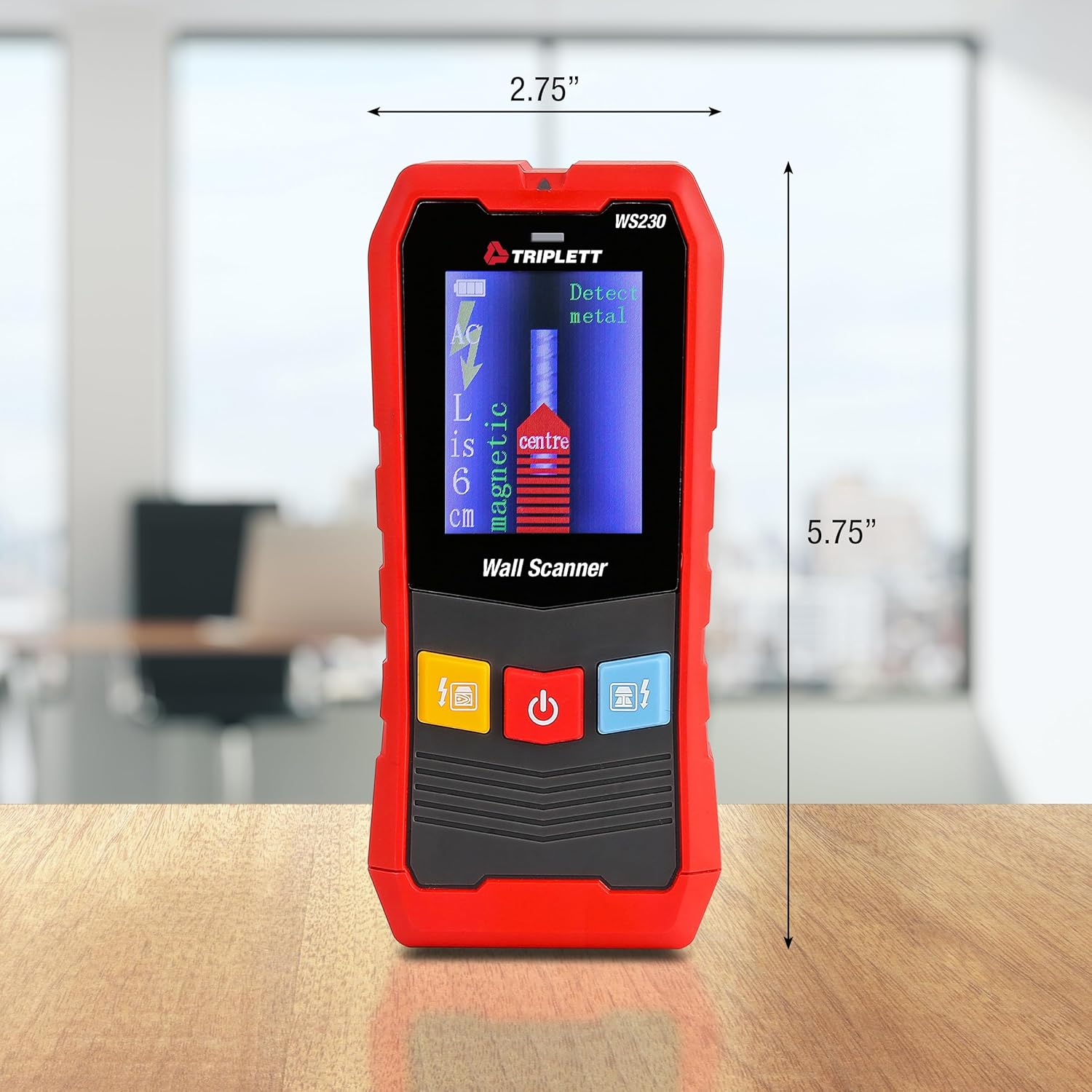
Figure 9.1: WS230 Dimensions
10. 보증 및 지원
For warranty information or technical support, please refer to the official Triplett web해당 사이트를 방문하거나 고객 서비스 부서에 문의하세요. 구매 증빙 자료로 구매 영수증을 보관하세요.
Visit the official Triplett Store: Triplett Store on Amazon


