소개
구매해주셔서 감사합니다asing the Greadio GB-W18 Portable CD Player Boombox. This device offers multiple audio playback options including CD, cassette, FM radio, Bluetooth, USB, AUX, and TF/SD card. Please read this manual carefully before using the product to ensure proper operation and to maximize your listening experience. Keep this manual for future reference.
안전 정보
- 화재나 감전을 방지하기 위해 장치를 비나 습기에 노출시키지 마십시오.
- c를 열지 마세요asing. 모든 서비스는 자격을 갖춘 담당자에게 의뢰하세요.
- 장치를 열원 근처나 직사광선에 노출시키지 마십시오.
- 장치 주변의 적절한 환기를 확인하십시오.
- Use only the specified power adapter (if applicable) or charge with a compatible 5V/2A Type-C charger.
- 어린이의 손이 닿지 않는 곳에 보관하세요.
패키지 내용
모든 항목이 있는지 확인하세요.
- Greadio GB-W18 Portable CD Player Boombox
- 원격 제어 (1)
- 사용 설명서 (본 문서)
- USB 충전 케이블(Type-C)
제품 끝view
Familiarize yourself with the various parts and controls of your Greadio GB-W18 boombox.
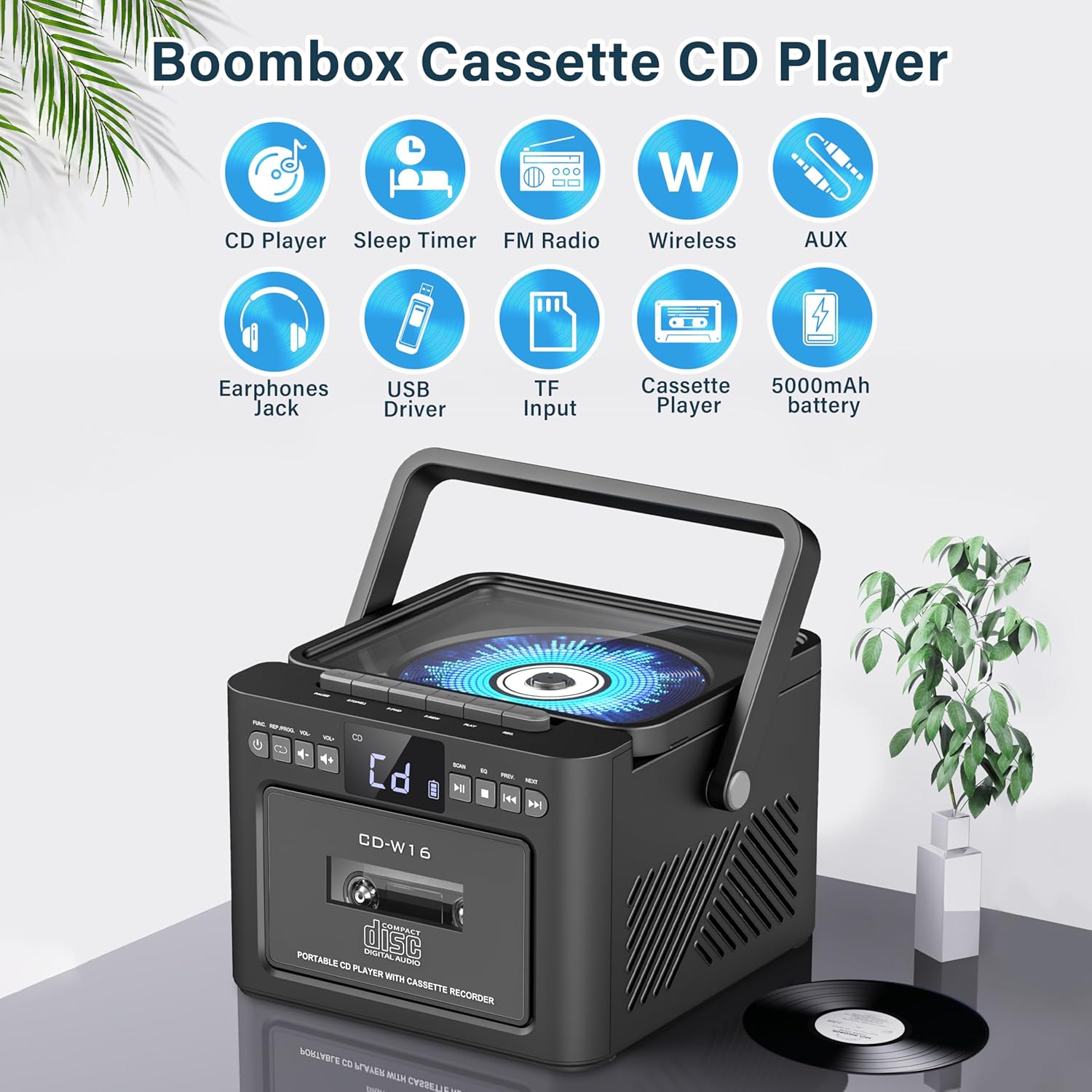
영상: 위에view of the Greadio GB-W18 Portable CD Player Boombox, highlighting its multi-functional capabilities including CD, cassette, FM radio, Bluetooth, USB, TF/SD card, AUX, and a built-in 5000mAh rechargeable battery.
전면 패널 컨트롤
- LED 디스플레이: 현재 모드, 트랙 번호, 주파수 등을 표시합니다.
- 전원 버튼: 기기를 켜거나 끕니다.
- 모드 버튼: Switches between CD, Cassette, FM, Bluetooth, USB, AUX, TF/SD modes.
- 볼륨 조절: 오디오 출력 레벨을 조정합니다.
- 재생/일시 정지 버튼: Controls playback for CD, USB, TF/SD, Bluetooth.
- 중지 버튼 : 재생을 중지합니다.
- 건너뛰기/검색 버튼: Skips tracks or searches radio frequencies.
- 녹음 버튼: Initiates cassette recording.
Side/Rear Panel Ports
- CD 수납공간: 상단 투입식 CD 플레이어.
- 카세트 데크: 전면 로딩 방식의 카세트 플레이어/레코더.
- USB 포트: USB 드라이브 재생용입니다.
- TF/SD 카드 슬롯: For TF/SD card playback.
- 보조 입력: 외부 오디오 장치용 3.5mm 잭.
- 헤드폰 잭: 개인 청취용 3.5mm 잭.
- DC 5V 입력(Type-C): 내부 배터리를 충전합니다.
- FM 안테나: 라디오 수신용 신축식 안테나.
설정
장치에 전원 공급하기
The Greadio GB-W18 can be powered by its built-in rechargeable battery or via a Type-C USB power source.
- 배터리 충전: Connect the provided USB Type-C cable to the DC 5V input port on the unit and the other end to a compatible USB power adapter (e.g., car charger, power bank, computer USB port). The LED display will indicate charging status. A full charge provides extended portable use.

영상: The Greadio GB-W18 boombox with its USB and TF/SD card slots highlighted, along with illustrations of various 5V Type-C charging methods: car charger, power bank, and computer.
초기 전원 켜기
를 누르세요 힘 button to turn on the unit. The LED display will light up, and the unit will typically default to the last used mode or CD mode.
작동 지침
사용하세요 방법 button to switch between different playback sources.
CD 재생
- 를 누르세요 방법 button until 'CD' appears on the display.
- CD 수납공간 뚜껑을 엽니다.
- Place a CD (CD, CD-R, CD-RW) with the label side facing up onto the spindle.
- Close the CD compartment lid. The CD will begin to play automatically.
- 사용하세요 재생/일시정지, 멈추다, 그리고 건너뛰기/검색 재생을 제어하는 버튼.

영상: A user operating the Greadio GB-W18 boombox, demonstrating CD playback and the use of the remote control for convenient operation.
카세트 재생 및 녹음
- 를 누르세요 방법 button until 'TAPE' appears on the display.
- 카세트 데크 도어를 여세요.
- 카세트테이프의 열린 면이 위를 향하도록 삽입하십시오.
- 카세트 데크 도어를 닫으세요.
- 를 누르세요 놀다 button on the cassette deck controls to start playback.
- 에게 기록: Ensure a blank or recordable cassette is inserted. Select your desired input source (e.g., FM radio, AUX, Bluetooth). Press the 기록 기기의 버튼을 누르세요. 멈추다 녹음을 종료합니다.

영상: The Greadio GB-W18 boombox in a social setting, illustrating the cassette player function with a hand inserting a tape.
FM 라디오 작동
- 최적의 수신을 위해 텔레스코픽 FM 안테나를 펼치십시오.
- 를 누르세요 방법 'FM'이 디스플레이에 나타날 때까지 버튼을 누르세요.
- 를 누르고 계세요 건너뛰기/검색 buttons to automatically scan for available stations. The unit can preset up to 30 stations.
- 를 누르세요 건너뛰기/검색 buttons briefly to manually tune or cycle through preset stations.
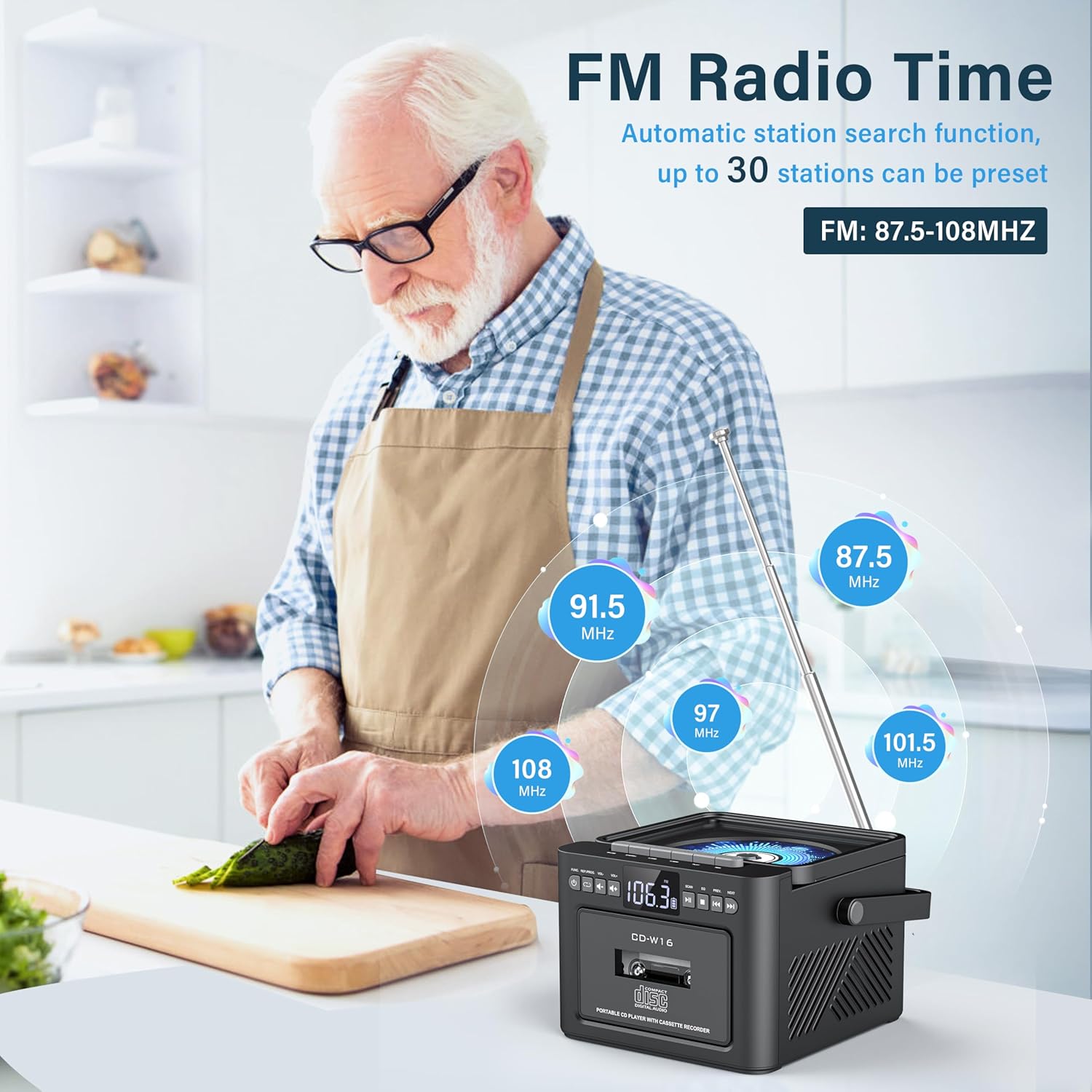
영상: A user in a kitchen setting with the Greadio GB-W18 boombox, demonstrating its FM radio capabilities and the range of frequencies it can receive.
Bluetooth (Wireless Receiver)
- 를 누르세요 방법 button until 'BLUE' or 'BT' appears on the display. The unit will enter pairing mode, indicated by a flashing Bluetooth icon.
- 모바일 기기(스마트폰, 태블릿 등)에서 Bluetooth를 활성화하고 사용 가능한 기기를 검색하세요.
- Select 'Greadio GB-W18' (or similar name) from the list to pair.
- Once paired, you can play audio from your device through the boombox.
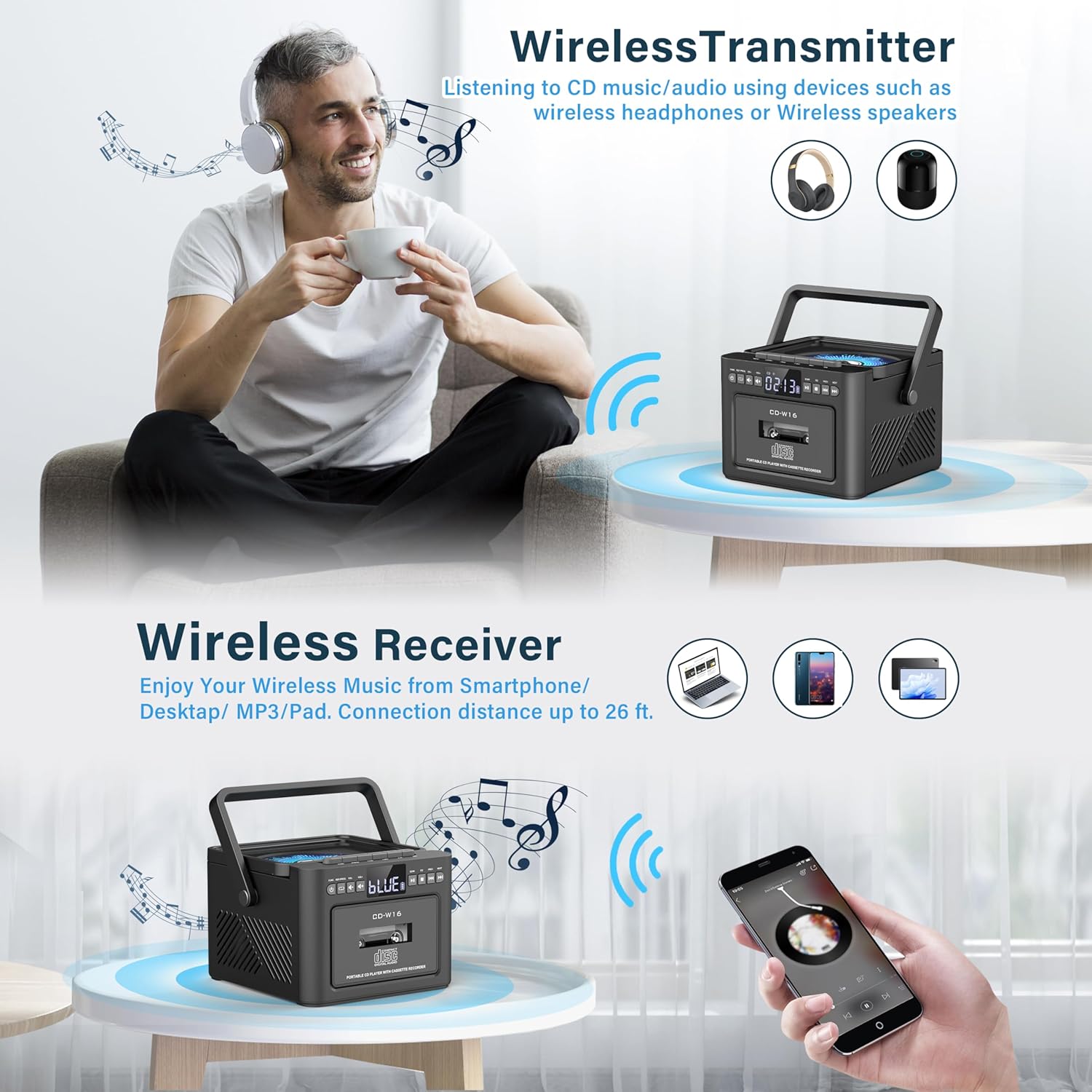
영상: The Greadio GB-W18 boombox demonstrating its wireless capabilities, functioning as both a wireless transmitter (for headphones/speakers) and a wireless receiver (for streaming from smartphones/tablets).
USB Drive & TF/SD Card Playback
- Insert a USB drive into the USB port or a TF/SD card into the TF/SD card slot.
- 를 누르세요 방법 button until 'USB' or 'TF' appears on the display.
- 이 장치는 MP3를 자동으로 감지하고 재생합니다. file저장 장치에서 s.
- 사용하세요 재생/일시정지, 멈추다, 그리고 건너뛰기/검색 재생을 제어하는 버튼.
AUX 입력
- Connect an external audio device (e.g., MP3 player, smartphone) to the AUX input jack using a 3.5mm audio cable (not included).
- 를 누르세요 방법 화면에 'AUX'가 나타날 때까지 버튼을 누르세요.
- 외부 기기에서 오디오를 재생하세요. 소리는 붐박스 스피커를 통해 출력됩니다.
원격 제어
The included remote control allows for convenient operation of most functions from a distance. Point the remote control directly at the front panel of the boombox. Functions include power on/off, mode selection, volume adjustment, playback controls (play, pause, stop, skip), and radio tuning.
슬립 타이머
The unit features a sleep timer function. Refer to the remote control or specific button on the unit (if available) to set a timer for automatic power-off. This feature is useful for falling asleep to music.
유지
- 청소: 부드럽고 마른 천을 사용하여 기기 외부를 닦으세요. 연마성 세제나 용제를 사용하지 마세요.
- CD 렌즈 관리: If CD playback issues occur, use a specialized CD lens cleaner disc.
- 카세트 헤드 청소: 카세트 헤드는 면봉으로 정기적으로 가볍게 닦아주세요.amp최적의 음질을 보장하고 테이프 손상을 방지하기 위해 이소프로필 알코올로 처리했습니다.
- 배터리 관리 : 배터리 수명을 최적화하려면 배터리를 자주 완전히 방전시키지 마십시오. 장기간 사용하지 않더라도 정기적으로 충전하십시오.
- 저장: When not in use for a long time, store the unit in a cool, dry place away from direct sunlight and extreme temperatures.
문제 해결
| 문제 | 가능한 원인 | 해결책 |
|---|---|---|
| 장치의 전원이 켜지지 않습니다. | 배터리가 소진되었습니다. | Connect the unit to a power source using the Type-C USB cable and allow it to charge. |
| 스피커에서 소리가 나지 않습니다. | Volume is too low or muted. Incorrect mode selected. Headphones connected. | 볼륨을 높이려면 누르세요. 방법 button to select the correct source. Disconnect headphones. |
| CD가 건너뛰거나 재생되지 않습니다. | CD is dirty, scratched, or inserted incorrectly. CD lens is dirty. | Clean the CD. Reinsert the CD correctly. Use a CD lens cleaner. |
| FM 라디오 수신이 좋지 않습니다. | 안테나가 펼쳐지지 않았습니다. 신호가 약합니다. | FM 안테나를 완전히 펼치십시오. 수신 상태가 좋아지도록 기기의 위치를 조정하십시오. |
| Bluetooth 장치를 페어링할 수 없습니다. | Boombox not in pairing mode. Device too far. | Ensure boombox is in Bluetooth mode and flashing. Move device closer (within 26 ft). |
| Cassette playback distorted. | Cassette heads are dirty. Tape is old or damaged. | Clean cassette heads. Try a different tape. |
명세서
- 모델 번호: GB-W18
- 제품 크기: 7.56 x 7.56 x 5.16 인치
- 품목 무게: 2.99파운드
- 연결 기술 : 블루투스 5.0
- 스피커 유형: 듀얼 스테레오 스피커
- 배터리: Built-in 5000mAh Rechargeable Lithium Ion Battery
- 전원 입력: DC 5V(C형)
- 지원되는 미디어: CD, CD-R, CD-RW, Cassette Tape, USB Drive (MP3 format, up to 32GB), TF/SD Card (MP3 format, up to 32GB), AUX Input
- FM 라디오 주파수: 87.5-108MHz
보증 및 지원
Greadio products are designed for reliability and performance. For any questions, technical support, or warranty inquiries, please refer to the contact information provided with your purchase or visit the official Greadio web사이트. 보증 청구를 위해 구매 증빙 자료를 보관하세요.


