소개
This manual provides detailed instructions for the setup, operation, maintenance, and troubleshooting of your Diivoo 3 Zone Sprinkler Timer (Model WT-10). Please read this manual thoroughly before use to ensure optimal performance and longevity of your device. This programmable automatic irrigation timer is designed for efficient watering of your lawn, garden, and yard areas.
설정
1. 배터리 설치
- The Diivoo Sprinkler Timer requires 4*AA 1.5 alkaline batteries (not included).
- 장치 뒷면에서 배터리함을 찾으세요.
- Open the compartment and insert the batteries, ensuring correct polarity.
- Close the battery compartment securely. The built-in sealing strip helps prevent water from entering.
2. 수도꼭지에 연결하기
- Attach the threaded connector of the water hose timer to any standard 3/4" or 1/2" garden outdoor faucet.
- Ensure the connection is secure to prevent leaks. The timer includes sturdy aluminum alloy filters, three sealing washers, and thread seal tape for a reliable connection.
- The connectors are constructed with reinforced nylon material capable of withstanding water pressures ranging from 7.25 psi to 116.03 psi.
3. 초기 시계 설정
- Refer to the LCD screen and control dial to set the current time.
- Follow the on-screen prompts to adjust hours and minutes.

이미지: 상세 view of the Diivoo Sprinkler Timer, highlighting the hose faucet connection with an integrated filter, the LCD screen displaying time and settings, and the various control buttons for operation.
작동 지침
1. Programming Watering Schedules (3 Independent Zones)
The Diivoo Sprinkler Timer features 3 independent outlets, allowing you to schedule watering for different areas separately.
- 시작 시간 설정: Choose the desired time for watering to begin for each zone.
- 물주기 시간 설정: Select a duration from 1 to 240 minutes.
- 빈도 설정: Choose how often watering occurs: every 6 hours, every 12 hours, or from every day to every 7 days.
- 중요 참고 사항: When setting up Zone 2 and Zone 3, ensure that the "HOW OFTEN" and "HOW LONG" parameters are transferred and set independently and correctly for each zone.
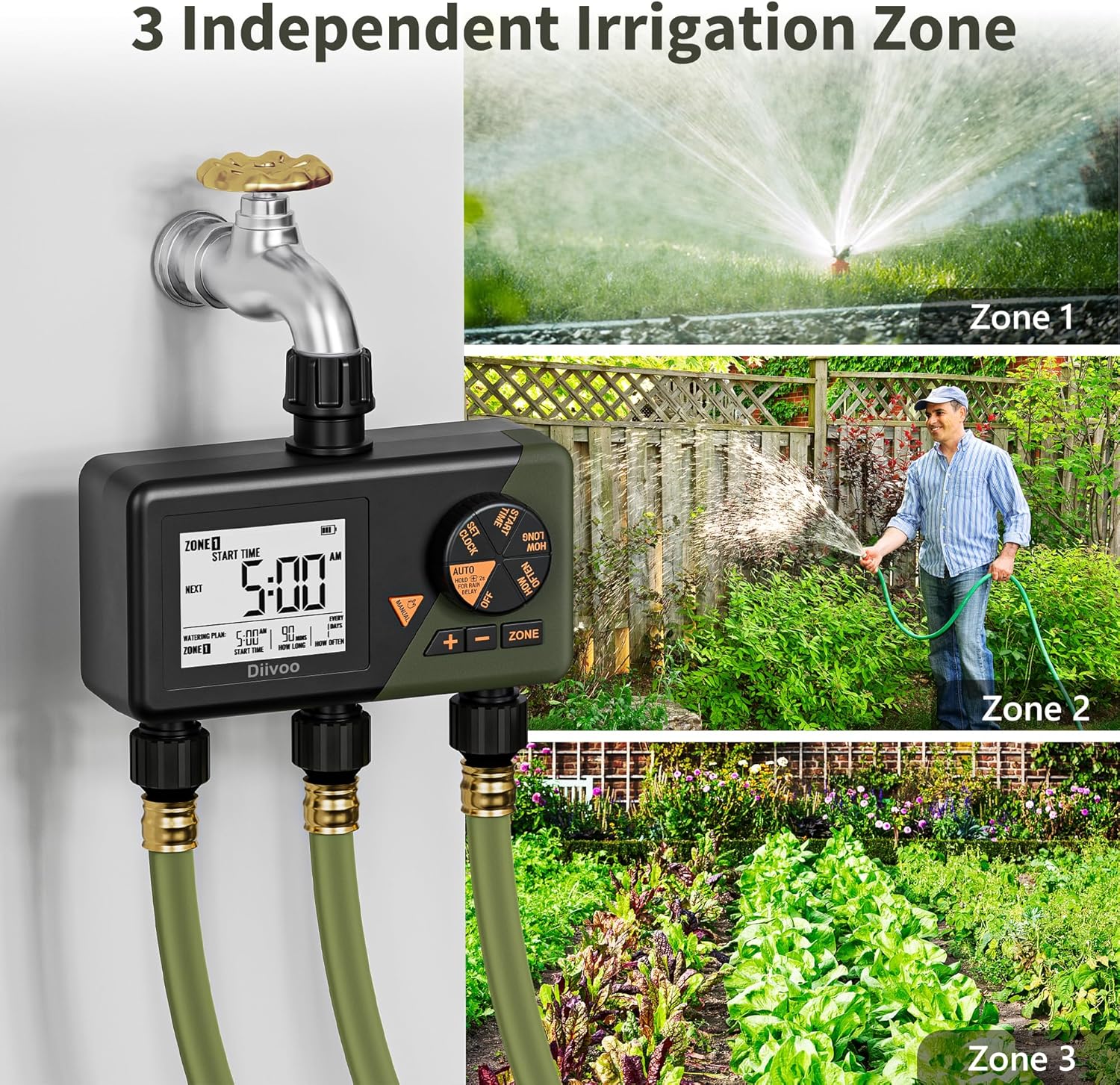
Image: The Diivoo Sprinkler Timer with three hoses attached, illustrating its capability to manage three independent irrigation zones for diverse watering needs like a lawn, garden, and pool.

Image: A visual representation of three independent irrigation zones (Zone 1, Zone 2, Zone 3) with distinct watering schedules, including start times, durations, and frequencies, demonstrating the timer's customization capabilities.
2. 강우 지연 모드
- The Rain Delay mode allows you to pause your scheduled watering for 1-7 days.
- This feature helps prevent overwatering and conserves water on rainy days.
- Note: This timer does not include a rain sensor; you should postpone your schedule based on local weather forecasts.
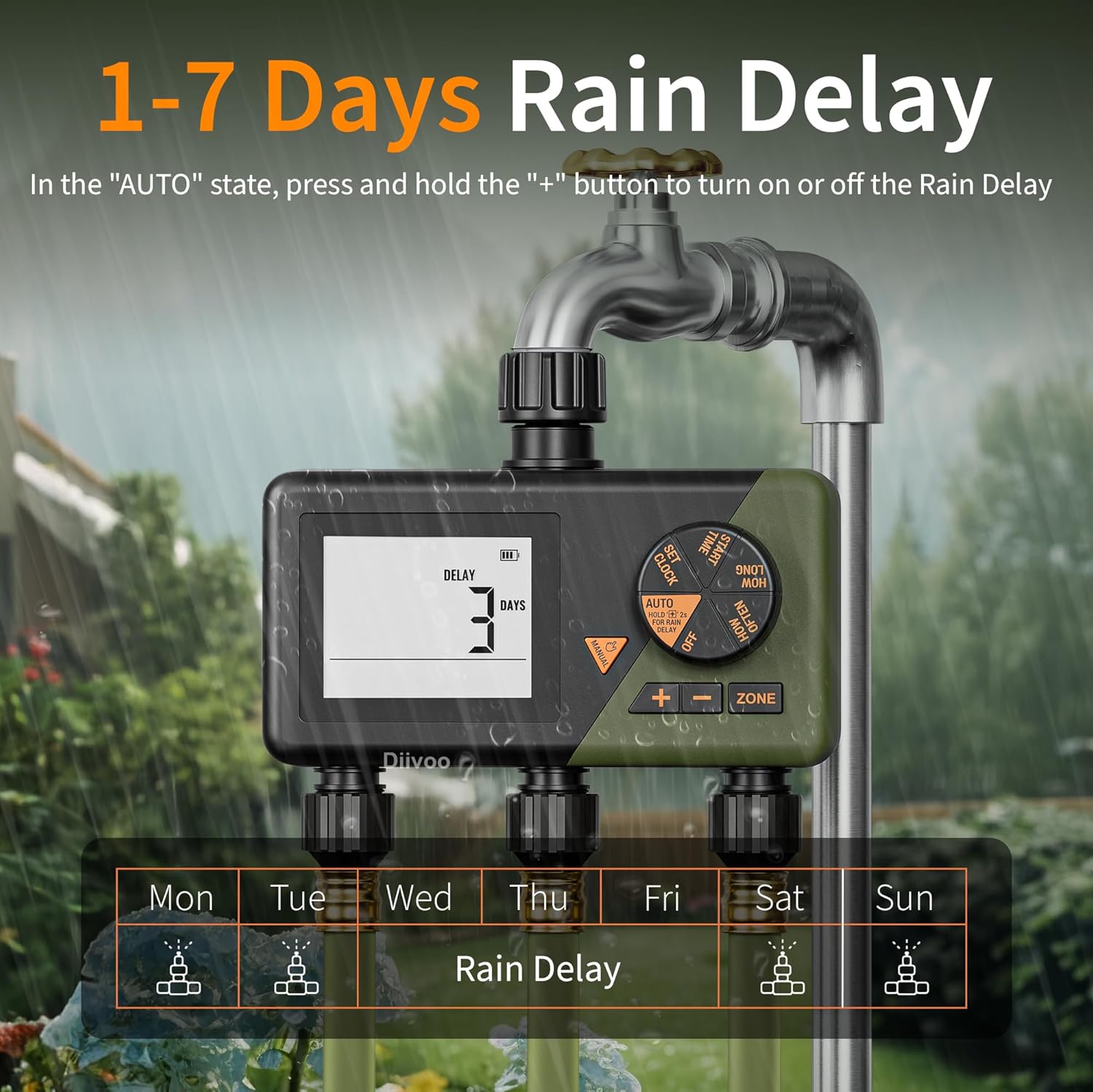
Image: The Diivoo Sprinkler Timer's screen showing 'DELAY 3 DAYS', illustrating the active rain delay function to pause watering for a specified period.
3. 수동 급수 모드
- The Manual Watering mode allows you to initiate watering immediately, overriding any preset programs.
- This is useful for quick watering tasks without altering your regular schedule.

Image: A collage depicting various manual watering applications, such as filling a pool, watering a lawn, washing a car, and tending to plants, demonstrating the versatility of the manual watering mode.
4. 비디오 데모
Video: A short demonstration of the Diivoo 3 Zone Sprinkler Timer in action, showcasing its programming and watering capabilities for different zones.
유지
- The garden hose timer has an IP54 waterproof rating, making it suitable for daily outdoor use.
- The battery compartment features a built-in sealing strip to effectively prevent water intrusion, ensuring a long service life.
- Regularly check and clean the aluminum alloy filters to prevent clogs and maintain optimal water flow.
- If any leaks occur, inspect the sealing washers and thread seal tape. Replace them if necessary to ensure a secure connection.
- Replace the 4*AA 1.5 alkaline batteries every 6-8 months, or as needed, to ensure continuous operation.
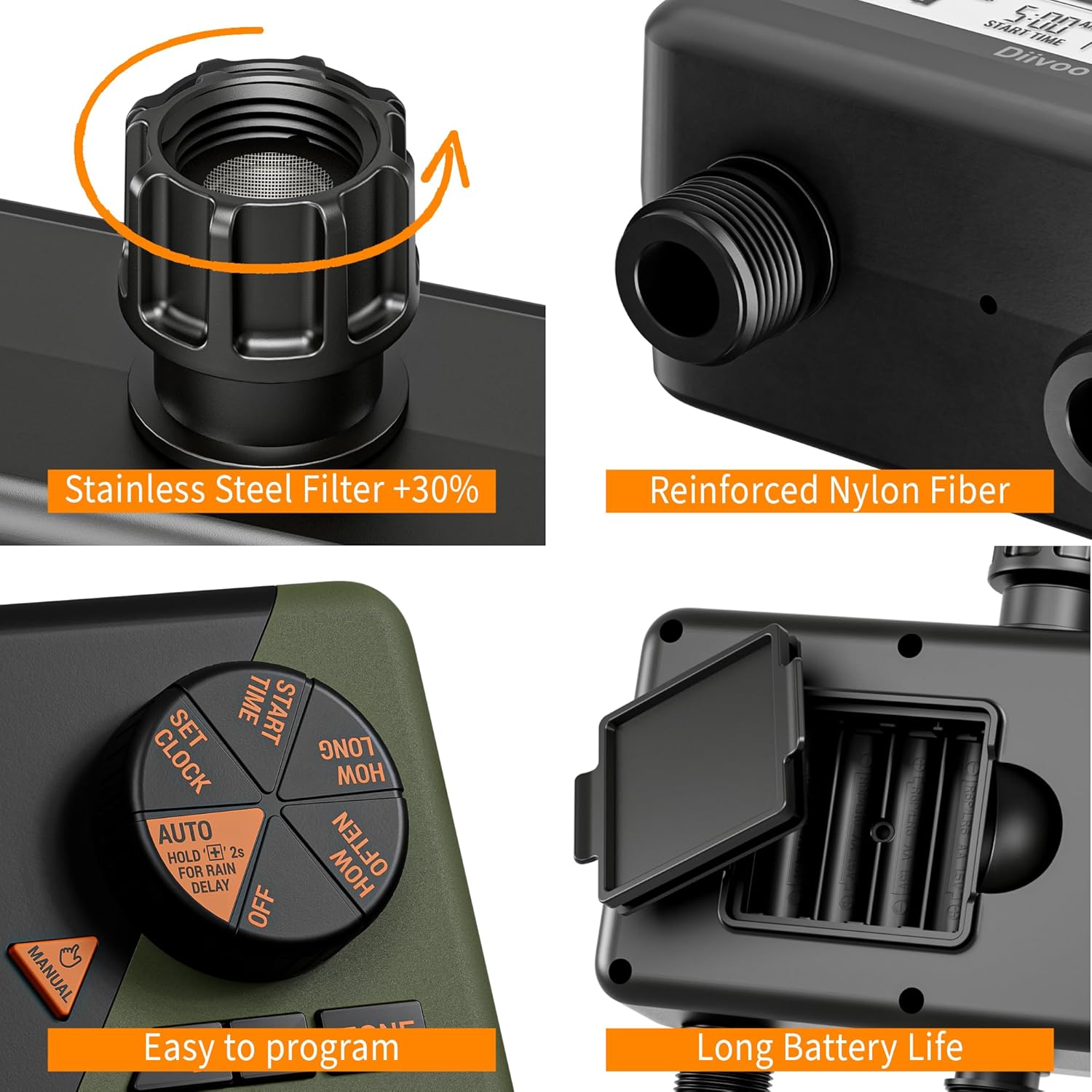
이미지: 상세 views of the Diivoo Sprinkler Timer, highlighting its durable components such as the stainless steel filter, reinforced nylon fiber construction, user-friendly programming dial, and the secure battery compartment designed for long battery life.
문제 해결
- 물 흐름 없음: Check if the faucet is fully open. Ensure batteries are correctly installed and charged. Verify that the watering schedule is active and the start time has passed. Clean the filter for any debris.
- 타이머가 켜지지 않음: Replace batteries with fresh 4*AA 1.5 alkaline batteries. Ensure the battery compartment is properly closed.
- 누출: Tighten all connections to the faucet and hoses. Inspect sealing washers and thread seal tape for damage and replace if necessary. Ensure the reinforced nylon connectors are not cross-threaded.
- 잘못된 물주기 일정: Double-check the set clock time. Review the start time, duration, and frequency settings for each individual zone. Ensure the Rain Delay mode is not active if you expect watering to occur.
명세서
| 상표 | 디부 |
| 모델 | WT-10 |
| 색상 | 녹색 |
| 재료 | 플라스틱 |
| 제품 치수 | 15인치 깊이 x 8.5인치 너비 x 7.2인치 높이 |
| 품목 무게 | 0.91킬로그램(2.01파운드) |
| 존의 수 | 3 |
| 작동 수압 | 7.25psi ~ 116.03psi |
| 최대 유량 | 10갤런/분(35L/분) |
| 작동 온도 | 3°C-50°C(37.4°F-122°F) |
| 입구 / 출구 스레드 | 3/4인치 |
| 배터리 | 4*AA 1.5 alkaline batteries (excluded) |
| 방수 등급 | IP54 |
보증 및 지원
For warranty information, please refer to the product packaging or contact Diivoo customer support directly. Diivoo offers customer care 5 days a week via email or phone. Please feel free to contact us for professional customer support.
- 고객 서비스: Available 5 days a week via email or phone.
- 연락처 정보: Refer to your product packaging or the official Diivoo web최신 연락처 정보는 사이트에서 확인하세요.


