소개
This manual provides essential instructions for the safe and proper use of your STAR WARS The Black Series Baylan Skoll Force FX Elite Electronic Lightsaber. This collectible item features design, deco, and scale based on Baylan Skoll’s Lightsaber from the Star Wars: Ahsoka live-action series. It combines advanced LEDs and entertainment-inspired sound effects for a realistic experience.
Please read this manual thoroughly before assembly and operation, and retain it for future reference.

Image: A promotional image for Star Wars The Black Series, featuring various characters.
안전 정보
경고: 질식 위험 – 작은 부품이 발생할 수 있습니다. 3세 미만 어린이는 사용하지 마십시오.
- 본 제품은 14세 이상 사용자를 대상으로 합니다.
- Do not strike people or animals with the lightsaber blade.
- 광선검을 극한의 온도나 습기에 노출시키지 마십시오.
- 지정된 배터리 유형만 사용하고 극성이 올바른지 확인하세요.
- 오래된 건전지와 새 건전지, 다른 종류의 건전지를 혼용하지 마세요.
- 장기간 제품을 사용하지 않을 경우 배터리를 제거하세요.
상자 안에 무엇이 들어있나요?
구성품을 모두 조심스럽게 꺼내어 모든 품목이 있는지 확인하십시오.
- 광선검 손잡이
- Lightsaber Blade (removable)
- 디스플레이 스탠드
- 배럴 플러그
- 앨런 렌치
- 사용 설명서(이 설명서)

Image: The product packaging box, showing the lightsaber hilt, blade, and stand components.
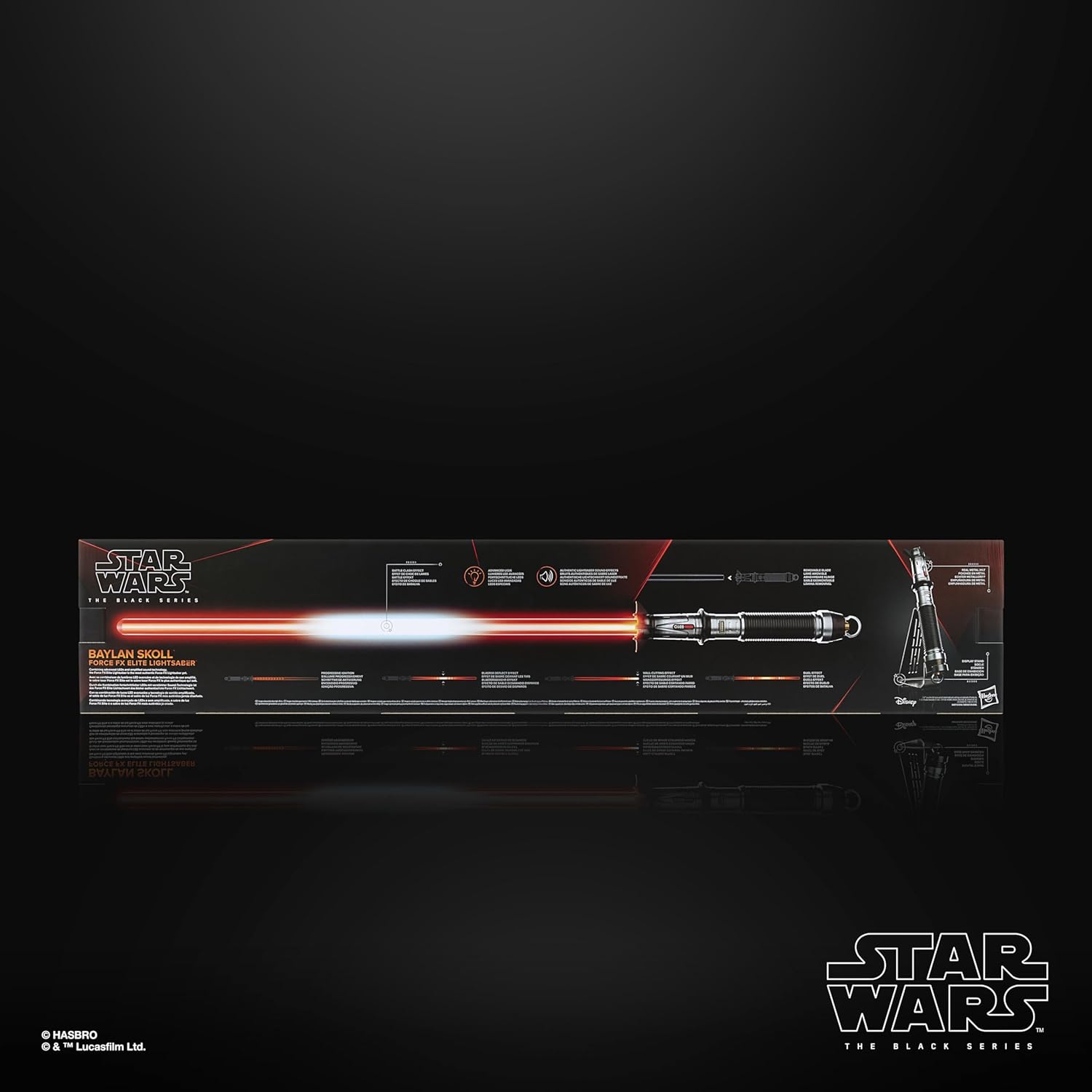
Image: The product packaging box, featuring a diagram illustrating the lightsaber's features and components.
설정
1. 배터리 설치
The lightsaber requires 3 AA batteries (not included). To install:
- Locate the battery compartment on the hilt.
- Use the provided Allen wrench to open the battery compartment cover.
- AA 배터리 3개를 올바른 극성(+/-)에 맞춰 넣으세요.
- Replace the cover and secure it with the Allen wrench.
2. 칼날 부착
To attach the lightsaber blade:
- Align the blade with the emitter opening on the hilt.
- Gently push the blade into the hilt until it clicks securely into place.
- Ensure the blade is firmly seated before use.

Image: The Baylan Skoll Force FX Elite Lightsaber fully assembled with its distinctive orange blade illuminated.
3. Using the Barrel Plug
When the blade is not attached, insert the barrel plug into the emitter opening. This protects the internal components and allows for hilt-only display.
4. Assembling the Display Stand
The included stand allows for proud display of your lightsaber. Follow the instructions provided with the stand for assembly. Once assembled, place the lightsaber on the stand, with or without the blade attached.

Image: The Baylan Skoll Force FX Elite Lightsaber resting on its included display stand, showcasin디자인이 그렇습니다.

이미지: 클로즈업 view of the lightsaber's display stand, ready for assembly or use.
작동 지침
Your Force FX Elite Lightsaber features advanced light and sound effects. Familiarize yourself with the controls on the hilt.
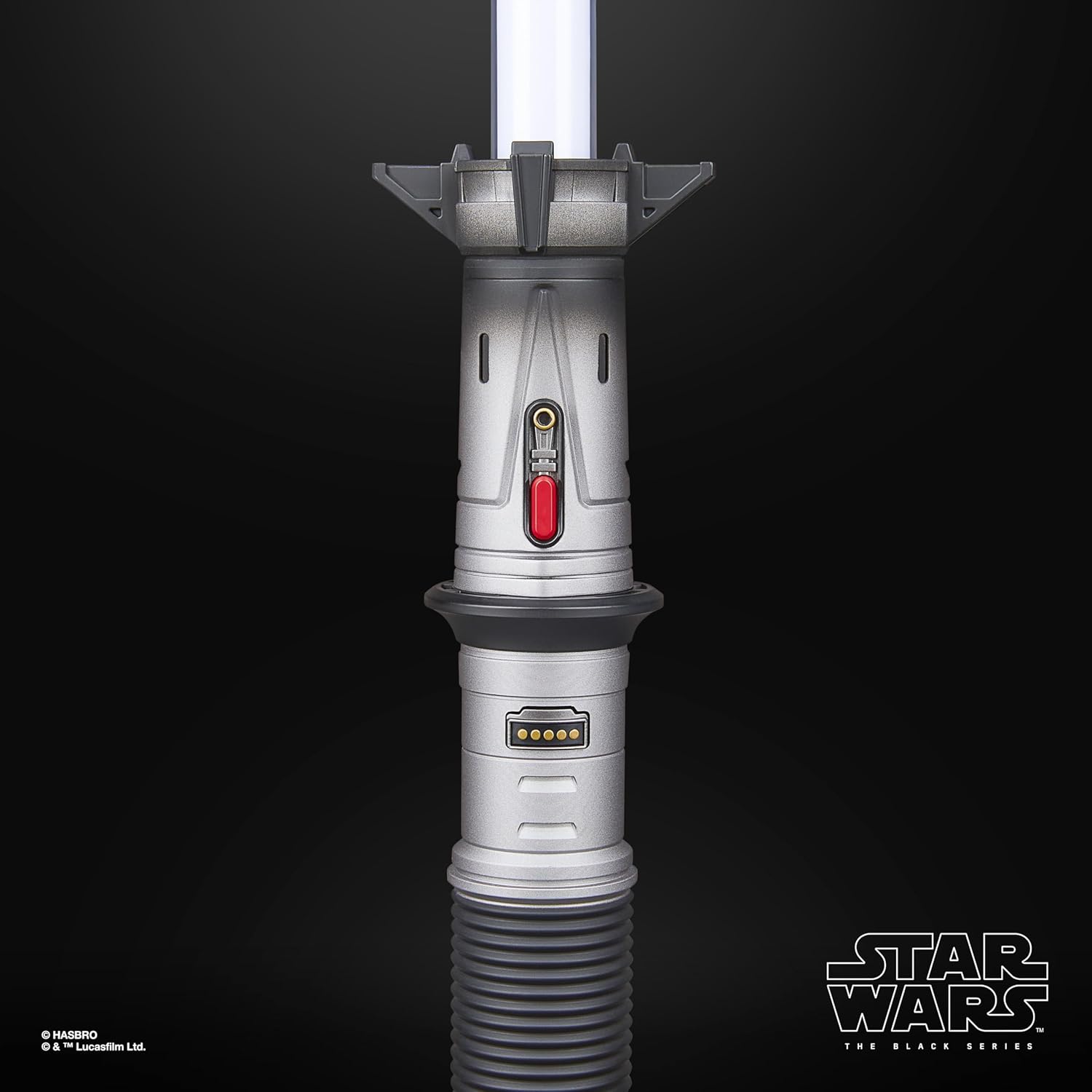
이미지: 자세한 view of the lightsaber hilt, highlighting the control buttons and switches.
기본 기능:
- Power On/Progressive Ignition: Press the main power button on the hilt to activate the lightsaber. The blade will illuminate with a progressive ignition effect, accompanied by sound.
- 전원 끄기 : Press and hold the main power button to deactivate the lightsaber. The blade will retract with a corresponding sound effect.
- 전투 충돌 효과: Strike the blade against a surface (or another lightsaber) to trigger battle clash sound and light effects.
- 블래스터 반동 효과: Press the secondary button (often smaller or differently colored) to simulate deflecting blaster bolts, accompanied by a flash and sound.
- 벽 절단 효과: Drag the tip of the blade along a surface to activate a wall-cutting light and sound effect.
- 듀얼 효과: Engage in simulated combat with another lightsaber to experience dynamic duel effects.
- 전투 시퀀스 모드: Refer to specific instructions on the packaging or included leaflet for activating advanced battle sequence modes, if available. This mode typically involves a series of pre-programmed light and sound effects.
The lightsaber features a unique blade color, specific to Baylan Skoll's signature weapon, which is an orange hue.
공식 제품 비디오:
Video: This official product video demonstrates the various light and sound effects of the STAR WARS The Black Series Elite Electronic Lightsaber, including progressive ignition, battle clash, and blaster deflect effects. It showcases the lightsaber's realistic features and operation.
유지
- 청소: Wipe the lightsaber hilt and blade with a soft, dry cloth. Do not use abrasive cleaners or immerse the product in water.
- 배터리 관리 : Remove batteries if the lightsaber will not be used for an extended period to prevent leakage. Dispose of used batteries responsibly according to local regulations.
- 저장: Store the lightsaber in a cool, dry place, away from direct sunlight and extreme temperatures. Use the display stand for safe and prominent storage.
문제 해결
- No Power/No Lights or Sound:
- 배터리가 올바른 극성에 맞게 올바르게 설치되었는지 확인하세요.
- 오래된 배터리를 새 배터리로 교체하십시오.
- 배터리 덮개가 단단히 닫혔는지 확인하세요.
- Blade Not Illuminating Properly:
- Ensure the blade is fully inserted and securely connected to the hilt.
- Check for any obstructions in the emitter opening.
- Sound Effects Not Working:
- 배터리가 새것이고 올바르게 설치되었는지 확인하십시오.
- Ensure the lightsaber is powered on.
- Loose Blade:
- Re-insert the blade firmly until it clicks into place.
- If the connection remains loose, inspect the hilt's emitter for damage.
문제가 지속될 경우 고객 지원팀에 문의하십시오.
명세서
| 제품 치수 | 3.62 x 40 x 7.52 인치 |
| 품목 무게 | 2.48파운드 |
| 모델 번호 | G0701 |
| 제조업체 권장 연령 | 14 years and up (as per product title and description) |
| 배터리 | 3개의 AA 배터리 필요(포함되지 않음) |
| 제조업체 | 하스브로 |
| ASIN | B0D951XL1F |
| 출시일 | 4년 2025월 XNUMX일 |
보증 및 지원
For warranty information or technical support, please contact Hasbro customer service. Details can typically be found on the product packaging or the official Hasbro web대지.
제조사: 하스브로
추가 지원이 필요하면 다음을 방문하세요. 아마존 스타워즈 스토어.


