1. 제품 오버view
The Itel Buds Ace 2 are True Wireless Stereo (TWS) earbuds designed to deliver a premium audio experience with advanced features for daily use. These earbuds offer extended battery life, clear call quality, and a durable, comfortable design.

Image: Itel Buds Ace 2 TWS Earbuds in their open white charging case.
2. 상자 안에 무엇이 들어있나요?
모든 품목이 들어 있는지 확인하려면 패키지 내용물을 확인하세요.
- Itel Buds Ace 2 TWS Earbuds (Left and Right)
- 충전 케이스
- USB Type-C 충전 케이블
- 추가 이어 팁(다양한 크기)
- 사용 설명서 (본 문서)
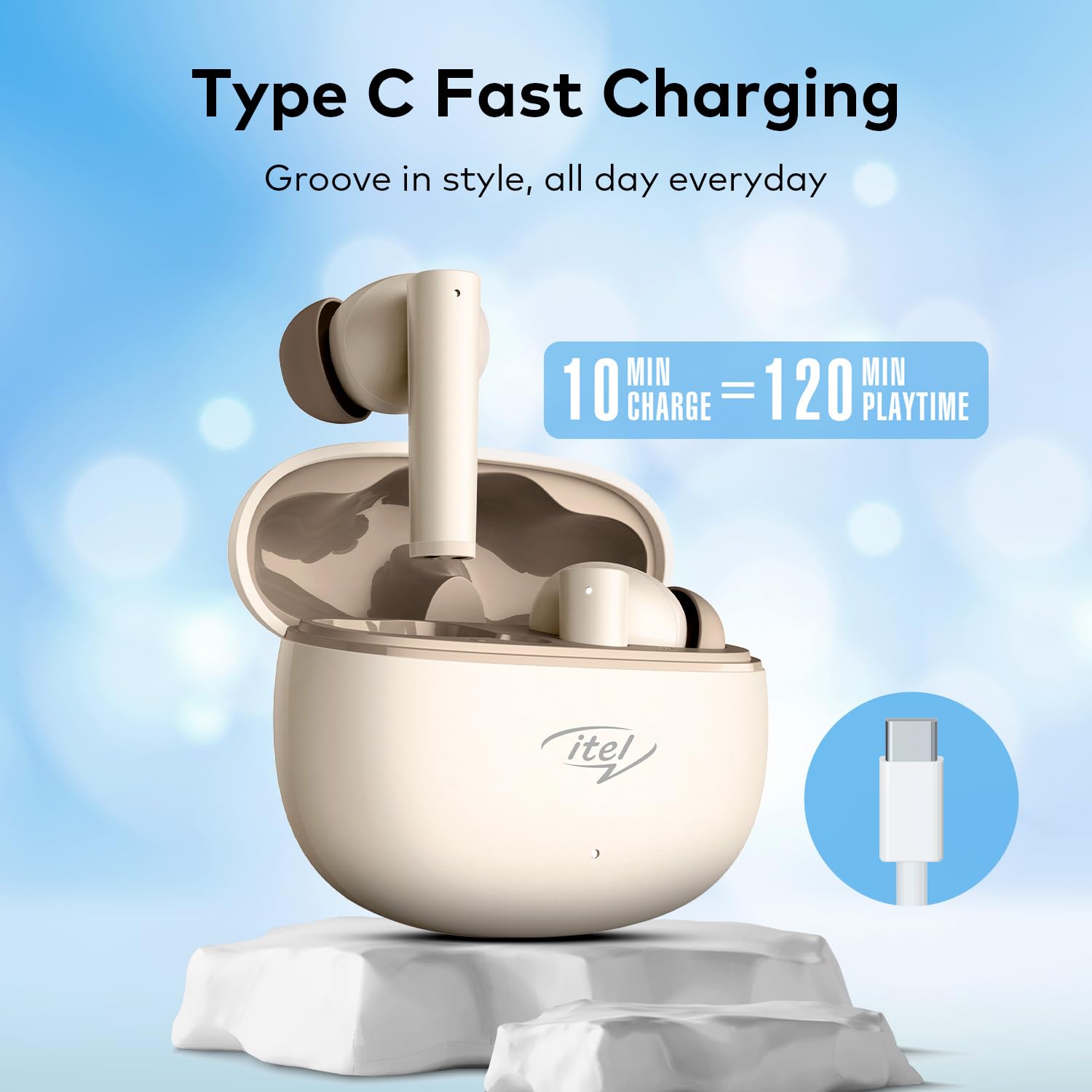
Image: The Itel Buds Ace 2 earbuds, charging case, and USB Type-C cable laid out.
3. 제품 특징
- 13mm Bass Boost Drivers: Experience rich and powerful audio with enhanced bass for an immersive listening experience.
- 360° Deep Bass with DSP: Digital Signal Processing (DSP) technology optimizes sound for a comprehensive deep bass effect.
- 쿼드 마이크 ENC: Environmental Noise Cancellation (ENC) with four microphones ensures crystal-clear call quality by reducing background noise.
- 50시간 플레이 시간: Enjoy extended listening sessions with up to 50 hours of total playtime (including charges from the case).
- 빠른 충전: A quick 10-minute charge provides up to 120 minutes of playback.
- C형 충전: Convenient and universal Type-C port for charging the case.
- IPX5 방수 : 물 튀김과 땀에 강하도록 설계되어 운동 및 야외 활동에 적합합니다.
- 블루투스 5.3 연결: Provides a stable, reliable, and efficient wireless connection with compatible devices.
- 터치 컨트롤: Intuitive touch sensors on the earbuds allow for easy management of music playback, calls, and voice assistant activation.
- 인체공학적 디자인: Secure and comfortable fit for prolonged wear during various activities.

이미지: 클로즈업 view of an earbud, emphasizing the 13mm Bass Boost Drivers for premium audio.

Image: The Itel Buds Ace 2 charging case with a Type-C cable, illustrating the fast charging capability: 10 minutes charge for 120 minutes playtime.

Image: The Itel Buds Ace 2 charging case being splashed with water, indicating its IPX5 water resistance.
4. 설정 및 페어링
4.1 초기 충전
- 충전 케이스를 열고 이어버드 두 개를 안에 넣으세요.
- 제공된 USB Type-C 케이블을 케이스의 충전 포트와 전원에 연결하십시오.
- The indicator light on the case will show charging status. Ensure the earbuds and case are fully charged before first use.
4.2 전원 켜기/끄기
- 전원 켜기: 충전 케이스를 열면 이어버드가 자동으로 켜집니다. 또는 양쪽 이어버드의 터치 영역을 3초 동안 길게 누르세요.
- 전원 끄기 : 이어버드를 충전 케이스에 다시 넣고 뚜껑을 닫으세요. 이어버드가 자동으로 전원이 꺼지고 충전이 시작됩니다. 또는 양쪽 이어버드의 터치 영역을 5초 동안 길게 누르세요.
4.3 블루투스 페어링
- 이어버드가 충전되어 있고 전원이 켜져 있는지 확인하세요.
- Open the charging case. The earbuds will enter pairing mode, indicated by a flashing LED light on one of the earbuds.
- 기기(스마트폰, 태블릿 등)에서 Bluetooth를 활성화하세요.
- 검색 available Bluetooth devices and select "Itel Buds Ace 2" from the list.
- 연결되면 이어버드의 LED 표시등이 더 이상 깜박이지 않고, 기기에서 연결이 확인됩니다.
- 페어링에 실패하면 이어버드를 끄고, 기기의 블루투스를 비활성화한 후 단계를 반복하세요.
영상: 간략한 제품 소개view demonstrating unboxing, pairing, and key features of the Itel Buds Ace 2.
5. 사용 설명서
5.1 이어버드 착용하기
Gently insert the earbuds into your ears and rotate them slightly to find a comfortable and secure fit. Ensure the ear tips create a good seal for optimal sound quality and bass response.
5.2 터치 컨트롤
The Itel Buds Ace 2 feature intuitive touch controls on each earbud. The specific functions may vary slightly, but common controls include:
- 재생/일시 중지: 양쪽 이어버드를 한 번 탭하세요.
- 다음 트랙: 오른쪽 이어버드를 두 번 탭하세요.
- 이전 트랙 : 왼쪽 이어버드를 두 번 탭하세요.
- 전화 받기/종료: 전화가 오는 동안 양쪽 이어버드를 한 번 탭하세요.
- 전화 거부: 전화가 오는 동안 양쪽 이어버드를 길게 누릅니다.
- Voice Assistant 활성화 : 양쪽 이어버드를 세 번 탭하세요.
6. 유지관리 및 관리
To ensure the longevity and optimal performance of your Itel Buds Ace 2 earbuds, follow these maintenance guidelines:
- 청소: 부드럽고 마른 보풀 없는 천으로 이어버드와 충전 케이스를 정기적으로 닦으세요. 강한 화학 물질이나 연마재는 사용하지 마세요.
- 귀 팁: 이어팁을 분리하여 순한 비누와 물로 세척하세요. 다시 부착하기 전에 완전히 말랐는지 확인하세요.
- 충전 포트: Type-C 충전 포트에 먼지나 이물질이 닿지 않도록 하세요.
- 저장: When not in use, store the earbuds in their charging case to protect them from damage and keep them charged.
- 방수 기능: IPX5 등급이지만, 이어버드를 물에 담그거나 폭우에 노출시키지 마세요. 물에 젖었을 경우 완전히 말려주세요.
- 온도: 이어버드를 극한의 온도(더위나 추위) 또는 직사광선에 장시간 노출시키지 마세요.
7. 문제 해결
If you encounter any issues with your Itel Buds Ace 2, try the following solutions:
| 문제 | 해결책 |
|---|---|
| 이어버드가 기기와 페어링되지 않음 |
|
| 한쪽 또는 양쪽 이어버드에서 소리가 나지 않습니다. |
|
| 충전 문제 |
|
| 이어버드가 계속 분리됩니다 |
|
7.1 이어버드 재설정
문제가 계속 발생하는 경우 공장 초기화를 통해 해결될 수 있습니다.
- 양쪽 이어버드를 충전 케이스에 넣습니다.
- 뚜껑을 열어두세요.
- Press and hold the reset button (usually a small button inside the case or a touch area on the earbuds) for approximately 10-15 seconds until the indicator lights flash, indicating a successful reset.
- Remove the earbuds and try pairing them again with your device.
8. 사양
| 특징 | 세부 사항 |
|---|---|
| 모델명 | Buds Ace 2 |
| 연결 기술 | 블루투스 |
| 블루투스 버전 | 5.3 |
| 오디오 드라이버 크기 | 13mm |
| 배터리 수명(전체) | 최대 50시간 |
| 빠른 충전 | 10분 충전으로 120분 재생 가능 |
| 충전 포트 | USB 타입-C |
| 방수성 | IPX5 |
| 마이크 | ENC 기능이 있는 쿼드 마이크 |
| 제어 유형 | 터치 컨트롤 |
| 재료 | 플라스틱 |
| 품목 무게 | 22g |
9. 보증 및 지원
For warranty information, technical support, or service inquiries, please refer to the warranty card included in your product packaging or visit the official Itel web사이트. 보증 청구를 위해 구매 증빙 자료를 보관하세요.