1. 서론
Thank you for choosing the IOOIOO A80 Portable Printer. This compact, inkless thermal printer is designed for convenience and efficiency, allowing you to print documents, photos, and more from various devices, including smartphones, tablets, and computers. Its portable design makes it ideal for home, office, or travel use.


2. 상자 안에 무엇이 들어있나요?
모든 품목이 들어 있는지 확인하려면 패키지 내용물을 확인하세요.
- IOOIOO A80 휴대용 프린터
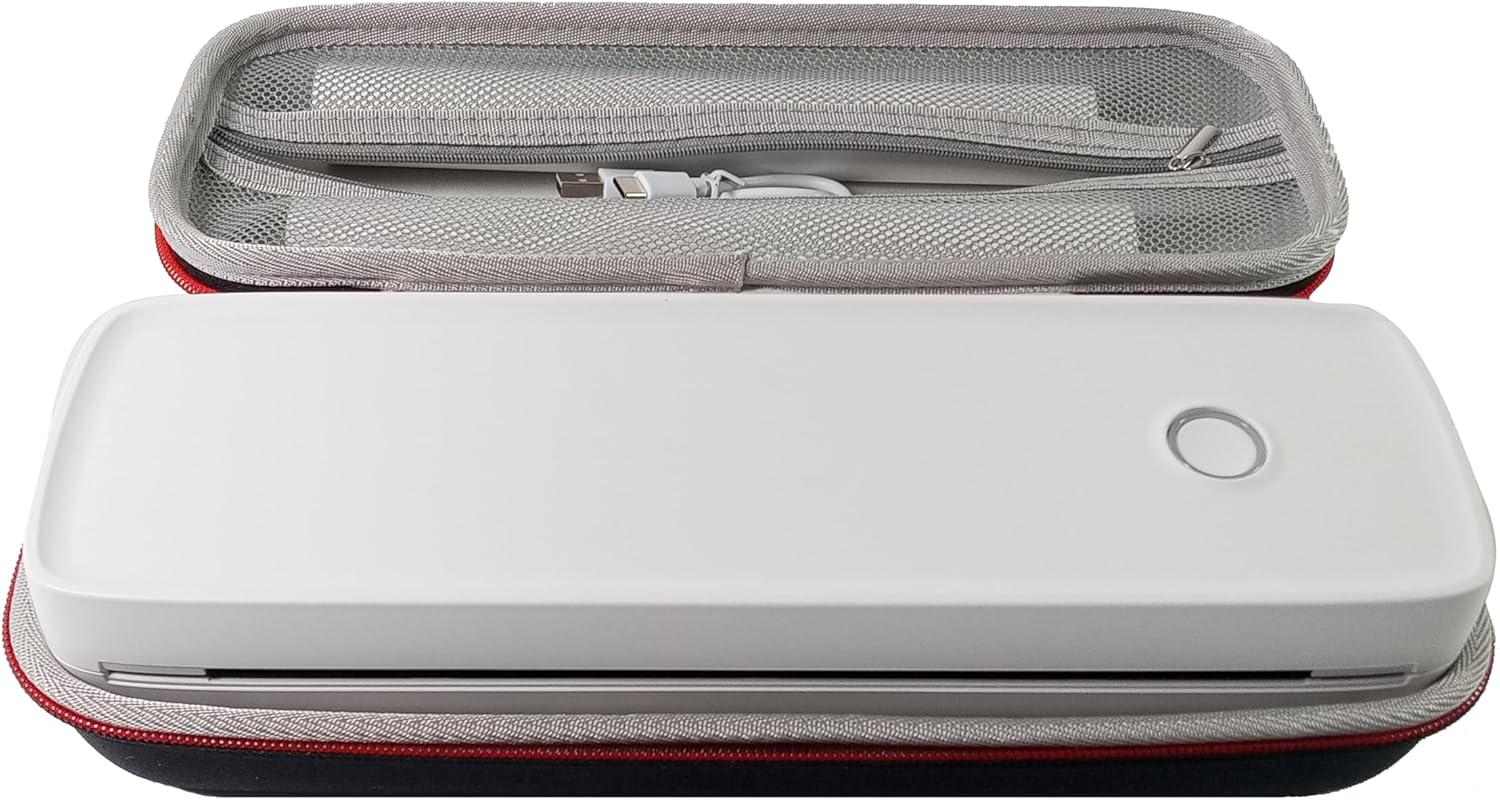
- 운반 케이스
- 3 Rolls of A4 or Letter Thermal Paper
- 3 Pages of Continuous Folded Thermal Paper
- USB 케이블
- QR Code for Manual Download (Digital Manual)

3. 설정
3.1 초기 충전
Before first use, fully charge the printer using the provided USB cable. The LED indicator will show charging status.
3.2 Software/Driver Installation
To use the printer with your devices, appropriate software or drivers are required:
- For Mobile Phones (iPhone/Android): Download the "SharpFox" application from your device's app store.
- For Desktop PCs (Windows/Mac/Linux/Raspberry Pi): Download the necessary drivers from the official IOOIOO website. A QR code is provided in the box for quick access to the manual and driver download links.
3.3 감열지 넣기
The IOOIOO A80 uses inkless thermal paper. To load paper:
- 용지함 커버를 엽니다.
- Insert the thermal paper roll or folded stack, ensuring the printable side is facing the print head.
- 덮개를 단단히 닫으십시오.

4. 사용 설명서
4.1 전원 켜기/끄기
- 전원을 켜려면: LED 표시등이 켜질 때까지 전원 버튼을 길게 누르세요.
- 전원을 끄려면: LED 표시등이 꺼질 때까지 전원 버튼을 길게 누르세요.
4.2 연결성
The IOOIOO A80 offers both Bluetooth wireless and USB wired connectivity options.
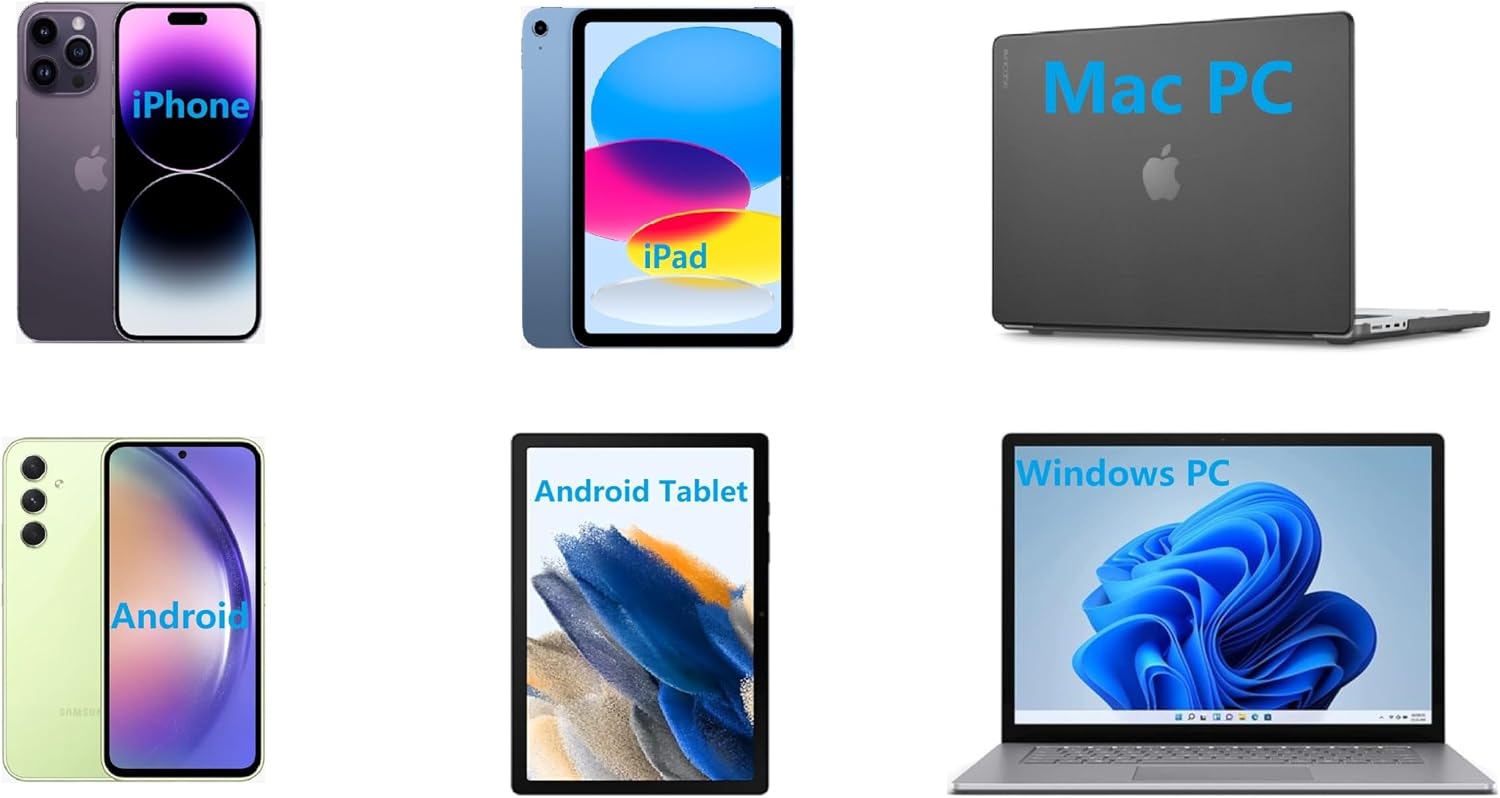
4.2.1 Bluetooth Connection (for Phones and Windows PC)
- Ensure the printer is powered on and the LED is green.
- On your phone, open the "SharpFox" app. On your Windows PC, ensure Bluetooth is enabled.
- Within the app or PC Bluetooth settings, search for and select the "IOOIOO A80" printer to pair.
- 화면의 지시에 따라 페어링 과정을 완료하세요.
4.2.2 USB Connection (for Windows PC, Mac PC, Linux, Raspberry Pi)
- Ensure the printer is powered on and the LED is green. If the LED is not green, the printer will not print via USB.
- 제공된 USB 케이블을 사용하여 프린터를 컴퓨터에 연결합니다.
- Install the appropriate drivers as described in Section 3.2.
- 드라이버 설치가 완료되면 컴퓨터에서 프린터를 인식할 수 있습니다.
4.3 인쇄
After connecting your printer, you can initiate printing from your chosen application (e.g., SharpFox app, word processor, PDF view어).
- 애플리케이션 내에서 인쇄 옵션을 선택하세요.
- Choose "IOOIOO A80" from the list of available printers.
- Adjust print settings (e.g., paper size: US letter/legal/A4/A5, 2", 3", 4" sticky/non-sticky, flat folded/rolled thermal paper, tattoo stencil transfer paper) as needed.
- Click "Print" to begin printing.
Note on Tattoo Stencil Printing: This printer is suitable for normal tattoo lines only. It is not recommended for sharp lines, large blocks, gradients, or color patterns.
5. 유지관리
Proper maintenance ensures the longevity and optimal performance of your IOOIOO A80 printer.
5.1 프린트 헤드 청소
Regularly clean the print head to maintain print quality.
- 프린터 전원을 끄고 전원 플러그를 뽑으세요.
- 종이칸을 열어보세요.
- 보풀 없는 천으로 프린트 헤드를 부드럽게 닦아주세요.amp이소프로필 알코올로 소독함.
- 덮개를 닫고 프린터의 전원을 켜기 전에 프린트 헤드가 완전히 마르도록 하세요.
5.2 서류 보관
Store thermal paper in a cool, dry place away from direct sunlight and heat to preserve its quality and ensure prints last for the expected duration (2 to 15 years depending on paper type).
6. 문제 해결
If you encounter issues with your IOOIOO A80 printer, please refer to the official Troubleshooting Guide for detailed solutions.
Common issues and quick checks:
- 프린터 전원이 켜지지 않음: 배터리가 충전되어 있는지 확인하세요.
- 출력 없음: Check paper loading, ensure the LED is green (for USB connection), and verify connectivity (Bluetooth/USB).
- 인쇄 품질이 좋지 않음: Clean the print head, ensure you are using compatible thermal paper.
- 연결 문제: Restart both the printer and the device you are trying to connect from. Re-pair Bluetooth or re-plug the USB cable.
7. 사양
| 특징 | 세부 사항 |
|---|---|
| 상표 | 이오오오오 |
| 모델명 | A80 |
| 제품 치수 | 3.6인치 깊이 x 11.4인치 너비 x 2.4인치 높이 |
| 품목 무게 | 1.8파운드 |
| 인쇄 기술 | 열의 |
| 최대 흑백 인쇄 해상도 | 200dpi |
| 최대 인쇄 속도(흑백) | 4 ppm (approx. 10mm/s) |
| 최대 미디어 크기 | A4 (supports US Letter/Legal/A4/A5) |
| 연결 기술 | Bluetooth for Phone, USB for PC |
| 잉크 색상 | 검정색 (모노크롬) |
| 프린트 헤드 수명 | Approx. 170,000 letter pages |
| 배터리 | 1개의 리튬 이온 배터리(포함) |
8. 보증 및 지원
For any questions, technical assistance, or warranty inquiries, please contact IOOIOO customer service.
- 미국 전화 지원: Available for direct assistance.
- WhatsApp 지원: Available for convenient messaging support.
Please refer to your product packaging or the official IOOIOO web최신 연락처 정보는 사이트에서 확인하세요.


