소개
This manual provides comprehensive instructions for the Machenike K500A-B84 75% Compact Mechanical Gaming Keyboard. It covers setup, operation, maintenance, and specifications to ensure optimal performance and user experience.

Image: The Machenike K500A-B84 keyboard, showcasing its compact 75% layout, rainbow LED backlighting, and the included red mechanical switches.
제품 끝view 및 기능
The Machenike K500A-B84 is a 75% compact mechanical gaming keyboard designed for both gaming and productivity. It features a durable construction and customizable options.
- 기계식 빨간색 스위치: Provides a linear and smooth typing experience, ideal for gaming. The keyboard supports 3-pin hot-swappable switches, allowing for personalized switch changes.
- RGB 백라이트: Features an adjustable LED backlit system with 11 different backlighting modes for a customizable visual experience.
- 더블샷 PBT 키캡: Constructed from double-shot PBT material, these keycaps offer excellent durability and resistance to fading and scratches.
- 75% Compact Layout (84-Key): This innovative layout retains essential function and number keys while saving approximately 20% of desktop space compared to traditional full-sized keyboards.
- 분리형 USB-C 케이블: Ensures a stable, lag-free wired connection and offers portability.
- 인체공학적 디자인: Staggered key design (original equipment height) enhances hand comfort during extended use.
- 앤티고스팅 및 N키 롤오버: Guarantees that all key presses are registered accurately, even during rapid input.
- Adjustable Anti-Slip Feet: Provides stability and allows for height adjustment.

Image: A visual summary highlighting the key features of the Machenike K500A-B84 keyboard, such as its 84-key layout, PBT keycaps, and hot-swappable switches.

Image: This diagram visually compares the compact 75% form factor (84 keys) of the K500A-B84 with a traditional 104-key full-sized keyboard, demonstrating the space-saving design.
설정
The Machenike K500A-B84 keyboard offers multiple connectivity options for versatile use.
유선 연결
- Locate the detachable USB-C cable included with your keyboard.
- 케이블의 USB-C 단자를 키보드의 포트에 연결하세요.
- 케이블의 USB-A 단자를 컴퓨터 또는 게임 콘솔의 사용 가능한 USB 포트에 연결하십시오.
- 키보드는 자동으로 인식되어 바로 사용할 수 있어야 합니다.

Image: The keyboard connected via its detachable USB-C cable, illustrating the wired setup for stable and lag-free performance.
Wireless Connection (2.4G and Bluetooth)
The K500A-B84 also supports 2.4G wireless and Bluetooth connectivity. Refer to the specific instructions provided in the keyboard's packaging for detailed pairing procedures for these modes, as they typically involve a switch on the keyboard and pairing steps on your device.
작동 지침
백라이트 제어
The keyboard features an adjustable LED backlight system with 11 different modes. Use the designated function keys (often combined with the 'Fn' key) to cycle through modes, adjust brightness, and change colors. Consult the keycap legends for specific combinations.

이미지: 자세한 view of the keyboard's keys illuminated with colorful LED backlighting, demonstrating the visual effects.
핫스왑 가능 스위치
The K500A-B84 supports 3-pin hot-swappable mechanical switches. This allows you to easily remove and replace switches without soldering, customizing the typing feel to your preference. To change a switch:
- 키캡 풀러를 사용하여 키캡을 조심스럽게 제거하세요.
- 스위치 풀러를 사용하여 PCB에서 스위치를 조심스럽게 분리하십시오.
- 새로운 3핀 스위치의 핀을 PCB의 구멍에 맞추고 딸깍 소리가 나면서 제자리에 들어갈 때까지 단단히 누릅니다.
- 키캡을 교체하세요.
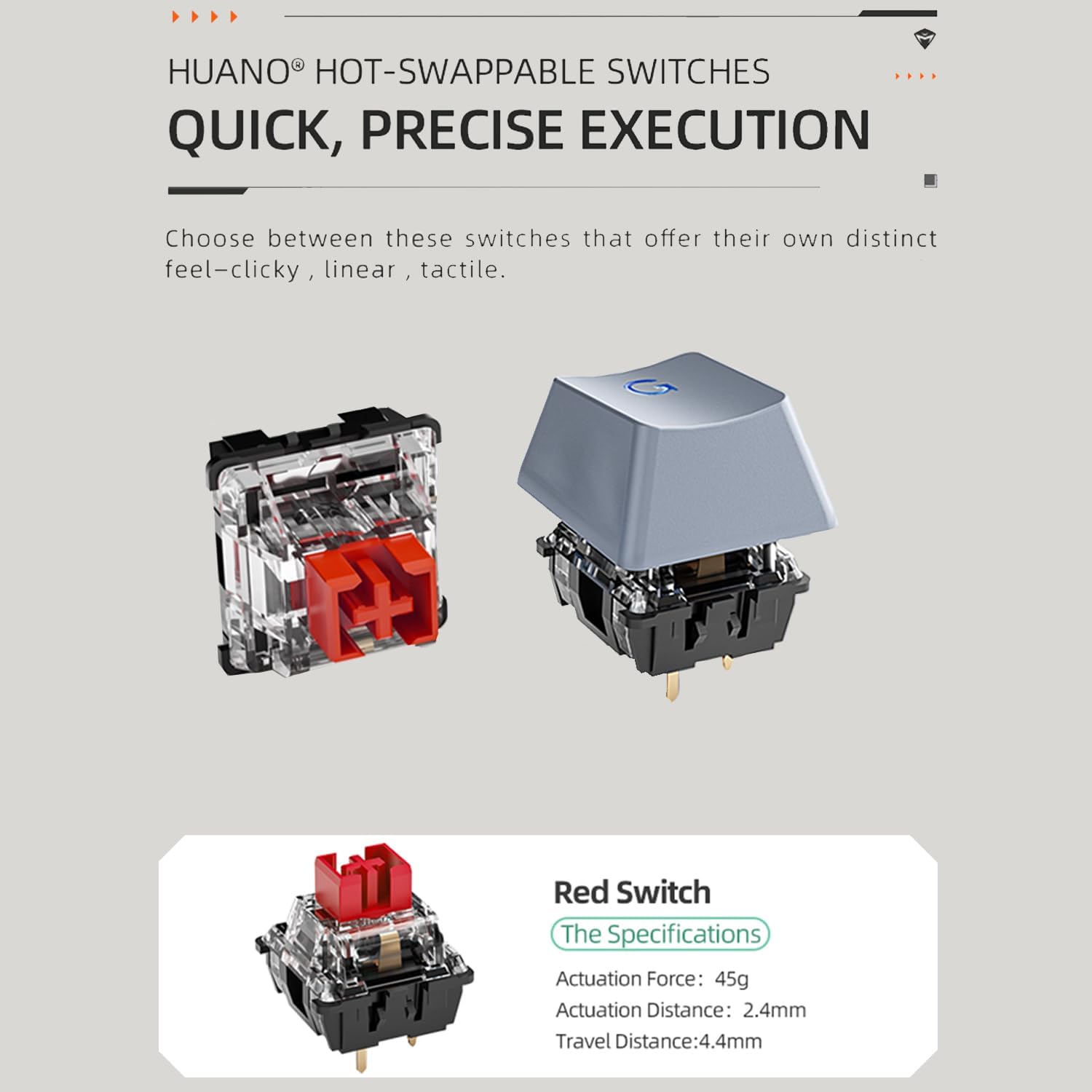
Image: A close-up of a red mechanical switch, demonstrating the modular design that allows for easy replacement and customization.
Customizable Features (Knob, Trigger, LED Screen)
The keyboard may include additional customizable elements such as a tactile knob for volume control, a customizable trigger button for specific functions (e.g., minimizing tasks), and an LED screen for displaying custom designs or presets. These features are typically managed through dedicated software available from the manufacturer's website. The software allows for extensive personalization of lighting effects, key assignments, and screen content.
유지
적절한 유지관리는 키보드의 수명과 성능을 보장합니다.
- 키캡 청소: Regularly remove keycaps using a keycap puller and clean them with a mild soap solution and a soft cloth. Ensure they are completely dry before reattaching.
- 키보드 본체 청소: Use a soft, dry cloth to wipe down the keyboard body. For dust between keys, use compressed air.
- 스위치 케어: If switches feel inconsistent, they can be carefully removed and cleaned or replaced due to the hot-swappable design.
- 케이블 관리 : 분리형 USB-C 케이블이 손상되지 않도록 급격하게 구부리거나 과도하게 잡아당기지 마십시오.
문제 해결
If you encounter issues with your Machenike K500A-B84 keyboard, consider the following common solutions:
- 키보드가 응답하지 않음:
- USB-C 케이블이 키보드와 컴퓨터에 모두 단단히 연결되어 있는지 확인하세요.
- If using wireless, check the battery level and ensure the 2.4G dongle or Bluetooth connection is properly established.
- USB 포트나 시스템 문제인지 확인하기 위해 키보드를 다른 USB 포트나 컴퓨터에 연결해 보세요.
- 백라이트가 작동하지 않음:
- Check if the backlight is simply turned off. Use the designated function key combinations to toggle it on/off or adjust brightness.
- Ensure the keyboard's software (if installed) is not overriding the hardware controls.
- 키가 등록되지 않음 / 두 번 입력:
- Due to the hot-swappable nature, a switch might be improperly seated. Carefully remove the keycap and switch, then re-insert the switch firmly.
- Clean around the affected switch to ensure no debris is interfering with its operation.
- 소프트웨어 문제:
- If experiencing issues with customization or advanced features, ensure you have the latest version of the Machenike keyboard software installed from their official web대지.
- 컴퓨터와 키보드를 다시 시작하세요.
명세서
| 특징 | 세부 사항 |
|---|---|
| 모델 번호 | K500A-B84 |
| 제품 치수 | 1.4 x 4.86 x 12.23 인치 |
| 품목 무게 | 1.5파운드 |
| 제조업체 | 마케 니키 |
| 연결 기술 | USB(유선), 2.4G 무선, 블루투스 |
| 키보드 설명 | 기계적 |
| 추천 용도 | 노름 |
| 특징 | Backlit, Hot-Swappable Switches |
| 키보드 백라이트 색상 지원 | RGB |
| 호환 장치 | 게임 콘솔, 노트북, PC |
| 상자 안에 무엇이 들어있나요? | USB Cable (and potentially other accessories like switch/keycap puller, extra switches, as per reviews) |
보증 및 지원
For warranty information and technical support, please refer to the documentation included with your product or visit the official Machenike web사이트. 보증 청구를 위해 구매 증빙 자료를 보관하세요.


