1. 서론
The SUPVAN LP5120M Label Maker is a versatile and efficient thermal transfer label printer designed for various organization needs in homes, offices, and garages. Featuring a QWERTY keyboard and dual power options, it produces durable, waterproof, UV, and heat-resistant labels, ensuring long-lasting organization.
2. 상자 안에 무엇이 들어있나요?
- SUPVAN LP5120M Label Maker Machine
- 1 x Label Tape
- AC 어댑터

Figure 2.1: The SUPVAN LP5120M Label Maker, along with the included label tape and AC adapter.
3. 설정
3.1 장치 전원 공급
The LP5120M label maker can be powered using the included AC adapter or by 6 AA batteries (not included) for portable use.
- AC 어댑터 사용 시: Connect the AC adapter to the power port on the label maker and plug it into a standard electrical outlet.
- 배터리 사용: Open the battery compartment on the back of the device and insert 6 AA batteries, ensuring correct polarity.

Figure 3.1: The label maker supports both AC adapter and AA battery power options for flexible use.
Figure 3.2: Illustration of the dual power mode, showing connections for the AC adapter and the battery compartment.
3.2 Installing Label Tape
Ensure the device is powered off before installing or replacing label tape. Open the tape compartment cover, insert the tape cassette firmly until it clicks into place, and close the cover. Ensure the tape is properly aligned with the print head.
4. 사용 설명서
4.1 기본 라벨 생성
The LP5120M features a QWERTY keyboard for easy text input. Simply type your desired text, use the navigation keys to adjust settings like font size or style, and press the 'Print' button to generate your label.

Figure 4.1: The QWERTY keyboard facilitates fast and accurate text entry for label creation.
4.2 Thermal Transfer Technology
This label maker utilizes thermal transfer technology, which provides superior durability compared to direct thermal printing. Labels produced are resistant to UV exposure, heat, and water, ensuring they remain legible and intact for up to 10 years.

Figure 4.2: Thermal transfer labels maintain clarity and adhesion for up to 10 years, outperforming direct thermal labels.
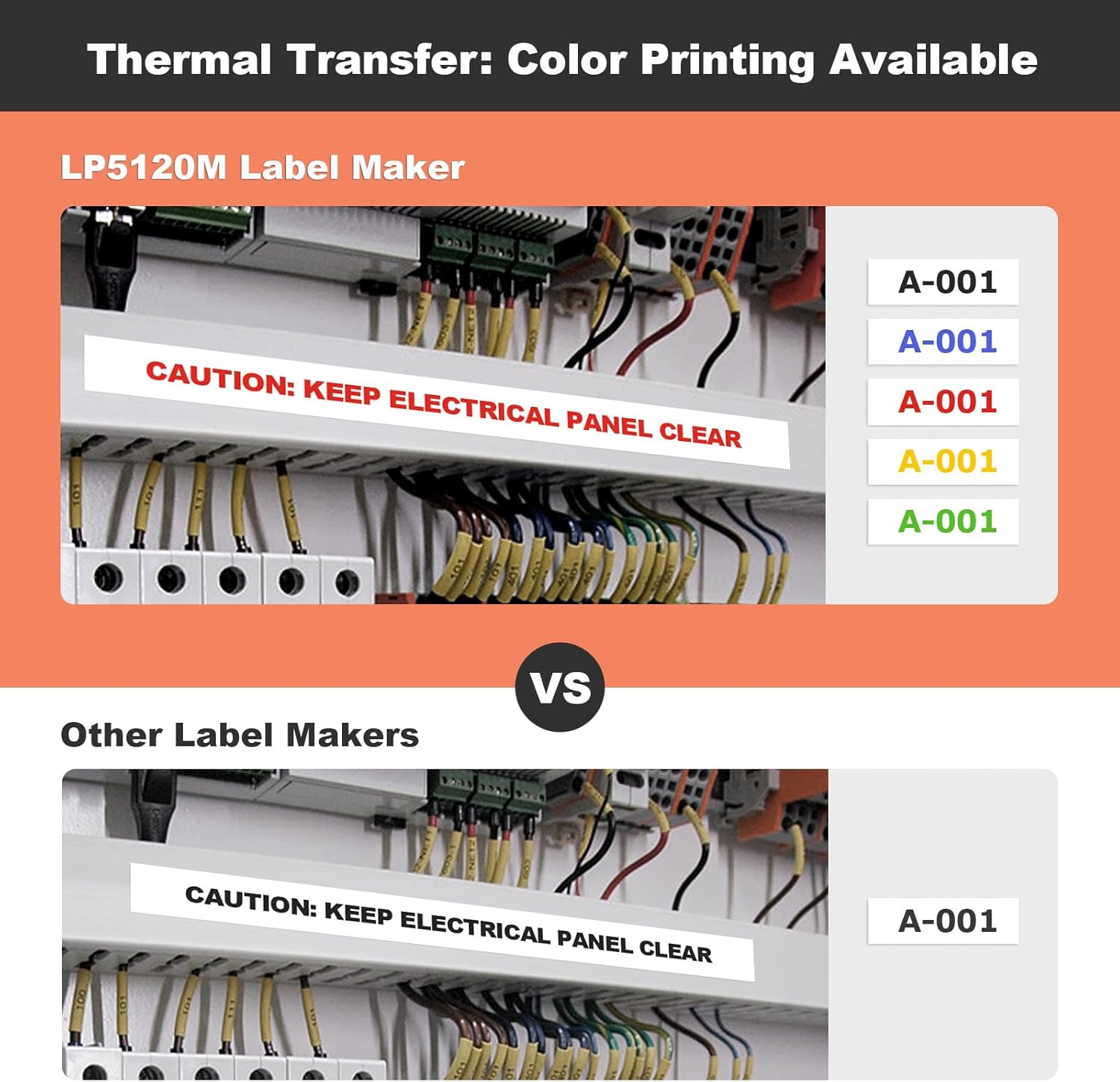
Figure 4.3: Labels are designed to withstand environmental factors, making them suitable for both indoor and outdoor applications.
Figure 4.4: The thermal transfer process prevents color fading, ensuring labels remain vibrant and readable for extended periods.
Figure 4.5: Laminated labels offer enhanced durability, being waterproof, UV resistant, scratch-proof, and leaving no residue upon removal.
4.3 Color Printing
The LP5120M supports color printing, allowing you to enhance label appearance or implement color-coded organization systems for improved efficiency.
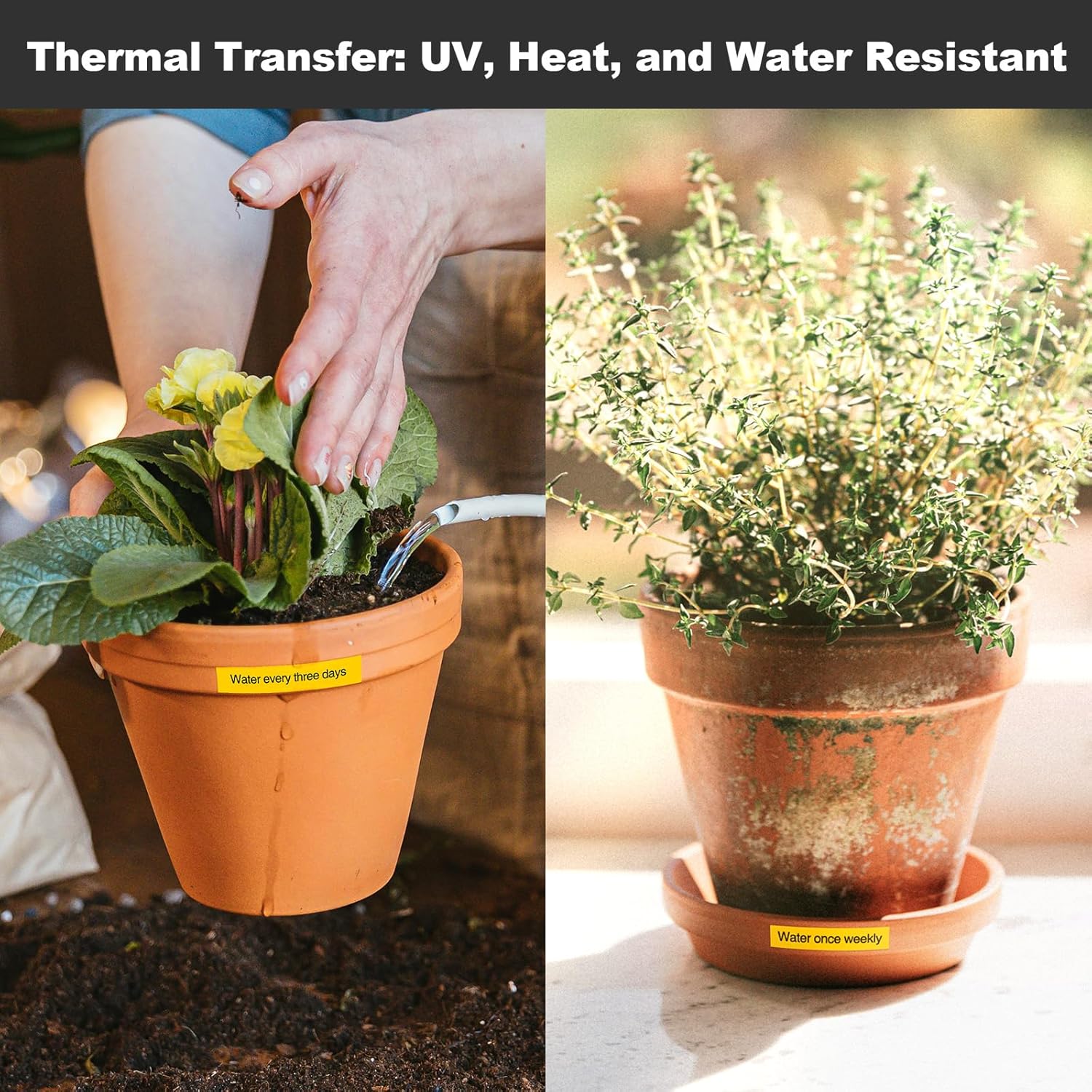
Figure 4.6: Utilize various tape colors to create visually distinct and organized labels.
4.4 Labeling Applications
The label maker is suitable for a wide range of applications, including:
- Home organization (storage boxes, spice jars, food containers)
- Garage organization (electrical panels, tools, wires)
- Office and school supplies (name tags, folders, documentation)

Figure 4.7: Organize small parts and tools efficiently with clear, readable labels.
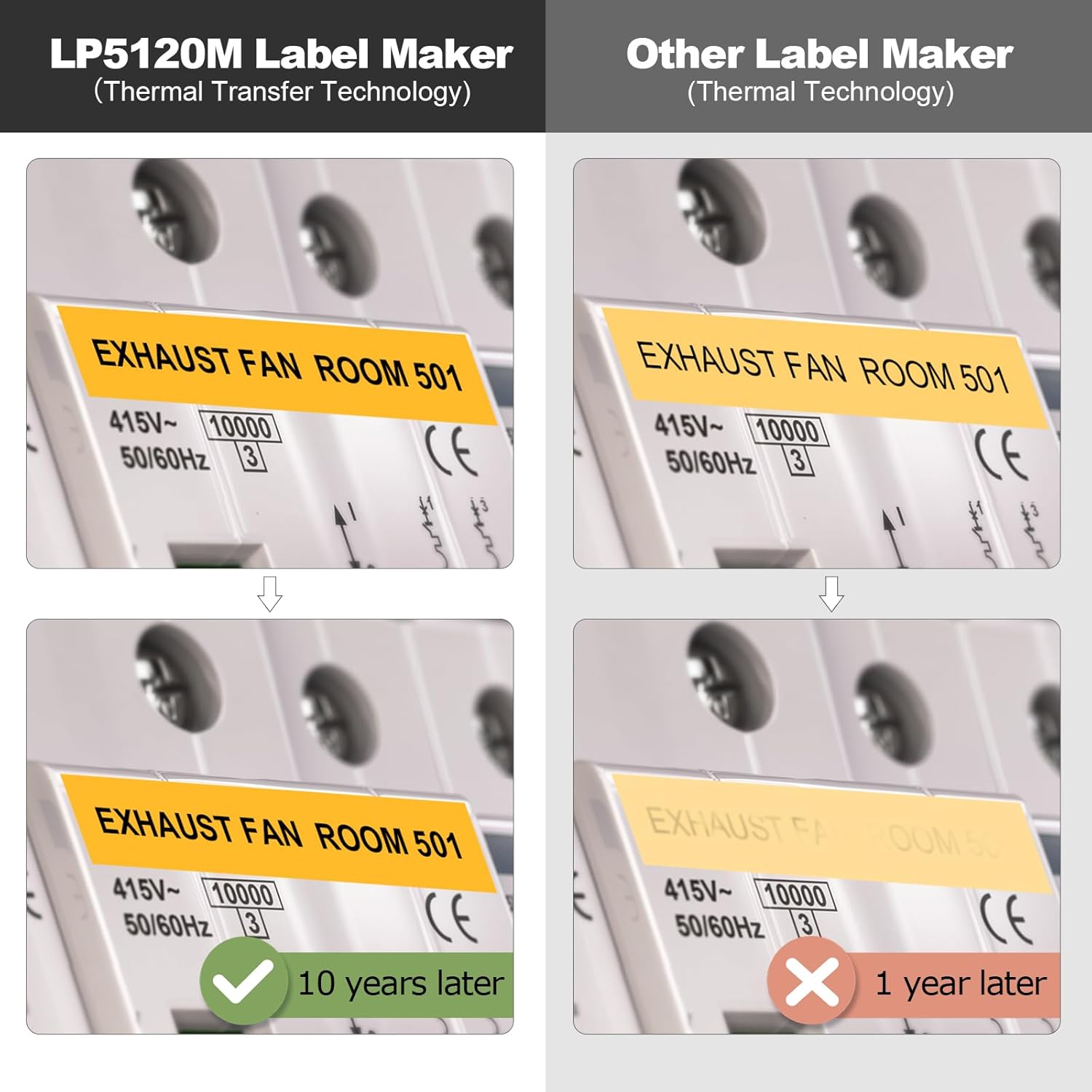
Figure 4.8: Apply labels to containers for easy identification of contents in any setting.

Figure 4.9: The label maker supports various label types (Cable Wrap, Cable Flag, Faceplate, Serialize), 8 barcode types (including UPC-A, EAN-8, EAN-13), and over 1300 symbols for comprehensive labeling needs.

Figure 4.10: Practical applications include cable flagging, asset tagging, food labeling, and toolbox organization.
4.5 공식 제품 영상
Video 4.1: This video demonstrates the SUPVAN LP5120M Label Maker in action, showcasing its ease of use for various labeling tasks, from organizing tools to kitchen items. It highlights the quick printing process and the application of labels in different environments.
5. 유지관리
To ensure optimal performance and longevity of your SUPVAN LP5120M Label Maker, follow these maintenance guidelines:
- 청소: Regularly wipe the exterior of the device with a soft, dry cloth. For the print head, use a cotton swab lightly damp이소프로필 알코올로 세척하십시오. 세척하기 전에 기기의 전원을 끄고 전원 케이블을 분리하십시오.
- Tape Compartment: Periodically check the tape compartment for any debris or tape fragments that could cause jamming. Remove any obstructions carefully.
- 저장: 라벨 프린터는 직사광선과 극한 온도 변화를 피해 서늘하고 건조한 곳에 보관하십시오.
6. 문제 해결
If you encounter issues with your label maker, refer to the following common problems and solutions:
| 문제 | 가능한 원인 | 해결책 |
|---|---|---|
| Tape jamming or not feeding properly | Incorrect tape installation, tape fragments in compartment, worn tape cassette. | Ensure tape cassette is installed correctly and clicks into place. Open compartment and remove any visible debris. Try a new tape cassette. Ensure the back cover is closed correctly. |
| 인쇄 품질이 좋지 않음 (흐릿하고 불완전함) | Dirty print head, low battery power, incorrect tape type. | Clean the print head as described in Maintenance. Replace batteries or use AC adapter. Ensure you are using genuine SUPVAN label tapes. |
| 장치 전원이 켜지지 않음 | No power, dead batteries, faulty AC adapter. | Check AC adapter connection and power outlet. Replace batteries with fresh ones. If using AC adapter, try another power source. |
| Cannot change case (upper/lower) for barcodes | Software limitation or specific barcode format requirement. | Some barcode types may have character set limitations. Refer to the on-screen menu for available options within barcode mode. If issue persists, try a different barcode type or simplify the text. |
| Random characters added to barcodes | Input error, software glitch, or specific barcode format interpretation. | Double-check the entered data for accuracy. Ensure the barcode type selected matches the data format. Reset the device if necessary (refer to manual for reset procedure). |
7. 사양
| 특징 | 세부 사항 |
|---|---|
| 모델 번호 | LP5120M |
| 제품 치수 | 7.4인치 깊이 x 3.93인치 너비 x 2.16인치 높이 |
| 품목 무게 | 13.8 온스(0.86 파운드) |
| 컨트롤러 유형 | 푸시 버튼 |
| 최대 미디어 크기 | 0.47 inch x 13.12 ft |
| 인쇄 매체 | 라벨 |
| 디스플레이 유형 | 액정표시장치 |
| 최대 인쇄 해상도 | 203 Dots Per Inch (203 x 203) |
| 인쇄 기술 | 열전달 |
| 연결 기술 | USB (for power/charging, not data transfer) |
| 전원 | AC Adapter (Included), 6 AA Batteries (Not Included) |
| 특별 기능 | AC Adapter Included, Portable, QWERTY Keyboard, Waterproof, Compatible with Different Label Size, Lightweight, High Clarity |
| 프린터 출력 | 색상 |
8. 보증 및 지원
SUPVAN is committed to delivering excellent customer support and top-notch products. While specific warranty details are not provided in this manual, SUPVAN has over 18 years of experience in the printing industry and maintains over 20 service centers worldwide. For any product inquiries, technical assistance, or warranty claims, please contact SUPVAN customer service through the official web사이트 또는 구매처.
For more information and support, visit the official SUPVAN store: SUPVAN Store on Amazon


