소개
The AsperX AX2410 Laptop Power Bank is a high-capacity portable charger designed to keep your electronic devices powered on the go. Featuring a 25,000mAh (92.5Wh) battery, 140W Power Delivery (PD 3.1) fast charging, and a TFT Smart Display, this power bank offers efficient and intelligent power management for laptops, smartphones, tablets, and other USB-powered devices. It is also flight-approved for convenient travel.
패키지 내용
- 1 x AsperX 25000mAh Portable Laptop Power Bank (Model: AX2410)
- 140W USB-C-USB-C 케이블 1개
- 2 x 사용자 매뉴얼
- 1 x 휴대용 파우치

Image: AsperX Power Bank, USB-C cable, user manual, and carrying pouch, illustrating the items included in the product package.
제품 끝view
The AsperX AX2410 features a sleek, deep grey design with a compact form factor. It is equipped with multiple ports and a smart display for optimal user experience.
신체적 특징
- 치수: 6.56 x 3.21 x 1.08 인치
- 무게: 1.37파운드
- 색상: 딥 그레이
이미지: 위에서 아래로 view of the AsperX Laptop Power Bank in Deep Grey, highlighting its compact and modern design.
포트
- USB-C1 (IN/OUT): Up to 140W Max (for fast charging laptops and recharging the power bank).
- USB-A (OUTPUT): Up to 22.5W Max (for standard USB devices).
- USB-C2 (IN/OUT): Up to 45W Max (for fast charging phones/tablets and recharging the power bank).
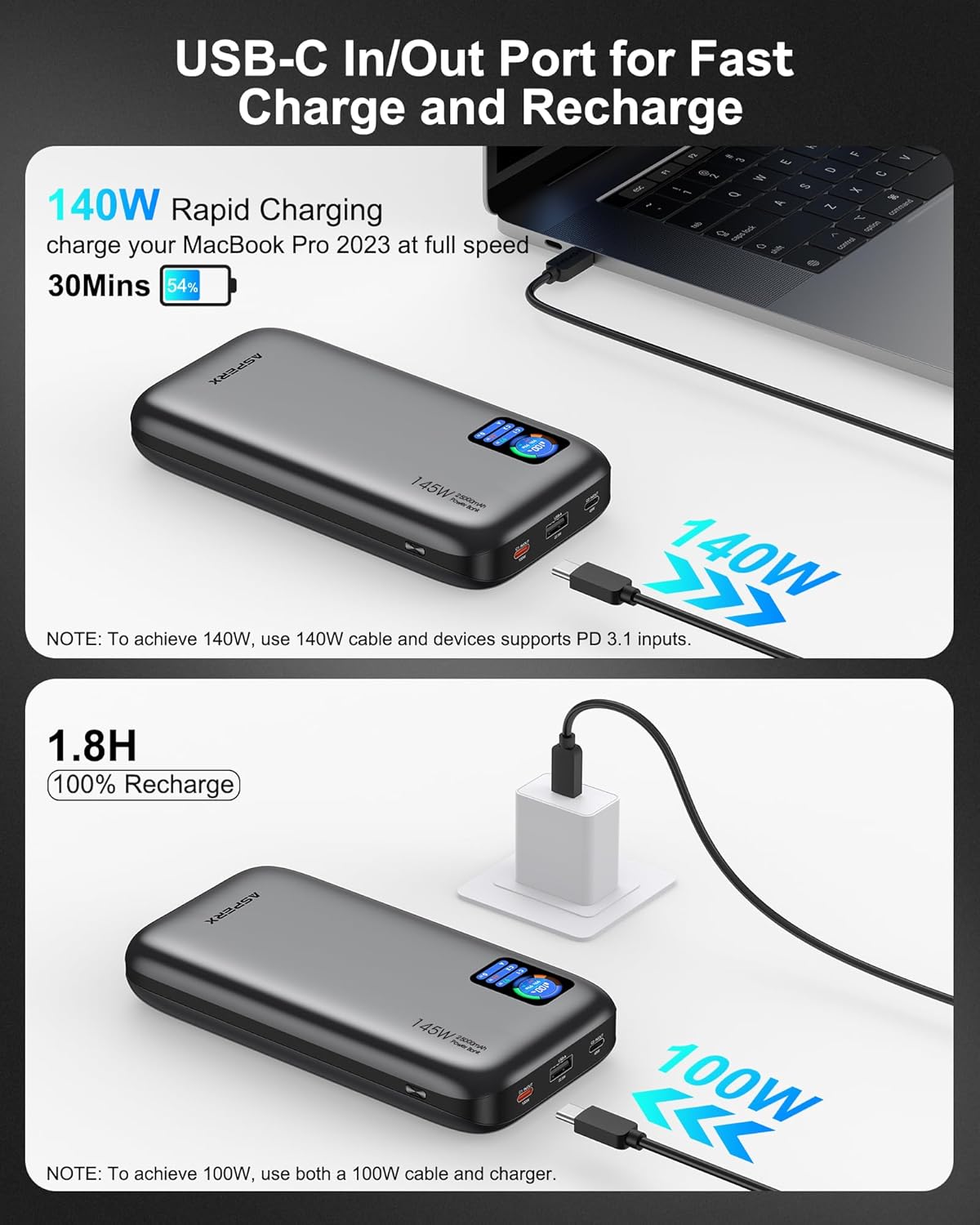
이미지: 자세한 view of the input and output ports on the AsperX Power Bank, clearly labeled with their respective wattag전자 능력.
TFT 스마트 디스플레이
The integrated TFT Smart Display provides real-time information about the power bank's status:
- 배터리 수준: 퍼센tage 남은 충전량.
- Remaining Usage/Recharge Time: Estimated time until empty or fully charged.
- 입력/출력 전력: 실시간 물tag연결된 각 포트에 대해 e입니다.

Image: A close-up of the TFT Smart Display on the power bank, detailing the battery status, time remaining, and individual port power output/input.
내부 디자인
The power bank utilizes high-density automotive-grade power cells, designed to retain over 80% capacity after 5 years. It incorporates a smart chip for efficient power distribution and 14-layer safety protection.

이미지: X선 스타일 view of the AsperX Power Bank, revealing the internal arrangement of its high-density battery cells and electronic components.
명세서
| 특징 | 세부 사항 |
|---|---|
| 제품 치수 | 6.56 x 3.21 x 1.08 인치 |
| 품목 무게 | 1.37파운드 |
| 모델 번호 | AX2410-DG |
| 배터리 용량 | 25,000mAh(92.5Wh) |
| 최대 출력 전력 | 합계 145W |
| USB-C1 (입력/출력) | 맥스 맥스 맥스 |
| USB-C2 (입력/출력) | 맥스 맥스 맥스 |
| USB-A (OUTPUT) | 맥스 맥스 맥스 |
| 충전 시간 | Approx. 1.8 hours (with 100W or higher charging adapter) |
| 특별 기능 | Digital Display, Fast Charging, Over Charging Protection, Short Circuit Protection |
| 호환성 | PD3.0, QC3.0, PPS, AFC, UFCS protocols (MacBook, iPhone, Dell XPS, Galaxy, Steam Deck, iPad, etc.) |
설정
파워뱅크 초기 충전
- Before first use, fully charge your AsperX Power Bank.
- Connect the included 140W USB-C to USB-C cable to either the USB-C1 or USB-C2 port on the power bank.
- Connect the other end of the cable to a compatible USB-C wall adapter (100W or higher recommended for fastest charging).
- The TFT Smart Display will show the input wattage and estimated time until full charge. A full recharge takes approximately 1.8 hours with a 100W+ adapter.

Image: The AsperX Power Bank connected to a wall adapter for recharging, with the display indicating a fast recharge time of 1.8 hours.
디스플레이 보호
The TFT Smart Display comes with a transparent protective film. You may remove this film before use for optimal clarity.
작동 지침
디스플레이 전원 켜기/끄기
Press the power button located on the side of the power bank to activate the TFT Smart Display. The display will automatically turn off after a few seconds of inactivity to conserve power. Double-click the power button to turn the display off manually.
장치 충전하기
Connect your device to the appropriate port on the power bank using a compatible cable. The power bank will automatically detect the device and begin charging.
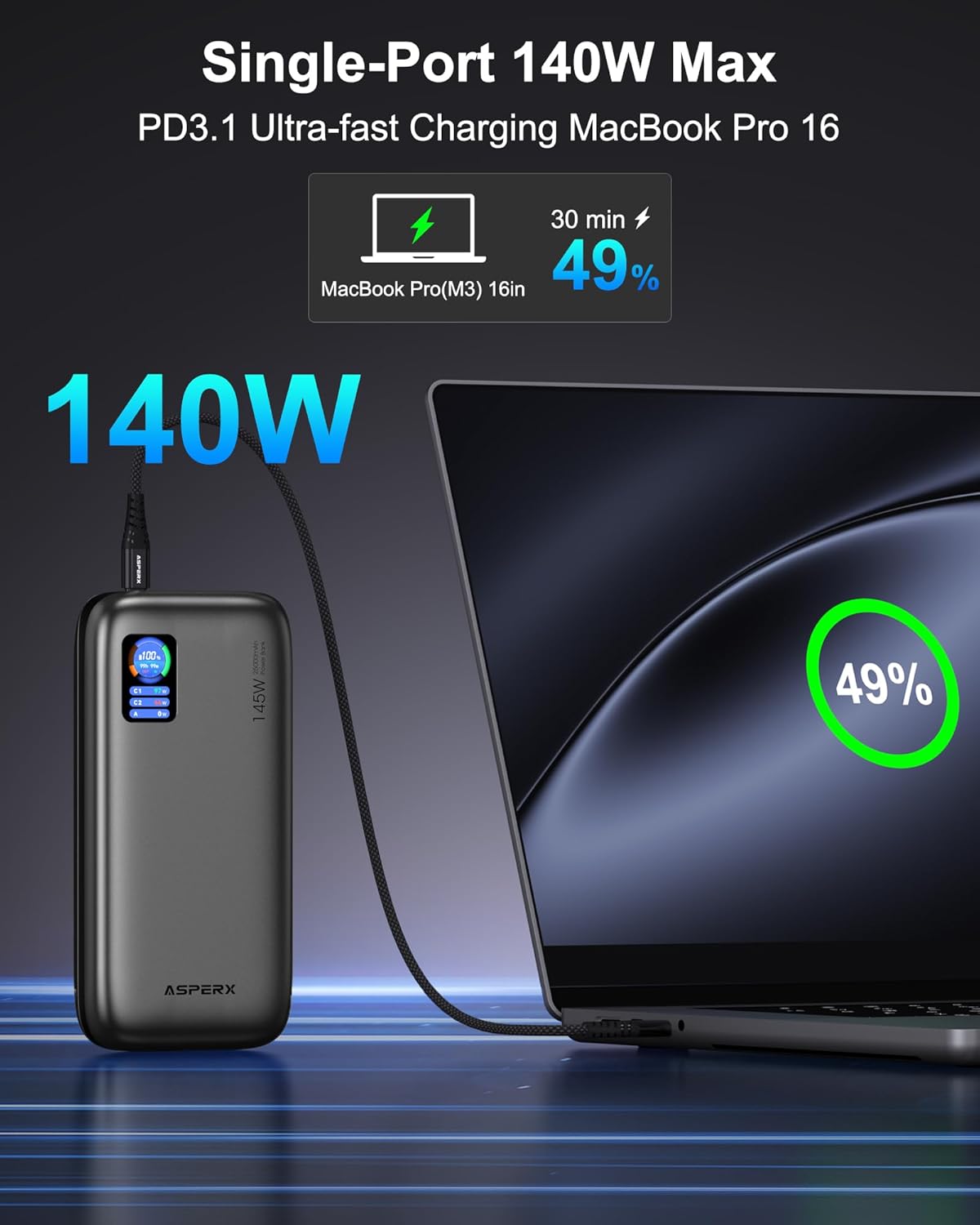
- 단일 장치 충전: For ultra-fast charging of laptops, use the USB-C1 port (up to 140W).

Image: The AsperX Power Bank connected to a laptop, illustrating its capability to provide 140W ultra-fast charging to a single device.
- 다중 장치 충전: The power bank can charge up to 3 devices simultaneously with a total output of 145W. The smart chip will distribute power optimally.
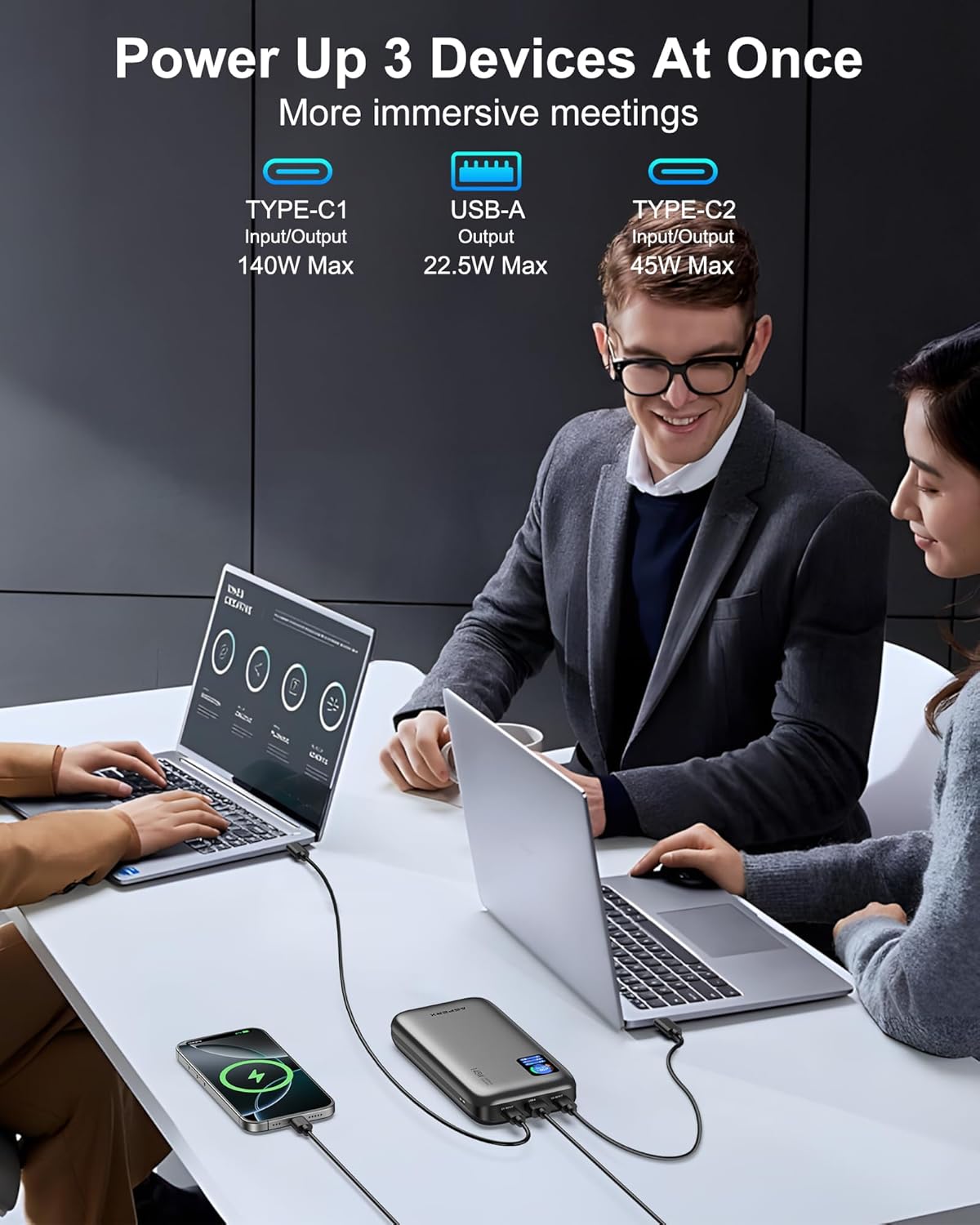
Image: The AsperX Power Bank connected to and charging three different devices concurrently, showcasing. 여러 기기를 동시에 충전할 수 있는 기능.
저전력 모드
For low-power devices such as fans, headphones, or smartwatches, press and hold the power button to enter low-power mode. The 'A' on the screen will change from white to red, indicating activation of this mode.
Understanding the TFT Smart Display
The display provides crucial information at a glance:
- Battery Circle: 현재 배터리 퍼센트 표시tage.
- 남은 시간: Indicates estimated hours and minutes of remaining power (OUT) or time to full charge (IN).
- 포트 상태: 와트를 표시합니다tage for USB-C1, USB-C2, and USB-A ports.

Image: A graphic illustrating the various indicators on the TFT Smart Display, including battery percentage, time remaining, and individual port power readings.
비행 승인
With a 92.5Wh capacity, this power bank meets TSA requirements (<100Wh) for safe carry-on use. It is not permitted in checked luggage.

Image: A person using the AsperX Power Bank to charge a laptop on an airplane, emphasizing its flight-approved status and portability for travel.
사용 시나리오
The AsperX Power Bank is versatile for various situations:
- 업무 및 회의: Keep your laptop and phone charged during long work sessions.
- 여행하다: Essential for business trips, long flights, and commutes.
- 야외 활동: 하이킹에 이상적, camping, and as an emergency power source.

Image: The AsperX Power Bank in an outdoor camping setting, charging a laptop, phone, and camera, highlighting its utility for outdoor activities.
Video: A demonstration of the AsperX 145W Laptop Power Bank, showcasing its features and charging capabilities for various devices.
유지
To ensure the longevity and optimal performance of your AsperX Power Bank, follow these maintenance guidelines:
- 저장: 모바일 배터리는 직사광선과 극한의 온도를 피해 서늘하고 건조한 곳에 보관하세요.
- 청소: 외부를 닦을 때는 부드럽고 마른 천을 사용하십시오. 강한 화학 약품이나 연마성 재료는 사용하지 마십시오.
- 배터리 관리 : For best battery health, avoid completely draining the power bank regularly. Recharge it when the battery level is low.
- 손질: Do not drop, puncture, or disassemble the device. Avoid exposing it to water or excessive moisture.
문제 해결
If you encounter any issues with your AsperX Power Bank, refer to the following common solutions:
- 장치가 충전되지 않음:
- 모바일 배터리가 충분히 충전되어 있는지 확인하세요.
- 충전 케이블이 보조 배터리와 기기에 제대로 연결되어 있는지 확인하십시오.
- 케이블이 손상되지 않았고 장치와 호환되는지 확인하세요.
- If charging a low-power device, ensure low-power mode is activated.
- 느린 충전:
- Confirm that your device and cable support fast charging protocols (PD, QC, etc.).
- Use the USB-C1 port for the highest output (up to 140W).
- 여러 기기를 동시에 충전할 경우 전체 출력이 공유되므로 개별 포트의 충전 속도가 저하될 수 있습니다.
- 디스플레이가 작동하지 않음:
- 전원 버튼을 눌러 디스플레이를 활성화합니다.
- Ensure the transparent protective film has been removed for clear visibility.
안전 정보
부상이나 장치 손상을 방지하려면 모든 안전 지침을 읽고 따르십시오.
- 보조 배터리를 불, 물 또는 극한 온도에 노출시키지 마십시오.
- 기기를 떨어뜨리거나, 구멍을 내거나, 분해하지 마십시오.
- 어린이의 손이 닿지 않는 곳에 보관하세요.
- 정품 또는 인증된 호환 충전 케이블만 사용하십시오.
- The power bank features 14-layer safety protection, including over-charge, over-discharge, short-circuit, and temperature protection.

Image: A visual representation of the 14-layer safety protection mechanisms integrated into the AsperX Power Bank, ensuring safe operation.
보증 및 지원
AsperX offers an industry-leading 18-month technical support warranty covering defects in materials and workmanship. For any questions or assistance, please contact our 24/7 customer service team.
Contact information can typically be found in the included user manuals or on the official AsperX web대지.
비디오: A review of the AsperX 140W 25,000mAh Laptop Power Bank, highlighting its features and performance.