1. 서론
This manual provides detailed instructions for the setup, operation, maintenance, and troubleshooting of your Keychron K8 Max Wireless Mechanical Gaming Keyboard. Please read this manual thoroughly to ensure proper use and to maximize your keyboard's potential.
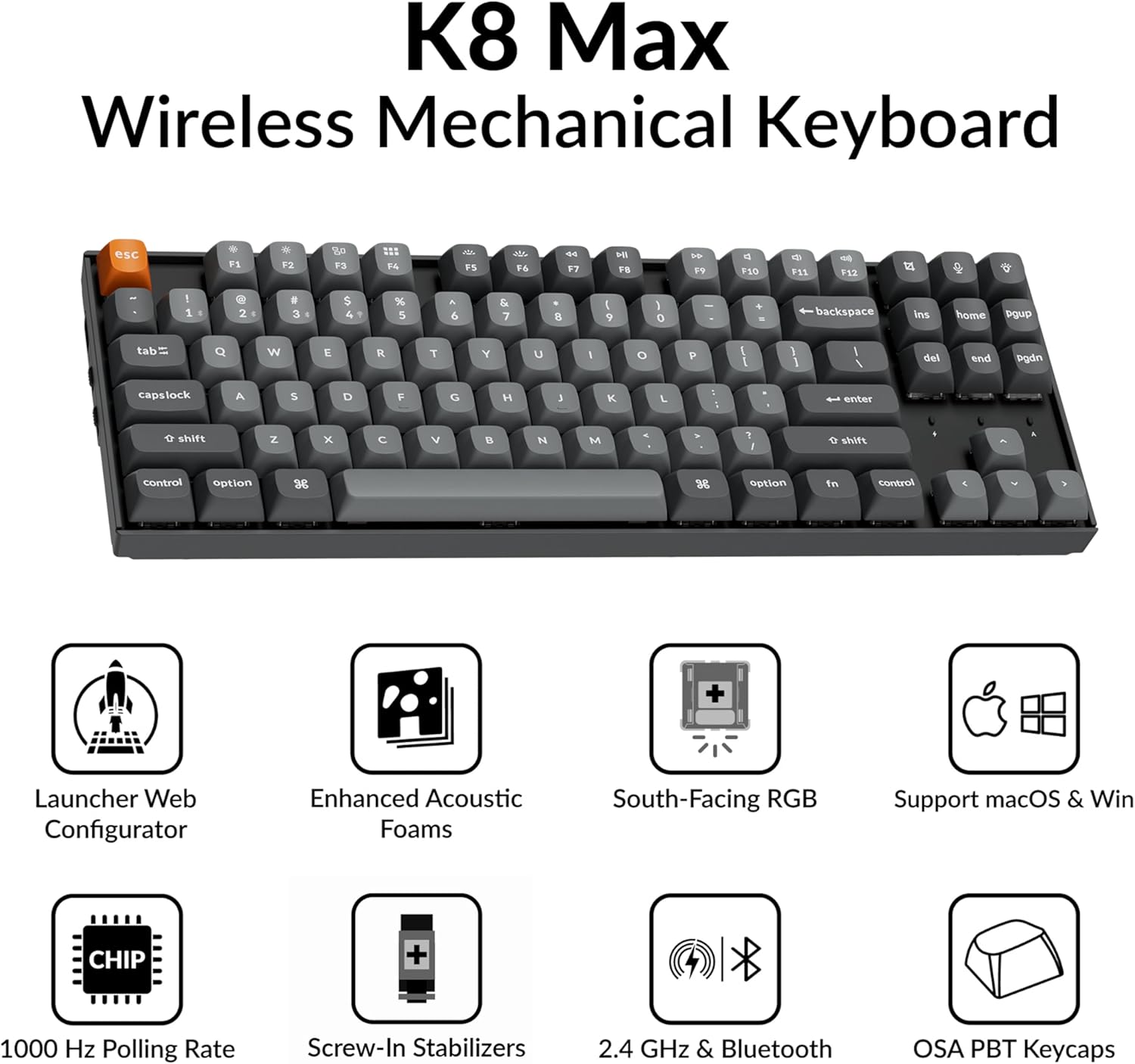
Image 1.1: Keychron K8 Max Wireless Mechanical Keyboard highlighting key features such as Launcher Web Configurator, Enhanced Acoustic Foams, South-Facing RGB, macOS & Windows support, 1000 Hz Polling Rate, Screw-In Stabilizers, 2.4 GHz & Bluetooth connectivity, and OSA PBT Keycaps.
2. 패키지 내용
Keychron K8 Max 패키지에 모든 구성품이 포함되어 있는지 확인하십시오.
- 1x Fully Assembled Keychron K8 Max Keyboard
- 1x Type-A - Type-C 케이블
- 1x A형 2.4GHz 수신기
- 수신기용 1x 확장 어댑터
- 1x 키캡 및 스위치 풀러
- 1x 드라이버

Image 2.1: Visual representation of the Keychron K8 Max keyboard and its included accessories: USB-C cable, 2.4GHz receiver, extension adapter, keycap/switch puller, and screwdriver.
3. 설정
3.1 연결 모드
The K8 Max supports three connection modes: 2.4 GHz wireless, Bluetooth 5.1, and wired USB-C.
- 2.4GHz 무선: For optimal gaming performance with a 1000 Hz polling rate. Insert the 2.4 GHz receiver into your device's USB-A port. Use the extension adapter if needed for better signal.
- 블루투스 5.1 : For seamless multitasking with up to three devices. Switch the keyboard to Bluetooth mode and pair with your computer, phone, or tablet.
- 유선 USB-C: Connect the keyboard directly to your device using the provided Type-A to Type-C cable. This mode also charges the keyboard.

Image 3.1: The Keychron K8 Max keyboard illustrating its 2.4 GHz wireless, Bluetooth 5.1, and USB-C wired connection capabilities, along with multi-OS compatibility for Mac, Linux, and Windows.
3.2 운영 체제 전환
Locate the OS switch on the side of the keyboard. Toggle it to the appropriate position for macOS or Windows/Linux to ensure correct key mapping and functionality.
3.3 충전 중
Connect the keyboard to a USB power source using the provided USB-C cable. The battery indicator will show charging status. A full charge is indicated when the light changes or turns off (refer to LED indicator section in operating instructions).
4. 사용 설명서
4.1 기본 키 기능
The K8 Max features a TKL (80%) layout. Standard alphanumeric keys function as labeled. Function keys (F1-F12) often have secondary multimedia or system control functions accessible via the Fn 키 조합.
4.2 백라이트 제어
The keyboard features RGB backlighting with over 22 modes. Use the dedicated backlight key (often marked with a lightbulb icon) or Fn key combinations to cycle through modes, adjust brightness, and change colors. The south-facing LEDs are designed for optimal illumination from the typist's angle.
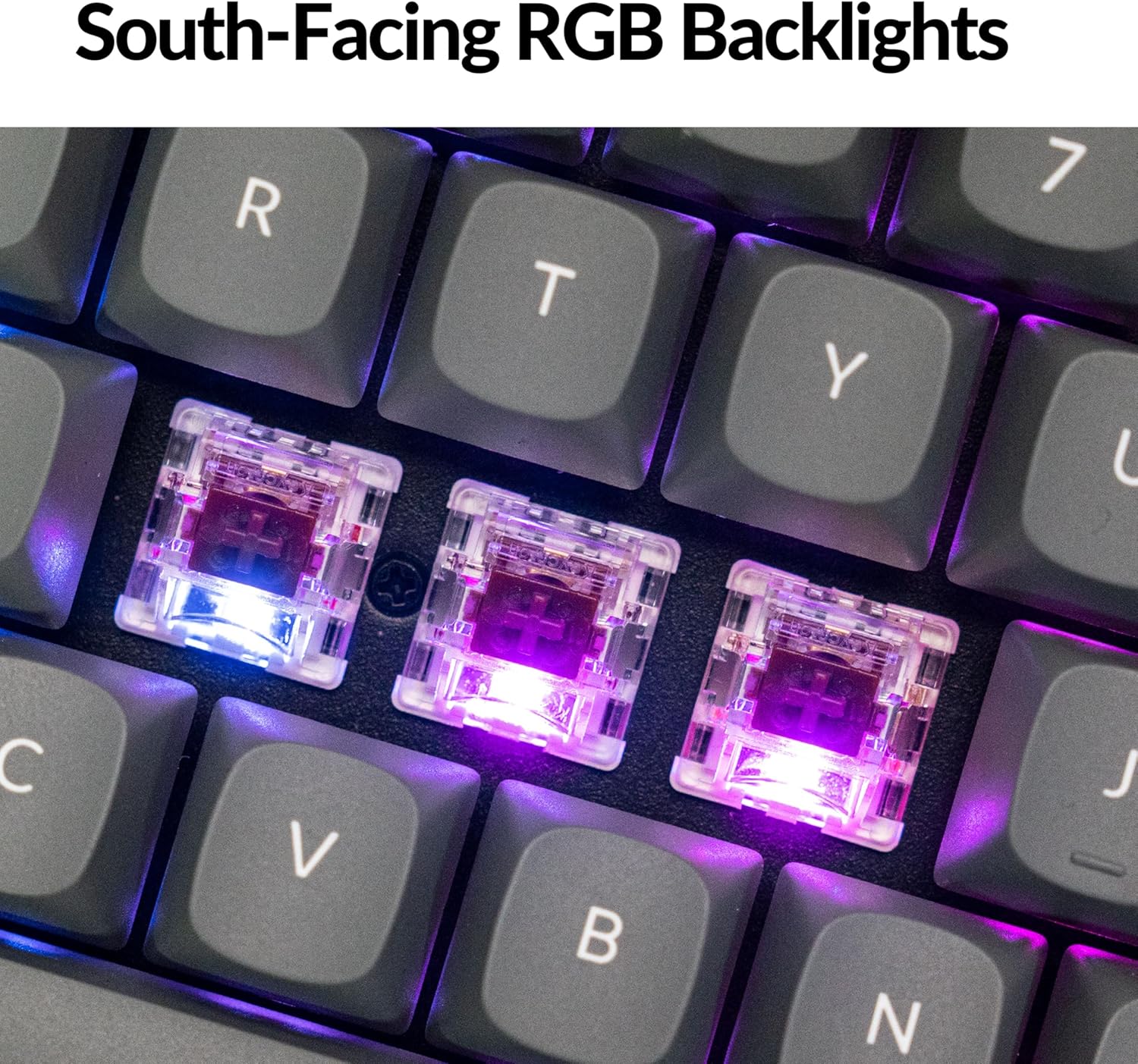
이미지 4.1: 클로즈업 view of the keyboard's south-facing RGB mechanical switches, illustrating the illumination from beneath the keycaps.
4.3 QMK Firmware & Keychron Launcher Web 구성기
The K8 Max runs on open-source QMK firmware, allowing for extensive customization. Use the Keychron Launcher web app to remap keys, create macros, and configure lighting effects without needing to install software. This web-based tool is compatible with macOS, Windows, and Linux systems.
- Access the Keychron Launcher via your web 브라우저.
- Connect your keyboard in wired mode to ensure proper communication.
- Follow the on-screen instructions to customize key assignments, macros, and lighting profiles.

이미지 4.2: 키크론 런처 스크린샷 web application, demonstrating the graphical interface for remapping keys and configuring keyboard settings.
5. 유지관리
5.1 청소
키보드를 청소하려면 먼저 모든 전원에서 분리하세요. 부드럽고 보풀이 없는 천을 살짝 적셔 키보드를 닦으세요.amp물이나 순한 세척액으로 닦아내십시오. 키캡 사이의 먼지와 이물질은 압축 공기나 작은 브러시를 사용하여 제거하십시오. 강한 화학 물질이나 연마재는 사용하지 마십시오.
5.2 키캡 및 스위치 교체
The K8 Max features hot-swappable switches, allowing for easy replacement without soldering. Use the provided keycap and switch puller tools:
- 키캡 제거: Gently attach the keycap puller to the sides of the keycap and pull straight up.
- 스위치 제거 : After removing the keycap, use the switch puller to grasp the top and bottom clips of the switch and pull it straight out.
- 설치: Align the new switch pins with the holes on the PCB and press firmly until it clicks into place. Reattach the keycap.

이미지 5.1: 클로즈업 view of the durable double-shot PBT keycaps, highlighting their construction and oil-resistant properties.
6. 문제 해결
- 키보드가 응답하지 않습니다:
Ensure the keyboard is charged. Check the connection mode (2.4 GHz, Bluetooth, or wired) and ensure it matches your device's connection. For wired mode, try a different USB port or cable. For wireless, ensure the receiver is properly inserted or Bluetooth is paired. - 키가 등록되지 않음:
If specific keys are not working, try removing and re-inserting the switch for that key. Ensure the switch pins are not bent. If the issue persists, consider replacing the switch. - 블루투스 연결 문제:
Ensure the keyboard is in Bluetooth mode and discoverable. Remove the keyboard from your device's Bluetooth list and re-pair. Try connecting to a different device to isolate the issue. - 백라이트가 작동하지 않거나 올바르지 않습니다.
Check backlight brightness settings. Ensure the keyboard is not in a low-power mode. If using the Keychron Launcher, verify your lighting profile 설정. - QMK/Keychron Launcher not detecting keyboard:
Ensure the keyboard is connected via USB-C cable and the OS switch is set correctly. Try a different USB port or cable. Restart your browser.
7. 사양
| 모델 | 키크론 K8 맥스 |
| 공들여 나열한 것 | TKL (80%) |
| 연결성 | 2.4GHz 무선, 블루투스 5.1, USB 타입-C 유선 |
| 폴링 속도(2.4GHz) | 1000Hz |
| 스위치 | Keychron Super Brown (Hot-swappable) |
| 키캡 | Double-Shot PBT, OSA Profile |
| 백라이트 | RGB, South-Facing LEDs (22+ modes) |
| 펌웨어 | QMK (Customizable via Keychron Launcher) |
| 호환 OS | 맥OS, 윈도우, 리눅스 |
| 배터리 | 1개의 리튬 폴리머 배터리(포함) |
| 품목 무게 | 2파운드 |
| 패키지 크기 | 17 x 6 x 2 인치 |
8. 보증 및 지원
8.1 보증 정보
Keychron products typically come with a limited manufacturer's warranty covering defects in materials and workmanship. Please refer to the warranty card included with your product or visit the official Keychron web해당 지역 및 구매일에 적용되는 구체적인 보증 약관은 웹사이트를 참조하십시오.
8.2 고객 지원
For technical assistance, troubleshooting, or warranty claims, please contact Keychron customer support through their official website. You may need to provide your product model, serial number, and proof of purchase.
공식 키크론 Web대지: www.keychron.com


