소개
Thank you for choosing the Altec Lansing HYDRAJOLT 2.0 Magnetic Bluetooth Speaker. This manual provides essential information for setting up, operating, and maintaining your speaker to ensure optimal performance and longevity. Please read this manual thoroughly before using the product.
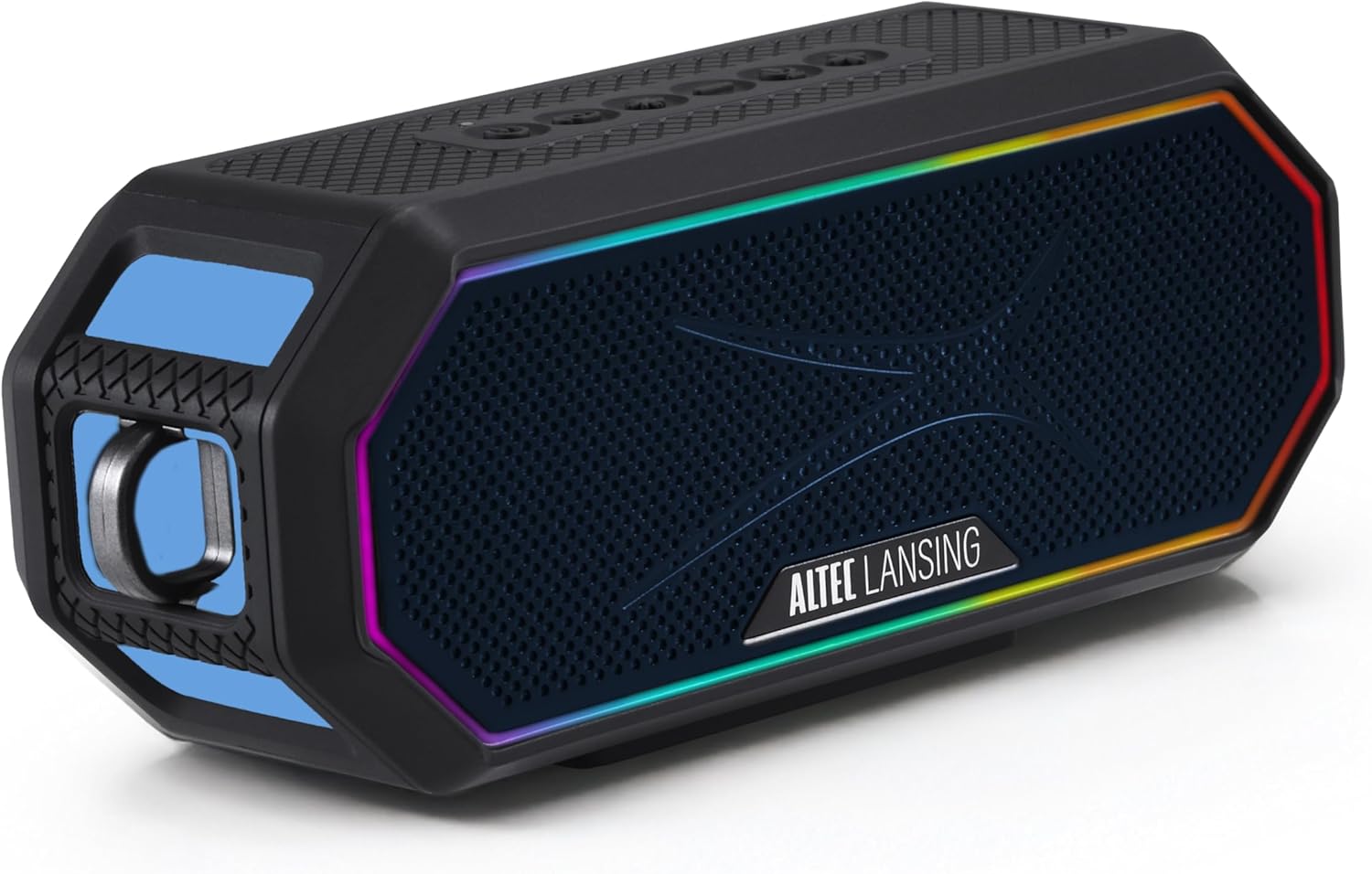
Image: The Altec Lansing HYDRAJOLT 2.0 speaker, showcasing its hexagonal design and vibrant multicolor LED lighting around the speaker grille.
패키지 내용
패키지에 모든 품목이 들어 있는지 확인하세요.
- 알텍 랜싱 HYDRAJOLT 2.0 스피커
- USB-C 충전 케이블
- 장착형 카라비너 클립
- 스피커 마운트
- 사용 설명서 (본 문서)
설정
스피커 충전하기
Before first use, fully charge your HYDRAJOLT 2.0 speaker. The speaker features a USB-C quick charge port.
- Locate the USB-C charging port on the speaker, typically protected by a rubber flap.
- Open the rubber flap to expose the port.
- 제공된 USB-C 케이블을 스피커의 충전 포트에 연결하십시오.
- USB-C 케이블의 다른 쪽 끝을 호환되는 USB 전원 어댑터(포함되지 않음) 또는 컴퓨터의 USB 포트에 연결합니다.
- 충전 표시등이 켜집니다. 완전히 충전하는 데는 약 3시간이 걸립니다.
- Once fully charged, the indicator light will change or turn off, depending on the model. Disconnect the charging cable and close the rubber flap to maintain IP67 waterproof integrity.

이미지: 자세한 view of the speaker's charging and power bank ports, showing the USB-C input and USB-A output, both covered by a protective flap.
블루투스 페어링
블루투스 기능이 있는 기기와 스피커를 페어링하여 무선으로 오디오를 재생하세요.
- Power on the speaker by pressing and holding the Power button until you hear an audible cue or see the LED indicator light up.
- 스피커는 자동으로 블루투스 페어링 모드로 전환되며, LED 표시등(대개 파란색)이 깜빡입니다.
- On your smartphone, tablet, or other Bluetooth device, navigate to the Bluetooth settings.
- 사용 가능한 장치 목록에서 "HYDRAJOLT 2.0"을 선택하십시오.
- Once connected, the speaker will provide an audible confirmation, and the LED light will become solid or flash differently.
- 이제 스피커에서 오디오를 재생할 준비가 되었습니다.
작동 지침
버튼 기능
The HYDRAJOLT 2.0 features intuitive top-panel controls:

Image: A close-up of the speaker's top control panel, clearly labeling the functions of each button: ON/OFF, PAIRING, LED LIGHT MODES, VOLUME DOWN, VOICE ASSISTANT, and VOLUME UP.
- 전원 켜기/끄기: 전원 버튼(⏻) 스피커를 켜거나 끕니다.
- 볼륨 높이기/낮추기: 를 누르세요 + 볼륨을 높이는 버튼과 - 버튼을 눌러 볼륨을 줄입니다.
- 재생/일시 중지: Press the Play/Pause button (often integrated with the Power button or a separate icon) to control playback.
- LED 조명 모드: Press the Light Mode button (often indicated by a lightbulb icon) to cycle through various multicolor LED lighting effects.
- 음성 어시스턴트 : Press the Voice Assistant button (often indicated by a microphone icon) to activate your device's voice assistant (Siri or Google Assistant).
- 블루투스 페어링 : Press the Pairing button (often indicated by a Bluetooth icon) to enter pairing mode or clear existing pairings.
파티 동기화 기능
The Party Sync feature allows you to connect over 100 HYDRA speakers together for an expansive audio experience.
- Ensure all speakers are powered on and not currently paired with any device.
- On the first speaker (the master speaker), press and hold the Party Sync button (refer to your speaker's specific button layout if not labeled).
- Once the master speaker is in Party Sync mode, activate Party Sync on all other speakers you wish to connect.
- The speakers will automatically connect to each other. The LED indicators will confirm successful connection.
- Pair your device to the master speaker via Bluetooth. Audio will now play across all connected speakers.
장착 옵션
The HYDRAJOLT 2.0 offers versatile mounting options:
- 내장 자석: Securely attach the speaker to any metal surface for hands-free listening.
- 카라비너 클립: Use the included mountable carabiner clip to hang the speaker from bags, loops, or other fixtures.
- Speaker Mount: Utilize the included mount for attachment to handlebars, poles, or similar structures.

Image: The Altec Lansing HYDRAJOLT 2.0 speaker demonstrating its strong magnetic attachment to a metal surface, highlighting its versatile placement.

Image: The Altec Lansing HYDRAJOLT 2.0 speaker attached to a mount, with a carabiner clip visible, illustrating its adaptability for various uses.
유지
방수 및 내구성 특징
The HYDRAJOLT 2.0 is designed for rugged use with an IP67 rating, meaning it is waterproof, dustproof, and shockproof. It can even float in water.
- 방수(IP67): The speaker can be submerged in water up to 1 meter for 30 minutes. Ensure all port covers are securely closed before exposure to water.
- 방진 : 먼지 유입을 방지합니다.
- 충격 방지: Designed to withstand drops and impacts from normal use.

Image: The Altec Lansing HYDRAJOLT 2.0 speaker demonstrating its IP67 waterproof capability, floating on water.
청소 및 보관
- To clean, wipe the speaker with a soft, damp 옷감. 강한 화학 물질이나 연마성 세제를 사용하지 마십시오.
- Ensure the speaker is completely dry before charging or opening any port covers.
- 스피커는 직사광선과 극한의 온도를 피해 시원하고 건조한 곳에 보관하세요.
문제 해결
| 문제 | 가능한 원인 | 해결책 |
|---|---|---|
| 스피커가 켜지지 않습니다. | 배터리가 부족합니다. | 스피커를 완전히 충전하세요. |
| 블루투스로 페어링할 수 없습니다. | 스피커가 페어링 모드가 아닙니다. 기기의 Bluetooth가 꺼져 있습니다. 기기와의 거리가 너무 멀습니다. | Ensure speaker is in pairing mode (flashing LED). Turn device Bluetooth off/on. Move speaker closer to device (within 100ft). Clear previous pairings. |
| 소리가 나지 않거나 볼륨이 작습니다. | 스피커 또는 기기의 볼륨이 너무 낮습니다. 오디오 소스가 잘못되었습니다. | Increase volume on both speaker and connected device. Ensure correct audio output is selected on your device. |
| 파티 동기화가 작동하지 않습니다. | Speakers not in Party Sync mode; too many speakers connected. | Ensure all speakers are in Party Sync mode. Verify no more than 100 speakers are attempting to connect. |
명세서
| 특징 | 세부 사항 |
|---|---|
| 모델명 | 하이드라졸트 2.0 |
| 출력 전력 | 12와트 (6W x 2 RMS) |
| 배터리 수명 | 최대 16시간 |
| 충전 시간 | 약 3시간 (USB-C 고속 충전 기준) |
| 무선 범위 | Up to 100ft (Bluetooth) |
| 방수성 | IP67 (방수, 방진, 충격 방지, 부력) |
| 연결성 | 블루투스 |
| 특별 기능 | Built-in Microphone, Party Sync, Multicolor LED, Magnetic Mounting |
| 제품 치수 | 7.6인치 깊이 x 3.2인치 너비 x 4.6인치 높이 |
| 품목 무게 | 1.7 파운드 |
보증 및 지원
Altec Lansing products come with a limited warranty. For detailed warranty information, product registration, or technical support, please visit the official Altec Lansing web사이트를 방문하거나 고객 서비스에 문의하세요.
또한 방문할 수 있습니다 아마존에서 Altec Lansing 스토어를 방문하세요. 자세한 정보와 제품 제공 사항은 여기를 클릭하세요.
공식 제품 영상
No official seller instruction videos are available for embedding at this time based on the provided criteria.


