1. 서론
This manual provides detailed instructions for setting up, operating, maintaining, and troubleshooting your NIMO Mini PC N100. Please read this manual thoroughly before using the device to ensure proper functionality and to maximize its lifespan. The NIMO Mini PC N100 is a compact and powerful desktop computer designed for various applications, from home entertainment to office productivity.
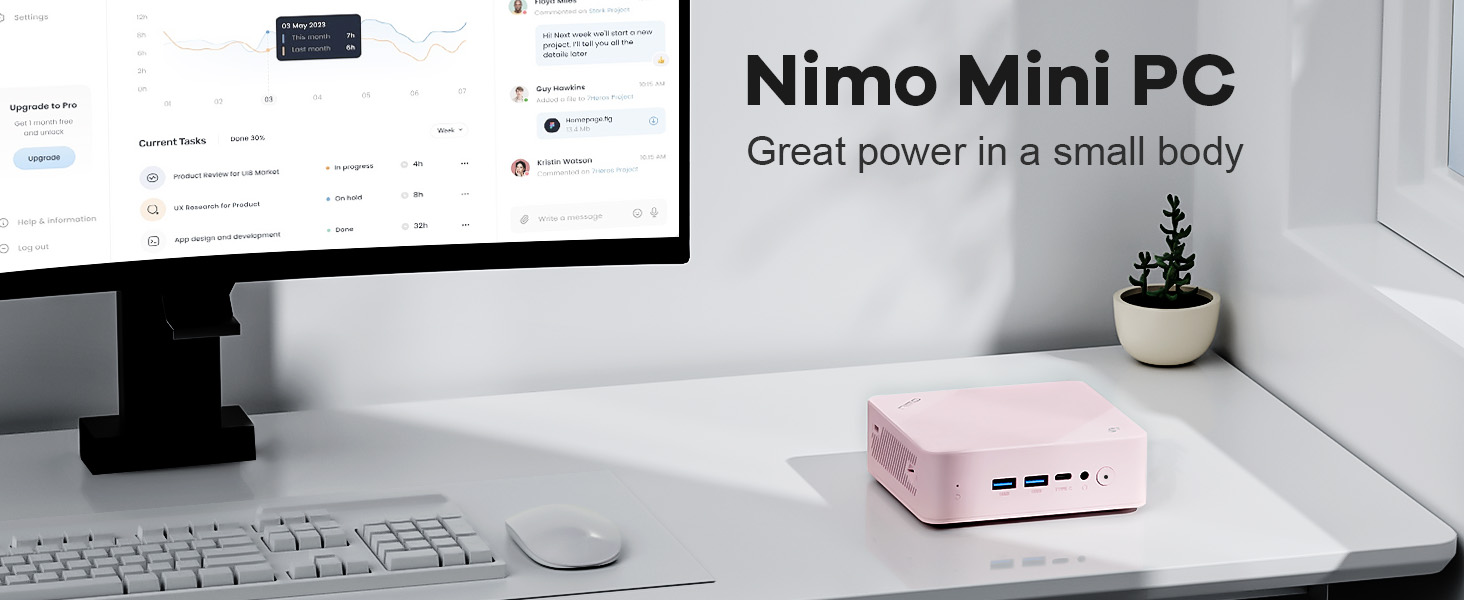
Image: The NIMO Mini PC N100, a compact computing solution for various environments.
2. 제품 오버view
The NIMO Mini PC N100 is engineered for efficiency and versatility. It features a compact design with a comprehensive array of ports for seamless connectivity.
2.1. 물리적 특징 및 포트
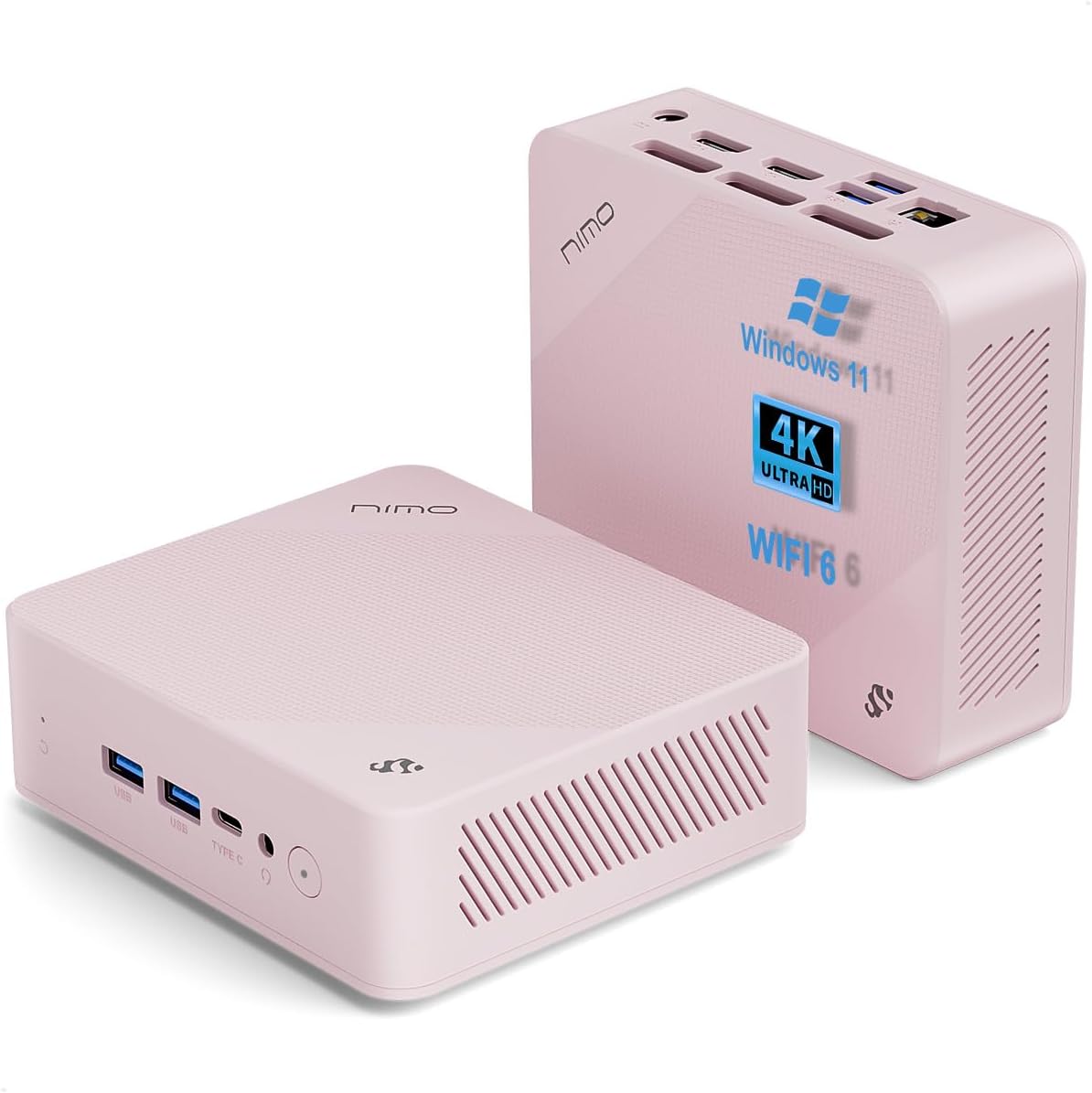
이미지: 앞면과 뒷면 views of the NIMO Mini PC N100, showcasing its compact form factor and port layout.

Image: A detailed diagram illustrating the various ports available on the NIMO Mini PC N100, including USB, HDMI, LAN, and Type-C.
- 전면 패널: Power Button, 2x USB Type-A Ports, 1x Type-C Port (multifunction), 1x Audio Port, 1x Reset Button.
- 후면 패널 : 1x Giga LAN Port, 2x HDMI 2.0 Ports, 2x USB Type-A Ports, 1x DC-IN Port, Security Slot, SD Card Reader.
2.2. 주요 특징

Image: A visual summary of the NIMO Mini PC N100's core features, such as Windows 11, WiFi 6, and 4K display support.
- 운영 체제: 윈도우 11 홈
- 프로세서: 12th Gen Intel N100 Processor
- 메모리: 8GB DDR4 램
- 저장: 1TB PCIe SSD
- 연결성: WiFi 6, Bluetooth 5.2, Gigabit LAN
- 디스플레이 출력: Dual HDMI 2.0 and Type-C for up to 4K triple-monitor display
- 냉각: 15W Efficient Cooling System

Image: The NIMO Mini PC N100 in a desktop setup, emphasizing its Intel N100 processor, WiFi 6, Bluetooth 5.2, and efficient cooling capabilities.
3. 설정
Follow these steps to set up your NIMO Mini PC N100.
3.1. 패키지 내용
패키지에 모든 품목이 들어 있는지 확인하세요.

Image: The NIMO Mini PC N100 package contents, including the Mini PC unit, mounting bracket, power adapter, and instruction manual.
- 1x NIMO Mini PC N100 Unit
- 1x 마운팅 브래킷
- 1x 전원 어댑터
- 1x 사용 설명서
3.2. 초기 연결
- 디스플레이 연결: Connect your monitor(s) to the HDMI 2.0 ports or the Type-C port on the Mini PC using appropriate cables.
- 주변기기 연결: 키보드, 마우스 및 기타 USB 장치를 사용 가능한 USB Type-A 포트에 연결하십시오.
- 전원 연결: 미니 PC의 DC-IN 포트에 전원 어댑터를 꽂은 다음, 어댑터를 전원 콘센트에 꽂으십시오.
- 네트워크 연결 : For a wired connection, connect an Ethernet cable to the Giga LAN port. For wireless, ensure your WiFi network is available.
3.3. 배치 옵션
The NIMO Mini PC N100 offers flexible placement options:

Image: A visual comparison of VESA mounting and traditional desktop placement for the NIMO Mini PC N100.
- 데스크탑 배치: Place the Mini PC on a flat, stable surface with adequate ventilation.
- VESA 설치: Use the included mounting bracket to attach the Mini PC to the back of a VESA-compatible monitor or TV. This helps create a clutter-free workspace.

Image: The NIMO Mini PC N100 discreetly mounted behind a monitor, illustrating its space-saving VESA capability.
4. 사용 설명서
Learn how to operate your NIMO Mini PC N100 effectively.
4.1. 전원 켜기 / 끄기
- 전원 켜기: Press the Power Button on the front panel. The power indicator light will illuminate.
- 전원 끄기 : In Windows, click the Start button, then select Power > Shut down. Alternatively, you can press and hold the Power Button for a few seconds to force a shutdown (not recommended for regular use).
- 다시 시작: In Windows, click the Start button, then select Power > Restart.
4.2. 디스플레이 구성
The NIMO Mini PC N100 supports up to three displays simultaneously.

Image: The NIMO Mini PC N100 demonstrating its capability to support a triple display setup for enhanced multitasking.
- 여러 모니터 연결: Use the two HDMI 2.0 ports and the Type-C port to connect up to three 4K displays.
- 윈도우 디스플레이 설정: Right-click on the desktop and select 'Display settings' to configure display resolution, orientation, and arrangement (extend, duplicate, or show only on one display).
4.3. 저장 용량 확장
The Mini PC includes an SD card reader for additional storage expansion.

Image: The NIMO Mini PC N100 featuring an SD card slot, allowing for easy storage expansion up to 512GB.
- Insert an SD card into the dedicated slot on the rear panel to expand storage capacity for files 및 응용 프로그램.
4.4. 사용 시나리오

Image: The NIMO Mini PC N100 being used in different environments: home entertainment, office work, and classroom learning.
- 홈 엔터테인먼트: Connect to a TV for streaming, media playback, or light gaming.
- 사무직: Ideal for productivity tasks, document editing, and video conferencing.
- 교실 학습: Suitable for educational applications and online courses.
5. 유지관리
Proper maintenance ensures the longevity and optimal performance of your NIMO Mini PC N100.
- 청소: Regularly clean the exterior of the Mini PC with a soft, dry cloth. Use compressed air to clear dust from ventilation grilles. Do not use liquid cleaners directly on the device.
- 통풍: Ensure the Mini PC is placed in a well-ventilated area. Do not block the air vents.
- 소프트웨어 업데이트: 보안 및 성능 유지를 위해 Windows 11 운영 체제와 드라이버를 최신 상태로 유지하십시오.
- 데이터 백업: 데이터 손실을 방지하려면 중요한 데이터를 정기적으로 외장 드라이브나 클라우드 스토리지에 백업하세요.
- 극한의 환경을 피하세요: 미니 PC를 극한의 온도, 습도 또는 직사광선에 노출시키지 마십시오.
6. 문제 해결
This section addresses common issues you might encounter with your NIMO Mini PC N100.
| 문제 | 가능한 원인 | 해결책 |
|---|---|---|
| 전원이 없습니다 | 전원 어댑터가 연결되지 않았습니다. 전원 콘센트에 문제가 있습니다. 어댑터가 고장났습니다. | Check power cable connection; try a different outlet; ensure adapter is working. |
| 모니터에 표시되지 않음 | Monitor off or incorrect input; display cable loose or faulty. | Ensure monitor is on and set to correct input (HDMI/Type-C); check display cable connections; try a different cable or monitor. |
| 인터넷 연결 없음 (Wi-Fi) | Wi-Fi가 비활성화됨; 비밀번호가 틀림; 라우터 문제. | Ensure Wi-Fi is enabled in Windows settings; verify Wi-Fi password; restart router. |
| 인터넷 연결 없음 (LAN) | Ethernet cable loose or faulty; router issue. | Check Ethernet cable connection; try a different cable; restart router. |
| 주변 장치(키보드/마우스)가 작동하지 않습니다 | USB 연결이 불안정하거나 드라이버에 문제가 있을 수 있습니다. | Reconnect USB device; try a different USB port; check device manager for driver issues. |
| 시스템이 느리거나 응답하지 않음 | 실행 중인 애플리케이션이 너무 많거나, 디스크 공간이 부족하거나, 악성 프로그램이 있을 수 있습니다. | Close unnecessary applications; free up disk space; run antivirus scan; restart the PC. |
7. 사양
Detailed technical specifications for the NIMO Mini PC N100.

Image: Diagram highlighting the Intel 12th Gen N100 Processor, the core of the NIMO Mini PC N100's performance.
| 특징 | 사양 |
|---|---|
| 모델 번호 | N100 |
| 운영 체제 | 윈도우 11 홈 |
| 프로세서 | Intel 12th Gen N100 (3.4 GHz Intel_Mobile_CPU, 4 Cores) |
| 숫양 | 8GB DDR4 SDRAM |
| 저장 | 1 TB Solid State Drive (PCIe SSD) |
| 최대 화면 해상도 | 3840 x 2160 픽셀(4K) |
| 제도법 | Intel UHD 그래픽(통합) |
| 연결성 | WiFi 6, Bluetooth 5.2, Gigabit LAN |
| 포트 | 2x HDMI 2.0, 4x USB Type-A (USB3.2), 1x Type-C (multifunction), 1x Giga LAN, 1x DC-IN, 1x Audio, 1x SD Card Reader, 1x Security Slot |
| 치수(길이x너비x높이) | 4.8 x 4.4 x 1.53 인치 |
| 하드웨어 플랫폼 | PC |
| 첫 번째 가능한 날짜 | 1년 2024월 XNUMX일 |
8. 보증 및 지원
NIMO is committed to providing excellent after-sales service and support for your Mini PC N100.

이미지: 오버view of NIMO's commitment to after-sales excellence, including support, returns, and customer service.
8.1. 보증 정보
- 보증 기간: The NIMO Mini PC N100 is covered by a 2년 보증 구매일로부터.
- 반품 정책: You may return any NIMO product for any reason within 90일 구매의.
8.2. 고객 지원
NIMO provides professional and high-quality customer service. If you have any product-related questions or require assistance, please contact us:
- 이메일: service@nimopc.com
- 온라인: NIMO 공식 웹사이트를 방문하세요. website or product page for contact options and support resources.
Our team of professional technicians is ready to help resolve any issues you may encounter. We aim to reply to all inquiries promptly.


