1. 서론
This manual provides essential information for the safe and efficient operation of your Haier H65M95EUX 65-inch QD Mini LED 4K UHD Smart TV. Please read this manual thoroughly before using the product and retain it for future reference.
The Haier H65M95EUX is a 65-inch Smart TV featuring QD Mini LED technology for superior brightness and vibrant colors, 4K UHD resolution, and a 144 Hz refresh rate. It integrates Google TV for smart functionalities, Harman Kardon speakers for enhanced audio, and supports Dolby Atmos and Dolby Vision for an immersive view경험.
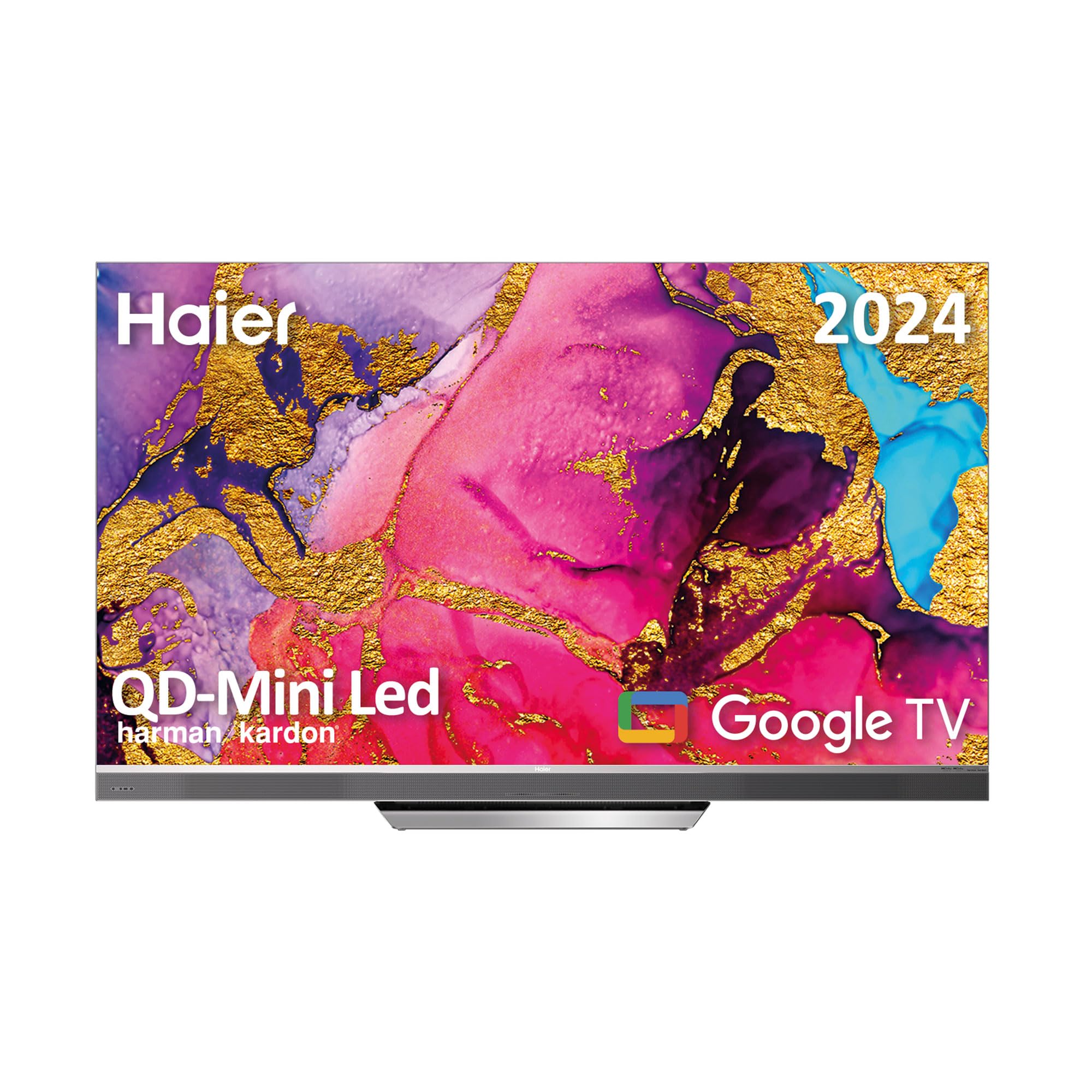
Image 1.1: Haier H65M95EUX 65-inch QD Mini LED 4K UHD Smart TV.
2. 안전 정보
화재, 감전, 부상의 위험을 줄이려면 이 텔레비전을 사용할 때 항상 기본적인 안전 예방 조치를 따르세요.
- 전원: TV는 라벨에 표시된 AC 전원에만 연결하세요.
- 통풍: 적절한 환기를 유지하세요. 환기구를 막지 마세요.
- 물과 습기: 텔레비전을 비나 습기에 노출시키지 마십시오. 텔레비전 위에 액체가 담긴 물건을 올려놓지 마십시오.
- 청소: 청소하기 전에 벽면 콘센트에서 TV 플러그를 뽑으세요. 부드럽고 마른 천을 사용하세요. 액체 세제나 에어로졸 세제는 사용하지 마세요.
- 놓기: TV를 안정적이고 평평한 곳에 놓으세요. 직사광선이나 열원 근처에 두지 마세요.
- 서비스: 이 제품을 직접 수리하려고 하지 마십시오. 모든 서비스는 자격을 갖춘 서비스 담당자에게 문의하십시오.
- 어린이들: Supervise children to ensure they do not play with the television.
3. 패키지 내용
Verify that all items are present in the packaging before proceeding with the setup.
- Haier H65M95EUX 65-inch QD Mini LED 4K UHD Smart TV
- 스마트 리모컨
- 전원 케이블
- TV 스탠드 (받침대)
- 사용 설명서 (본 문서)
- 스탠드 조립용 나사
4. 설정
4.1. 스탠드 조립
Place the TV screen face down on a soft, clean surface to prevent damage. Align the stand with the mounting holes on the bottom of the TV. Secure the stand using the provided screws. Ensure the stand is firmly attached before placing the TV upright.
4.2. 벽면 장착 (선택 사항)
If you choose to wall mount your TV, refer to the instructions provided with your wall mount kit. Ensure the wall mount is compatible with VESA standards for a 65-inch TV and can support the weight of the television.
4.3. 장치 연결
Your Haier H65M95EUX TV offers various connectivity options.
- HDMI : Connect external devices such as Blu-ray players, gaming consoles, or set-top boxes to the HDMI 2.1 ports (x4).
- USB: Connect USB storage devices for media playback or software updates to the USB ports (x2).
- 이더넷: 안정적인 유선 인터넷 연결을 위해 이더넷 케이블을 LAN 포트에 연결하세요.
- 와이파이: For wireless internet, connect to your home network via the Wi-Fi settings in the TV menu.
- 블루투스: 헤드폰이나 사운드바와 같은 블루투스 지원 장치를 페어링하세요.
4.4. 전원 연결
전원 케이블을 TV의 전원 입력 단자에 연결한 다음 벽면 콘센트에 꽂습니다.
5. TV 작동
5.1. 초기 설정 및 Google TV
Upon first power-on, the TV will guide you through the initial setup process. This includes language selection, network connection, and Google account sign-in. Google TV organizes your favorite content from various streaming services into one personalized interface.
- 구글 플레이 스토어: Access over 10,000 applications, including popular streaming services like Disney+, YouTube, and Netflix.
- Chromecast 내장: Cast content directly from your mobile device to the TV using compatible applications.
- 구글 어시스턴트: Use the integrated microphone on the Smart Remote Control to interact with the TV, search for content, and control smart home devices.
5.2. 스마트 리모컨
The Smart Remote Control allows for intuitive navigation and voice commands. Refer to the remote's diagram (if provided separately) for button functions.
5.3. 오디오 및 비디오 설정
Your TV features advanced audio and video technologies for an enhanced view경험.
- QD Mini LED & 4K UHD: Enjoy sharp images with vibrant colors and brightness up to 2,000 nits.
- 144Hz 재생률: 매우 부드러운 움직임을 제공하여 속도감 있는 콘텐츠와 게임에 이상적입니다.
- 하만 카돈 스피커: Integrated 60W front speakers deliver clear and powerful sound.
- 돌비 애트모스 및 돌비 오디오: Experience immersive, three-dimensional surround sound.
- Dolby Vision & HDR 10: 호환되는 콘텐츠에 대해 대비 및 색상 정확도가 향상되었습니다.
- DBX TV: Audio calibration technology for optimized sound performance.
6. 유지관리
6.1. 화면 청소
부드럽고 보풀이 없는 천으로 화면을 부드럽게 닦으세요. 잘 지워지지 않는 얼룩은 가볍게 닦아주세요.amp물이나 전용 화면 세척제(TV 화면에 안전한지 확인하세요)를 천에 묻혀 부드럽게 닦아주세요. 세게 누르지 마세요.
6.2. 캐비닛 청소
TV 캐비닛은 부드럽고 마른 천으로 닦으세요. 연마성 세제나 용제는 사용하지 마세요.
6.3. 소프트웨어 업데이트
Your Google TV may receive automatic software updates. Ensure your TV is connected to the internet to receive these updates, which can improve performance and add new features. You can also manually check for updates in the TV settings.
7. 문제 해결
고객 지원팀에 문의하기 전에 일반적인 문제에 대한 다음 솔루션을 시도해 보세요.
| 문제 | 가능한 원인 | 해결책 |
|---|---|---|
| 전원이 없습니다 | Power cable disconnected; Power outlet not working | Check power cable connection; Try a different outlet; Press power button on TV or remote. |
| 화면은 나오지 않지만 소리는 나옵니다 | Incorrect input source; Backlight issue | Press the "Input" button on the remote to select the correct source; Contact support if backlight is suspected. |
| 소리는 나지 않지만 화면은 나옵니다 | 음량이 음소거되었거나 너무 작음; 외부 오디오 장치 문제 | Unmute or increase volume; Check connections to external audio devices; Select correct audio output in settings. |
| 리모컨이 작동하지 않습니다 | 배터리가 소진되었습니다. 리모컨과 TV 사이에 방해물이 있습니다. | Replace batteries; Remove any obstructions; Re-pair remote if it's a Bluetooth remote. |
| Wi-Fi에 연결할 수 없습니다 | 비밀번호가 잘못되었습니다. 라우터 문제입니다. TV가 라우터에서 너무 멀리 떨어져 있습니다. | Wi-Fi 비밀번호를 확인하세요. 공유기를 재시작하세요. TV를 공유기 가까이 옮기거나 이더넷 케이블을 사용하세요. |
8. 사양
Detailed technical specifications for the Haier H65M95EUX Smart TV.
- 모델 번호: 36200086
- 화면 크기: 65 인치
- 디스플레이 기술: QD Mini LED, 4K UHD
- 해결: 3840 x 2160(4K UHD)
- 새로 고침 빈도: 144Hz
- 명도: 최대 2,000니트
- 운영 체제: 구글 티비
- 오디오: Harman Kardon 60W Front Speakers, Dolby Atmos, Dolby Audio, DBX TV
- 동영상: 돌비 비전, HDR 10
- 연결성:
- HDMI 2.1 x 4
- USB 2개
- 와이파이
- 블루투스 5.1
- 이더넷(LAN)
- 특별 기능: Google Assistant (via Smart Remote), Chromecast Built-in, Frameless Design
- 제품 크기 (스탠드 제외): 144.8cm(W) x 87.4cm(H) x 7.7cm(D)
- 제품 크기(스탠드 포함): 144.8cm(W) x 91.2cm(H) x 25.8cm(D)
- 색상: 은

Image 8.1: Haier H65M95EUX TV dimensions with and without stand.
9. 보증 및 지원
보증 관련 정보는 제품에 동봉된 보증 카드를 참조하시거나 하이얼 공식 웹사이트를 방문하십시오. web대지.
If you encounter issues that cannot be resolved using the troubleshooting guide, please contact Haier customer support. Have your model number (H65M95EUX) and serial number ready when contacting support.
- 제조업체: 하이얼
- 모델: H65M95EUX
- ASIN: B0D53W4KDL
- 온라인 지원: Visit Haier Official Web대지


