1. 서론
This manual provides detailed instructions for the setup, operation, and maintenance of your A4tech FBK27C AS Bluetooth & 2.4G Rechargeable Keyboard. Please read this manual thoroughly to ensure proper use and to maximize the keyboard's features.
The A4tech FBK27C AS keyboard is designed for enhanced comfort and productivity, featuring dual connectivity options, QuietKey technology for silent typing, and multi-device pairing capabilities. Its ergonomic design aims to reduce wrist strain during extended use.
2. 특징
- 이중 연결: Seamlessly switch between 2.4GHz wireless (via USB dongle) and Bluetooth connections.
- 다중 장치 페어링: Connect and switch between up to three devices (one 2.4GHz and two Bluetooth devices).
- 인체공학적 디자인: Features a split keyboard layout and an integrated wrist rest to promote a natural hand and wrist posture, reducing discomfort during prolonged typing.
- QuietKey Technology: Designed for silent typing, minimizing noise in shared environments.
- 충전식 배터리: Equipped with a built-in rechargeable battery, charged via a USB-C port.
- Multimedia & Function Keys: Dedicated keys for media control, system functions, and quick access to common tasks.
- 폭넓은 호환성: Windows, Mac, iOS 및 Android 운영 체제를 지원합니다.
3. 패키지 내용
패키지에 모든 품목이 들어 있는지 확인하세요.
- A4tech FBK27C AS Keyboard
- USB-C 충전 케이블
- 2.4GHz USB 수신기(동글)
- 빠른 시작 가이드
4. 설정
4.1 키보드 충전
Before first use, fully charge the keyboard. Connect the provided USB-C cable to the charging port on the keyboard (located on the upper top left edge, near the ON/OFF button) and the other end to a USB power source. The power LED will illuminate during charging and turn off when fully charged.
4.2 2.4GHz 무선을 통한 연결
- Locate the 2.4GHz USB receiver (dongle), typically stored magnetically on the underside of the keyboard.
- USB 수신기를 컴퓨터의 사용 가능한 USB 포트에 연결합니다.
- ON/OFF 스위치를 사용하여 키보드를 켭니다.
- Press the '2.4G' key on the keyboard to activate 2.4GHz mode. The indicator light will confirm the connection.
4.3 블루투스를 통한 연결
이 키보드는 두 개의 블루투스 연결(BT1 및 BT2)을 지원합니다.
- ON/OFF 스위치를 사용하여 키보드를 켭니다.
- Press and hold either the 'BT1' or 'BT2' key for a few seconds until its indicator light starts blinking rapidly. This indicates pairing mode.
- 기기(컴퓨터, 태블릿, 스마트폰)에서 Bluetooth 설정으로 이동하여 새 기기를 검색하세요.
- Select 'A4tech FBK27C AS' (or similar name) from the list of available devices.
- Follow any on-screen prompts to complete the pairing process. The indicator light on the keyboard will become solid when successfully paired.
- 원하는 경우 두 번째 블루투스 채널에 대해서도 동일한 과정을 반복하십시오.
4.4 키보드 기울기 조정
The keyboard features adjustable feet on both the front and back. To achieve a more ergonomic typing angle, you can extend the front feet to raise the keyboard's front edge, further enhancing wrist comfort.
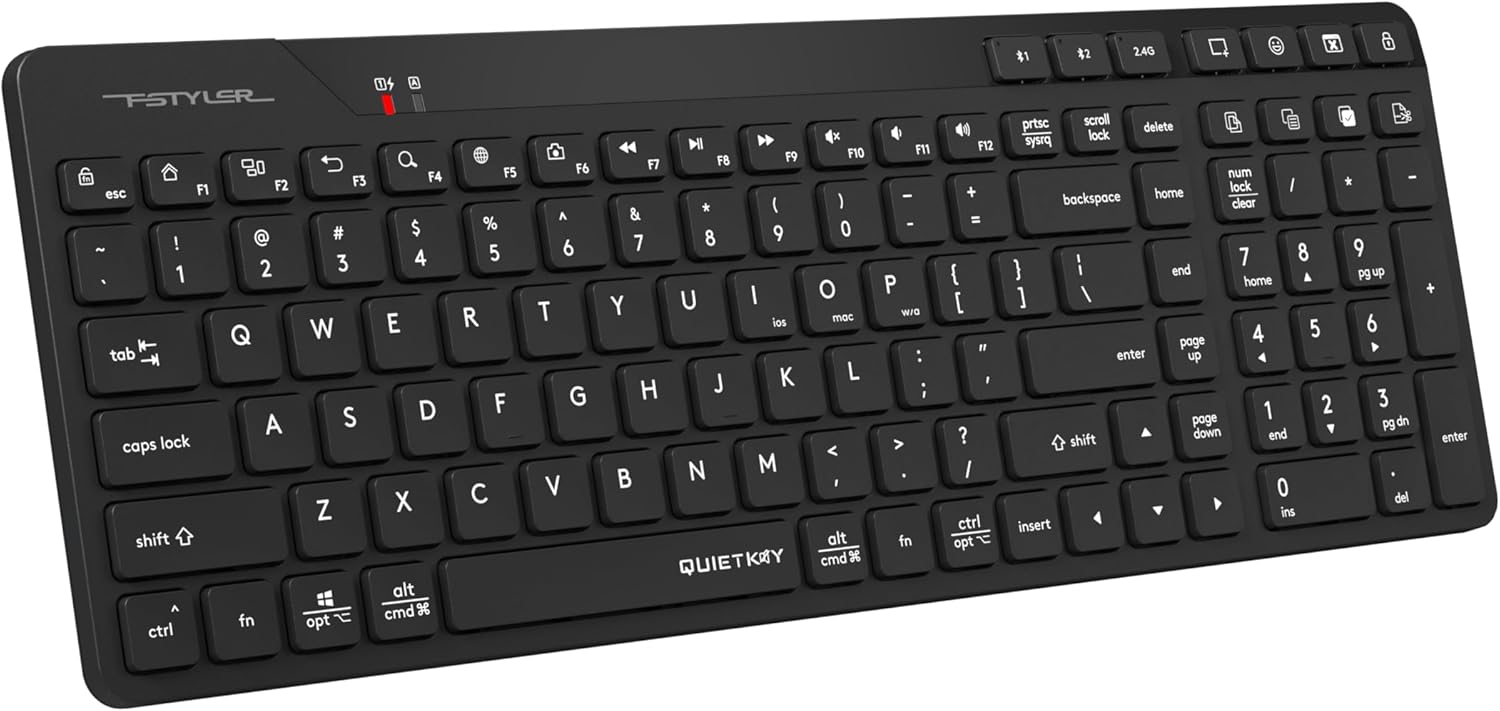
그림 1: 상단 view of the A4tech FBK27C AS keyboard, showcasing its ergonomic split design and integrated wrist rest.
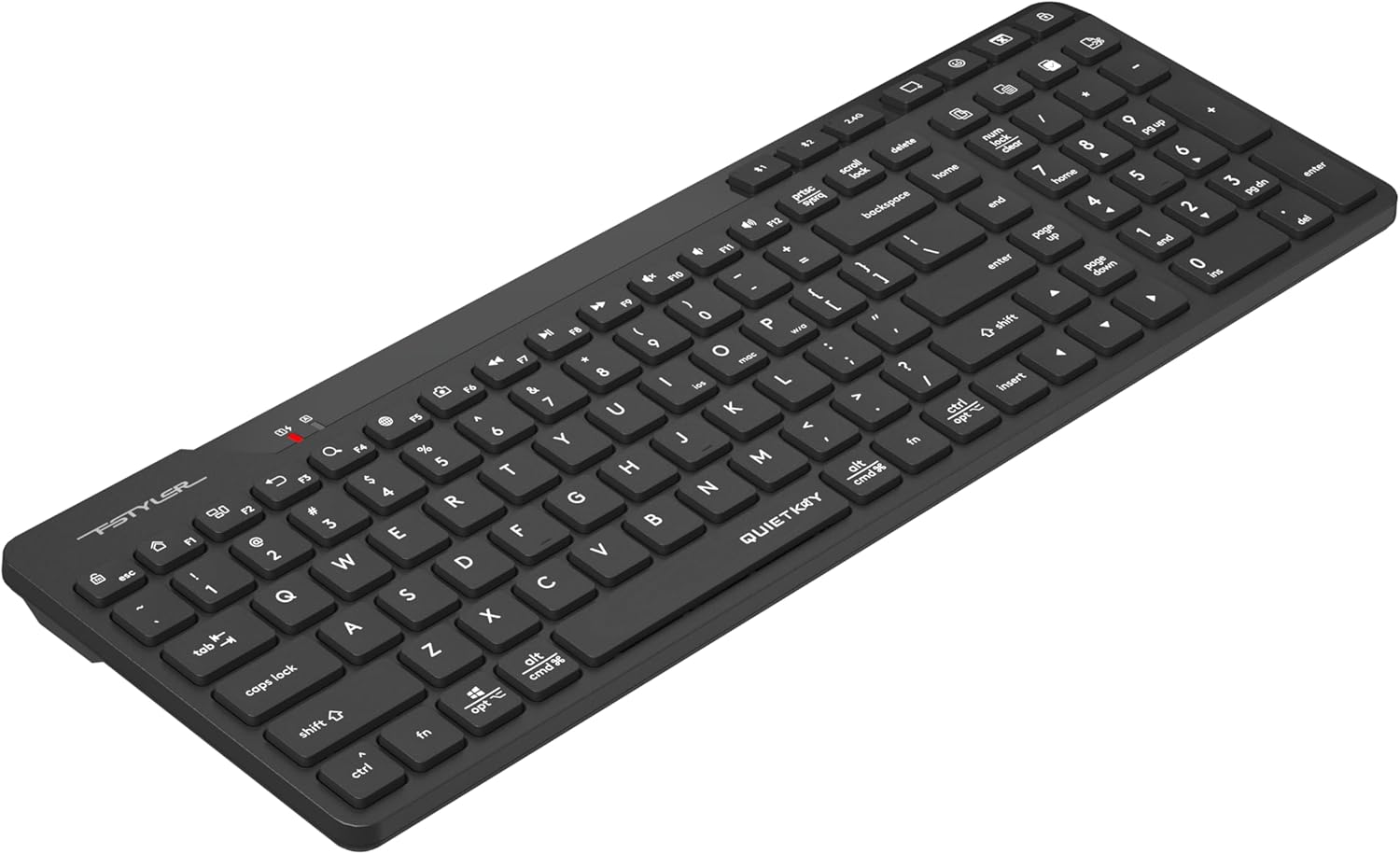
그림 2: 각도 view of the A4tech FBK27C AS keyboard, highlighting the contoured shape for natural hand positioning.
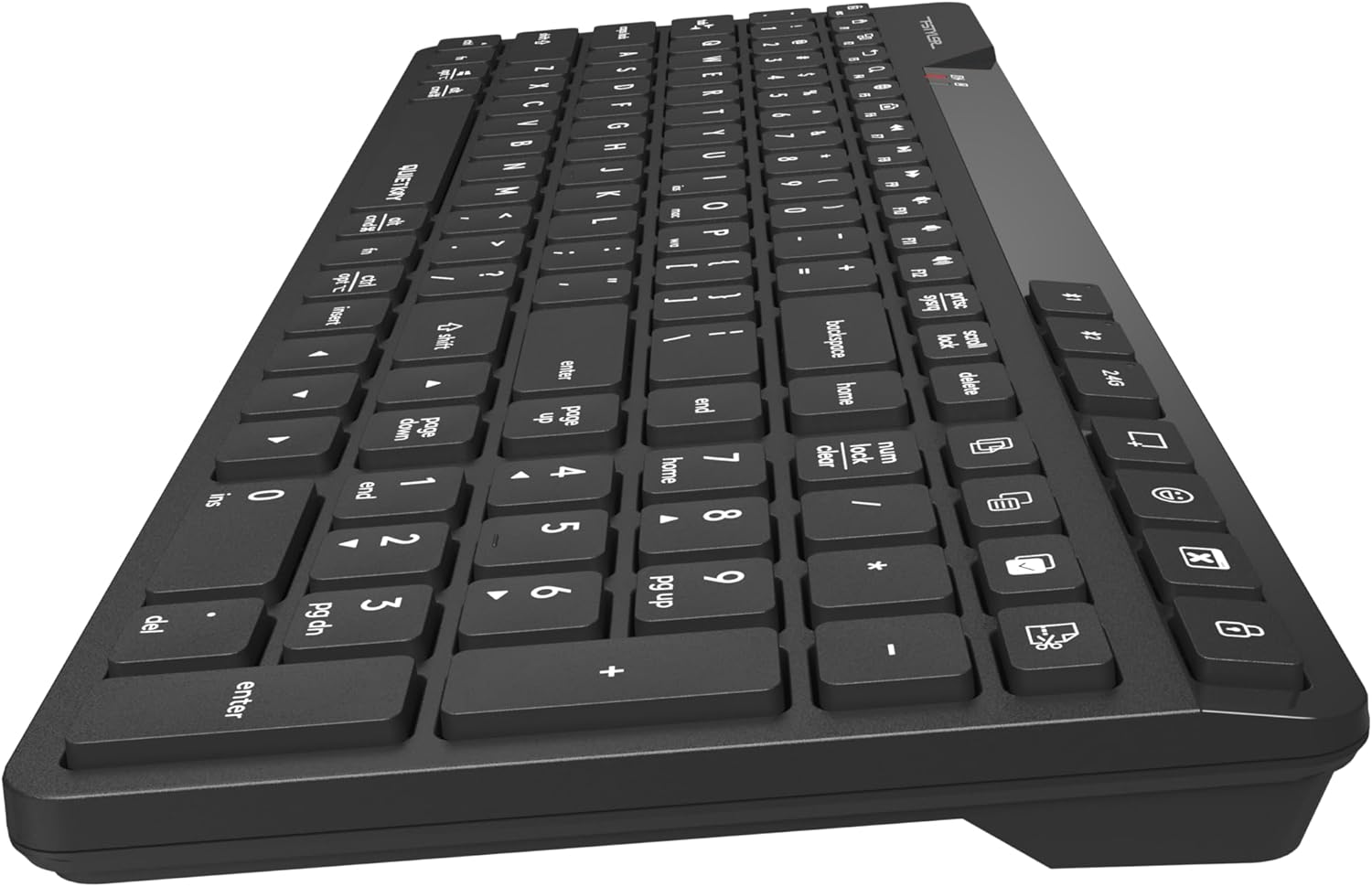
그림 3: 측면 view of the A4tech FBK27C AS keyboard, showing the profile and the integrated wrist rest.

그림 4: 위에서 아래로 기울어진 view of the A4tech FBK27C AS keyboard, providing a comprehensive look at the key layout and ergonomic design.
5. 사용 설명서
5.1 연결된 장치 간 전환
To switch between your connected devices, simply press the corresponding connectivity key:
- Press '2.4G' to connect to the device using the USB receiver.
- Press 'BT1' to connect to the first Bluetooth-paired device.
- Press 'BT2' to connect to the second Bluetooth-paired device.
5.2 멀티미디어 및 기능 키
The keyboard features a row of function keys (F1-F12) that double as multimedia or special function keys. To use these functions, you may need to press the 'Fn' key simultaneously with the desired function key, depending on your operating system and keyboard settings.
| 열쇠 | 기능 |
|---|---|
| FN + F1 | 집 |
| FN + F2 | 검색 |
| FN + F3 | 이메일 |
| FN + F4 | 스크린샷 옵션 |
| FN + F5 | 이모티콘 기호 |
| FN + F6 | 응용 프로그램 숨기기 |
| FN + F7 | 이전 트랙 |
| FN + F8 | 재생/일시정지 |
| FN + F9 | 다음 트랙 |
| FN + F10 | 음소거 볼륨 |
| FN + F11 | 볼륨 낮추기 |
| FN + F12 | 볼륨을 높이다 |
| 전용 키 | Copy, Paste, Select All, Calculator, Computer Lock |

Figure 5: Icons representing special functions like Screenshot, Emoji, Hide Application, Copy, Paste, and Select All.
5.3 운영 체제 모드 전환
The keyboard is compatible with multiple operating systems. Use the following key combinations to switch modes:
- Press 'Fn + Win/Alt' for Windows/Android mode.
- Press 'Fn + Cmd/Alt' for Mac/iOS mode.

Figure 6: Keyboard layout illustrating the keys for switching between iOS, Mac, and Windows/Android operating system modes.
6. 유지관리
6.1 청소
키보드를 청소하려면 부드러운 천으로 표면을 살짝 닦으세요.amp cloth. Avoid using harsh chemicals or abrasive materials that could damage the finish or key legends. For debris between keys, use compressed air.
6.2 배터리 관리
To prolong battery life, avoid fully discharging the keyboard frequently. Charge it when the low battery indicator appears. If storing the keyboard for an extended period, charge it to about 50% and store it in a cool, dry place.
7. 문제 해결
7.1 연결 문제
- 키보드가 연결되지 않음: Ensure the keyboard is turned on and fully charged. For 2.4GHz, check if the USB receiver is properly inserted. For Bluetooth, ensure your device's Bluetooth is enabled and the keyboard is in pairing mode (blinking BT1/BT2 light).
- 간헐적 연결: Move the keyboard closer to your device to reduce interference. Avoid placing large metal objects between the keyboard and the receiver/device.
7.2 키가 응답하지 않음
- 특정 키: 키캡 아래에 물리적 장애물이나 이물질이 있는지 확인하십시오.
- 모든 키: Ensure the keyboard is powered on and properly connected to your device. Try restarting your device or re-pairing the keyboard.
7.3 충전 문제
- 키보드가 충전되지 않음: Verify the USB-C cable is securely connected to both the keyboard and the power source. Try a different USB-C cable or power adapter.
8. 사양
| 특징 | 세부 사항 |
|---|---|
| 상표 | 에이4테크 |
| 모델명 | FBK27C AS |
| 연결 기술 | 블루투스, 2.4GHz |
| 호환 장치 | PC (Windows, Mac, iOS, Android) |
| 키보드 설명 | Quiet Keys, Ergonomic |
| 추천 용도 | 일상 사용 |
| 특징 | 프로그래밍 가능한 키 |
| 품목 무게 | 1.3파운드 |
| 패키지 크기 | 16 x 6.5 x 1.25 인치 |
9. 보증 및 지원
For warranty information and technical support, please refer to the documentation included with your product or visit the official A4tech web사이트. 보증 청구를 위해 구매 증빙 자료를 보관하세요.