1. 서론
This manual provides detailed instructions for the safe and effective use of your xTool Mini Heat Press Machine. Please read this manual thoroughly before operating the device and retain it for future reference. The xTool Mini Heat Press is designed for heat transfer applications on various materials, including fabrics, wood, and ceramics.
2. 안전 정보
안전한 작동을 위해 다음 예방 조치를 준수하십시오.
- Always place the heat press on a heat-resistant surface.
- Do not touch the hot plate during or immediately after use. Use the insulated safety base provided.
- 어린이와 애완동물의 손이 닿지 않는 곳에 보관하세요.
- 사용하지 않을 때나 청소하기 전에는 기기의 플러그를 뽑아 두세요.
- 장치를 물이나 다른 액체에 담그지 마십시오.
- Ensure the power cord is not damaged and avoid placing heavy objects on it.
- The device features an automatic shut-off function after 11 minutes of inactivity for enhanced safety.
- 환기가 잘되는 곳에서 사용하십시오.

영상: The xTool Mini Heat Press highlights its safety features, including an 11-minute auto-off, V0 flame-retardant materials, an insulated safety base, and overheat protection, ensuring safe operation for users.
3. 패키지 내용
패키지에 모든 품목이 들어 있는지 확인하세요.
- xTool Mini Heat Press Machine
- 절연 안전베이스
- 전원 코드
- 사용 설명서 (본 문서)
4. 제품 오버view
Familiarize yourself with the components of your xTool Mini Heat Press:
- 열판: The heating surface for transfers.
- 핸들: Ergonomically designed for comfortable grip and pressure application.
- 전원 버튼: Controls power on/off and temperature settings.
- 표시등: Display current temperature level and heating status.
- 절연 안전 받침대: Provides a safe resting place for the hot press.
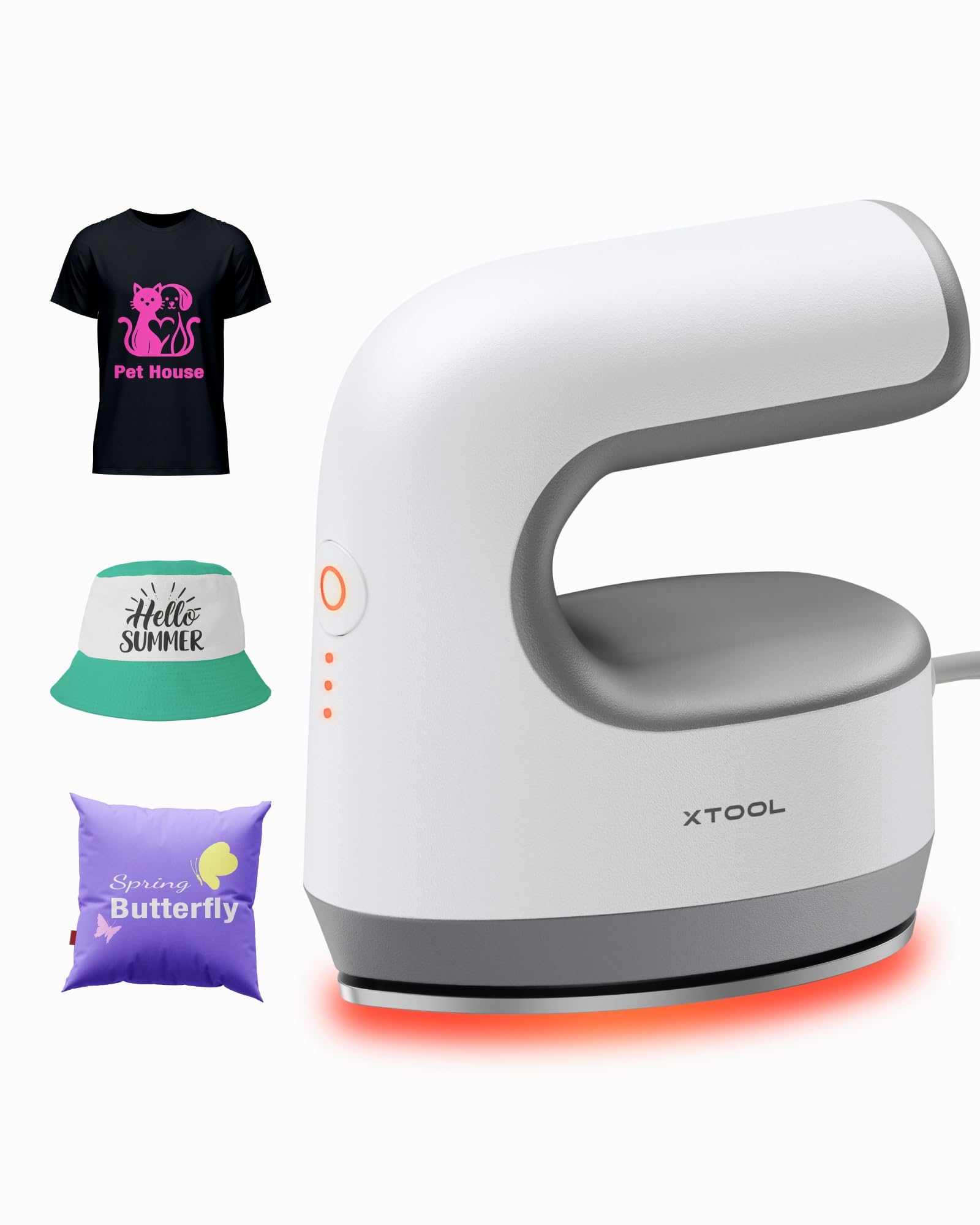
영상: The xTool Mini Heat Press Machine shown resting on its insulated safety base, highlighting its compact design.

영상: A visual comparison illustrating the ergonomic open handle of the xTool Mini Heat Press, designed for easier and more comfortable holding compared to a closed-handle design.

영상: A visual comparison showing the xTool Mini Heat Press with a larger heat plate (platen) compared to another mini press, indicating its suitability for a wider range of project sizes.
5. 설정
Follow these steps to set up your xTool Mini Heat Press:
- Unpack the xTool Mini Heat Press and its accessories.
- Place the insulated safety base on a stable, heat-resistant surface.
- Plug the power cord into the heat press and then into a standard electrical outlet. The device will beep once, and the power indicator light will illuminate.
- If using the optional Control Pod (not included), insert the transceiver from the Control Pod into the designated port on the Mini Heat Press. The Control Pod allows for precise temperature and time control.
동영상: This video demonstrates the compatibility of the xTool Mini Heat Press with an optional Control Pod (not included), showing how to connect the transceiver for advanced temperature and time control.
6. 사용 설명서
6.1. Power On and Temperature Selection
- Press the Power Button once to turn on the device. The orange indicator light will show, indicating low-level preheating.
- Press the Power Button repeatedly to cycle through the three temperature settings:
- 낮은 수준: 화씨 295도(섭씨 145도)
- Middle Level: 화씨 355도(섭씨 180도)
- 높은 레벨: 화씨 400도(섭씨 205도)
- The indicator lights will change to green when the selected temperature is reached.

영상: A visual representation of the xTool Mini Heat Press's three heat settings, indicating the corresponding temperatures for Low, Medium, and High levels.
동영상: This video demonstrates the rapid heating capability of the xTool Mini Heat Press, showing it reaches operating temperature in approximately 2 minutes.
6.2. Heat Transfer Application
The xTool Mini Heat Press is suitable for various heat transfer materials, including HTV, DTF, and sublimation projects. Always refer to the specific instructions for your transfer material for optimal temperature and time settings.
- Prepare your material (e.g., T-shirt, shoe, hat) by ensuring it is clean and wrinkle-free.
- Place your transfer design onto the material in the desired position.
- Cover the design with a protective sheet (e.g., parchment paper, Teflon sheet).
- Once the Mini Heat Press reaches the desired temperature, place it firmly over the design. Apply even pressure.
- Hold the press in place for the recommended time (typically 10-60 seconds, depending on the material and transfer type). For larger designs, move the press in sections, overlapping slightly to ensure full coverage.
- Carefully lift the heat press and place it back on its safety base.
- Allow the material to cool according to your transfer material's instructions (cold peel or warm peel).
- Gently peel off the protective sheet and transfer film.

영상: A visual guide illustrating the simple three-step process for heat transfer using the xTool Mini Heat Press: Set the design, Press with the device, and achieve a successful transfer on a plush toy.

영상: 콜라주 작품asing the wide range of applications for the xTool Mini Heat Press, including customizing shoes, acrylic keychains, canvas bags, socks, stuffed toys, t-shirts, and earrings.
동영상: 이 영상은 다시 제공합니다view of the xTool Mini Heat Press, demonstrating its ease of use and effectiveness for various heat transfer projects.
동영상: This video illustrates the process of using the xTool Mini Heat Press to create custom fall-themed shirts, showcasing its application on fabric.
7. 유지관리
Proper maintenance ensures the longevity and performance of your heat press:
- 청소: After the device has cooled completely, wipe the heat plate with a soft, damp 천. 연마성 세척제나 용매를 사용하지 마십시오.
- 저장: Store the Mini Heat Press on its insulated safety base in a dry, cool place, away from direct sunlight and moisture.
- 코드 관리: Avoid wrapping the power cord tightly around the device. Store it loosely to prevent damage.
8. 문제 해결
문제가 발생하면 다음의 일반적인 문제와 해결 방법을 참조하세요.
| 문제 | 가능한 원인 | 해결책 |
|---|---|---|
| 장치의 전원이 켜지지 않습니다. | 전원 코드가 제대로 연결되지 않았습니다. 콘센트에 전원이 공급되지 않습니다. | 전원 코드 연결 상태를 확인하고 다른 장치로 콘센트를 테스트해 보세요. |
| 가열판이 가열되지 않습니다. | Incorrect temperature setting; device malfunction. | Ensure correct temperature level is selected; contact customer support if issue persists. |
| 전송이 제대로 이루어지지 않습니다. | Insufficient heat or pressure; incorrect time; material incompatibility. | Increase temperature/time/pressure as per transfer material instructions; ensure material is suitable for heat transfer. |
| 장치가 자동으로 꺼집니다. | 11분간 활동이 없으면 안전 기능이 작동합니다. | This is normal operation. Press the power button to restart. |
9. 사양
| 특징 | 세부 사항 |
|---|---|
| 모델 번호 | xTool Mini Heat Press |
| 상표 | 엑스툴 |
| 최대 온도 | 화씨 400도(섭씨 205도) |
| 열 설정 | 3 (Low: 295°F, Mid: 355°F, High: 400°F) |
| 가열 시간 | Approx. 2 minutes to 400°F |
| 품목 무게 | 0.77 lbs (1.94 lbs with packaging) |
| 제품 치수 | 7.48 x 5.12 x 8.66 인치 |
| 안전 기능 | 11-min Auto-off, V0 Flame-retardant materials, Overheat Protection, Insulated Safety Base |
| 추천 용도 | T-shirts, bags, ceramic coasters, wood, acrylic, hats, shoes, keychains, socks, stuffed toys |
10. 보증 및 지원
보증 정보 및 기술 지원에 대해서는 xTool 공식 웹사이트를 참조하십시오. web사이트를 방문하거나 고객 서비스에 직접 문의하세요. 보증 청구를 위해 구매 증빙 자료로 구매 영수증을 보관하세요.
- 온라인 지원: Visit the xTool official web자주 묻는 질문, 사용법, 연락처 정보를 제공하는 사이트입니다.
- 이메일 지원: Reach out via email for assistance with product issues.
- 전화 지원: Contact the dedicated support line for immediate help.