1. 제품 오버view
The ATOTO F7XE is a versatile 10-inch car multimedia system designed for both single DIN and double DIN installations. It features wireless CarPlay and Android Auto, integrated DAB+ radio, Bluetooth connectivity, MirrorLink, and Live Rear View (LRV) capabilities. This manual provides essential information for installation, operation, and maintenance.
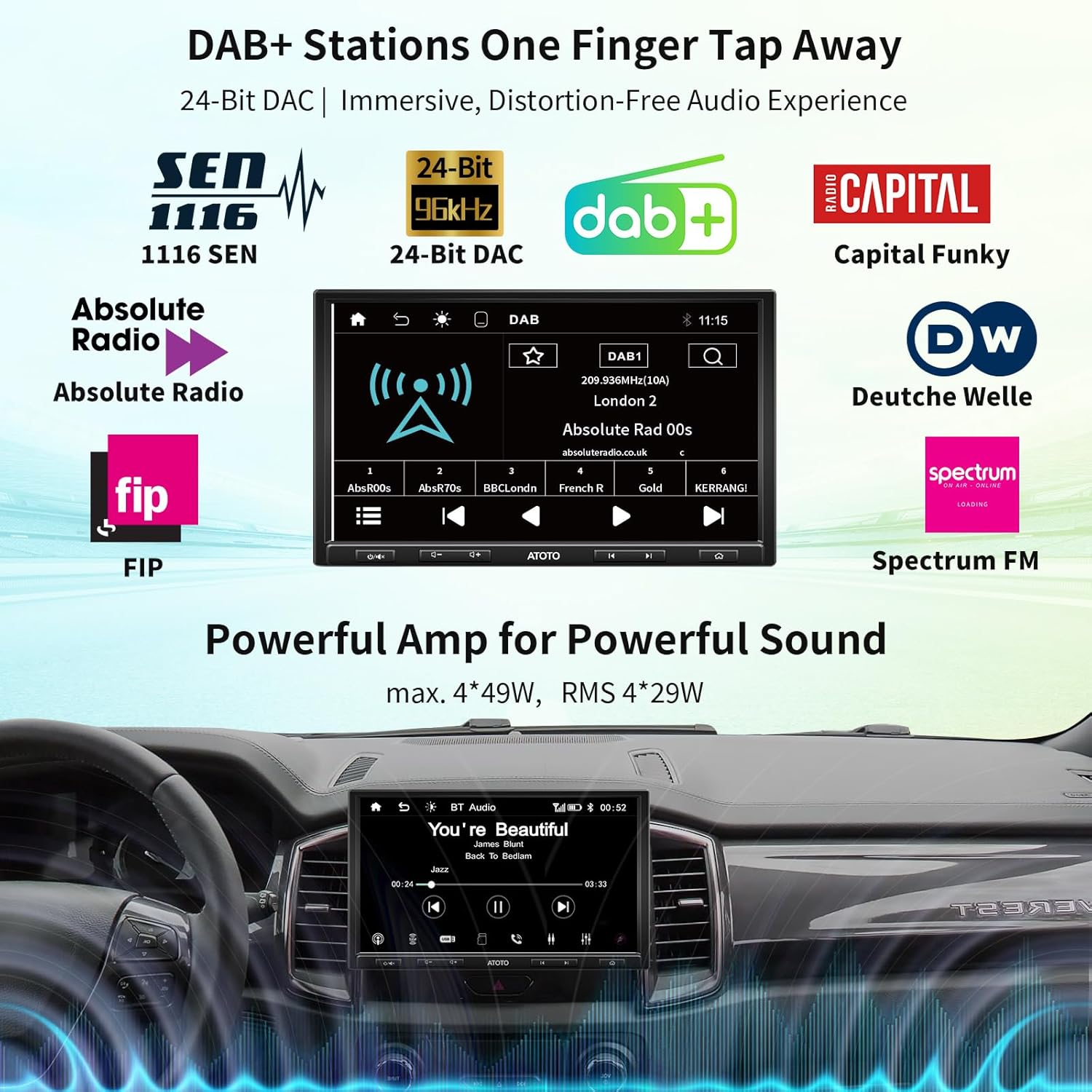
Image: The ATOTO F7XE car stereo display showing the DAB+ radio interface with various station logos.
2. 설정 및 설치
The F7G110XED supports adaptive single DIN mounting with its 10.1-inch display, and can also be installed as a double DIN unit using the included DIN pocket. The screen offers 3-way adjustability for optimal view각도를 나타냅니다.
2.1 패키지 내용
설치하기 전에 모든 구성품이 있는지 확인하십시오.
- 전원 케이블
- 외부 마이크
- Adaptive Cage (1x)
- DIN Pocket (1x)
- 장착 브래킷
- 스크린 보호기
- 장착 나사
- Video Input/Output Extension Cable (1x)
- 와이파이 안테나
- ISO 커넥터
- DAB+ 안테나
- Autoradio Unit
- 사용자 설명서

이미지: 오버view of all components included in the ATOTO F7XE package, such as cables, antennas, mounting hardware, and the main unit.
2.2 배선 및 연결
Ensure all wiring is correctly connected according to your vehicle's specifications and the provided wiring diagram. Incorrect wiring can damage the unit or your vehicle's electrical system.
- 전원 케이블 : 차량의 전원 공급 장치에 연결하십시오.
- 외부 마이크: Plug into the designated microphone input for hands-free calling.
- USB 포트: Two USB ports are available. One is for Phone Link (CarPlay/Android Auto/MirrorLink), and the other is for external storage and media playback (supports up to 2TB SSD).
- SD 슬롯 : Supports up to 512GB SD cards for media.
- DAB+ 안테나: Connect the included DAB+ antenna for digital radio reception.
- Wi-Fi 안테나: Connect for wireless connectivity features.
- 후방 카메라 입력: For connecting an optional ATOTO AC-HD02LR HD 720P rear camera for Live Rear View 기능성.
2.3 스티어링 휠 컨트롤
The unit supports retaining OEM steering wheel controls or using an ATOTO AC-44F5 wireless remote (sold separately).
- OEM 제어: Connect to the SWC wires on your vehicle (analogue signals).
- 3rd Party Interfaces: A dedicated 3.5mm port is available for connecting steering wheel control interfaces purchased from third parties.
- ATOTO AC-44F5 Remote: If OEM controls are not compatible, the optional ATOTO AC-44F5 wireless remote can be used.

Image: A visual guide demonstrating three methods for integrating steering wheel controls: direct wiring, a 3.5mm port for third-party interfaces, and the ATOTO AC-44F5 wireless remote.
3. 사용 설명서
3.1 무선 CarPlay 및 Android Auto
The F7XE supports both wired and wireless CarPlay and Android Auto. This allows for seamless integration of your smartphone for navigation, music, calls, and other apps.
- 연결: Connect your iPhone for CarPlay or Android phone for Android Auto via USB for wired connection, or wirelessly via Bluetooth and Wi-Fi.
- 기능: Navigate using maps, play music, make calls, send messages, and access compatible apps directly from the car stereo display.
- 충전 중: When using wired CarPlay/Android Auto, your phone's battery will charge.
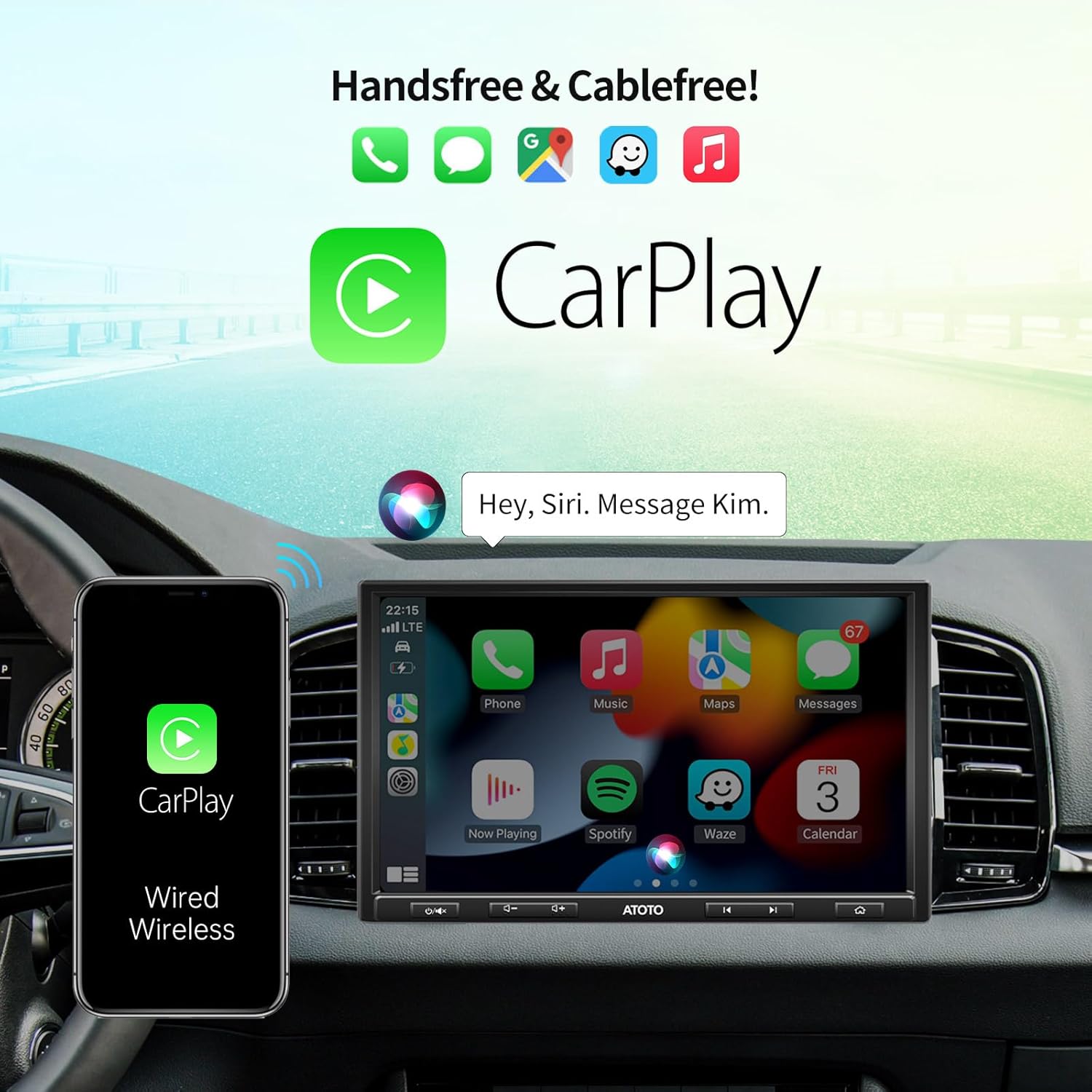
Image: The ATOTO F7XE display showing the Apple CarPlay interface, with a smartphone connected via cable.

Image: The ATOTO F7XE display showing the Android Auto interface, with a smartphone connected via cable.
3.2 미러링크
MirrorLink allows you to mirror your Android or iOS smartphone screen onto the F7XE display via a wired connection.
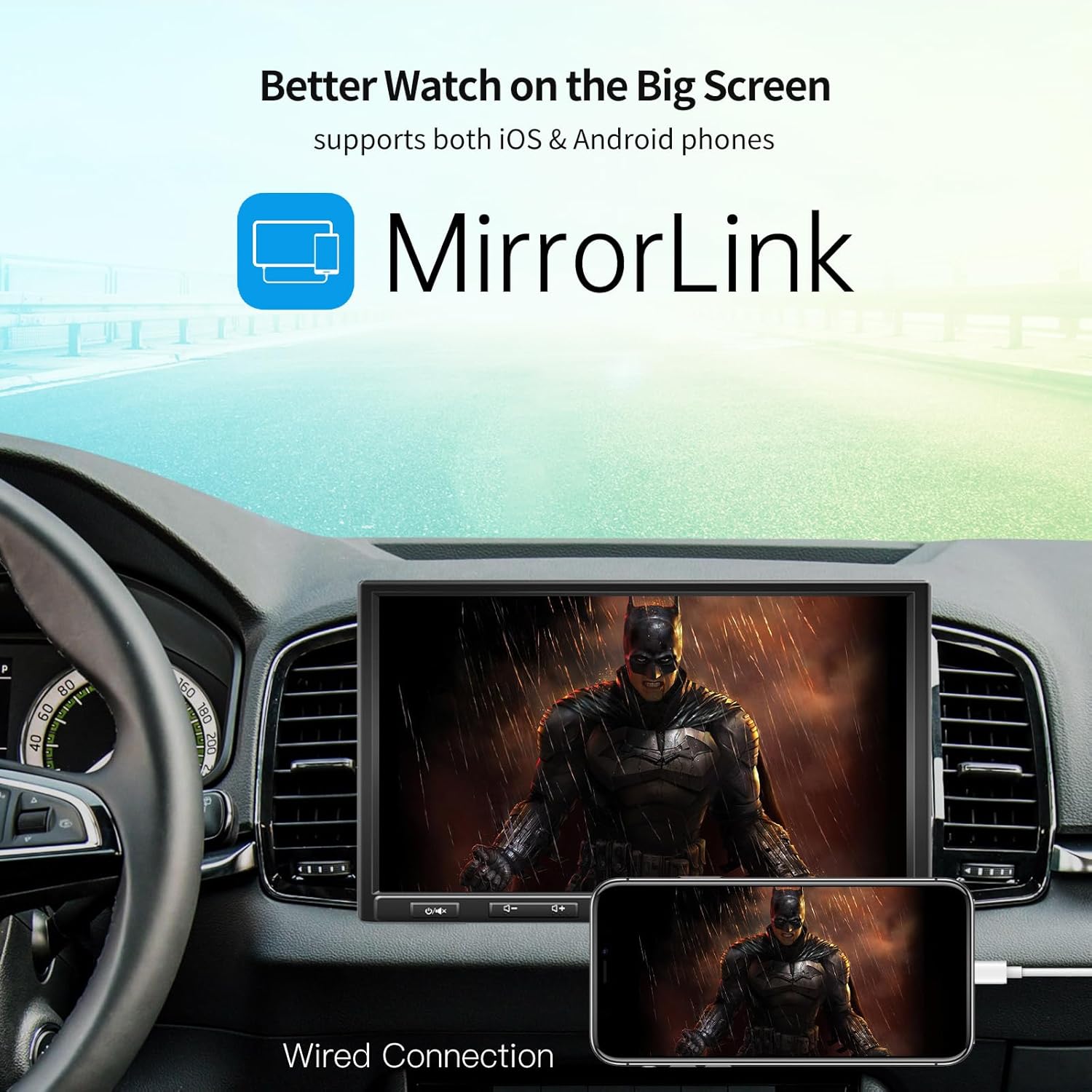
Image: The ATOTO F7XE display mirroring content from a smartphone using the MirrorLink feature.
3.3 DAB+ and FM/AM Radio
The F7XE includes an integrated DAB+ module and supports FM/AM radio with RDS. The included DAB+ antenna ensures access to digital radio stations.
- DAB+ 기능: Enjoy features like traffic announcements, service following, and program type information.
- FM/오전: Tune into traditional radio stations with RDS support for station information.
3.4 라이브 리어 View (LRV)
The LRV function provides a real-time rear view display at any time, enhancing driving safety. This feature requires the optional ATOTO AC-HD02LR HD 720P rear camera (not included).

Image: The ATOTO F7XE display demonstrating the Live Rear View (LRV) feature, showing both a reversing view with guidelines and a continuous rear view 운전하는 동안.
3.5 오디오 설정
Customize your audio experience with the built-in 10-band equalizer, offering 7 preset options and a bass filter function. The unit provides a maximum output of 4*49W and RMS output of 4*29W.
4. 유지관리
4.1 화면 청소
To clean the QLED touch screen, gently wipe it with a soft, lint-free cloth. For stubborn smudges, use a screen cleaner specifically designed for electronic displays. Avoid abrasive materials or harsh chemicals.
4.2 펌웨어 업데이트
ATOTO provides continuous firmware updates to improve system performance and add new features. It is recommended to regularly check for and install updates to ensure optimal functionality.
- Visit the ATOTO online support system (resources.myatoto.com) for update notifications and instructions.
- Follow the on-screen prompts carefully during the update process.

Image: A symbolic representation of car stereo maintenance or troubleshooting, showing a wrench icon on a dashboard.
5. 문제 해결
If you encounter issues with your ATOTO F7XE, refer to the following common troubleshooting steps. For more detailed assistance, consult the ATOTO online support system.
| 문제 | 가능한 원인 | 해결책 |
|---|---|---|
| 전원이 없습니다 | 배선 불량, 퓨즈 끊김, 차량 배터리 문제. | Check power connections, inspect fuses, verify vehicle battery health. |
| 오디오 없음 | Speaker wiring issue, incorrect audio settings, muted volume. | Verify speaker connections, check audio output settings, increase volume. |
| CarPlay/Android Auto 연결 안 됨 | 잘못된 USB 케이블, 휴대폰 설정, 소프트웨어 오류. | Use a high-quality USB cable, ensure phone settings allow connection, restart phone and stereo. |
| 열악한 라디오 수신 | Antenna not connected, weak signal area, damaged antenna. | Ensure antennas are properly connected, try in a different location, inspect antennas for damage. |
6. 사양
| 특징 | 세부 사항 |
|---|---|
| 모델 | F7G110XED |
| 표시하다 | 10.1-inch QLED HD 1280*720, 178° Full View잉 각도 |
| 장착 스타일 | SAH10D (Adaptive Single DIN with 10.1-inch display), Double DIN compatible |
| 카플레이/안드로이드 오토 | 유선 및 무선 |
| 미러링크 | Wired (Android & iOS) |
| 라디오 튜너 | Integrated DAB+, FM/AM with RDS |
| 오디오 출력 | Max 4*49W, RMS 4*29W, Stereo, Surround 2.0 |
| 평형 장치 | 10-band with 7 presets, Bass Filter |
| 연결성 | Bluetooth, 2x USB ports (up to 2TB SSD), 1x SD slot (up to 512GB), Wi-Fi |
| 비디오 인코딩 | H.264, H.265/HEVC, MPEG-4 등 |
| 추가 기능 | Rear Camera Input (for ATOTO AC-HD02LR), Steering Wheel Control Retention |
| 색상 | 검은색 |
7. 보증 및 지원
For warranty information, please refer to the documentation provided with your purchase or visit the official ATOTO website. ATOTO offers continuous firmware updates and technical support through their online support system.
- 온라인 지원: For the latest firmware updates, FAQs, and troubleshooting guides, visit 리소스.myatoto.com.
- 지원팀에 문의: If you require further assistance, please contact ATOTO customer service through their official channels.