1. 서론
This manual provides detailed instructions for the MACALLY BTZKEY Bluetooth Full-size Keyboard, designed for seamless integration with Apple devices. It features a Japanese layout, a numeric keypad, and multi-pairing capabilities for up to three devices. Please read this manual thoroughly before using the product to ensure proper operation and longevity.

Figure 1: MACALLY BTZKEY Bluetooth Full-size Keyboard
2. 패키지 내용
모든 품목이 들어 있는지 확인하려면 패키지 내용물을 확인하세요.
- MACALLY BTZKEY Bluetooth Full-size Keyboard
- USB-C 충전 케이블
- 사용자 설명서
3. 설정
3.1 키보드 충전
The keyboard comes with a built-in 780mAh rechargeable battery. Before initial use, it is recommended to fully charge the keyboard.
- Connect the included USB-C cable to the charging port on the keyboard.
- USB-C 케이블의 다른 쪽 끝을 USB 전원 어댑터(별도 구매) 또는 컴퓨터의 전원이 공급되는 USB 포트에 연결하십시오.
- 충전 중에는 충전 표시등이 켜지고, 완전히 충전되면 꺼집니다.
메모: The USB-C cable provided is for charging only and does not support data transfer.

Figure 2: Charging the MACALLY BTZKEY Keyboard
3.2 장치와의 페어링
The MACALLY BTZKEY keyboard supports pairing with up to three Bluetooth-enabled devices (MacBook, iMac, iPhone, iPad). You can easily switch between these devices.
- 키보드가 충전되어 있고 전원이 켜져 있는지 확인하세요.
- Enable Bluetooth on your device (Mac, iPad, iPhone).
- On the keyboard, press and hold one of the dedicated device keys (B1, B2, or B3) for 3-5 seconds until the corresponding indicator light above the key flashes rapidly. This indicates the keyboard is in pairing mode.
- On your device, go to Bluetooth settings and select "BTZKEY" from the list of available devices.
- 연결이 완료되면 표시등이 깜빡임을 멈추고 몇 초 동안 계속 켜져 있다가 꺼집니다.
- To switch between paired devices, simply press the corresponding device key (B1, B2, or B3). The keyboard will automatically connect to the last paired device on that channel.
문제 해결 팁: If pairing fails, it is recommended to delete all existing pairing records for the keyboard on your device and attempt to reconnect.

Figure 3: Multi-Sync Bluetooth Functionality
4. 사용 설명서
4.1 Mac-Specific Layout and Shortcut Keys
This keyboard is designed with a 111-key macOS-specific layout, providing a familiar and efficient typing experience for Apple users. It includes 14 dedicated shortcut keys for quick access to common Mac functions.
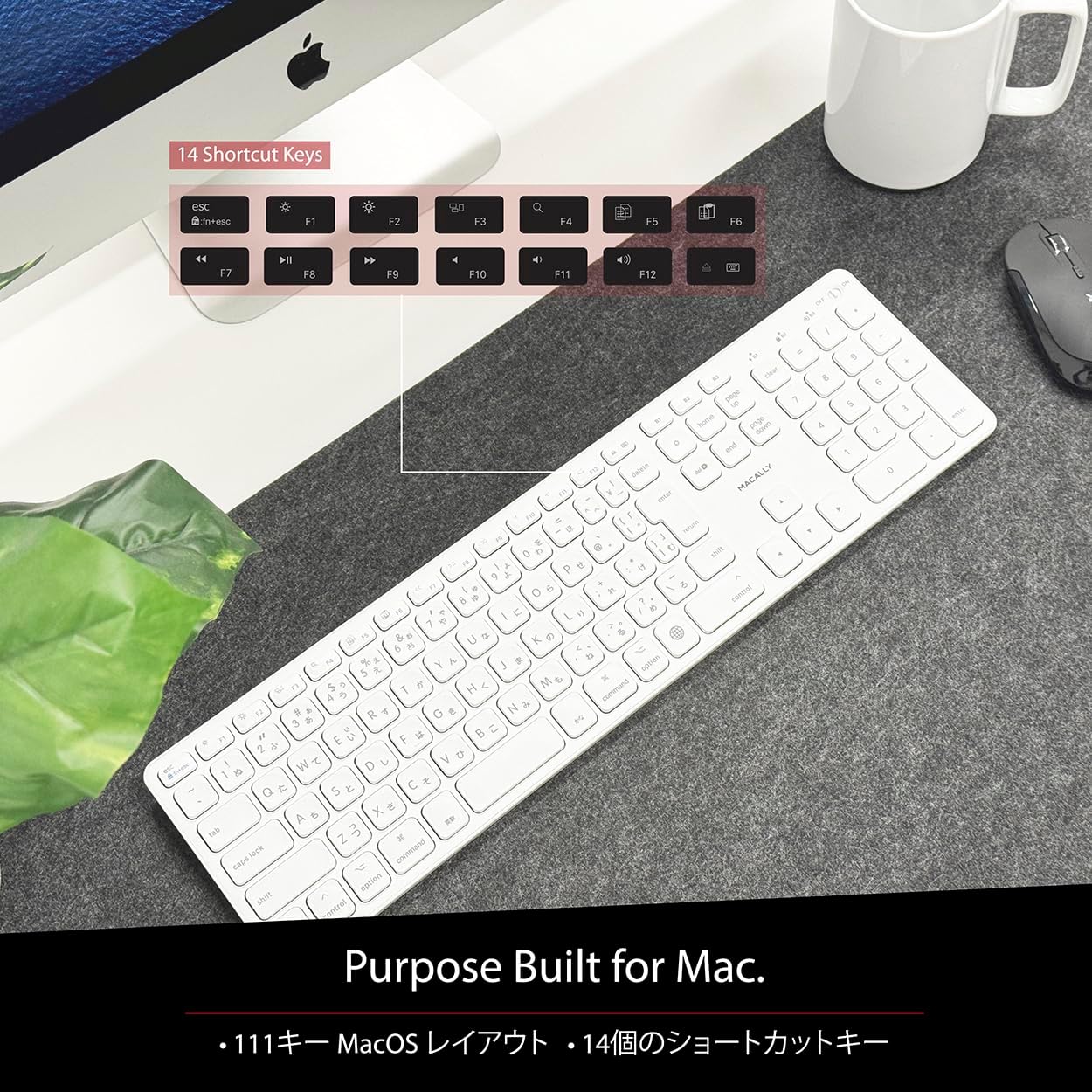
Figure 4: Mac-Specific Layout and Shortcut Keys
4.2 Scissor-Switch Keycaps
The keyboard utilizes quiet scissor-switch keys, offering a smooth, tactile, and quiet typing experience. This design ensures comfortable and efficient typing, whether for extended periods or quick tasks.
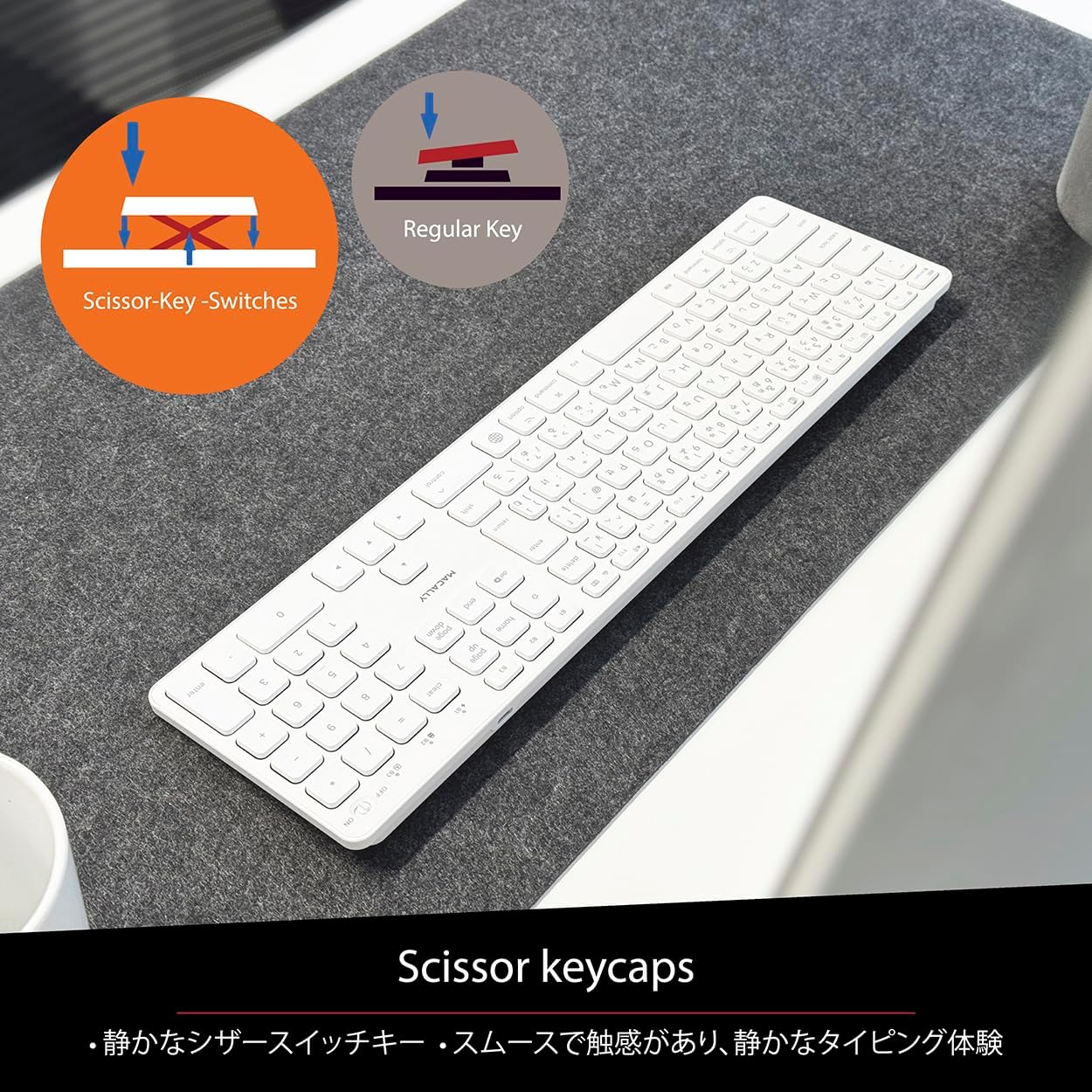
Figure 5: Scissor-Key-Switches Mechanism
4.3 인체공학 및 디자인
The keyboard features an integrated kickstand for comfortable typing angles, reducing strain during use. Its slim profile, approximately 0.8 inches (2cm) thick, ensures portability and ergonomic use, complementing any workspace.
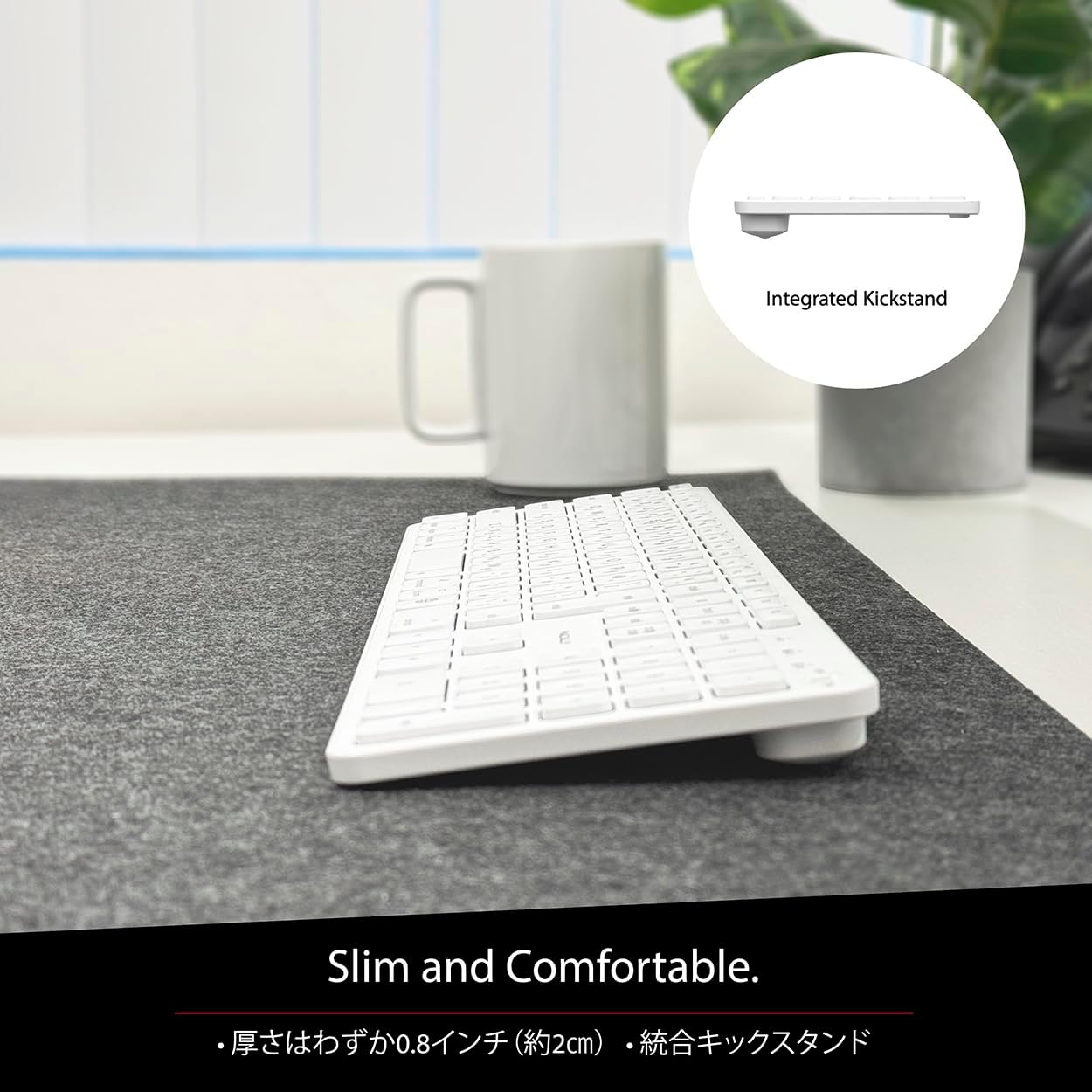
Figure 6: Slim Design with Integrated Kickstand
5. 유지관리
키보드의 수명과 최적의 성능을 보장하려면 다음 유지 관리 지침을 따르세요.
- 청소: 부드럽고 털이 없는 천을 살짝 사용하세요.amp키보드 표면은 물이나 순한 세척액으로 닦아주세요. 강한 화학 물질이나 연마재는 사용하지 마십시오.
- 먼지 제거: 압축 공기를 사용하여 키 사이의 먼지와 이물질을 제거합니다.
- 배터리 관리 : Avoid exposing the keyboard to extreme temperatures. Charge the keyboard regularly, even if not in frequent use, to maintain battery health.
- 저장: 장시간 사용하지 않을 경우 키보드를 직사광선을 피해 시원하고 건조한 곳에 보관하세요.
6. 문제 해결
If you encounter issues with your MACALLY BTZKEY keyboard, please refer to the following common problems and solutions:
| 문제 | 가능한 원인 | 해결책 |
|---|---|---|
| 키보드가 연결/페어링되지 않음 | Bluetooth off, low battery, pairing conflict | Ensure Bluetooth is enabled on device. Charge keyboard. Delete existing pairing records on device and re-pair. |
| Keys unresponsive or repeating characters | Low battery, software glitch, interference | Charge keyboard. Restart device. Re-pair keyboard. Minimize interference from other wireless devices. |
| 기기 간 전환이 불가능합니다 | Device not properly paired to channel | Ensure each device is paired to a unique channel (B1, B2, B3). Re-pair if necessary. |
| 배터리 수명이 짧음 | Frequent use, aging battery | Ensure full charge before use. Reduce backlight usage if applicable (not on this model). Battery life may decrease over time. |
이러한 해결 방법을 시도한 후에도 문제가 지속되면 고객 지원팀에 문의하세요.
7. 사양
| 특징 | 설명 |
|---|---|
| 상표 | 매 캘리 |
| 제조업체 | 맥컬리 |
| 시리즈 | BTZKEY |
| 제품 크기(L x W x H) | 42 x 14 x 2cm |
| 제품 모델 번호 | BTZKEY |
| 색상 | 하얀색 |
| 배터리 포함 | 예 |
| 리튬 배터리 팩 | 장비에 포함된 배터리 |
| 리튬 배터리 무게 | 2g |
| 품목 무게 | 610g |
| 호환 장치 | Laptop (MacBook Pro/Air, iMac, Mac Mini, Mac Pro, iPad, iPhone) |
| 연결 기술 | 블루투스 |
| 키보드 설명 | 사무실 키보드 |
| 제품의 권장 용도 | 사업 |
| 특징 | 충전식 |
| 키의 개수 | 111 |
| 포함된 구성 요소 | USB 케이블 |
8. 보증 및 지원
For detailed warranty information, technical support, and customer service, please refer to the official MACALLY website or contact their support channels directly. It is recommended to keep your purchase receipt as proof of purchase for any warranty claims.
9. 공식 제품 영상
Official product videos, if available and relevant, would be embedded here to provide visual guidance on setup, features, or troubleshooting. Please note that video content is subject to availability and may require an internet connection to view.
(No official seller videos were available in the provided product data to embed at this time.)


