1. 서론
Thank you for choosing the Dreo HM311S Smart Humidifier. This manual provides essential information for safe operation, effective use, and proper maintenance of your device. Please read it thoroughly before use and retain it for future reference.
패키지 내용:
- Dreo HM311S Smart Humidifier
- 탈염 카트리지
- 청소용 브러시
- 아로마 패드
- 사용자 설명서
- 청소 가이드
2. 제품 오버view
The Dreo HM311S is an ultrasonic humidifier designed to provide precise humidity control, featuring smart connectivity, a large water tank, and quiet operation.

Figure 2.1: Dreo HM311S Smart Humidifier with its main components and a smartphone displaying the control app.
주요 구성 요소:
- 수조: 장시간 작동을 위한 4리터 용량.
- 미스트 노즐: 30° tiltable for directional mist output.
- 제어판: Digital display with touch controls for power, mist level, light, auto mode, timer, and sleep mode.
- 아로마 박스: Integrated tray for essential oils.
- 탈염 카트리지: 미네랄 축적을 줄이는 데 도움이 됩니다.
- Smart Humidistat: For precise humidity measurement and automatic adjustment.

Figure 2.2: Internal components of the humidifier, including the 2.4MHz atomizer for fine mist, smart humidistat, and airflow booster.
3. 설정
3.1 초기 배치
Place the humidifier on a flat, stable, and water-resistant surface at least 15 cm (6 inches) away from walls and furniture. Ensure the mist outlet is not directed towards walls or electronic devices.
3.2 물 탱크 채우기
- 가습기의 윗 덮개를 제거하세요.
- Pour clean, cool tap water directly into the water tank. Do not exceed the 'MAX' fill line. Distilled or demineralized water is recommended to prevent mineral buildup.
- 상단 커버를 안전하게 교체하세요.
4. 사용 설명서
4.1 전원 켜기/끄기
Plug the humidifier into a power outlet. Press the 힘 제어판의 버튼을 눌러 기기를 켜거나 끌 수 있습니다.
4.2 Adjusting Mist Level
를 누르세요 안개 button to cycle through three mist output levels (Low, Medium, High). The digital display will indicate the current level.

Figure 4.1: Humidifier producing a high mist stream.

Figure 4.2: The humidifier's supersized mist output quickly hydrates the air.
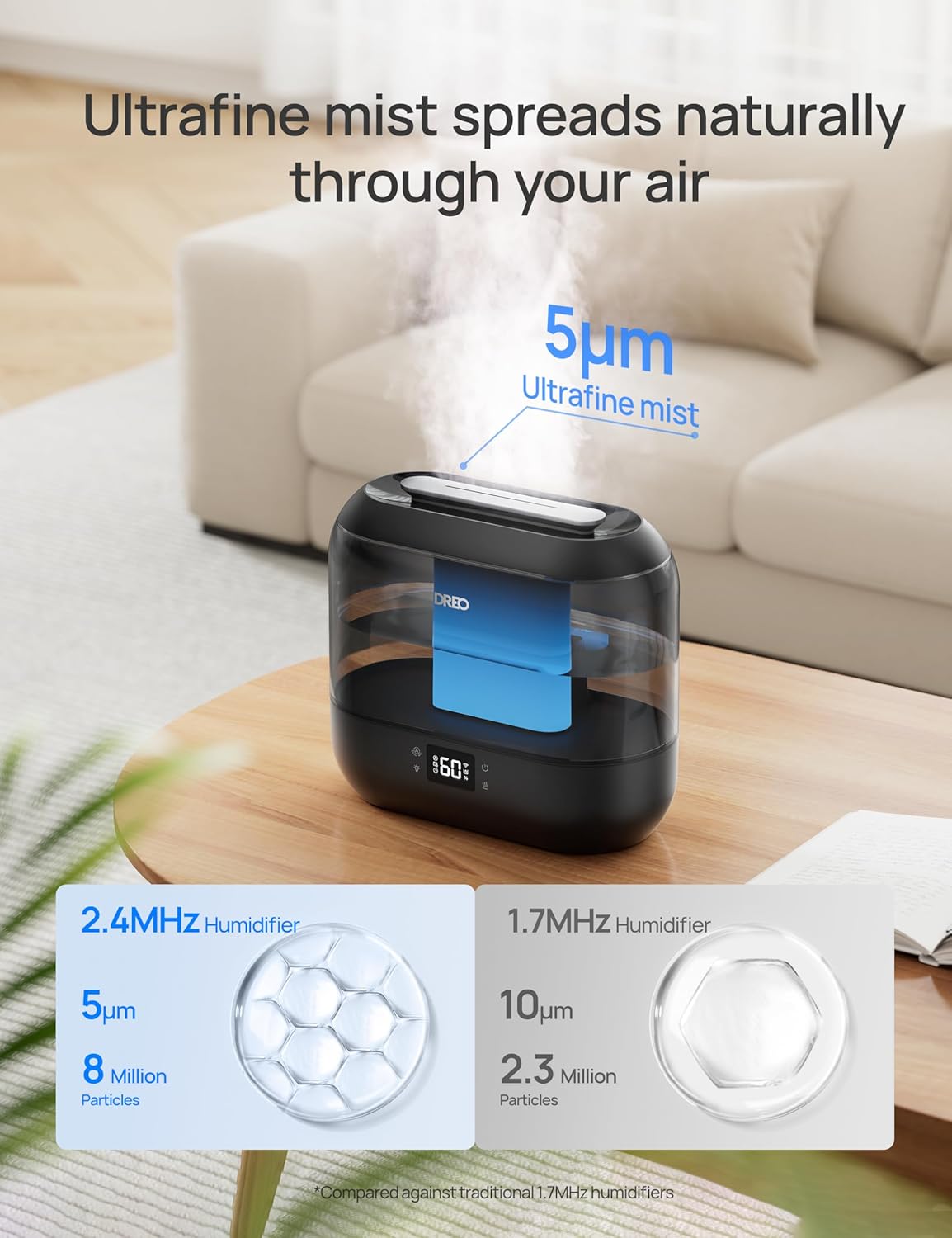
Figure 4.3: The humidifier disperses ultrafine mist particles for even distribution.
4.3 자동 모드
를 누르세요 자동차 button to activate Auto Mode. The humidifier will automatically adjust the mist output to maintain your preset humidity level. The smart ambient light will indicate humidity changes.
4.4 야간 조명
를 누르세요 빛 button to turn the ambient night light on or off.
4.5 절전 모드
를 누르세요 잠 button to enter Sleep Mode. The display lights will dim, and the humidifier will operate at a low, quiet mist level (28 dB) for undisturbed sleep. The 4L tank allows for up to 36 hours of continuous operation in this mode.

Figure 4.4: The humidifier provides up to 36 hours of continuous mist on a single fill, ideal for overnight use.
4.6 타이머 기능
를 누르세요 시간제 노동자 button to set an auto-off timer. You can set the humidifier to turn off after a specified number of hours.
4.7 아로마 디퓨저
Pull out the aroma box located at the base of the unit. Add a few drops of your preferred essential oil onto the aroma pad. Slide the box back into place. The mist will carry the fragrance into the air.
4.8 스마트 제어(앱 및 음성)
Download the Dreo app to control your humidifier remotely. You can adjust mist levels, set schedules, control ambient lighting, and monitor humidity from anywhere. The humidifier is also compatible with Alexa and Google Assistant for voice control.

Figure 4.5: Control your humidifier's humidity settings precisely using the Dreo smartphone app.

Figure 4.6: Tailor the humidifier's operation to your lifestyle with smart schedules via the app.
5. 유지관리
최적의 성능과 위생을 위해서는 정기적인 청소가 매우 중요합니다. 청소하기 전에는 항상 가습기의 전원을 뽑으십시오.
5.1 일일 유지 보수
- 물탱크와 받침대는 매일 비워주세요.
- 물통과 바닥 부분을 깨끗한 천으로 닦아 말리세요.
5.2 주간 청소
- 가습기의 전원을 뽑고 물통을 분리하세요.
- Pour 2 cups (470ml) of distilled white vinegar into the water tank.
- Replace the top cover and let it soak for 20 minutes.
- Empty the vinegar and rinse the tank thoroughly with clean water.
- Use the provided cleaning brush to clean the atomizer and other hard-to-reach areas in the base.
- Rinse all components and wipe dry.
5.3 탈염 카트리지
The demineralization cartridge helps prevent white dust from hard water. Replace it every 2-3 months, or more frequently if you have very hard water or use the humidifier often.
5.4 Aroma Pad
Clean the aroma pad as needed by rinsing it with warm water and allowing it to air dry. Replace the pad if it becomes discolored or loses its effectiveness.
6. 문제 해결
| 문제 | 가능한 원인 | 해결책 |
|---|---|---|
| 안개 없음 또는 안개 출력 낮음 | 낮은 수위 분무기에 미네랄 축적 미스트 노즐이 막혔습니다 | 물 탱크 보충 Clean atomizer with cleaning brush 분무 노즐 주변의 장애물을 제거하십시오. |
| 가습기 주변에 흰 먼지가 있습니다 | 경수 사용 Demineralization cartridge needs replacement | 증류수나 탈염수를 사용하세요 탈염 카트리지 교체 |
| 불쾌한 냄새 | Stag물을 마시다 오염된 물탱크/받침대 | Empty and clean water tank/base regularly 매일 깨끗한 물을 사용하세요. |
| Humidifier not responding to app/voice control | Wi-Fi 연결 문제 앱이 업데이트되지 않았습니다. | Ensure humidifier is connected to Wi-Fi Check app for updates and restart |
7. 사양
| 특징 | 세부 사항 |
|---|---|
| 모델명 | HM311S |
| 치수(길이 x 너비 x 높이) | 14 x 27.99 x 25.81cm(5.5 x 11 x 10.1인치) |
| 무게 | 1.42kg(3.12파운드) |
| 물탱크 용량 | 4리터 |
| 적용 범위 | 최대 300 평방 피트 |
| 작동 모드 | 초음파 |
| 소음 수준 | 28dB(수면모드) |
| 특별 기능 | Digital Display, Adjustable Humidity Control, Top-Fill, Timer, Wi-Fi/APP/Voice Control, Aroma Diffuser, Night Light |

Figure 7.1: Dimensions of the Dreo HM311S Smart Humidifier.
8. 보증 및 지원
Dreo products are manufactured with the highest quality standards. For warranty information or technical support, please refer to the warranty card included in your package or visit the official Dreo web대지.
Please have your model number (HM311S) and purchase details ready when contacting support.


