소개
This manual provides detailed instructions for the installation, operation, and maintenance of your HBEZON 32x30 LED Medicine Cabinet. Please read these instructions thoroughly before installation and use to ensure proper function and safety. Keep this manual for future reference.
안전 정보
일반 안전 예방 조치:
- 모든 전기 연결 작업은 현지 법규 및 규정에 따라 자격을 갖춘 전기 기술자가 수행해야 합니다.
- Disconnect power at the circuit breaker before installation, maintenance, or cleaning.
- 제품을 개조하지 마십시오. 개조는 보증을 무효화하고 안전상의 위험을 초래할 수 있습니다.
- Avoid exposing the product to excessive moisture or direct water spray.
- 유리 부품은 파손 및 부상을 방지하기 위해 조심스럽게 다루십시오.
- 설치 장소에 어린이가 접근하지 못하도록 하십시오.
No specific safety warnings beyond general electrical and handling precautions are provided for this product.
제품 특징
- 스마트 터치 컨트롤: Dimmable smart touch buttons for light control.
- 조정 가능한 밝기: 밝기는 10%에서 100%까지 조절할 수 있습니다.
- 3가지 색상 조명 모드: Features warm (2700K), natural (4000K), and cold white (6500K) light settings.
- 안개 방지 기능: Built-in heating module to maintain a clear reflection.
- 공간 절약형 디자인: Includes 2 adjustable and removable tempered glass shelves.
- 장착 옵션: Can be wall-mounted or recessed.
- 무음 작동 : Soft-close hinges with buffering technology for quiet door closure.
- 내구성 있는 구조: High-quality metal frame with powder coating.
- 메모리 기능: Retains the last used light settings (color and brightness).
- ETL 인증: Meets rigorous safety and performance standards.
패키지 내용
설치를 시작하기 전에 모든 구성 요소가 있고 손상되지 않았는지 확인하세요.
- HBEZON 32x30 LED Medicine Cabinet (1)
- Adjustable Tempered Glass Shelves (2)
- 장착 하드웨어(나사, 앵커)
- 사용 설명서 (1)
설치 지침
The medicine cabinet can be installed as either a recessed mount or a surface mount. Recessed installation is recommended for a seamless appearance.
1. 설치 장소 준비
Before installation, ensure the wall structure can support the weight of the cabinet. Turn off the main power supply at the circuit breaker.

Image: Medicine Cabinet Dimensions. This image displays the overall dimensions of the medicine cabinet (32 inches width, 30 inches height, 4 15/16 inches depth) and the recommended cutout dimensions for recessed mounting (31 inches width, 24 3/16 inches height, 3 3/8 inches depth).
2. Choose Mounting Type: Recessed or Surface

Image: Recessed Mount vs Surface Mount. This image illustrates the visual difference between a recessed installation, where the cabinet is flush with the wall, and a surface installation, where the cabinet protrudes from the wall.
3. 전기 연결(하드배선)
The cabinet is designed for hardwired connection. It is recommended to have a qualified electrician perform the electrical wiring to ensure safety and compliance with electrical codes. A wall switch (not included) is required for controlling the power supply to the cabinet.

Image: Hardwired Connection Diagram. This image shows a diagram of the hardwired electrical connection, indicating the wiring from the cabinet to a wall switch and power source. It emphasizes that the wall switch is not included.
4. Secure the Cabinet
Follow the specific instructions provided with the mounting hardware to securely attach the cabinet to the wall. For recessed mounting, ensure the cutout dimensions are accurate and the cabinet fits snugly.
5. 선반 설치
Insert the adjustable tempered glass shelves into the desired positions within the cabinet. Ensure they are level and secure.
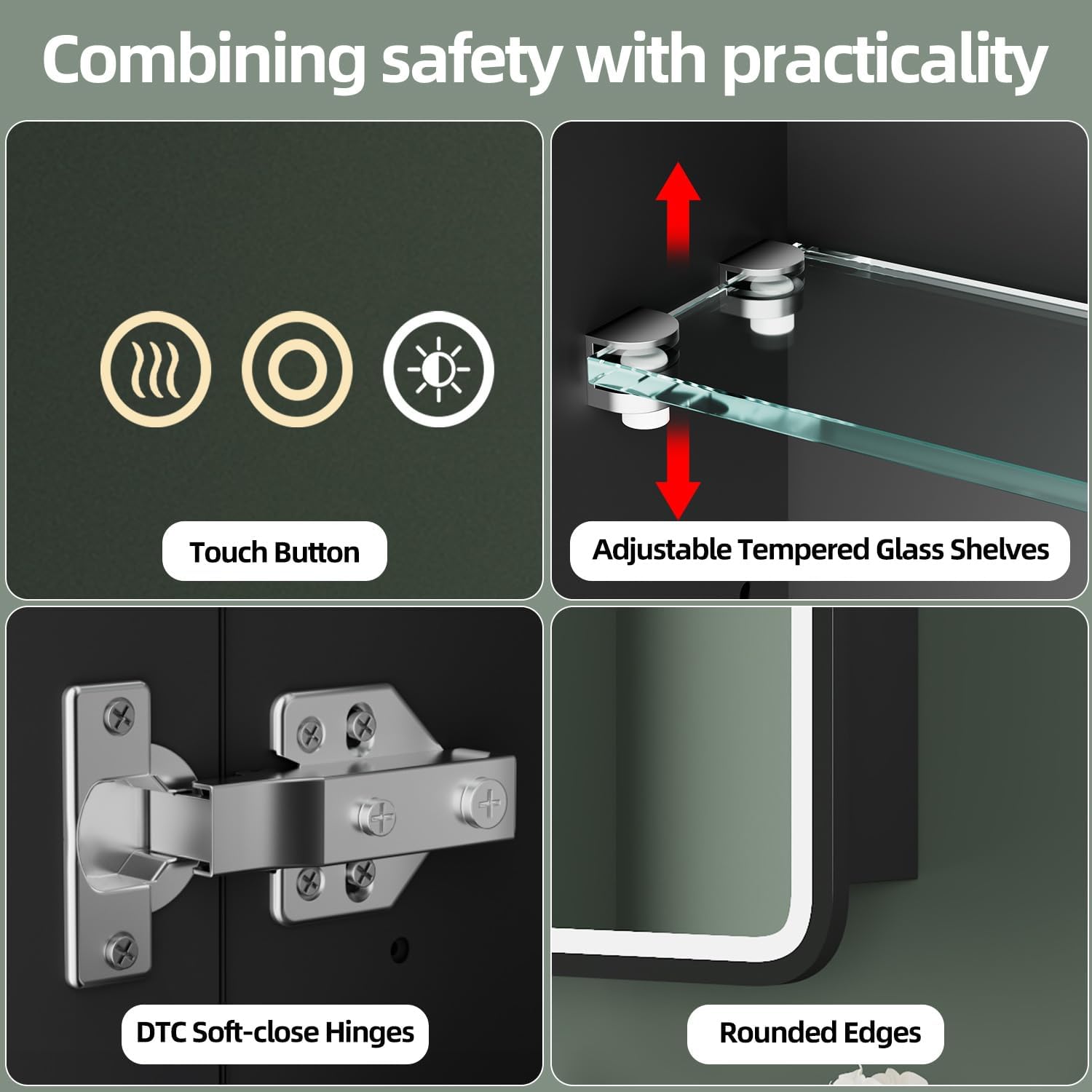
Image: Adjustable Tempered Glass Shelves. This image highlights the adjustable tempered glass shelves inside the cabinet, showing how they can be moved up or down to customize storage space.
작동 지침
The LED medicine cabinet features smart touch controls integrated into the mirror surface.
Video: HBEZON Medicine Cabinet with LED Lights and Mirror. This video demonstrates the smart touch controls for adjusting light brightness and color temperature, as well as the anti-fog function and the spacious interior storage of the medicine cabinet.
1. Smart Touch Control Overview
The mirror has three touch buttons:
- Left Button (Wavy Lines): Activates/deactivates the anti-fog function.
- Middle Button (Circle with Dot): Turns the light ON/OFF and adjusts brightness.
- Right Button (Sun Icon): Changes the light color temperature.
Image: Smart Touch Control Buttons. This image shows a close-up of the three touch buttons on the mirror surface, indicating their positions and icons.
2. 밝기 조정
To turn the light ON/OFF, short press the 가운데 버튼. To adjust the brightness, 길게 누르기 the middle button. The brightness will cycle from 10% to 100%.

Image: Adjustable Brightness Levels. This image demonstrates the range of brightness from 10% to 100%, showing the visual difference in light output.
3. 색온도 변경
To change between the three color lighting modes (warm, natural, cold white), 짧게 누르기 그만큼 오른쪽 버튼 (sun icon). Each press will cycle to the next color temperature.

Image: 3 Color Lighting Modes. This image illustrates the three distinct color temperatures: Warm Light (2700K), Neutral Light (4000K), and Cold Light (6500K).
4. Anti-fog Function
To activate or deactivate the anti-fog function, 짧게 누르기 그만큼 왼쪽 버튼 (wavy lines). The built-in heating module will clear condensation from the mirror surface.

Image: Anti-Fog Function in Use. This image shows a mirror with one side fogged and the other side clear, demonstrating the effectiveness of the anti-fog feature.
5. 메모리 기능
The cabinet is equipped with a memory function. It will automatically recall the last used brightness and color temperature settings when the light is turned on again.
유지 보수 및 관리
정기적인 청소와 적절한 관리는 약품 보관함의 수명과 최적의 성능을 보장합니다.
- 거울 청소: 부드럽고 보풀 없는 천과 연마 성분이 없는 유리 세정제를 사용하세요. 세정제를 거울에 직접 뿌리지 말고 천에 뿌려서 전기 부품에 액체가 스며드는 것을 방지하세요.
- 캐비닛 청소: Wipe the metal frame and interior surfaces with a soft, damp 천으로 닦으세요. 마감재를 손상시킬 수 있는 강한 화학 물질이나 연마성 세제는 사용하지 마세요.
- 전기 부품: Ensure the power is off before cleaning any part of the cabinet. Do not immerse any part of the cabinet in water.
- 힌지: 부드럽게 닫히는 경첩은 내구성을 고려하여 설계되었습니다. 문을 억지로 열거나 닫지 마십시오.
문제 해결
문제가 발생하면 다음의 일반적인 문제와 해결 방법을 참조하세요.
| 문제 | 가능한 원인 | 해결책 |
|---|---|---|
| 표시등이 켜지지 않습니다. | 전원 공급 불량; 배선 불량; 터치 센서 불량. | Check circuit breaker. Ensure all wiring connections are secure. Contact customer support if the issue persists. |
| 안개 방지 기능이 작동하지 않습니다. | 기능이 활성화되지 않았습니다. 전원 문제입니다. | Ensure the anti-fog button is pressed. Check power supply to the cabinet. |
| 밝기나 색온도를 조절할 수 없습니다. | Incorrect button press; touch sensor issue. | Ensure you are long-pressing for brightness and short-pressing for color. Clean the touch sensor area. |
| 캐비닛 문이 부드럽게 닫히지 않습니다. | Hinge obstruction; hinge adjustment needed. | Check for any obstructions. Adjust hinges if necessary (refer to hinge manufacturer's instructions if available). |
If these solutions do not resolve the issue, please contact HBEZON customer support for further assistance.
명세서
| 특징 | 세부 사항 |
|---|---|
| 상표 | H베존 |
| 모델명 | 3230BK |
| 색상 | 검은색 |
| 제품 치수 | 4.8인치 깊이 x 32인치 너비 x 30인치 높이 |
| 품목 무게 | 20 파운드 |
| 재료 | 금속 |
| 마무리 유형 | 파우더 코팅 |
| 장착 유형 | Wall Mounted or Recessed Mounted |
| 선반 수 | 3 (2 adjustable and removable tempered glass shelves) |
| 문 스타일 | 거울로 비추다 |
| 특별 기능 | Smart Touch Control, Lighting Memory Function, Dimmable, 3 Color Lighting Modes, Defogger, Space-saving, Soft-close Hinges |
| 조립이 필요합니다 | 예 |
보증 및 지원
For warranty information or technical support, please contact HBEZON customer service. Keep your purchase receipt as proof of purchase.
You can visit the HBEZON Store for more information: HBEZON Store


