1. 서론
Welcome to the user manual for the GekoGear Orbit C110 7" Infotainment Display. This device integrates a high-definition display with advanced dash cam and backup camera functionalities, designed to enhance your driving experience and safety. Please read this manual thoroughly before operating the device to ensure proper installation and usage.
2. 주요 특징
- 7-Inch IPS Touchscreen: A vibrant 7-inch IPS display provides clear visuals and intuitive touch control for all functions.
- 무선 Apple CarPlay 및 Android Auto: Seamlessly integrate your smartphone for navigation, music, calls, and more, wirelessly.
- Front and Rear 1080p Dashcams: Capture high-definition video recordings from both the front and rear of your vehicle, providing comprehensive coverage for security and evidence.
- Backup Camera with Reverse Assist: The included backup camera displays a clear view of the rear, complete with guidelines for safe and easy parking.
- 다중 장착 옵션: Flexible installation with options for dashboard or windshield mounting using an adhesive pad or suction cup.
3. 패키지 내용
패키지에 모든 품목이 들어 있는지 확인하세요.
- GekoGear Orbit C110 Infotainment Display
- Front Dash Camera (integrated)
- 후방 카메라
- 전원 케이블
- Adhesive Pad for mounting
- 석션 컵 마운트
- 사용 설명서 (본 문서)
4. 설정 및 설치
4.1 장착 위치 선택
대시보드나 앞유리에서 시야를 가리지 않는 위치를 선택하세요. view of the road or interfere with airbag deployment. Ensure the chosen spot allows for easy access to the touchscreen.

Figure 4.1: Multiple mounting options for the Orbit C110, including an adhesive pad for dashboard placement and a suction cup for windshield mounting.
4.2 본체 설치
- Clean the chosen mounting surface thoroughly to ensure proper adhesion.
- Attach the adhesive pad to the base of the main unit's stand, or secure the suction cup mount to the windshield.
- Press the unit firmly onto the prepared surface.
4.3 후방 카메라 연결하기
The rear camera provides a view of the area behind your vehicle, especially useful for parking. It typically connects to the main unit via a cable and can be mounted near the license plate or on the rear window.

Figure 4.2: The backup camera view displayed on the Orbit C110, showing parking guidelines for assistance.
4.4 전원 연결
Connect the provided power cable to the Orbit C110 and then to your vehicle's 12V power outlet (cigarette lighter socket). Ensure the cable is routed safely and does not interfere with driving controls.
5. 사용 설명서
5.1 전원 켜기/끄기
이 장치는 일반적으로 차량 시동 시 자동으로 켜집니다. 수동으로 전원을 끄려면 장치 측면에 있는 전원 버튼을 길게 누르십시오.
5.2 터치스크린 인터페이스 탐색
The 7-inch IPS touchscreen allows for intuitive control. Tap icons to select applications, swipe to navigate menus, and pinch-to-zoom on maps (where applicable).

Figure 5.1: Interacting with the 7-inch IPS touchscreen for navigation and other functions.
5.3 무선 Apple CarPlay 및 Android Auto
스마트폰을 무선으로 연결하려면 다음 단계를 따르세요.
- 스마트폰에서 Bluetooth와 Wi-Fi가 활성화되어 있는지 확인하세요.
- On the Orbit C110, select the "CarPlay" or "Android Auto" icon.
- 화면의 안내에 따라 기기를 페어링하세요.

Figure 5.2: The main interface of the Orbit C110, highlighting connectivity options like Apple CarPlay and Android Auto.
5.4 대시캠 작동
The integrated front and rear dashcams automatically begin recording when the device powers on. Recordings are saved to a microSD card (not included). Ensure a compatible microSD card is inserted for continuous recording.

Figure 5.3: The dual-channel display of the Orbit C110, showing simultaneous views from the front and rear dash cameras.
5.5 Backup Camera Activation
차량을 후진 기어로 바꾸면 디스플레이가 자동으로 후방 카메라 화면으로 전환됩니다. view, showing real-time footage and dynamic parking guidelines.
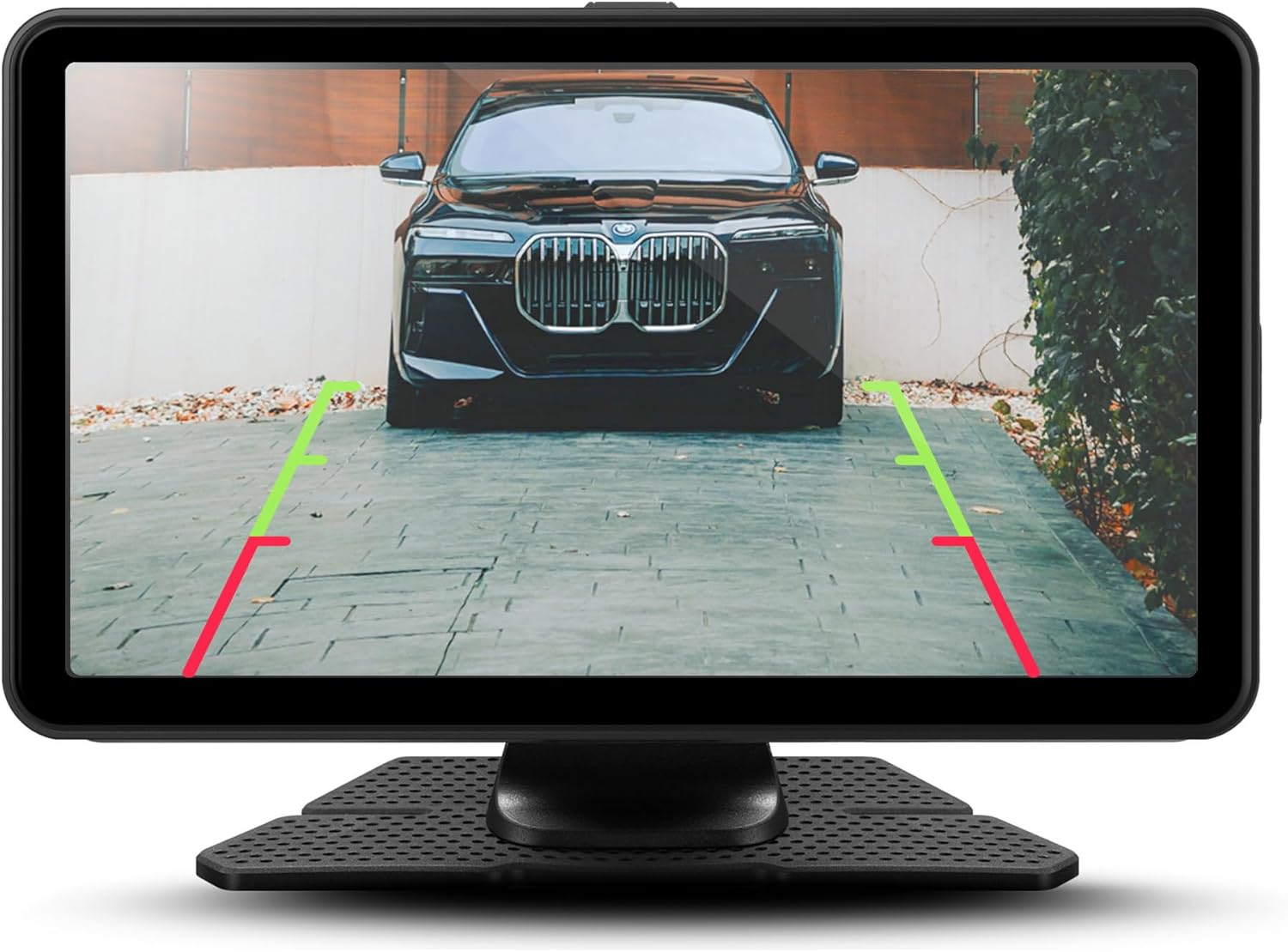
그림 5.4: 상세 view of the backup camera feed on the Orbit C110, assisting with precise parking.
6. 유지관리
- 화면 청소: 부드럽고 보풀 없는 천으로 터치스크린을 닦으십시오. 연마성 세제나 용제를 사용하지 마십시오.
- MicroSD 카드: Periodically format the microSD card (at least once a month) to ensure optimal recording performance and prevent data corruption. Back up any important footag서식을 적용하기 전에 e를 입력하세요.
- 카메라 렌즈: Keep the front and rear camera lenses clean from dust and smudges for clear video quality.
7. 문제 해결
| 문제 | 가능한 원인 | 해결책 |
|---|---|---|
| 장치의 전원이 켜지지 않습니다. | No power connection or faulty power cable. | Check power cable connection to the device and vehicle's 12V outlet. Ensure the vehicle's ignition is on. |
| 블랙박스가 녹화 중이 아닙니다. | No microSD card, full microSD card, or corrupted card. | Insert a compatible microSD card. Format the card. Replace the card if corrupted. |
| 무선 CarPlay/Android Auto가 연결되지 않습니다. | Bluetooth/Wi-Fi off on phone, incorrect pairing, or software glitch. | Ensure Bluetooth and Wi-Fi are on. Re-pair the device. Restart both the Orbit C110 and your smartphone. |
| 후방 카메라 영상이 표시되지 않습니다. | Rear camera cable disconnected or faulty camera. | Check the connection of the rear camera cable to the main unit. Ensure the vehicle is in reverse. |
8. 사양
| 특징 | 세부 사항 |
|---|---|
| 모델 | 궤도 C110 |
| 디스플레이 크기 | 7 인치 |
| 디스플레이 유형 | IPS LCD 터치스크린 |
| 블랙박스 해상도 | 1080p (전면 및 후면) |
| 연결성 | 무선 Apple CarPlay, 무선 Android Auto |
| 치수(제품) | 7 x 1.5 x 4.5 인치 |
| 품목 무게 | 3.45파운드 |
| 제조업체 | 아데 소 |
9. 보증 및 지원
For warranty information and technical support, please refer to the official myGEKOgear web사이트를 방문하거나 고객 서비스에 직접 문의하세요. 보증 청구를 위해 구매 증빙 자료로 구매 영수증을 보관하세요.
공식 제품 비디오:
영상 9.1: 공식 제품 소개 영상asing the features and functionality of the myGEKOgear ORBIT C110 7-inch Infotainment Display with Dash Cam and Backup Cam.


