1. 서론
This manual provides detailed instructions for the setup, operation, and maintenance of your DANFI AUDIO DF TE-103 Vinyl Record Player. This versatile audio system features a 3-speed turntable, Bluetooth input, USB/SD card playback and recording, FM radio, and auxiliary input/output options. Please read this manual thoroughly before use to ensure proper function and longevity of your device.
2. 안전 정보
- 본 제품을 비나 습기에 노출시키지 마십시오.
- 통풍구를 막지 마십시오.
- 전원 코드가 끼이거나 밟히지 않도록 하세요.
- 번개가 치거나 장기간 사용하지 않을 때에는 장치의 플러그를 뽑아 두십시오.
- 모든 서비스는 자격을 갖춘 서비스 담당자에게 의뢰하세요.
- 본 제품을 직사광선, 열원, 강한 자기장으로부터 멀리 두십시오.
3. 패키지 내용
아래 나열된 모든 품목이 패키지에 포함되어 있는지 확인하세요.
- DANFI AUDIO DF TE-103 Vinyl Record Player
- 전원 장치
- 45RPM 어댑터
- 슬립매트
- Backup Needle
4. 제품 오버view
Familiarize yourself with the main components and controls of your record player.

그림 4.1: 전면 view of the DANFI AUDIO DF TE-103 Vinyl Record Player.
4.1 전면 패널 컨트롤 및 연결

그림 4.2: 상세 view of the front panel with USB, AUX IN, LED Display, and Mode Switch key.
- LED 디스플레이: 현재 모드, 트랙 정보 또는 FM 주파수를 표시합니다.
- 모드 스위치 키: Toggles between Turntable, Bluetooth, USB/SD, FM Radio, and AUX modes.
- USB 포트: For USB flash drives for playback and recording.
- AUX 입력 : 외부 오디오 장치 연결을 위한 3.5mm 입력 단자.
- 볼륨 조절: 출력 볼륨을 조정합니다.
- EQ 버튼: Selects sound equalizer presets (Jazz, Pop, Classical, Rock, Vocal).
4.2 후면 패널 연결

Figure 4.3: Rear panel with RCA Line Out connections.
- RCA 라인 출력: 외부에 연결됩니다 amplifiers 또는 전원 스피커.
- 전원 입력: 제공된 전원 어댑터에 연결합니다.
5. 설정
- 짐 풀기: 레코드 플레이어와 모든 액세서리를 포장에서 조심스럽게 꺼내십시오. 나중에 운반하거나 보관할 때를 위해 포장재를 보관하십시오.
- 놓기: Place the unit on a stable, level surface away from direct sunlight, heat sources, and excessive dust.
- 먼지 커버: 먼지 덮개를 제품 뒷면의 경첩에 부착하십시오.
- 전원 연결: Connect the power unit to the DC input on the rear of the record player, then plug the power adapter into a wall outlet.
- 초기 전원 켜기: Press the power button to turn on the unit. The LED display will illuminate.
6. 사용 설명서
6.1 LP 레코드 재생

Figure 6.1: The turntable supports 3 speeds for various record types.
- 장치의 전원이 켜져 있는지 확인하십시오.
- 먼지 덮개를 들어올립니다.
- Place a vinyl record on the platter. If playing a 45 RPM single, use the included 45 RPM adaptor.
- 속도 선택 스위치를 사용하여 적절한 속도(33, 45 또는 78 RPM)를 선택하십시오.
- Gently move the tonearm to the desired position on the record. The platter will begin to spin automatically.
- 원하는 대로 볼륨을 조절하세요.
- The AUTO STOP function will automatically stop the turntable when the record finishes playing.
6.2 Bluetooth Connection (Input Only)
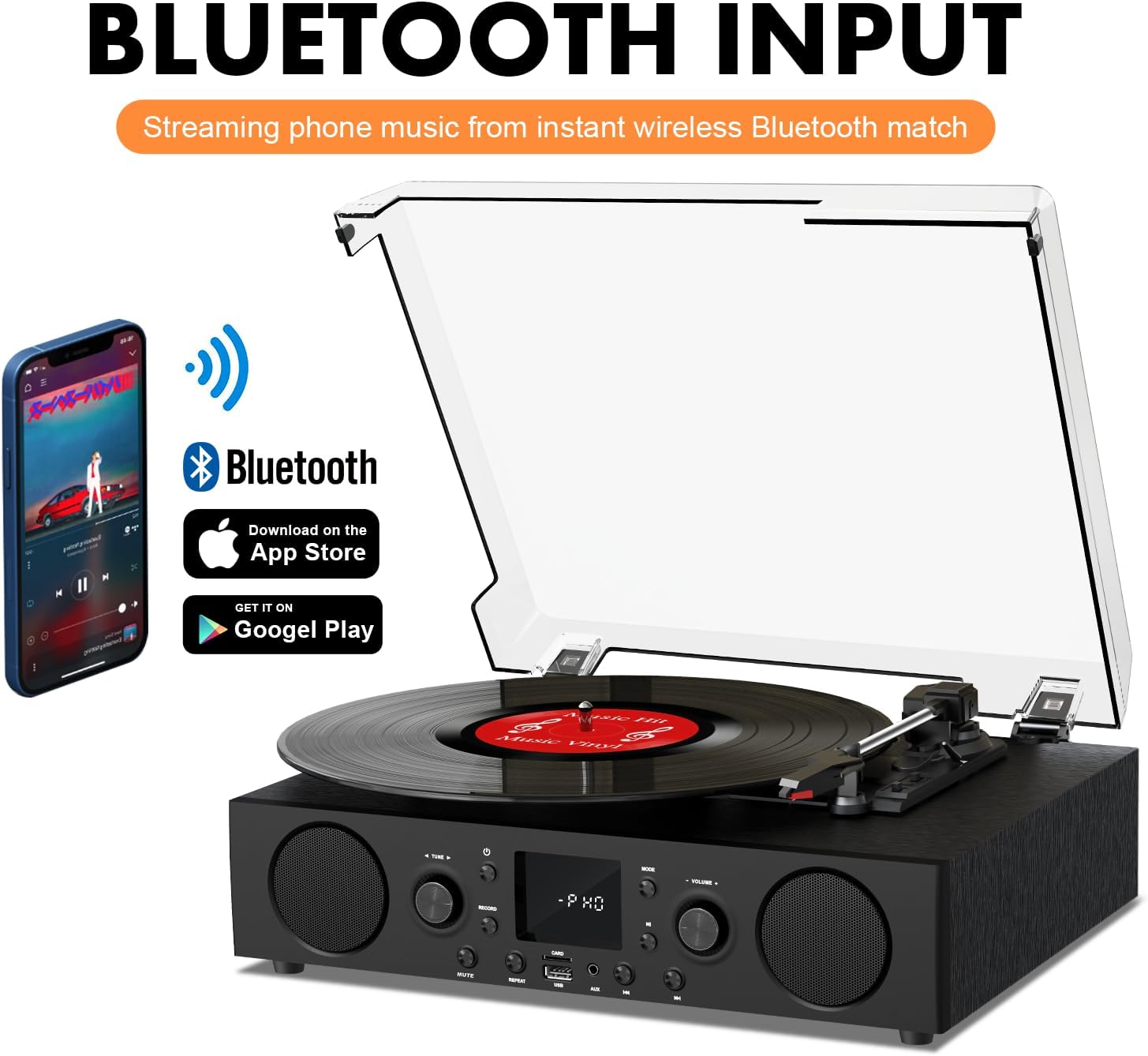
Figure 6.2: Connecting a smartphone via Bluetooth to the turntable.
- 를 누르세요 방법 button until "Bluetooth" or a similar indicator appears on the LED display. The unit will enter pairing mode.
- 스마트폰, 태블릿 또는 컴퓨터에서 Bluetooth를 활성화하고 사용 가능한 기기를 검색하세요.
- Select "DANFI AUDIO DF TE-103" (or similar name) from the list of devices to pair.
- Once paired, you can stream audio wirelessly from your device to the record player.
- 메모: This turntable supports Bluetooth input only and cannot transmit audio to Bluetooth headphones or speakers.
6.3 USB/SD Input and MP3 Encoding

Figure 6.3: Vinyl to MP3 encoding process using a USB flash drive.
- USB/SD 재생: Insert a USB flash drive or SD card into the respective port. Press the 방법 button to select USB/SD mode. The unit will automatically play compatible audio files.
- Vinyl to MP3 Encoding:
- Insert a USB flash drive or SD card into the port.
- Start playing a vinyl record.
- 를 누르세요 기록 button. The LED display will indicate recording is in progress.
- 를 누르세요 기록 button again to stop recording. The recorded audio will be saved as an MP3/WAV file on the USB drive/SD card.
6.4 FM 라디오
- 를 누르세요 방법 button to select FM Radio mode. The current frequency will appear on the LED display.
- Use the tuning controls (often the Skip/Search buttons) to scan for radio stations.
- The unit can store approximately 20 stations.
6.5 RCA Line Out and AUX Input

Figure 6.4: Connecting to external speakers using RCA Line Out.
- RCA 라인 출력: Connect RCA cables from the rear of the record player to the audio input of an external amplifier or powered speakers. This allows for boosted volume and playback through a larger sound system. The turntable's internal speakers will not be muted automatically when using RCA output.
- 보조 입력: Connect an external audio source (e.g., MP3 player, smartphone) to the 3.5mm AUX IN port on the front panel using an audio cable. Press the 방법 button to select AUX mode to play audio from the connected device.
6.6 이퀄라이저(EQ)

Figure 6.5: Available equalizer presets for audio customization.
를 누르세요 EQ button to cycle through the available sound equalizer presets: Jazz, Pop, Classical, Rock, and Vocal. Select the preset that best suits your audio preference.
7. 유지관리
- 청소: Use a soft, dry cloth to clean the exterior of the unit. For the dust cover, use a slightly damp 천으로 닦은 후 완전히 말리세요. 연마성 세제 사용은 피하세요.
- 스타일러스 관리: Periodically check the stylus (needle) for wear or damage. A worn stylus can damage records and degrade sound quality. Replace the stylus with a compatible backup needle when necessary.
- 기록 관리: Keep your vinyl records clean and stored vertically in their sleeves to prevent dust accumulation and warping.
8. 문제 해결
| 문제 | 가능한 원인 | 해결책 |
|---|---|---|
| 전원이 없습니다 | 전원 코드가 연결되지 않았습니다. 전원 콘센트가 활성화되지 않았습니다. | 전원 코드가 제대로 꽂혀 있는지 확인하십시오. 다른 장치로 콘센트를 테스트하십시오. |
| 소리가 나지 않습니다 | 볼륨이 너무 낮음; 잘못된 모드 선택; 외부 스피커가 연결되지 않았거나 전원이 공급되지 않음 | Increase volume; Press Mode button to select correct source; Check RCA connections and external speaker power |
| 턴테이블이 회전하지 않습니다 | Unit not powered on; Tonearm not moved over record | Ensure power is on; Gently move tonearm over the record to activate platter |
| 블루투스가 연결되지 않습니다 | Not in Bluetooth mode; Device too far; Already paired with another device | 블루투스 모드를 선택하세요. 기기를 더 가까이 이동하세요. 다른 기기와의 연결을 해제하고 다시 페어링을 시도하세요. |
| 바이닐 음질이 좋지 않음 | 레코드가 더럽거나, 바늘이 마모되었거나, 재생 속도가 잘못 선택되었을 수 있습니다. | Clean record; Replace stylus; Select correct RPM speed |
9. 사양
| 특징 | 세부 사항 |
|---|---|
| 모델명 | TE-103 |
| 상표 | 단피 오디오 DF |
| 제품 치수 | 14.37 x 10.82 x 5.28 인치 |
| 품목 무게 | 6.2파운드 |
| 재료 | 아크릴, 엔지니어드 우드 |
| 턴테이블 속도 | 33 1/3, 45, 78 RPM |
| 포함된 구성 요소 | Power unit, 45 rpm adaptor, Slipmat, Backup needle |
| 특별 기능 | Equalizer (EQ), FM Radio, USB Input, USB/SD Card Recording, Bluetooth Input |
| 연결성 | Bluetooth (Input only), USB, SD Card, AUX Input, RCA Line Out |
| 호환 장치 | Headphones, MP3 Players, Personal Computers, Smartphones, Speakers, Tablets |
| 전력 소비량(온모드) | 5 와트 |
10. 보증 및 지원
For warranty information or technical support, please refer to the documentation provided with your purchase or contact DANFI AUDIO DF customer service through their official channels. Keep your purchase receipt as proof of purchase for warranty claims.


