1. 서론
This manual provides detailed instructions for the safe and effective operation, maintenance, and troubleshooting of your Acebeam Terminator M2-X Dual Head Spot/Flood EDC Flashlight. Please read this manual thoroughly before using the product to ensure optimal performance and longevity.
2. 안전 지침
- 눈 보호: 손전등 불빛을 눈에 직접 비추지 마십시오. 강력한 불빛은 일시적인 시력 손상이나 영구적인 손상을 초래할 수 있습니다.
- 열 경고: The flashlight may become hot during prolonged use at high output levels. Handle with care to avoid burns.
- 배터리 안전:
- Use only the recommended 18650 Lithium-Ion battery.
- 배터리를 분해하거나 구멍을 뚫거나 단락시키지 마십시오.
- 배터리를 물과 불에서 멀리하세요.
- If the battery is damaged or leaking, discontinue use immediately.
- 어린이들: 어린이의 손이 닿지 않는 곳에 보관하세요.
- 분해 : Do not attempt to disassemble the flashlight head or body, as this may damage the device and void the warranty.
3. 패키지 내용
Upon opening your Acebeam Terminator M2-X package, please verify that all items are present and in good condition.
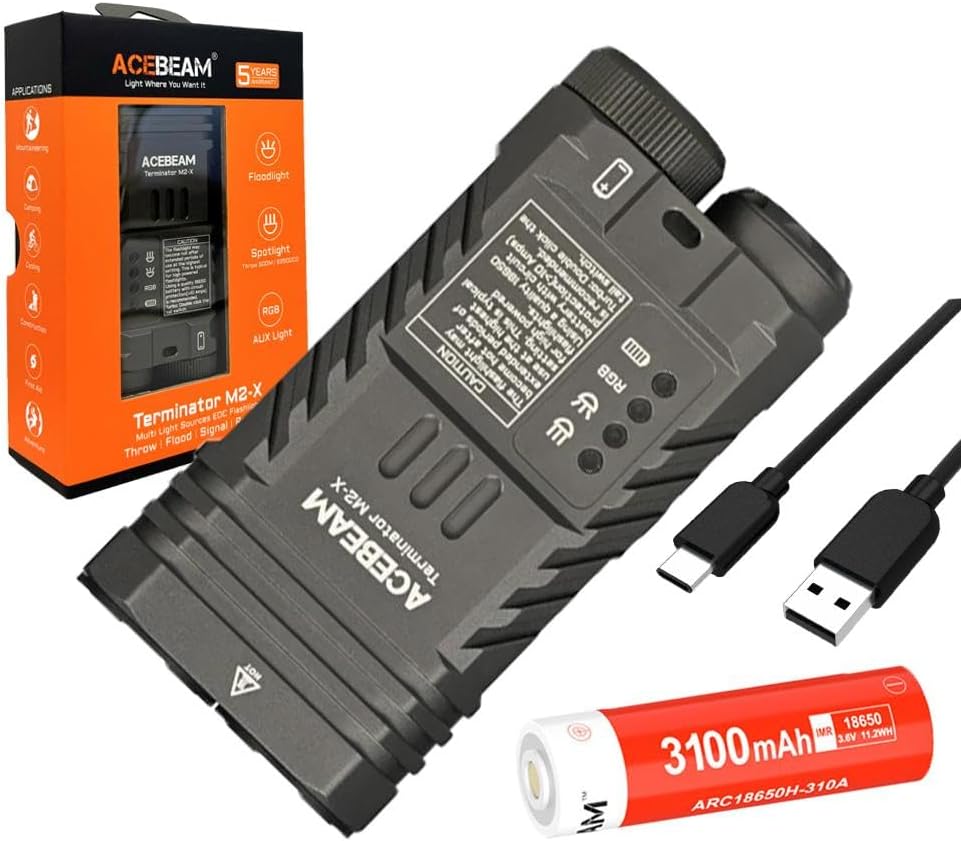
그림 3.1: The Acebeam Terminator M2-X flashlight, an included 3100mAh 18650 battery, and two USB-C charging cables.
- Acebeam Terminator M2-X Flashlight
- Acebeam ARC18650H-310A 3100mAh 18650 Li-ion Battery (with integrated USB-C charging port)
- USB-C 충전 케이블
- 사용 설명서 (본 문서)
- 목걸이줄 (포함된 경우)
- Spare O-rings (if included)
4. 제품 오버view
The Acebeam Terminator M2-X is a compact, dual-head EDC (Everyday Carry) flashlight featuring both a floodlight and a spotlight, along with auxiliary RGB lights. It is designed for versatility in various lighting scenarios.

그림 4.1: The compact design and dimensions of the M2-X, suitable for everyday carry.
4.1 주요 특징
- 이중 광원: Independent floodlight and spotlight for varied illumination needs.
- High CRI Floodlight: Nichia 519A 5000K High CRI90 LEDs for accurate color rendering.
- 강력한 스포트라이트: Long-range beam for distant illumination.
- Auxiliary RGB Lights: Multiple color options and signal modes.
- 컴팩트한 디자인: Durable aluminum construction with a detachable body clip for easy carry.
4.2개의 구성요소

그림 4.2: 상세한 view of the floodlight (left) and spotlight (right) heads.
- Floodlight Head: Contains 3x Nichia 519A 5000K High CRI90 LEDs.
- 주목할 만한 인물: Single LED for focused, long-distance beam.
- Auxiliary Light Emitters: Located within the floodlight head for RGB functions.
- 꼬리 스위치: For power on/off and brightness adjustment.
- 측면 버튼: For switching between floodlight, spotlight, and auxiliary light modes.
- 배터리 캡: Removable for battery access.
- Body Clip: Detachable stainless steel clip for secure attachment.
5. 설정
5.1 배터리 설치
- 손전등의 꼬리 캡을 시계 반대 방향으로 돌려서 풉니다.
- Insert the included Acebeam 18650 battery with the positive (+) terminal facing towards the flashlight head.
- Screw the tail cap back on clockwise, ensuring it is tightened completely. The flashlight will not operate if the tail cap is not fully secured.
5.2 초기 충전
The included 18650 battery features an integrated USB-C charging port. It is recommended to fully charge the battery before first use.
- 18650 배터리 측면에 있는 USB-C 포트를 찾으세요.
- Connect the provided USB-C cable to the battery's port and to a USB power source (e.g., wall adapter, computer USB port).
- 배터리의 표시등은 충전 상태를 보여줍니다(일반적으로 충전 중일 때는 빨간색, 완전히 충전되었을 때는 녹색).
- Once fully charged, disconnect the cable and reinsert the battery into the flashlight.
6. 사용 설명서
The Acebeam Terminator M2-X features a tail switch for power and brightness, and a side button for mode selection (Floodlight, Spotlight, Auxiliary Light).
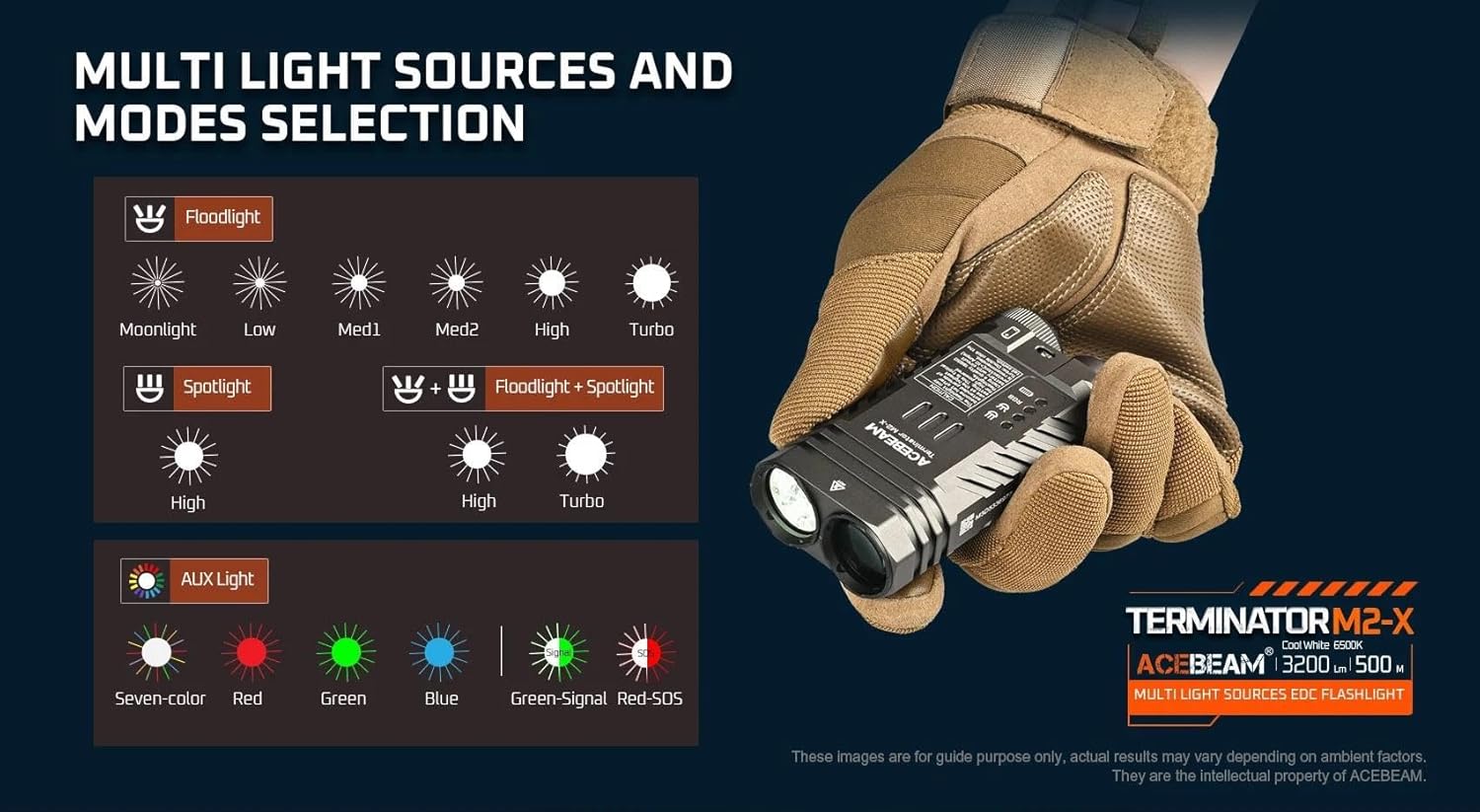
그림 6.1: 위에view of multi-light sources and mode selection.
6.1 기본 작동 (후면 스위치)
- 전원 켜기/끄기: Single click the tail switch to turn the flashlight ON or OFF.
- Brightness Adjustment (Floodlight/Spotlight): When the light is ON, press and hold the tail switch to cycle through brightness levels (Moonlight, Low, Med1, Med2, High, Turbo for Floodlight; High for Spotlight). Release the switch at your desired level. The light will memorize the last used brightness level for Floodlight and Spotlight independently.
- 인스턴트 터보: From OFF, press and hold the tail switch for approximately 1 second to activate Turbo mode directly. Release to turn OFF.
- Moonlight Mode (Floodlight only): From OFF, press and hold the tail switch for approximately 0.5 seconds to activate Moonlight mode.
6.2 Mode Selection (Side Button)
The side button controls which light source is active (Floodlight, Spotlight, or Auxiliary Light).
- Switching Main Modes: Single click the side button to cycle between Floodlight, Spotlight, and Auxiliary Light modes. The flashlight will remember the last selected mode.
- Floodlight + Spotlight (Combined Mode): From either Floodlight or Spotlight mode, double-click the side button to activate both simultaneously. Double-click again to return to the previous single mode.
- Strobe (Floodlight): From Floodlight mode, triple-click the tail switch to activate Strobe. Single click the tail switch to turn OFF.
6.3 Auxiliary Light Modes
When in Auxiliary Light mode (selected via the side button), the tail switch controls the RGB light functions.

그림 6.2: Available auxiliary light modes.
- Cycling RGB Colors: With the auxiliary light ON, single click the tail switch to cycle through: Seven-color automatic cycle, Red, Green, Blue, Green-Signal Light, Red-SOS.
- Turning OFF Auxiliary Light: Press and hold the tail switch while in Auxiliary Light mode to turn it OFF.
6.4 배터리 잔량 표시기
The M2-X features an indicator light to show battery status. This indicator typically turns red when the battery charge drops below 20%.
7. 유지관리
- 청소: 손전등 본체를 부드러운 천으로 닦으세요.amp 천. 연마성 세척제나 용매를 사용하지 마십시오.
- 나사산과 O-링: Periodically lubricate the threads and O-rings with silicone grease to maintain water resistance. Replace O-rings if they appear damaged or worn.
- 배터리 관리 :
- 사용하지 않을 때는 배터리를 서늘하고 건조한 곳에 보관하십시오.
- 장기간 보관할 경우 배터리를 약 50% 용량까지 충전하세요.
- Avoid fully discharging the battery, as this can reduce its lifespan.
8. 문제 해결
| 문제 | 가능한 원인 | 해결책 |
|---|---|---|
| Flashlight does not turn ON. |
|
|
| 조명 출력이 어둡거나 깜박입니다. |
|
|
| Cannot switch between Floodlight/Spotlight/Auxiliary modes. | Side button malfunction or incorrect operation. | Ensure you are single-clicking the side button. If issue persists, contact support. |
| Auxiliary RGB lights are very dim. | This is normal operation for the auxiliary lights. | The auxiliary RGB lights are designed for low output signaling and close-range use, not for illumination. |
9. 사양
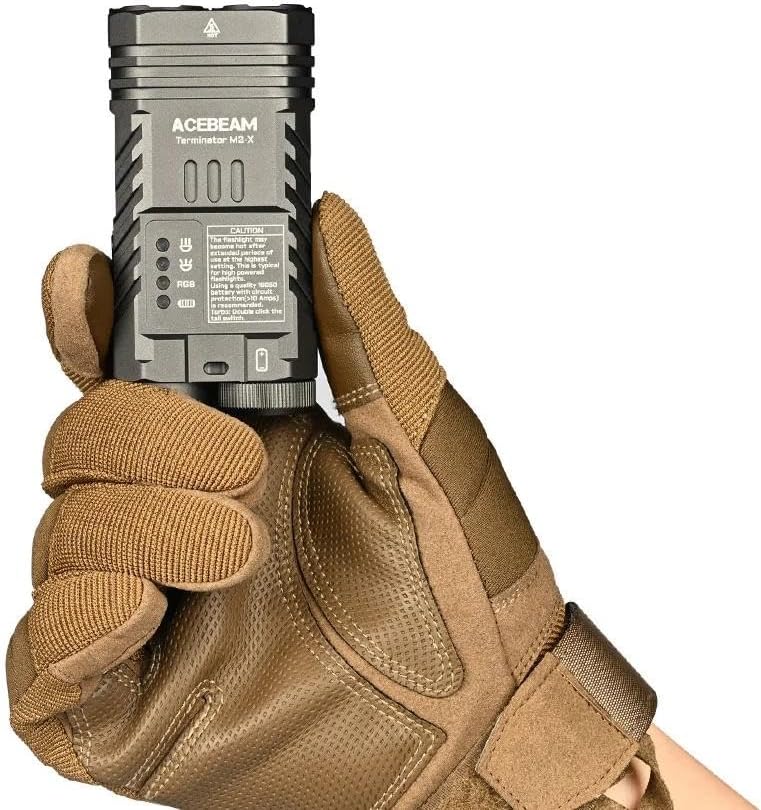
그림 9.1: Detailed technical parameters for the M2-X.
| 특징 | 세부 사항 |
|---|---|
| 모델 | Acebeam Terminator M2-X |
| LED (Floodlight) | 3x Nichia 519A 5000K High CRI90 |
| 최대 출력(투광등) | 2,000루멘 |
| Max Output (Spotlight) | 900루멘 |
| Max Runtime (Floodlight Moonlight) | 38시간 |
| Max Runtime (Spotlight High) | 1시간 50분 |
| Max Beam Distance (Floodlight) | 164 미터 |
| Max Beam Distance (Spotlight) | 500 미터 |
| Max Beam Intensity (Floodlight) | 6724cd |
| Max Beam Intensity (Spotlight) | 62500cd |
| 보조 조명 | Seven-color cycle, Red, Green, Blue, Green-Signal, Red-SOS (0.5 lumens each) |
| 전원 | 1x 18650 Lithium-Ion Battery (included) |
| 재료 | 알류미늄 |
| 방수 레벨 | 방수복 |
| 크기(길이 x 높이 x 너비) | 95.4mm X 48.5mm X 29mm (3.75 "X 1.90"X 1.14 ") |
| 무게(배터리 포함) | 197.2g(6.95온스) |
10. 보증 및 지원
For warranty information and customer support, please refer to the official Acebeam website or contact your authorized Acebeam dealer. Keep your purchase receipt as proof of purchase for any warranty claims.
Acebeam Official Web대지: www.acebeam.com


