소개
Thank you for choosing the BINNUNE Wireless Gaming Headset. This manual provides detailed instructions on how to set up, operate, and maintain your headset to ensure optimal performance and a superior gaming experience. Please read this manual thoroughly before using the product.
상자 안에 무엇이 들어있나요?
Upon unboxing your BINNUNE Wireless Gaming Headset, please verify that all the following components are included:
- BINNUNE Wireless Gaming Headset (Blue)
- 2.4GHz USB 동글
- 3.5mm 오디오 케이블
- USB 충전 케이블
- 사용 설명서 (본 문서)

Image: The BINNUNE Wireless Gaming Headset in blue, accompanied by its 2.4GHz USB dongle and a 3.5mm audio jack. These are the primary components included in the product package.
제품 끝view
Familiarize yourself with the key features and components of your BINNUNE Wireless Gaming Headset:
- 조정 가능한 머리띠: 편안한 착용감을 위해.
- 부드러운 귀마개: Large-size memory foam earmuffs (110mm diameter, 45mm thickness) made of breathable PU leather and mesh material for extended comfort.
- 50mm 드라이버: High-performance 50mm driver units for clear and rich stereo sound.
- Unidirectional Noise-Canceling Microphone: A 120° adjustable boom mic designed to filter out background noise for clear communication.
- On-Headset Controls: Buttons for power, volume adjustment, and microphone mute.

이미지: 자세한 view of the BINNUNE Wireless Gaming Headset's unidirectional boom microphone, highlighting its flexible design and noise-canceling capabilities.

Image: An exploded diagram illustrating the internal components of the 50mm audio drivers within the BINNUNE headset, emphasizing their design for rich, full-range sound.
설정
헤드셋 충전하기
Before first use, fully charge the headset. A full charge takes approximately 3 hours. A 10-minute quick charge can provide up to 3 hours of battery life. The headset offers up to 80 hours of continuous use in 2.4GHz mode and up to 120 hours in Bluetooth mode.
- 헤드셋의 충전 포트에 USB 충전 케이블을 연결하세요.
- USB 케이블의 다른 쪽 끝을 호환되는 USB 전원(예: 컴퓨터 USB 포트, USB 벽면 어댑터)에 연결합니다.
- The LED indicator on the headset will show charging status (refer to the headset's LED guide for specific indications).

Image: The BINNUNE Wireless Gaming Headset displayed alongside a visual representation of its impressive 120-hour battery life, indicating extended usage time.
연결 옵션
Your BINNUNE headset supports three connection modes:
- 2.4GHz 무선(USB 동글): Provides ultra-low latency (15ms) for gaming. Ideal for PS5, PS4, PC, and Mac.
- 블루투스 5.3 : For wireless connection to mobile phones, tablets, PC, and Mac.
- 3.5mm 유선 연결: Universal compatibility with any device featuring a 3.5mm audio jack.
2.4GHz Wireless Connection (for PS5, PS4, PC, Mac)
- 2.4GHz USB 동글을 PS5, PS4, PC 또는 Mac의 사용 가능한 USB 포트에 삽입합니다.
- 헤드셋 전원을 켜세요. 그러면 자동으로 동글에 연결을 시도합니다.
- Once connected, the LED indicator on the headset will confirm the connection (refer to LED guide).
- On your device, ensure the BINNUNE headset is selected as the audio output and input device.
Bluetooth 5.3 Connection (for PC, Mac, Mobile Phone, Tablet)
- Ensure the headset is powered on and in Bluetooth pairing mode (usually indicated by a blinking LED). If not, double-press the power button to switch to Bluetooth mode.
- On your device (PC, Mac, mobile phone, tablet), go to Bluetooth settings and search for available devices.
- Select "BINNUNE BW01" (or similar) from the list of found devices to pair.
- Once paired, the LED indicator will show a solid light (refer to LED guide).
3.5mm Wired Connection (for All Platforms)
- 3.5mm 오디오 케이블의 한쪽 끝을 헤드셋의 3.5mm 포트에 연결하십시오.
- Connect the other end of the 3.5mm audio cable to the 3.5mm audio jack on your device (e.g., PS4/PS5 controller, PC, mobile phone).
- The headset will function in passive wired mode. Note that some headset features (like LED lighting or specific controls) may be limited in wired mode.
Note: The BINNUNE Wireless Gaming Headset is not compatible with Xbox consoles.
호환성 이상view
The following table provides a quick reference for device compatibility across different connection modes:

Image: A visual compatibility chart detailing which devices (PC, PS4/PS5 Console, PS4/PS5 Controller, Switch, Cell Phone, Tablet) support sound, microphone, and microphone mute functions across 2.4GHz Wireless (USB Dongle), Bluetooth 5.3, and 3.5mm Wired connection modes.
작동 지침
전원 켜기/끄기
- 전원 켜기: LED 표시등이 켜질 때까지 약 3초 동안 전원 버튼을 길게 누릅니다.
- 전원 끄기 : LED 표시등이 꺼질 때까지 약 3초 동안 전원 버튼을 길게 누릅니다.
Switching Between 2.4GHz and Bluetooth Modes
The headset supports simultaneous wireless operation, allowing quick toggling between 2.4GHz and Bluetooth modes.
- 모드를 전환하려면: Double-press the Power button. The headset will switch between 2.4GHz wireless mode and Bluetooth mode.
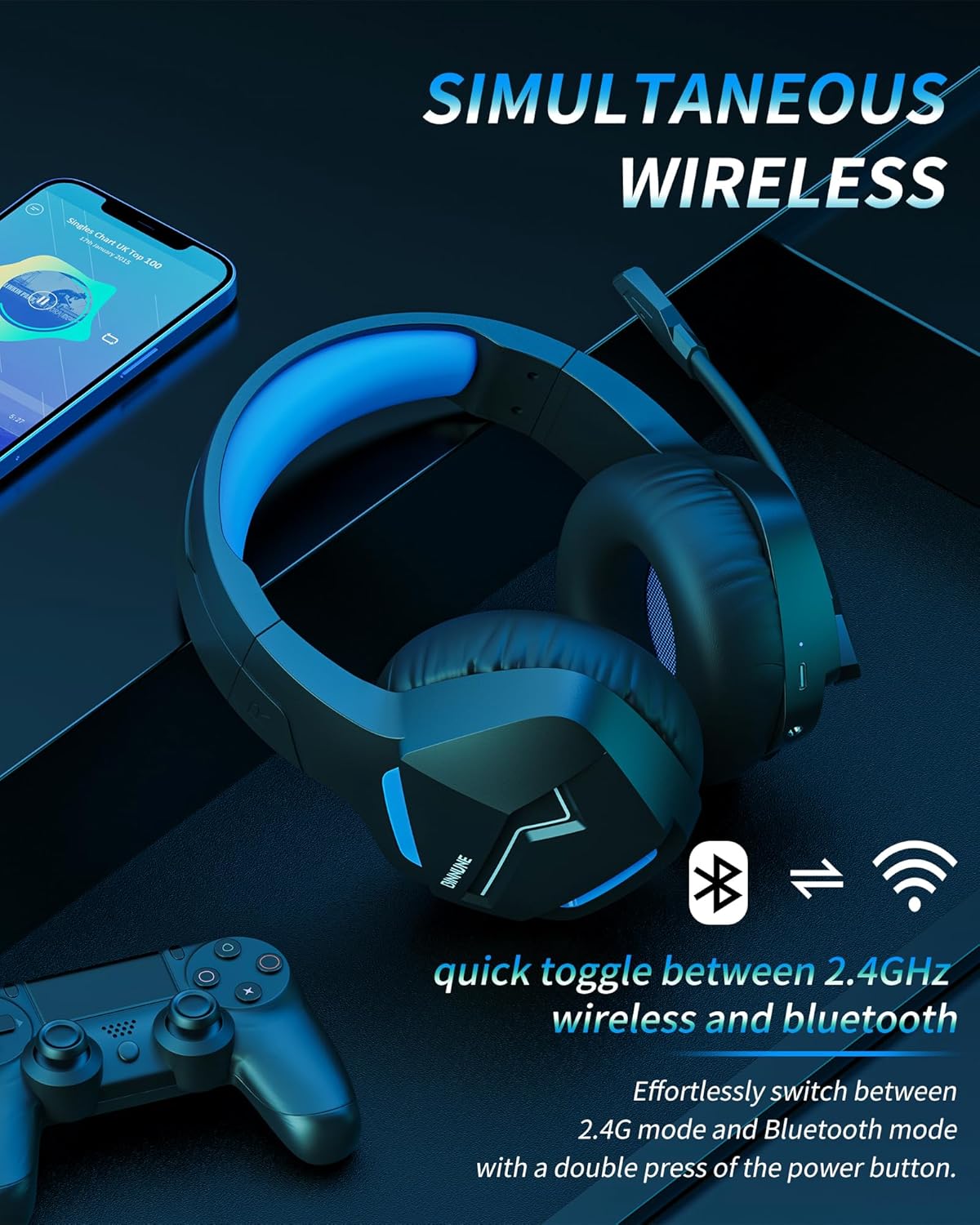
Image: The BINNUNE Wireless Gaming Headset shown with icons representing both 2.4GHz wireless and Bluetooth connectivity, indicating its ability to switch between these modes for versatile use.
볼륨 조절
- 볼륨 증가: 볼륨 높이기(+) 버튼을 누르세요.
- 볼륨 감소: 볼륨 낮추기(-) 버튼을 누르세요.
마이크 제어
- 마이크 음소거/음소거 해제: Press the Microphone Mute button. A red LED on the microphone tip usually indicates it is muted.
- 마이크 위치 조정: The 120° adjustable memory line microphone can be freely shaped and adjusted to your ideal angle.
게임 성능
The headset is designed for an immersive gaming experience with features like:
- Accurate Sound Positioning: The 50mm drivers provide clear and rich stereo sound, allowing you to accurately pinpoint in-game sounds like footsteps and environmental details.
- 낮은 지연 시간: The 2.4GHz wireless technology ensures an ultra-low latency of 15ms, providing synchronized audio and video for competitive gaming.
Image: A gamer immersed in a game, wearing the BINNUNE headset, highlighting the benefits of low latency and stable wireless connection for an enhanced gaming experience.
유지
Proper maintenance ensures the longevity and performance of your BINNUNE Wireless Gaming Headset.
- 청소:
- 헤드셋 표면을 닦을 때는 부드럽고 마른 보풀 없는 천을 사용하십시오.
- For earmuffs, gently wipe with a slightly damp 천으로 닦아내고 사용하기 전에 완전히 자연 건조시키세요.
- 독한 화학 물질, 세척 용제 또는 강한 세제를 사용하지 마십시오.
- 저장:
- 헤드셋은 직사광선과 극한의 온도를 피해 서늘하고 건조한 곳에 보관하세요.
- 헤드셋 위에 무거운 물건을 올려놓지 마세요.
- 배터리 관리 :
- 배터리를 자주 완전히 방전시키지 마세요.
- If storing for a long period, charge the headset to about 50% every few months to preserve battery health.
문제 해결
If you encounter issues with your BINNUNE Wireless Gaming Headset, please refer to the following common solutions:
| 문제 | 가능한 원인 | 해결책 |
|---|---|---|
| 소리가 나지 않음 / 낮은 볼륨 |
|
|
| 마이크가 작동하지 않음 |
|
|
| Connection Issues (Intermittent/No Connection) |
|
|
| Headset Not Compatible with Xbox |
|
|
명세서
Detailed technical specifications for the BINNUNE Wireless Gaming Headset (Model: BW01):
| 특징 | 세부 사항 |
|---|---|
| 모델명 | BW01 |
| 연결 기술 | Wireless (2.4GHz USB Dongle, Bluetooth 5.3), Wired (3.5mm Jack) |
| 무선 통신 기술 | 블루투스 5.3 |
| 블루투스 범위 | 최대 10미터(33피트) |
| 오디오 지연 시간(2.4GHz) | 15ms (Ultra Stable 2.4GHz Wireless Connection) |
| 오디오 드라이버 유형 | 동적 드라이버 |
| 오디오 드라이버 크기 | 50 밀리미터 |
| 주파수 응답 | 20Hz - 20,000Hz |
| 감광도 | 96데시벨 |
| 마이크로폰 | Unidirectional Noise-Canceling Mic (120° adjustable) |
| 배터리 수명 | 최대 80시간(2.4GHz 모드), 최대 120시간(블루투스 모드) |
| 충전 시간 | 약. 완전 충전 시 3시간 |
| 이어피스 모양 | Oval (110mm diameter, 45mm thickness memory foam) |
| 재료 | Plastic (headset), PU leather and mesh (earmuffs) |
| 품목 무게 | 10.7 온스(약 303그램) |
| 제품 치수 | 8.27 x 7.48 x 4.33 인치 |
| 호환 장치 | Gaming Consoles (PS4, PS5), Laptops, PC, Mac, Mobile Phones, Tablets |
| 제어 유형 | 버튼 제어 |
| 포함된 구성 요소 | User Manual, 2.4GHz USB Dongle, 3.5mm Audio Cable, USB Charging Cable |
보증 정보
BINNUNE products are manufactured with high-quality standards. While specific warranty details are not provided in this manual, BINNUNE typically offers a limited warranty against defects in materials and workmanship. For detailed warranty terms, conditions, and registration, please refer to the official BINNUNE web사이트를 방문하거나 고객 지원팀에 문의하세요.
고객 지원
For further assistance, technical support, or inquiries regarding your BINNUNE Wireless Gaming Headset, please contact BINNUNE customer support through the following channels:
- Official BINNUNE Web대지: Visit the official BINNUNE webFAQ, 지원 리소스, 문의 양식을 제공하는 사이트입니다.
- 아마존 스토어: 또한 방문할 수 있습니다 BINNUNE Store on Amazon 제품 정보 및 판매자 연락 방법은 다음과 같습니다.
Please have your product model (BW01) and purchase details ready when contacting support.


