1. 서론
This user manual provides comprehensive instructions for the VTech ES2051 DECT Cordless Phone system. It covers setup, operation, maintenance, and troubleshooting for your twin handset phone, featuring an integrated answering machine, nuisance call blocker, and handsfree speakerphone capabilities. Please read this manual thoroughly to ensure proper use and to take full advantage 모든 기능.
2. 상자 안에 무엇이 들어있나요?
귀하의 패키지에 다음 품목이 포함되어 있는지 확인하세요.
- 2 기본 유닛
- 무선 핸드셋 2 개
- 충전기 2개
- 2 배터리 팩
- 전화선 코드
- 빠른 시작 가이드
3. 설정
3.1 배터리 설치
Each handset requires 2 AAA rechargeable batteries (included). Open the battery compartment cover on the back of the handset and insert the batteries, observing the correct polarity (+ and -). Close the cover securely.
3.2 베이스 유닛 연결
Connect one end of the telephone line cord to the LINE socket on the base unit and the other end to your telephone wall socket. Connect the small end of the power adapter to the POWER socket on the base unit and plug the large end into a mains power outlet. For the second handset, connect its charger to a mains power outlet.
3.3 휴대폰 충전
Place each handset on its respective base unit or charger. The charging indicator on the handset will illuminate. For optimal battery performance, charge the handsets for at least 16 hours before initial use.

Image: The VTech ES2051 DECT Cordless Phone system, showing the main base unit with one handset docked, and a second handset with its charging cradle. This illustrates the twin handset setup.
4. 사용 설명서
4.1 기본 호출 함수
- 전화 걸기: 번호를 누르고 누르세요 부르다 단추.
- 전화 받기: 전화가 울리면 누르세요 부르다 단추.
- 통화 종료: 를 누르세요 끝 버튼을 누르거나 핸드셋을 다시 받침대/충전기에 올려놓으세요.

Image: Two VTech ES2051 DECT cordless handsets and the main base unit are displayed in a modern living room setting, highlighting the twin handset feature.
4.2 Handsfree Speakerphone
통화 중에 스피커폰 button to activate handsfree mode. Press it again to switch back to handset mode.
4.3 통화 차단
The nuisance call blocker allows you to stop unwanted calls. You can save up to 100 names and numbers in the call block list. Refer to the quick start guide for specific steps on how to add numbers to the block list.

Image: The VTech ES2051 DECT Cordless Phone base unit and handset are shown with a graphic indicating the 'Call Blocker' feature, emphasizing its ability to block nuisance and unwanted calls.
4.4 디지털 응답 시스템
The integrated digital answering system can record up to 30 minutes of messages. You can set up your outgoing message, play back messages, and delete them directly from the base unit or a handset. The base unit features a digital message counter.

Image: The VTech ES2051 DECT Cordless Phone base unit and handset are displayed, with a speech bubble suggesting a message, illustrating the digital answering system's function.
4.5 Easy, One-touch Features
The phone includes features like Mute/Alarm, adjustable ring volume and melodies, and a high-quality handsfree speakerphone, all accessible with ease.

Image: The VTech ES2051 DECT Cordless Phone is shown with icons representing its easy, one-touch features, including Mute/Alarm, adjustable ring volume, and handsfree speakerphone.
4.6 볼륨 부스터
Activate the Volume Booster function to amplify incoming sound, enhancing clarity and loudness, particularly useful for those with weakened hearing.

Image: A VTech ES2051 DECT Cordless Handset is shown with a graphic illustrating sound waves, indicating the Volume Booster feature that amplifies incoming audio.
4.7 Backlit Display and Keypad
The handset features a backlit LCD screen and keypad, illuminating the entire keypad for easier view어두운 조명 조건에서의 작동 및 조작.

Image: The VTech ES2051 DECT Cordless Phone base unit and handset are displayed, highlighting the illuminated LCD screen and keypad for improved visibility in low light.
4.8 Intercom Between Base and Handset
Utilize the handset-to-handset intercom function to communicate between the two handsets without using the telephone line. This is useful for internal communication within your home.
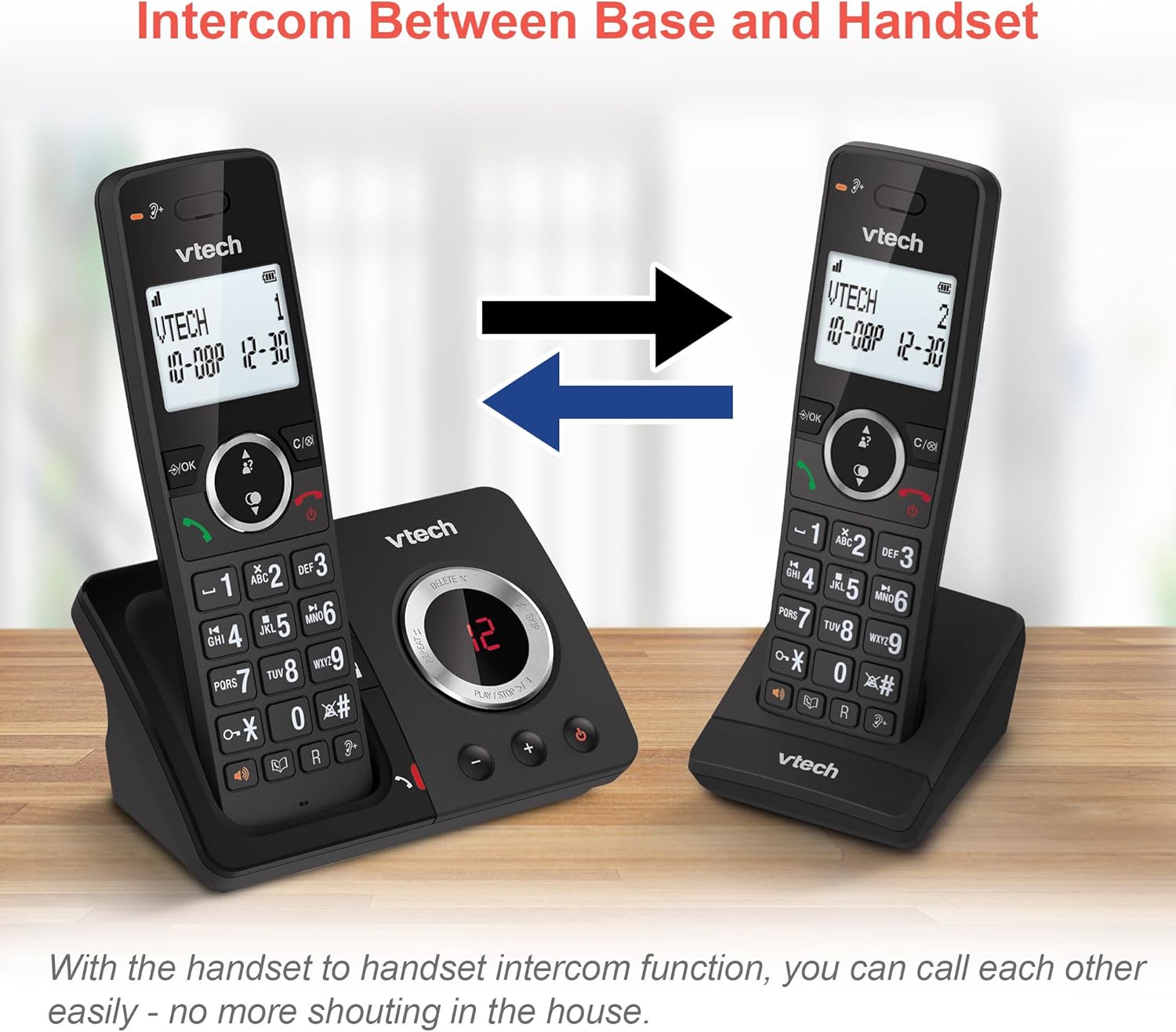
Image: Two VTech ES2051 DECT Cordless Handsets are shown with arrows indicating communication between them, illustrating the intercom function.
4.9 3자 회의
The 3-way calling feature allows you to conference a call with two internal callers (handsets) and one external caller into a single conversation.

Image: Three individuals are depicted using phones, visually representing the 3-way conference call capability of the VTech ES2051 system.
5. 유지관리
5.1 청소
부드럽고 약간 거친 천으로 휴대폰과 본체를 닦으세요.amp 천으로 닦으세요. 연마성 세제나 용제는 사용하지 마세요. 액체가 기기 안으로 들어가지 않도록 주의하세요.
5.2 배터리 관리
To prolong battery life, avoid overcharging by not leaving the handsets on the charger for extended periods once fully charged. If the phone will not be used for a long time, remove the batteries.
6. 문제 해결
VTech ES2051 사용 중 문제가 발생하면 다음의 일반적인 문제 및 해결 방법을 참조하십시오.
- 발신음 없음: Ensure the telephone line cord is securely connected to both the base unit and the wall socket. Check that the power adapter is plugged in correctly.
- 전화를 걸거나 받을 수 없습니다: Verify that the phone line is active. Check battery charge level on the handset.
- 음질 불량/잡음: Move the handset closer to the base unit. Avoid placing the base unit near other electrical appliances that may cause interference.
- 핸드셋이 충전되지 않음: Ensure the handset is correctly seated in the charging cradle and that the charging contacts are clean.
- 자동응답기가 녹음되지 않음: Check if the answering machine memory is full. Ensure the answering machine is turned on.
7. 사양
| 특징 | 세부 사항 |
|---|---|
| 상표 | VTECH |
| 모델 | ES2051 |
| 전화 유형 | 무선 DECT |
| 응답 시스템 유형 | 디지털 |
| 발신자 식별 | 예 |
| 필요한 배터리 | AAA 4개(포함) |
| 품목 무게 | 0.78 킬로그램 |
| 패키지 크기 | 18.5 x 14 x 11cm |
| 색상 | 검은색 |
| 한국어: | 796575179615 |
8. 보증 및 지원
보증 정보 및 기술 지원에 대해서는 구매 시 제공된 설명서를 참조하거나 VTech 공식 웹사이트를 방문하십시오. web사이트. 보증 청구를 위해 구매 증빙 자료를 보관하세요.


