1. 제품 오버view
The ZIPRO Pulse Treadmill is a versatile and compact fitness machine designed for home use. It offers a range of features to support various workout intensities, from gentle walking to intensive running, while prioritizing user comfort and joint protection.
Key features include a speed range of 1-12 km/h, 15 levels of electronic incline adjustment, and a robust cushioning system. Its foldable design and transport wheels make it ideal for spaces where storage is a consideration.
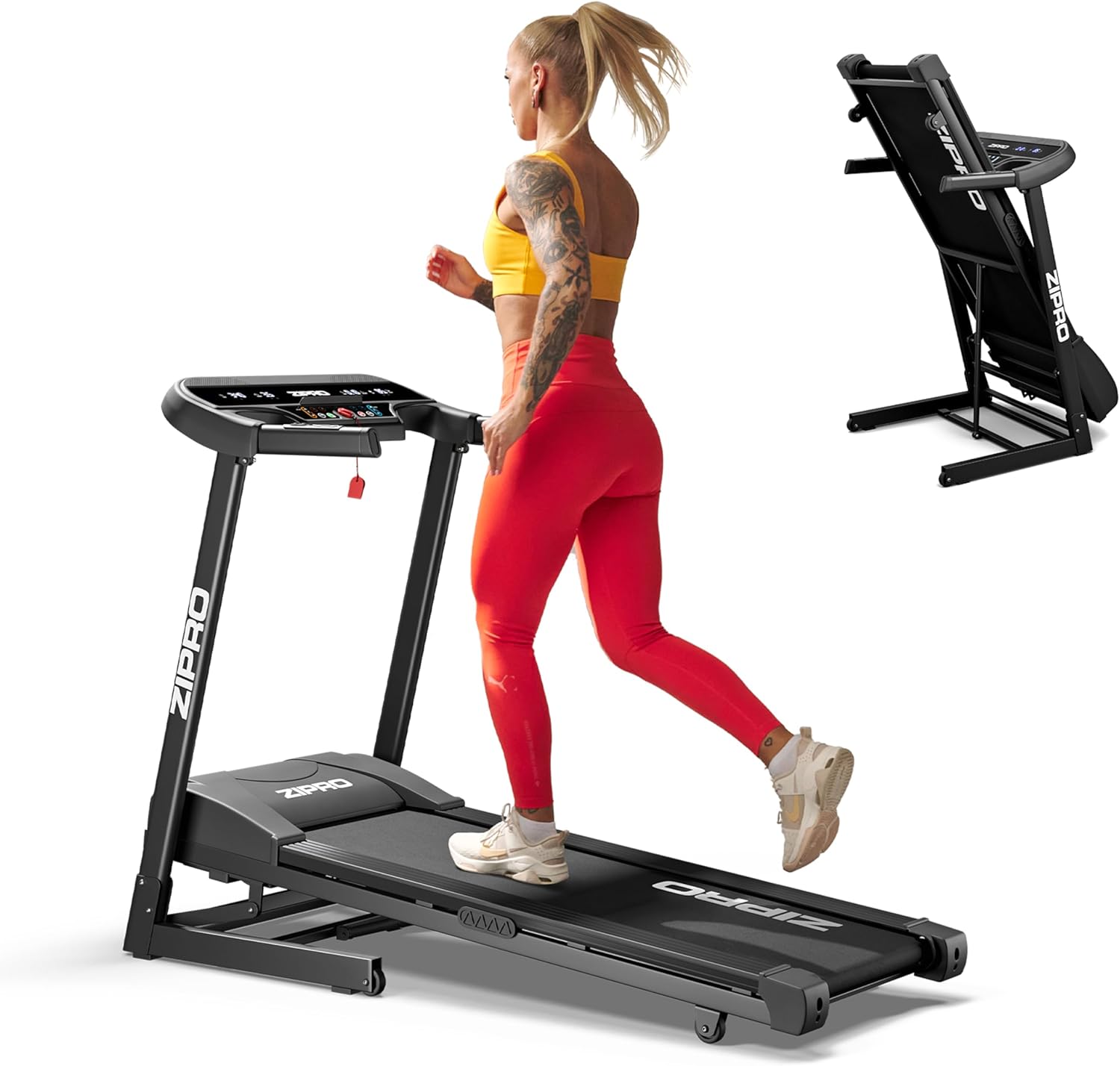
A woman running on the ZIPRO Pulse treadmill, with an inset image showing the treadmill folded upright for storage.
2. 안전 정보
런닝머신을 사용하기 전에 모든 지침을 주의 깊게 읽어 주십시오. 나중에 참조할 수 있도록 이 설명서를 보관하십시오.
- 런닝머신이 평평하고 안정적인 표면에 놓여 있는지 확인하십시오.
- 작동 중에는 어린이와 애완동물을 런닝머신에 가까이 두지 마십시오.
- 러닝머신을 시작하기 전에 항상 안전 키 클립을 옷에 부착하십시오.
- 적절한 운동화를 착용하세요.
- 러닝머신이 손상되었거나 제대로 작동하지 않는 경우 작동하지 마세요.
- 새로운 운동 프로그램을 시작하기 전에 의사와 상담하세요.
- 최대 사용자 체중: 130kg (286lbs).
3. 구성품 목록
패키지에는 다음 품목이 포함됩니다.
- 1x ZIPRO Pulse Incline Treadmill
- 1x 사용자 설명서
- Assembly Tools (if applicable, not specified but common)
4. 설치 및 조립
Your ZIPRO Pulse Treadmill comes largely pre-assembled. Follow these general steps for final setup:
- 짐 풀기: 포장에서 모든 구성 요소를 조심스럽게 제거합니다.
- 전개: Gently lower the running deck from its folded position until it locks into place. Ensure all locking mechanisms are secure.
- 핸들바 어셈블리: Attach the handlebars and console as per the detailed instructions in the included printed manual.
- 전원 연결: 전원 코드를 접지된 콘센트에 꽂으세요.

The treadmill features a practical folding mechanism and transport wheels for easy storage and movement.
5. 사용 설명서
The intuitive LED console allows for easy control of your workout.
5.1. 콘솔 오버view

The LED control panel displays essential workout metrics and features easy-to-use buttons.
LED 화면에는 다음이 표시됩니다. 시간, 속도, 거리, 소모된 칼로리, 그리고 맥박 (heart rate).
5.2. 운동 시작하기
- 안전 키가 콘솔에 제대로 삽입되었는지, 클립이 옷에 부착되었는지 확인하십시오.
- 를 누르세요 시작 버튼을 누르세요. 런닝머신이 저속으로 작동을 시작합니다.
- 속도를 조절하려면 다음을 사용하세요. + 그리고 - buttons on the console or handlebars.
- Adjust the incline using the incline control buttons on the console. The treadmill offers 15 levels of electronic incline.

Electronically adjust the incline to 15 different levels to vary your workout intensity.
5.3. Stopping a Workout
- 를 누르세요 멈추다 버튼을 누르면 러닝머신의 속도가 점차 느려지다가 멈춥니다.
- In case of emergency, pull the safety key from the console to immediately stop the treadmill.
6. 프로그램 및 기능
The ZIPRO Pulse Treadmill is equipped with various programs to enhance your training experience.
- 12개의 사전 정의된 프로그램: Choose from a variety of built-in workout routines designed for different fitness levels and goals.
- 3가지 사용자 정의 프로그램: Create and save your own personalized workout profiles to suit your specific needs.
- 맥박 측정: Integrated sensors in the handlebars allow for real-time heart rate monitoring.
- Comfort Protect Cushioning System: Features 8 shock absorbers and 2 reduction cushions to minimize impact on your joints, ensuring a comfortable and safe workout.

The Comfort Protect cushioning system with 8 shock absorbers and 2 reduction cushions provides superior joint protection.
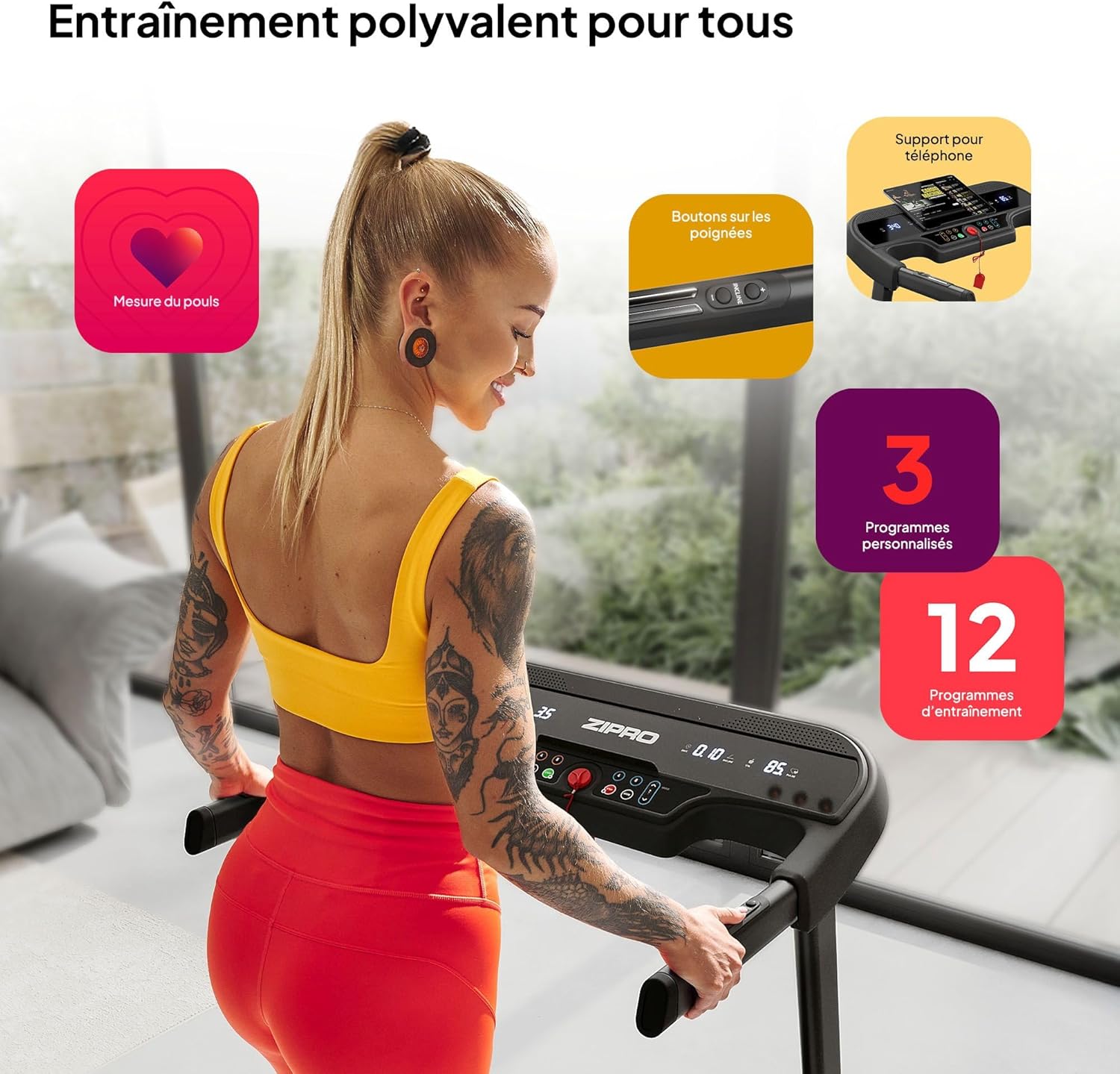
The treadmill offers versatile training options with integrated pulse measurement, convenient handlebar controls, a phone holder, and a selection of programs.
7. 유지관리
정기적인 유지관리는 러닝머신의 수명과 최적의 성능을 보장합니다.
- 청소: 광고로 러닝머신을 닦으세요amp 사용 후에는 천으로 닦아 땀과 먼지를 제거하세요. 연마성 세제는 사용하지 마세요.
- 벨트 윤활: Periodically lubricate the running belt according to the instructions in your detailed manual (typically every 3-6 months depending on usage).
- 벨트 장력 및 정렬: Check the running belt tension and alignment regularly. Adjust if necessary as per the detailed manual.
- 모터 커버: Keep the motor cover area clean and free of dust and debris.
8. 문제 해결
러닝머신에 문제가 발생하면 다음의 일반적인 문제와 해결 방법을 참조하세요.
| 문제 | 가능한 원인 | 해결책 |
|---|---|---|
| 런닝머신이 시작되지 않음 | Safety key not inserted; Power cord unplugged; Circuit breaker tripped | Insert safety key; Check power connection; Reset circuit breaker |
| 러닝 벨트 슬립 | Belt too loose; Belt needs lubrication | Adjust belt tension; Lubricate belt (refer to manual) |
| 비정상적인 소음 | Loose parts; Motor issue; Belt friction | Check for loose bolts; Contact customer support; Lubricate belt |
여기에 나열되지 않은 문제가 있거나 해결책으로 문제가 해결되지 않으면 고객 지원팀에 문의하세요.
9. 사양
| 사양 | 값 |
|---|---|
| 상표 | 지프로 |
| 모델 번호 | 13132472 |
| 색상 | 검은색 |
| 스타일 | 맥박 |
| 디스플레이 유형 | 주도의 |
| 펼친 치수(L x W x H) | 155 x 72 x 110cm |
| 접힌 치수(L x W x H) | 80 x 71.5 x 138cm |
| 품목 무게 | 47.7 킬로그램 |
| 프레임 소재 | 알류미늄 |
| 주요소재 | Polyethylene (PE) Metal Plastic |
| 구동력 | 1080와트 |
| 최대 속도 | 12km/h |
| 최대 사용자 무게 | 130 킬로그램 |
| 프로그램 수 | 12 (Predefined) + 3 (Customizable) |
| 경사 수준 | 15 |
| 러닝 표면 (길이 x 너비) | 120 x 42cm |
| 특별 기능 | Calorie burn tracking, Speed tracking, Time tracking, Distance tracking, Pulse measurement, Comfort Protect cushioning system |
| 추천 용도 | Indoor, Fitness room, Home, Gym |
| 대상 청중 | Adult, Youth, Teenagers |

Detailed dimensions of the ZIPRO Pulse treadmill in both unfolded and folded states.

Visual representation of key specifications including speed, belt size, motor power, and maximum user weight.
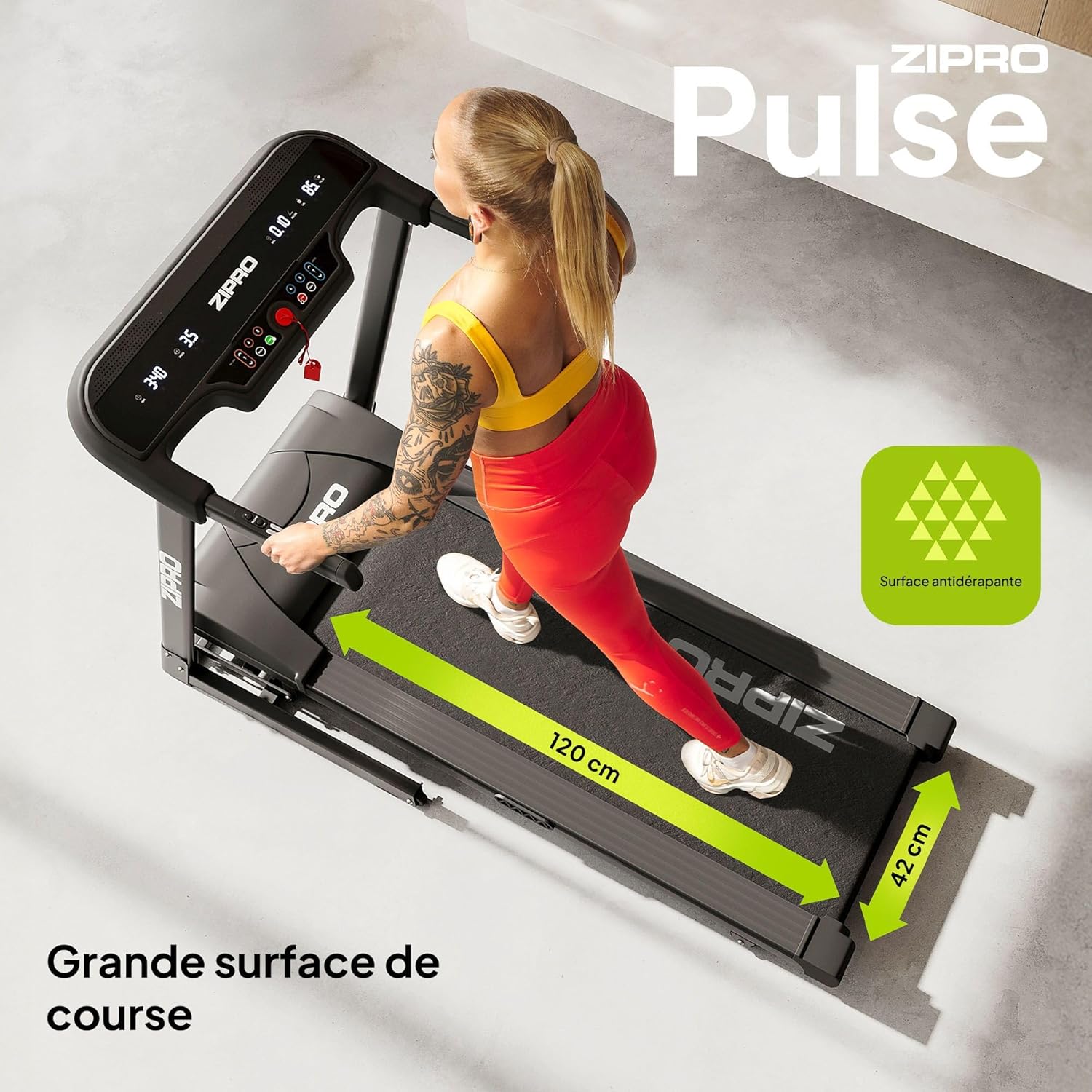
The spacious 120 x 42 cm running surface provides ample room for comfortable workouts.
10. 제품 비디오
Watch the official video showcasing the diverse range of fitness products offered by ZIPRO, including treadmills, ellipticals, and exercise bikes, demonstrating their use in various workout scenarios.
공식 영상 쇼asing the diverse range of fitness products offered by ZIPRO, including treadmills, ellipticals, and exercise bikes, demonstrating their use in various workout scenarios.
11. 보증 및 지원
For warranty information, technical support, or any inquiries regarding your ZIPRO Pulse Treadmill, please refer to the contact details provided in your physical user manual or visit the official ZIPRO web대지.
제조업체: Morele.net Sp. z oo


