1. 서론
구매해주셔서 감사합니다asing the LogiLink SP0063 Bluetooth 5.1 TWS Speaker. This compact yet powerful speaker delivers clear and robust sound, offering stable and fast connectivity via Bluetooth 5.1. It supports True Wireless Stereo (TWS) for an enhanced audio experience with two speakers simultaneously. The integrated hands-free function allows you to answer calls without needing to pick up your smartphone. This manual provides essential information for setting up, operating, and maintaining your speaker.
2. 안전 지침
- 스피커를 극한의 온도, 직사광선 또는 높은 습도에 노출시키지 마세요.
- 스피커를 떨어뜨리거나 강한 충격을 주지 마십시오.
- Do not disassemble, repair, or modify the device yourself. Contact qualified service personnel for any repairs.
- 스피커를 물이나 기타 액체에 가까이 두지 마십시오. 본 제품은 방수가 되지 않습니다.
- 제공된 충전 케이블이나 인증된 동등 제품만 사용하세요.
- 어린이의 손이 닿지 않는 곳에 보관하세요.
3. 패키지 내용
다음 품목이 패키지에 포함되어 있는지 확인하세요.
- 1 x LogiLink SP0063 블루투스 스피커
- 1 x Micro USB Charging Cable (30 cm)
- 1 x 손목 스트랩
- 1 x 사용자 설명서

Image: Micro USB Charging Cable for charging the speaker.

Image: The included wrist strap for easy portability.
4. 제품 오버view
The LogiLink SP0063 is a compact and portable Bluetooth speaker designed for convenience and quality audio. It features intuitive controls and a durable design.
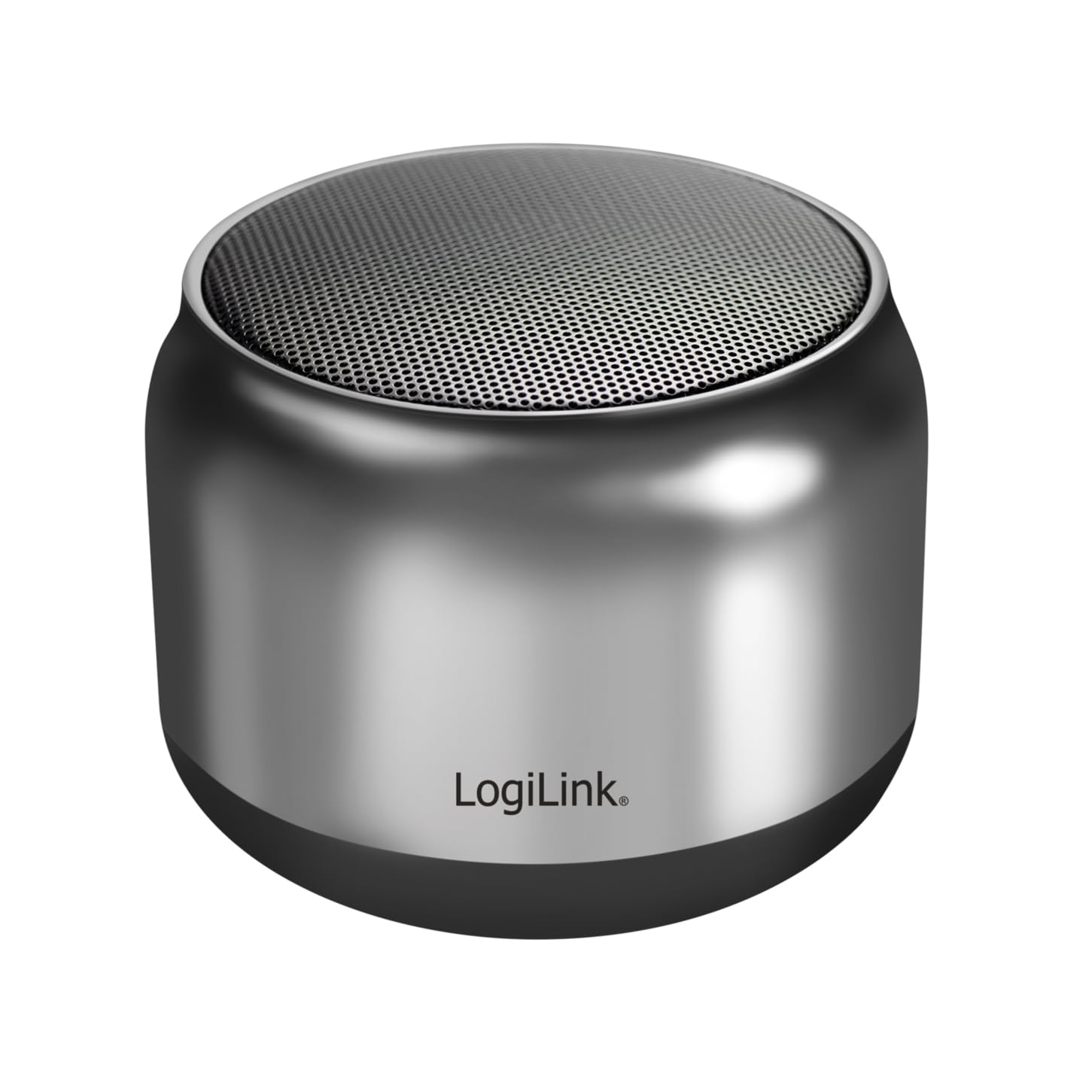
Image: The LogiLink SP0063 Bluetooth speaker on a table, emitting sound waves.
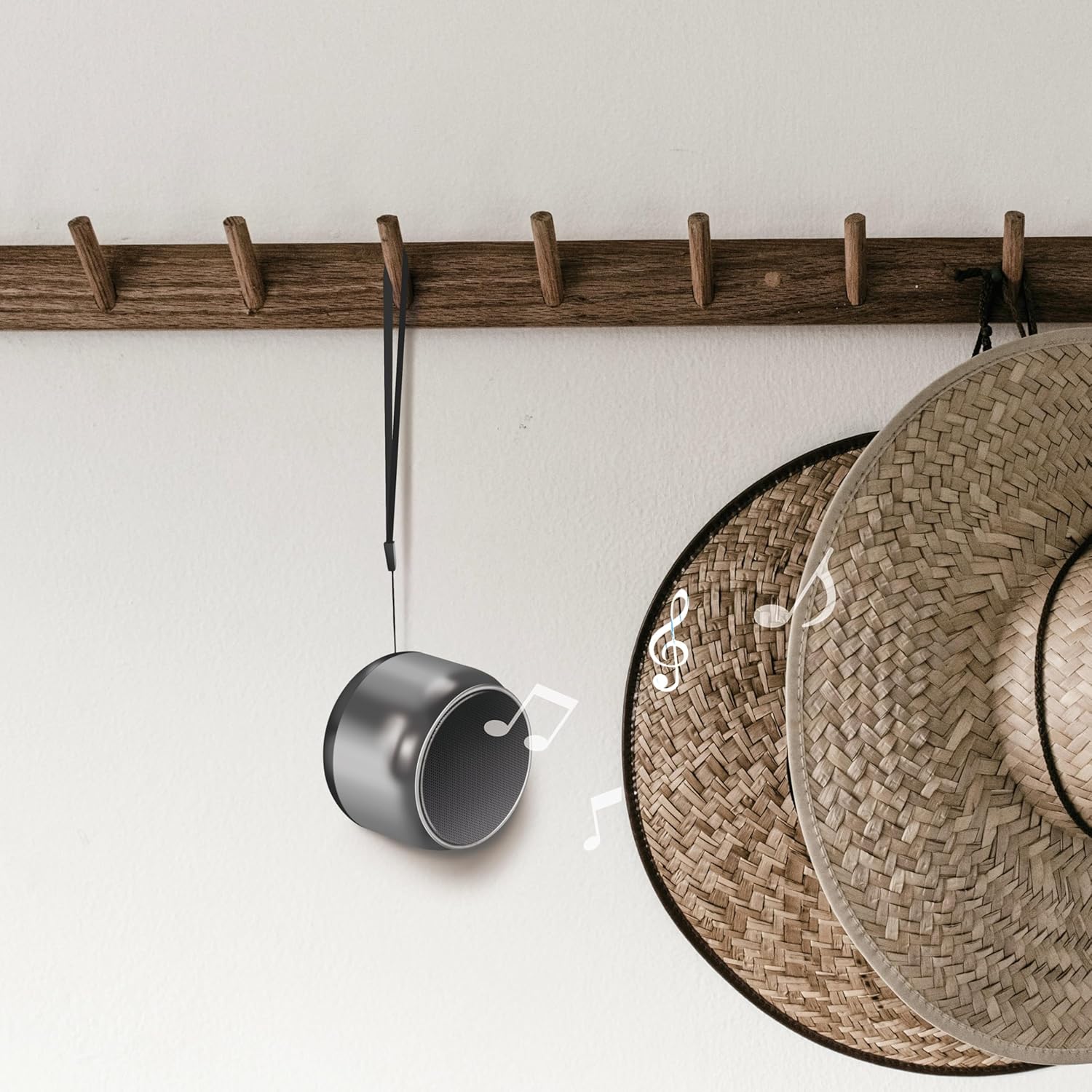
Image: The speaker hanging by its wrist strap, demonstrating its portability.
4.1. 제어 및 포트

이미지: 상단 view of the speaker showing the control buttons. These buttons allow you to manage power, playback, and calls.
- 전원 버튼: 스피커를 켜거나 끄려면 길게 누르세요.
- 재생/일시 정지 버튼: 음악을 재생하거나 일시 정지하려면 누릅니다.
- 볼륨 업/다음 트랙: 짧게 누르면 볼륨이 커지고, 길게 누르면 다음 트랙이 됩니다.
- 볼륨 낮추기/이전 트랙: 짧게 누르면 볼륨이 낮아지고, 길게 누르면 이전 트랙으로 돌아갑니다.
- 호출 버튼: 전화를 받거나 끊으려면 누르세요.
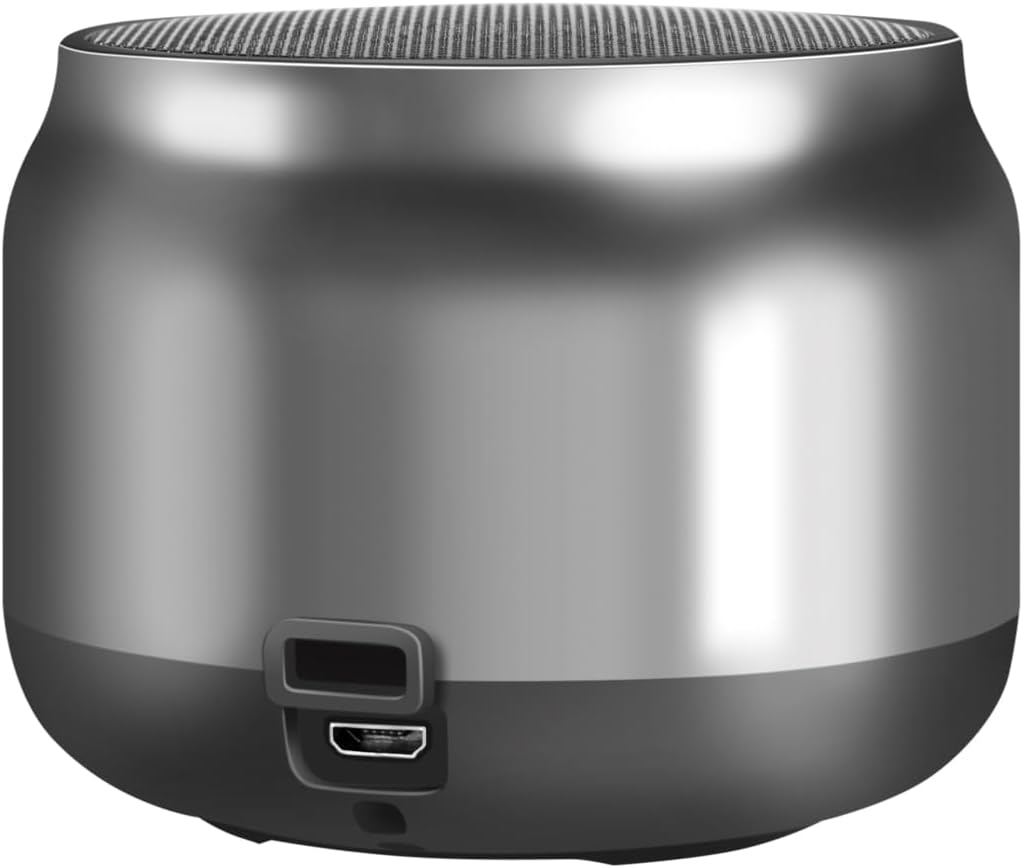
이미지: 뒤로 view of the speaker, highlighting the Micro USB charging port.
- 마이크로 USB 포트: 스피커를 충전하는 데 사용됩니다.
- LED 표시등: 충전 상태와 블루투스 연결 상태를 표시합니다.
5. 설정
5.1. 스피커 충전
- 마이크로 USB 충전 케이블을 스피커의 마이크로 USB 포트에 연결하세요.
- Connect the other end of the USB cable to a 5V/0.5A (2.5W) USB power adapter or a computer's USB port.
- The LED indicator will illuminate during charging. Once fully charged, the LED indicator may change color or turn off (refer to specific LED behavior in your product's quick start guide if available).
- 완충 시 최대 10.5시간 재생이 가능합니다.
5.2. 전원 켜기/끄기
- 전원을 켜려면: Press and hold the Power button for approximately 3 seconds until you hear an audible prompt or the LED indicator flashes.
- 전원을 끄려면: Press and hold the Power button for approximately 3 seconds until you hear an audible prompt or the LED indicator turns off.
5.3. 블루투스 페어링
스피커를 Bluetooth 지원 장치에 연결하려면:
- Ensure the speaker is charged and powered on. The LED indicator will flash, indicating it's in pairing mode.
- 기기(스마트폰, 태블릿, 컴퓨터)에서 Bluetooth를 활성화하고 사용 가능한 기기를 검색하세요.
- Select "SP0063" from the list of found devices.
- 연결이 완료되면 스피커에서 소리로 확인 메시지가 나오고 LED 표시등이 깜빡임을 멈추고 계속 켜져 있습니다.
- The speaker has a wireless range of up to 10 meters in open air.
5.4. True Wireless Stereo(TWS) 페어링
To pair two LogiLink SP0063 speakers for a stereo sound experience:

Image: Two LogiLink SP0063 speakers connected via True Wireless Stereo (TWS) for a richer audio experience.
- Ensure both SP0063 speakers are powered off.
- Turn on both speakers simultaneously. They will automatically attempt to pair with each other.
- Once successfully paired, one speaker will act as the master (left channel) and the other as the slave (right channel). You will hear an audible confirmation.
- Now, connect your Bluetooth device to the master speaker (the one whose LED is flashing for pairing).
- 이제 두 스피커 모두 스테레오로 오디오를 재생합니다.
6. 스피커 작동
6.1. 음악 재생
After successfully pairing with your device, you can control music playback using the speaker's buttons:
- 재생/일시 중지: 재생/일시정지 버튼을 한 번 누르면 현재 트랙이 재생되거나 일시정지됩니다.
- 다음 트랙: Long press the Volume Up button to skip to the next track.
- 이전 트랙 : Long press the Volume Down button to go to the previous track.
- 볼륨 조절: Short press the Volume Up or Volume Down buttons to adjust the volume.

Image: The LogiLink SP0063 speaker actively playing music, indicated by sound waves.
6.2. 핸즈프리 통화
The built-in microphone allows you to make and receive calls directly through the speaker when connected to your smartphone.

Image: Illustration of the built-in microphone function, showing icons for answering and hanging up calls.
- 전화 받기: When a call comes in, press the Call button once to answer.
- 통화 종료: During a call, press the Call button once to end the conversation.
- 전화 거부: During an incoming call, press and hold the Call button for 2 seconds to reject the call.
- 마지막 번호 재다이얼: Double-press the Call button to redial the last number.
7. 유지관리
- 청소: 부드럽고 마른 천으로 스피커를 닦으세요. 연마성 세제나 용제는 사용하지 마세요.
- 저장: 장시간 사용하지 않을 경우, 스피커를 서늘하고 건조한 곳에 보관하세요.
- 배터리 관리 : 배터리 수명을 연장하려면 자주 사용하지 않더라도 스피커를 정기적으로 충전하십시오. 배터리를 장시간 완전히 방전시키지 마십시오.
8. 문제 해결
If you encounter issues with your LogiLink SP0063 speaker, please refer to the following common solutions:
| 문제 | 가능한 원인 | 해결책 |
|---|---|---|
| 스피커의 전원이 켜지지 않습니다. | 배터리가 부족합니다. | 제공된 USB 케이블을 사용하여 스피커를 완전히 충전하세요. |
| Bluetooth 장치와 페어링할 수 없습니다. | 스피커가 페어링 모드가 아닙니다. 기기의 Bluetooth가 비활성화되어 있습니다. 기기와의 거리가 너무 멉니다. | Ensure speaker is on and LED is flashing. Enable Bluetooth on your device. Move device closer to speaker (within 10m). Forget previous pairings on your device and try again. |
| 소리가 나지 않거나 볼륨이 작습니다. | 스피커 또는 장치의 볼륨이 너무 낮습니다. 스피커가 연결되지 않았습니다. | 스피커와 연결된 기기의 볼륨을 모두 높이세요. 스피커가 제대로 페어링되었는지 확인하세요. |
| TWS 페어링이 실패합니다. | Speakers not reset; incorrect pairing sequence. | Ensure both speakers are powered off before attempting TWS pairing. Power them on simultaneously and allow them to connect to each other first, then connect your device to the master speaker. |
| 사운드 왜곡. | 볼륨이 너무 높음; 기기가 너무 멀리 있음; 간섭 발생. | Reduce volume. Move device closer to speaker. Avoid obstacles between speaker and device. |
9. 사양
Here are the technical specifications for the LogiLink SP0063 Bluetooth Speaker:
- 모델: SP0063
- 블루투스 버전: 5.1
- 무선 범위: 최대 10m (야외)
- 스피커 유닛: 52 mm diameter, 5 W
- 스피커 감도 : 88 ± 3dB
- 임피던스: 4옴
- 배터리: Integrated 1200 mAh Lithium-ion battery
- 배터리 수명: 최대 10.5시간
- 충전 포트: 마이크로 USB
- 충전 입력: 5V / 0.5A(2.5W)
- 지원되는 오디오 형식: MP3, WAV
- 치수(D x W x H): 7.6 x 7.6 x 6cm
- 품목 무게: 212그램
- 색상: 다크 그레이
- 특별 기능: True Wireless Stereo (TWS) connection, Lightweight, Integrated Microphone, Portable
- 오디오 출력 모드: 스테레오 재생
- 전원: 배터리 구동
- 제조업체: 2direct GmbH
- 원산지: 중국
10. 보증 및 지원
LogiLink products are manufactured with quality and reliability in mind. For warranty information, technical support, or service inquiries, please refer to the warranty card included with your purchase or visit the official LogiLink web연락처 정보 사이트.