소개
This manual provides detailed instructions for the Keychron V6 Max Wireless Custom Mechanical Keyboard. It covers everything from initial setup and connectivity to advanced customization, maintenance, and troubleshooting. The V6 Max is a full-size 100% layout keyboard designed for enhanced typing comfort and versatility, featuring 2.4 GHz and Bluetooth 5.1 wireless connectivity, QMK/VIA programmability, and hot-swappable switches.
패키지 내용
아래 나열된 모든 품목이 패키지에 포함되어 있는지 확인하세요.
- 1x Fully Assembled Keyboard (including Case, PCB, PC Plate, Sound Absorbing Foam, Stabilizers, Keycaps, Switches)
- 1x Type-A 2.4GHz 수신기
- Type-C 2.4GHz 수신기 1개
- 1x USB Cable (Type-C to Type-C)
- 1x Type-A-Type-C 어댑터
- 수신기용 확장 어댑터 1개
- 1x 키캡 및 스위치 풀러
- 1x Screwdriver & Hex Key
설정
초기 설정
Upon unboxing, ensure the keyboard is placed on a stable, flat surface. Familiarize yourself with the layout and the location of the connectivity switch on the top edge of the keyboard.
연결성
The Keychron V6 Max supports three connection modes: 2.4 GHz wireless, Bluetooth 5.1, and USB-C wired.
- 2.4GHz 무선: For optimal performance, plug the 2.4 GHz receiver (Type-A or Type-C) into your device. The keyboard boasts a rapid 1000 Hz polling rate in this mode.
- 블루투스 5.1 : The keyboard can connect to up to 3 devices via Bluetooth. To pair, switch the keyboard to Bluetooth mode, activate pairing mode (refer to the keyboard's specific key combination for Bluetooth pairing, usually Fn + 1/2/3), and select the keyboard from your device's Bluetooth settings.
- USB-C 유선: Connect the keyboard directly to your device using the provided USB-C to USB-C cable. This mode also supports a 1000 Hz polling rate and charges the keyboard.

운영 체제 스위치
A dedicated switch on the keyboard allows you to toggle between Windows and macOS layouts, ensuring full compatibility with your operating system.

충전 중
The keyboard is equipped with a 4000 mAh rechargeable Li-polymer battery, providing up to 100 hours of working time (with lowest brightness). Connect the keyboard via USB-C cable to charge.

키보드 작동
주요 특징
- 108키 풀사이즈 레이아웃: Provides a complete set of keys for various tasks.
- Gasket Design & Sound-Absorbing Foam: Enhances typing comfort and acoustics.
- 더블샷 PBT 키캡: Offers excellent oil resistance and prevents legend fading.
- Programmable Knob: A multi-function rotary knob for volume control or custom assignments.

Customization with QMK/VIA
The V6 Max is fully customizable with QMK/VIA firmware. You can remap any key, create macros, and adjust lighting effects using the Keychron Launcher web app. Simply connect the keyboard via cable to access the web app and personalize your layout for macOS, Windows, or Linux.

Keycap and Switch Information
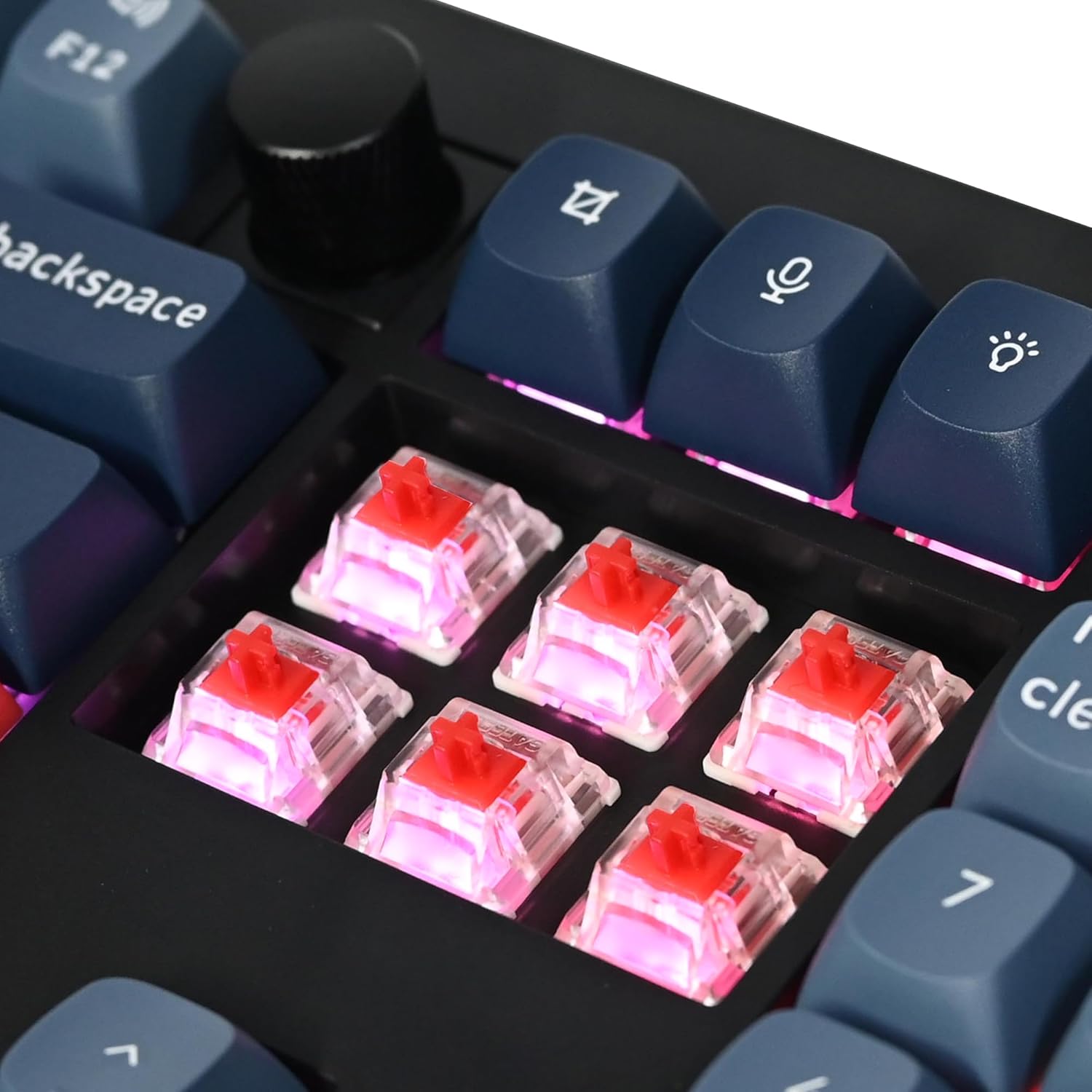
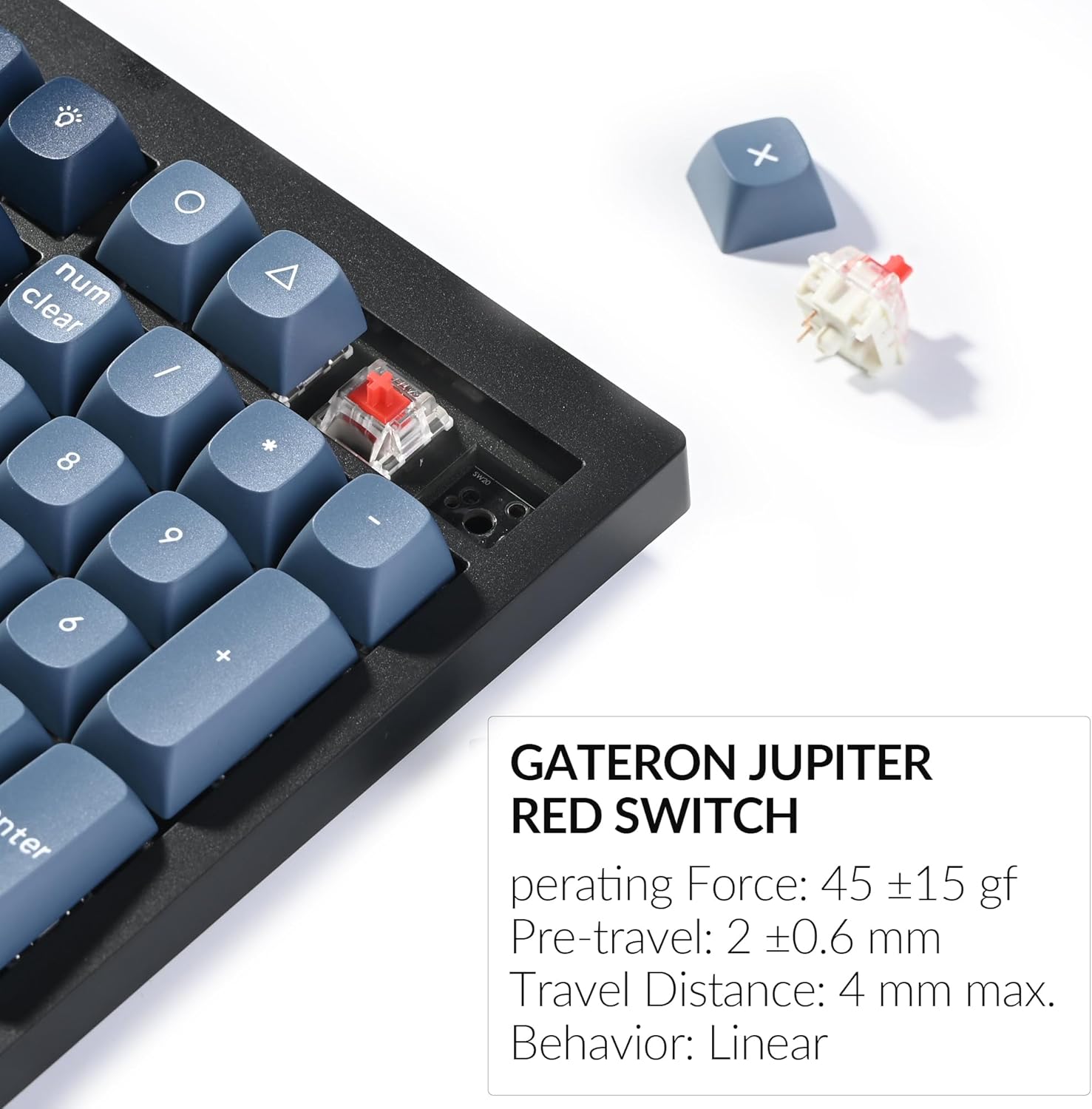
The keyboard comes with OSA profile double-shot PBT keycaps, known for their durability and resistance to shine. It features pre-lubed Gateron Jupiter Red switches, which are linear switches with a smooth press. The hot-swappable PCB allows you to change switches without soldering, compatible with most 3-pin and 5-pin MX mechanical switches.


RGB 백라이트
The V6 Max features south-facing RGB backlighting. You can adjust the hue, saturation, brightness, effect speed, and various lighting modes using combination keys on the keyboard.
유지
청소
To clean your keyboard, use a soft, lint-free cloth. For dust and debris between keycaps, use compressed air. For stubborn stains, a slightly damp cloth with mild soap can be used, ensuring no liquid enters the keyboard. Always disconnect the keyboard before cleaning.
스위치 및 키캡 교체
The hot-swappable design allows for easy replacement of switches and keycaps. Use the provided keycap puller to gently remove keycaps and the switch puller to remove switches. Align new switches carefully before pressing them into place. Ensure the pins are straight to avoid bending.
문제 해결
일반적인 문제
- 연결 문제: Ensure the keyboard is in the correct mode (2.4 GHz, Bluetooth, or wired) for your connection type. Re-pair Bluetooth devices if connection is lost. For 2.4 GHz, try a different USB port or the extension adapter.
- 키가 반응하지 않거나 두 번씩 입력되는 경우: This can sometimes be caused by debris under the switch or a faulty switch. Try cleaning the area around the affected key or replacing the switch using the hot-swap feature.
- 역광 문제: Check if the RGB is enabled and adjust brightness/effects using the keyboard shortcuts. Ensure the keyboard battery has sufficient charge.
- 키보드를 인식할 수 없습니다: Try connecting via a different USB port or cable. Ensure the Windows/macOS switch is set correctly for your operating system.
키보드 재설정
If you encounter persistent issues, performing a factory reset may resolve them. Refer to the official Keychron support resources or the comprehensive user guide for specific instructions on how to reset your V6 Max keyboard.
명세서
| 특징 | 세부 사항 |
|---|---|
| 제품 치수 | 17.63 x 5.87 x 1.28인치(447.9 x 149 x 32.5mm) |
| 품목 무게 | 3.74파운드(1110g ± 10g) |
| 제조업체 | 키크론 |
| 품목 모델 번호 | V6 맥스 |
| 배터리 | 1개의 리튬 폴리머 배터리 필요(포함) |
| 배터리 용량 | 4000mAh |
| 연결 기술 | 2.4GHz 무선, 블루투스 5.1, USB-C 유선 |
| 폴링 속도 | 1000 Hz (2.4 GHz & wired) / 90 Hz (Bluetooth) |
| 키의 개수 | 108 |
| 키캡 재질 | OSA 더블샷 PBT |
| 스위치 유형 | Hot-swap Gateron Jupiter Red Switch (3-pin & 5-pin compatible) |
| 백라이트 | 남향 RGB |
| 호환 장치 | 노트북, PC, 태블릿, 스마트폰 |
| 운영 체제 호환성 | 맥OS, 윈도우, 리눅스 |
보증 및 지원
자세한 보증 정보 및 기술 지원은 키크론 공식 웹사이트를 참조하십시오. website or the comprehensive user guide PDF. You can download the full user guide 여기.
Keychron is committed to providing high-quality products and support. If you encounter any issues not covered in this manual, please contact Keychron customer service for assistance.


