소개
The Prolink DS-3106 3MP Full HD Pan/Tilt/Zoom Smart Home Security Camera is designed to provide comprehensive indoor monitoring. Featuring a 110-degree wide-angle lens and 10-meter night vision, this AI-enabled camera ensures the safety of your household. It also includes a built-in microphone and speaker for two-way communication, allowing you to interact with occupants remotely.

Image: Prolink DS-3106 Home Security Camera with companion mobile application interface.
상자 안에 무엇이 들어있나요?
Verify that all components are present in the packaging before proceeding with installation.

Image: Contents of the Prolink DS-3106 package.
- Prolink DS-3106 Smart Security Camera
- Mount accessories (mounting kit with screw set)
- Power adapter (5V 1A, UK plug)
- USB cable (Type A to Type-C)
- 빠른 설치 가이드
제품 끝view 및 기능
AI-Powered Detection
The camera utilizes smart AI to analyze human contours, enabling faster detection and delivering timely notifications upon detection of activity within its field of view.

Image: Smart AI Detection and Notification feature highlighting human contour analysis.
Full HD 3MP Resolution
Capture every detail in Full HD with 3-megapixel resolution. The camera incorporates Wide Dynamic Range (WDR) image enhancement for clearer visuals.

Image: Comparison of 3MP Full HD resolution versus 2MP, demonstrating enhanced detail.
클리어 나이트 비전
The DS-3106 provides clear night vision with a visual distance of up to 10 meters in low light conditions, ensuring continuous monitoring even in darkness.

Image: Night vision capability comparison, showing superior clarity of the Prolink DS-3106.
Pan-Tilt-Zoom (PTZ) Functionality
Achieve wide-range coverage with 360-degree pan and 110-degree tilt capabilities. The camera also features 6X digital zoom and can be mounted on ceilings or walls to eliminate blind spots.

Image: Pan-Tilt-Zoom functionality and wide-angle view 데모.
와이드 다이나믹 레인지 (WDR)
WDR technology adjusts lighting contrast to minimize shadowing effects and overexposure, rendering images that are true to life, even in challenging lighting conditions.
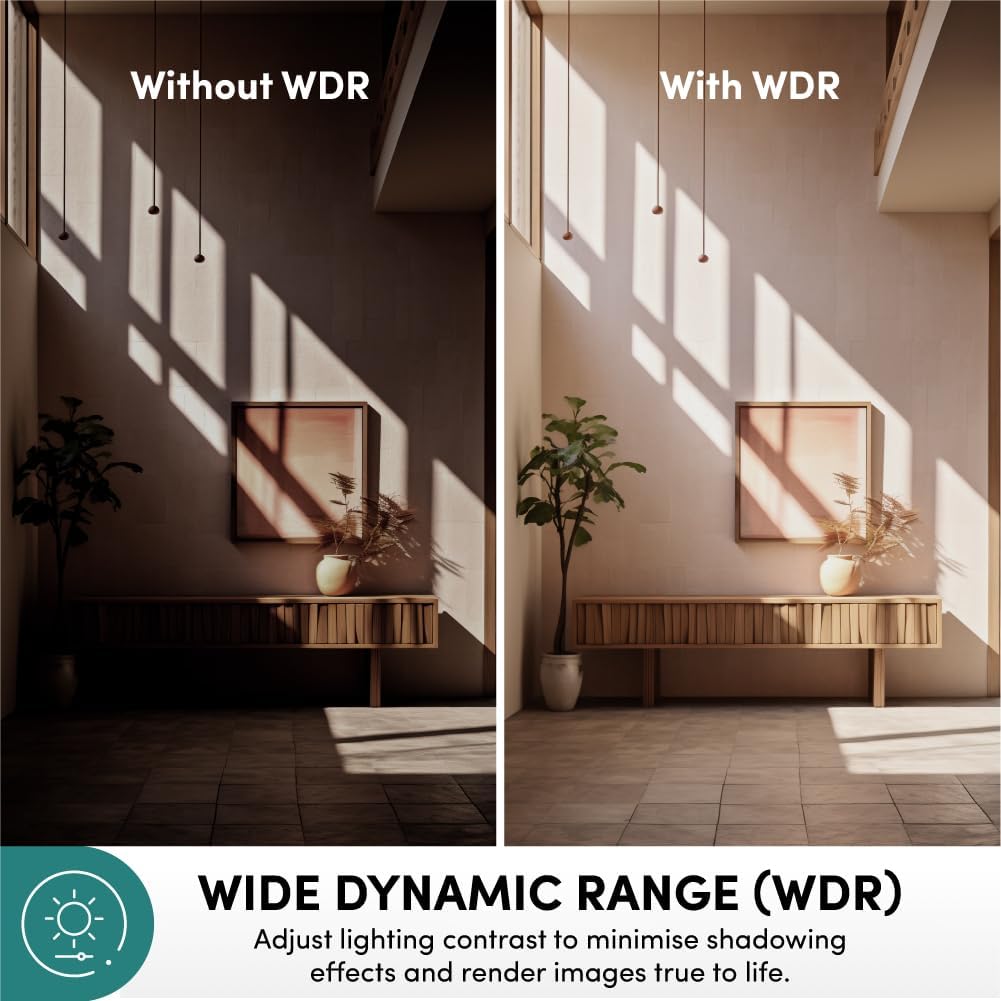
Image: Effect of Wide Dynamic Range (WDR) on image quality.
양방향 커뮤니케이션
The integrated microphone and speaker enable live view and two-way audio communication, allowing you to speak and listen through the camera via the mobile application.
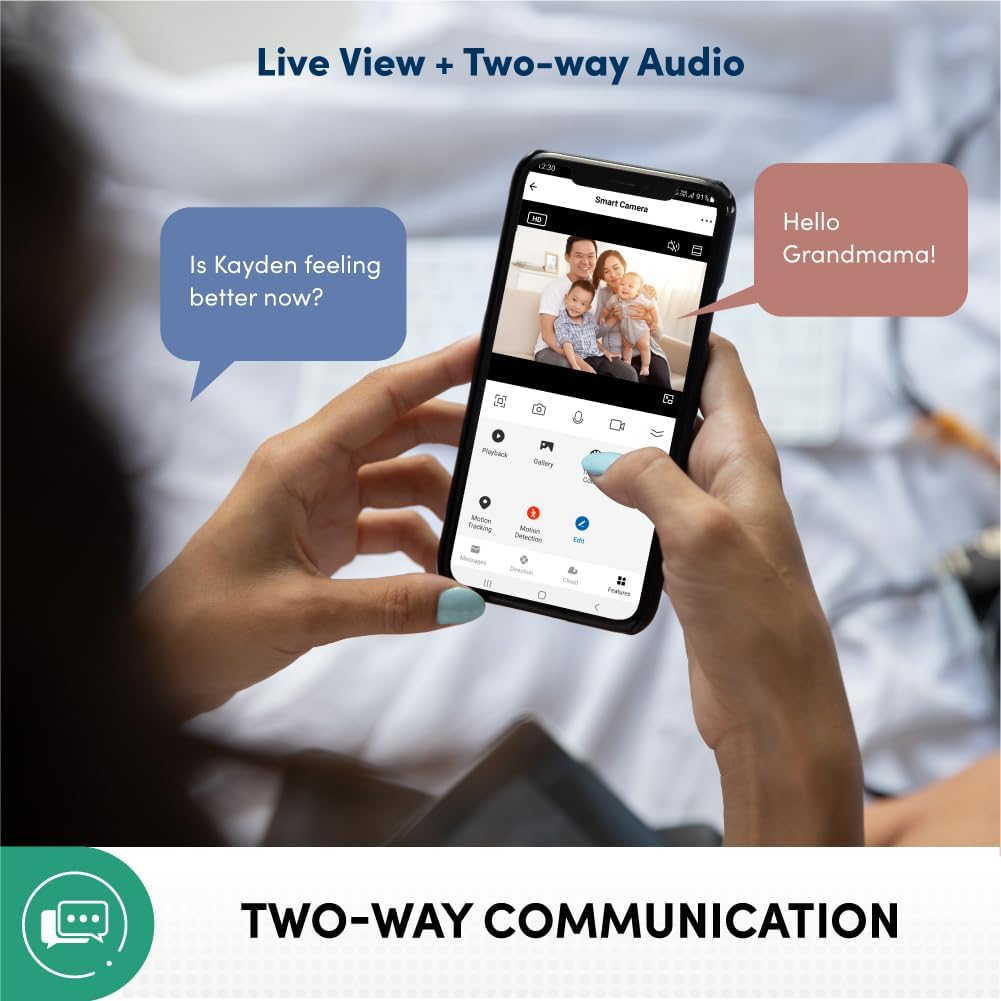
Image: Two-way communication feature via the mobile app.
Privacy Protection and Data Security
Your data and privacy are protected by end-to-end encryption (AES/TLS) to prevent malicious cyber attacks. The system is hosted on Amazon AWS Cloud Server and features 2-layer user login (password/pattern). It is also certified by the Cyber Security Agency of Singapore.

Image: Privacy protection and data security features.
다양한 녹화 방법
The camera supports various recording and storage options, including 3rd party NVR (ONVIF Compatible), optional cloud storage (subscription required), direct recording to smartphone/tablet, and local storage via microSD card up to 512GB (sold separately).

Image: Available recording and storage methods.
설치 가이드
1. 카메라 전원 켜기
- Connect the provided USB cable to the camera's Type-C port.
- Connect the other end of the USB cable to the 5V 1A power adapter.
- 전원 어댑터를 표준 전기 콘센트에 연결하십시오.
- Wait for the camera's indicator light to show it is ready for pairing (refer to the Quick Installation Guide for specific light patterns).
2. 모바일 애플리케이션 설치 및 페어링
- Download the official Prolink Smart Home application from your device's app store (available for Android and iOS).
- Open the application and create a new account or log in if you already have one.
- 앱 내 안내에 따라 새 기기를 추가하세요. 일반적으로 카메라의 QR 코드를 스캔하거나 카메라 모델을 수동으로 선택하는 과정이 포함됩니다.
- 페어링 과정 동안 모바일 기기가 2.4GHz Wi-Fi 네트워크에 연결되어 있는지 확인하십시오.
- 연결되면 다음을 수행할 수 있습니다. view 라이브 피드와 카메라 설정에 접근합니다.
3. 카메라 장착 (선택 사항)
The camera can be placed on a flat surface or mounted on a wall/ceiling using the included mounting kit.
- 최적의 결과를 위해 적합한 위치를 선택하십시오. view적용 범위.
- 장착 브래킷을 본떠서 원하는 표면에 나사 구멍 위치를 표시하십시오.
- 필요한 경우 파일럿 구멍을 뚫고 벽 앵커를 삽입합니다.
- 제공된 나사를 사용하여 장착 브래킷을 표면에 고정합니다.
- Attach the camera to the mounting bracket, ensuring it is securely locked in place.
작동 지침
살다 View 및 모니터링
- Open the Prolink Smart Home app on your smartphone or tablet.
- Select the DS-3106 camera from your device list to access the live video feed.
- Use the on-screen controls to pan (rotate horizontally) and tilt (rotate vertically) the camera lens for a full 360-degree view.
- Pinch to zoom in or out on the live feed to utilize the 6X digital zoom.
양방향 오디오 커뮤니케이션
- 라이브 중 view양방향 오디오를 활성화하려면 마이크 아이콘을 탭하세요.
- Speak into your mobile device's microphone to transmit your voice through the camera's speaker.
- The camera's built-in microphone will pick up audio from the camera's environment, which will be played through your mobile device's speaker.
녹음 및 재생
- Local Storage (microSD card): Insert a microSD card (up to 512GB, sold separately) into the camera's card slot. Configure recording settings (e.g., continuous, motion-triggered) via the app.
- 클라우드 스토리지: If subscribed to cloud storage, recordings will automatically upload to the cloud based on your settings.
- 재생: 기록된 foo에 액세스tage through the "Playback" or "Gallery" section in the Prolink Smart Home app. Select the date and time to review 이벤트.
동작 감지 및 알림
- 앱 내 카메라 설정에서 동작 감지 기능을 활성화하세요.
- Adjust sensitivity levels and define detection zones as needed.
- Receive instant push notifications on your mobile device when motion is detected.
유지
- 청소: 카메라 렌즈와 본체를 부드럽고 마른 천으로 살살 닦아주세요. 표면이나 렌즈를 손상시킬 수 있는 강한 화학 약품이나 연마재는 사용하지 마세요.
- 펌웨어 업데이트: Regularly check for and install firmware updates through the Prolink Smart Home app to ensure optimal performance, security, and access to new features.
- 놓기: 카메라를 직사광선, 극한 온도, 높은 습도를 피해 안정적인 장소에 두세요.
- 네트워크 안정성: Maintain a stable Wi-Fi connection for uninterrupted monitoring and recording.
문제 해결
| 문제 | 가능한 원인 | 해결책 |
|---|---|---|
| 카메라 전원이 켜지지 않음 | Power adapter or cable issue; power outlet problem. | Check power connections. Try a different outlet. Ensure the power adapter is functioning correctly. |
| Wi-Fi에 연결할 수 없습니다 | 와이파이 비밀번호가 잘못되었습니다. 카메라가 공유기에서 너무 멀리 떨어져 있습니다. 5GHz 와이파이 네트워크를 사용하고 있습니다. | Verify Wi-Fi password. Move camera closer to router. Ensure you are connecting to a 2.4GHz Wi-Fi network. Reset camera and try pairing again. |
| 라이브 영상 피드 없음 | Internet connection issue; camera offline; app glitch. | Check your internet connection. Restart the camera. Close and reopen the Prolink Smart Home app. |
| 동작 감지가 작동하지 않음 | Feature disabled; sensitivity too low; incorrect detection zone. | Enable motion detection in app settings. Increase sensitivity. Adjust detection zones. |
| 양방향 오디오가 작동하지 않습니다 | Microphone/speaker muted in app; volume too low; network latency. | Check audio settings in the app. Increase volume on your mobile device. Ensure stable network connection. |
명세서
| 특징 | 세부 사항 |
|---|---|
| 모델 번호 | DS-3106-CCL |
| 비디오 캡처 해상도 | 3 MP (2304 effective resolution) |
| 색상 | 숯 |
| 치수(길이 x 너비 x 높이) | 7.5 x 7.5 x 11.3cm |
| 무게 | 186g |
| View잉 각도 | 110 Degrees (wide-angle lens) |
| 팬/틸트 범위 | Pan: 360 Degrees, Tilt: 110 Degrees |
| 디지털 줌 | 6X |
| 나이트 비전 범위 | 최대 10미터 |
| 연결 기술 | 와이파이(2.4GHz) |
| 특별 기능 | AI-Powered Detection, 2-Way Audio, Wide Dynamic Range (WDR), Privacy Protection (AES/TLS Encryption) |
| 저장 옵션 | microSD card (up to 512GB), Cloud Storage (optional), 3rd Party NVR (ONVIF Compatible) |
| 전원 | 유선 전기 (5V 1A) |
| 설치 유형 | Freestanding, Wall Mount, Ceiling Mount |
| 실내/실외 사용 | 실내 |
| 컨트롤러 유형 | Android, iOS (via Prolink Smart Home App) |
보증 및 지원
For warranty information, technical support, or service inquiries, please refer to the official Prolink website or contact Prolink customer service directly. Details can typically be found in the Quick Installation Guide included with your product or on the manufacturer's official support pages.
제조업체: 프로링크
파는 사람: Prolink Official (via Amazon.sg)
반품 정책: 15 days (refund/replacement) as per Amazon.sg policy.


