소개
Thank you for choosing the IRIS USA WOOZOO Air Circulator Fan. This manual provides important information for the safe and efficient operation of your new fan. Designed to maximize airflow and cooling, this compact yet powerful fan features 360° oscillation, multiple speeds, and a convenient timer function to enhance comfort in any room.

Figure 1: IRIS USA WOOZOO Air Circulator Fan and Remote
중요한 안전 정보
이 제품을 사용하기 전에 모든 지침을 주의 깊게 읽으십시오. 지침을 따르지 않으면 감전, 화재 또는 심각한 부상이 발생할 수 있습니다.
- 청소나 유지관리 작업을 하기 전에는 항상 팬의 플러그를 뽑으세요.
- 전원 코드나 플러그가 손상된 경우 선풍기를 작동하지 마십시오. 코드나 플러그가 손상된 경우 자격을 갖춘 서비스 담당자에게 수리를 의뢰하십시오.
- 선풍기를 물이나 다른 액체 속이나 근처에 두지 마십시오.
- 작동 중에는 손가락이나 기타 물체가 선풍기 날개 및 통풍구에 닿지 않도록 하십시오.
- 선풍기가 넘어지지 않도록 안정적이고 평평한 표면에 놓으세요.
- 이 제품은 실내에서만 사용하세요.
패키지 내용
모든 품목이 패키지에 포함되어 있는지 확인하세요.
- IRIS USA WOOZOO Air Circulator Fan Unit
- 원격 제어
- 사용 설명서 (본 문서)
설정
The IRIS USA WOOZOO Air Circulator Fan is designed for easy setup. It can be used as a tabletop fan or with an extended stand for higher placement.
팬 조립
- 상자에서 모든 구성품을 꺼냅니다.
- Place the fan base on a stable, flat surface.
- If using the extended stand, securely attach it between the fan head and the base. Ensure it clicks into place or is firmly screwed in, depending on the model's design.
- 전원 코드를 표준 120V AC 콘센트에 연결하십시오.
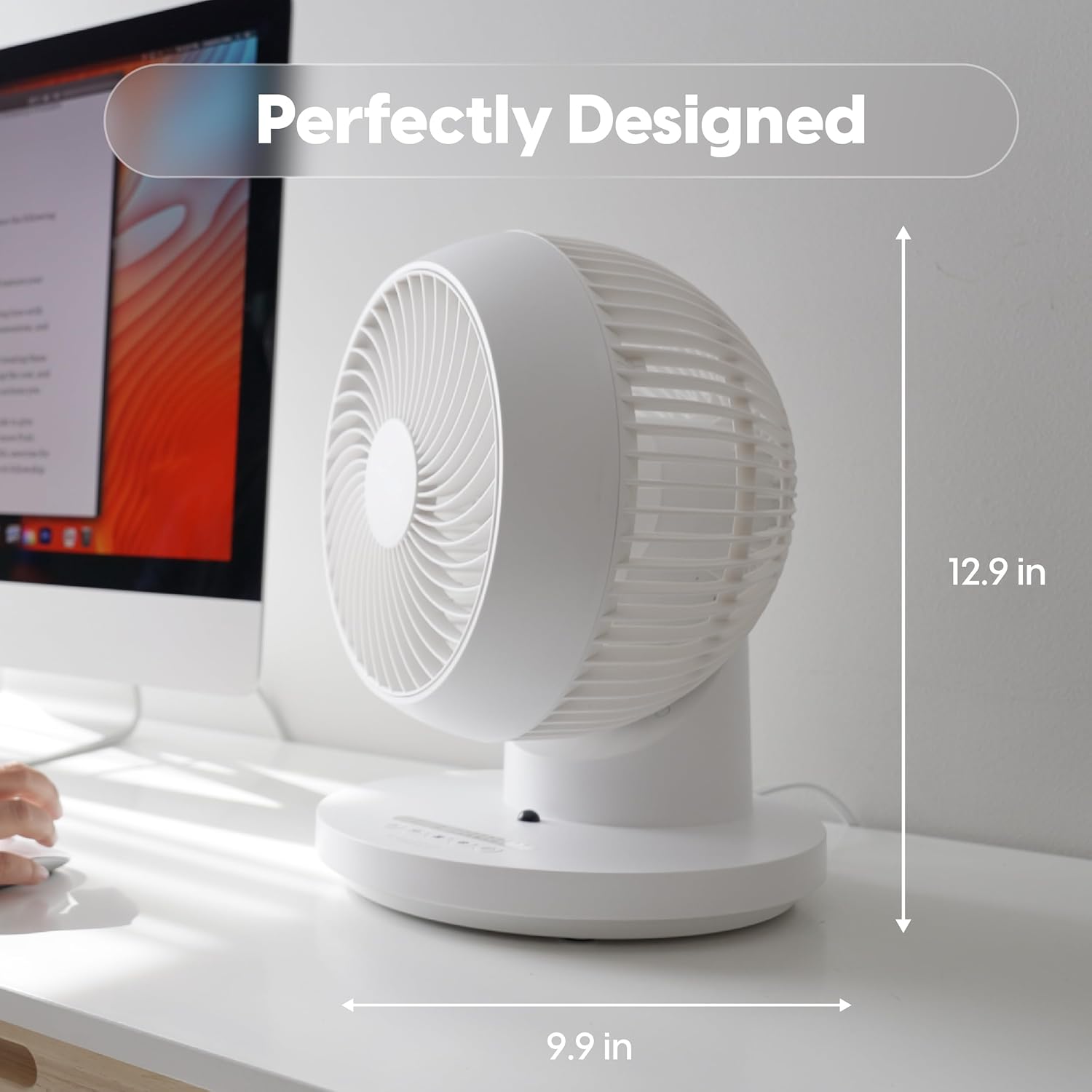
Figure 2: Fan dimensions for optimal placement (approx. 12.9 inches high, 9.9 inches wide).
작동 지침
Your WOOZOO fan can be controlled using the buttons on the unit's base or the included remote control.
컨트롤 오버view

Figure 3: Remote Control Functions: Power, 360° Oscillation, Speed Settings, Timer Settings, 3 Mode Settings.
- 전원 버튼: 팬을 켜거나 끕니다.
- Oscillation Button (360°): Activates or deactivates the 360-degree oscillation feature, allowing air to circulate throughout the entire room.
- Speed Settings (+/-): Adjusts the fan speed. The fan offers 5 power levels for precise airflow control.
- 타이머 버튼: Sets the automatic shut-off timer for 1 to 7 hours.
- 모드 버튼: Cycles through the three available airflow modes:
- 수동 : Provides a continuous, steady airflow at the selected speed.
- 율: Alternates between low and high power to simulate a natural breeze.
- 잠: Gradually decreases the airflow over a two-hour period before turning off, designed for quiet night-time operation.

Figure 4: Detailed explanation of the three airflow modes.
Air Circulation Benefits
The 360° oscillation and powerful airflow (up to 52 feet) ensure efficient air circulation, helping to equalize room temperature by distributing both cool and warm air. This can lead to improved comfort and potential energy savings.
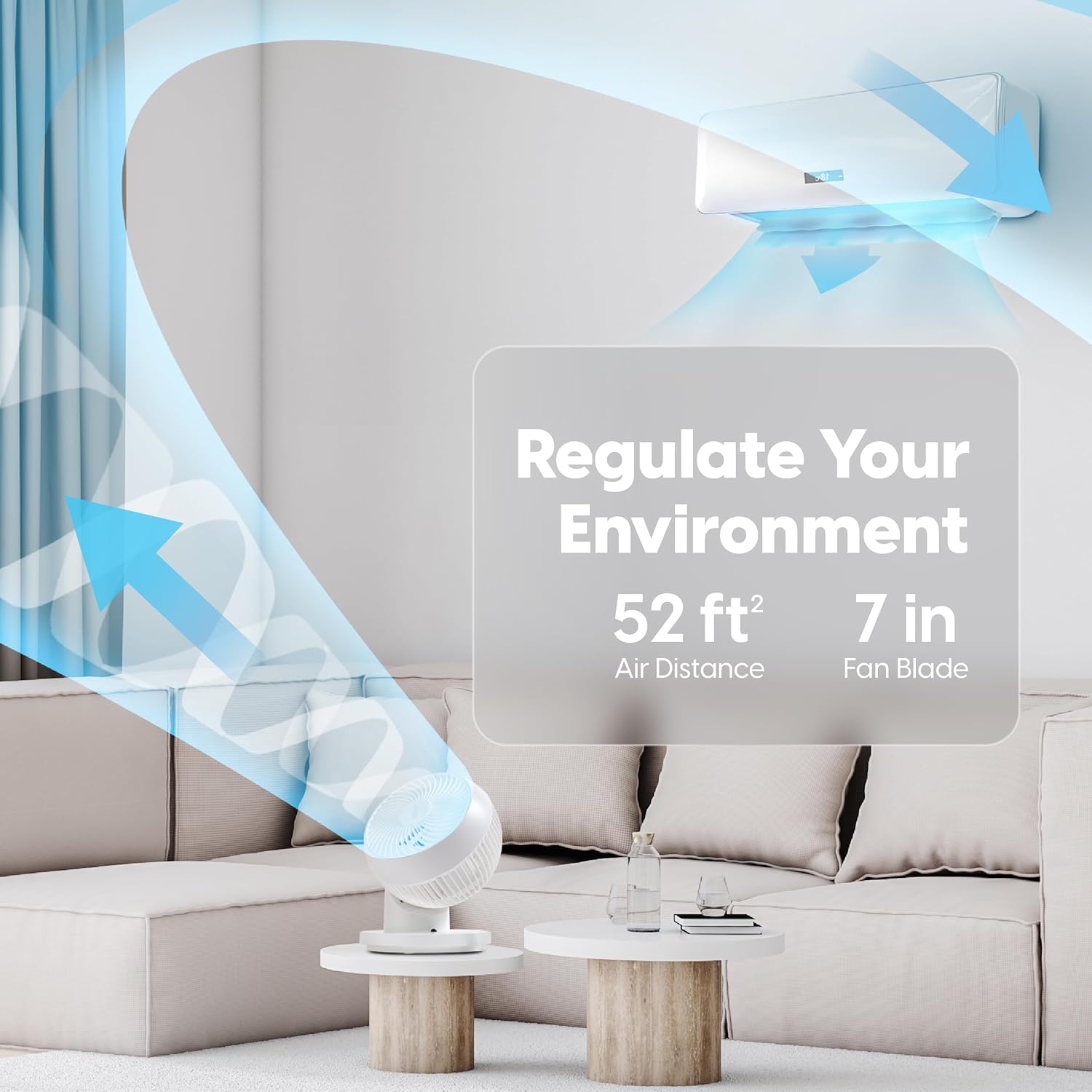
Figure 5: The fan's ability to regulate environment with 52ft air distance.
공식 제품 영상
영상 1: 공식 종료view of the IRIS USA WOOZOO 360 Oscillating Fan with Remote, demonstrating its features and benefits.
유지
정기적인 청소는 선풍기의 성능을 유지하고 수명을 연장하는 데 도움이 됩니다.
- 외부 청소: 부드러운 d로 외부 표면을 닦으십시오.amp 천. 연마성 세척제나 용매를 사용하지 마십시오.
- 블레이드 청소: For thorough cleaning, the front grille may be removable (refer to specific model instructions if applicable). Use a soft brush or vacuum cleaner to remove dust from the fan blades.
- 팬을 다시 연결하고 작동하기 전에 팬이 완전히 말랐는지 확인하세요.
문제 해결
If you experience issues with your WOOZOO fan, try the following solutions:
| 문제 | 가능한 원인 | 해결책 |
|---|---|---|
| 팬이 켜지지 않습니다. | Not plugged in; power outlet not working; fuse blown in plug. | Ensure the power cord is securely plugged into a working outlet. Check the fuse in the plug and replace if necessary. |
| 공기 흐름이 약하거나 전혀 없습니다. | Fan speed set too low; fan blades are dirty. | Increase the fan speed. Clean the fan blades and grille as described in the Maintenance section. |
| 선풍기에서 평소와 다른 소음이 납니다. | Obstruction in fan blades; fan not on a stable surface. | Turn off and unplug the fan, then check for any obstructions. Ensure the fan is placed on a stable, level surface. |
| 리모컨이 작동하지 않습니다. | 배터리가 소진되었거나 잘못 삽입되었습니다. | Replace the batteries in the remote control. Ensure batteries are inserted with correct polarity. |
명세서
| 특징 | 세부 사항 |
|---|---|
| 상표 | 아이리스 |
| 모델명 | PCF-360AC |
| 색상 | 하얀색 |
| 선풍기 디자인 | 테이블 선풍기 |
| 전원 | 코드식 전기 |
| 제품 치수 | 10인치 깊이 x 9.92인치 너비 x 12.99인치 높이 |
| 특징 | Remote Controlled, Oscillating |
| 소음 수준 | 26.5데시벨 |
| 블레이드 수 | 3 |
| 기류 용량 | 분당 1409입방 피트 |
| 속도 설정 | 5가지 파워 레벨 |
| 권tage | 120 볼트 |
| 품목 무게 | 4.17 파운드 |
| 포함된 구성 요소 | 원격 |
| 실내/실외 사용 | 실내 |
| 제어 방법 | 원격 |
| 블레이드 소재 | 플라스틱 |
| 원산지 | 중국 |
보증 및 지원
IRIS USA stands behind the quality of its products. For warranty information, technical support, or to inquire about replacement parts, please visit the official IRIS USA web사이트를 방문하거나 고객 서비스 부서에 문의하세요. 보증 청구에 대비해 구매 증빙 자료로 구매 영수증을 보관하세요.
자세한 내용은 다음을 방문하세요. IRIS USA Official Store


