제품 끝view
The Mesqool Digital Alarm Clock CR1028R is designed to provide reliable timekeeping and alarm functions with enhanced visual features. It includes a vibrant RGB display, dual alarm settings for flexible routines, an adjustable night light, and convenient USB charging ports for your devices. This clock is suitable for various environments, including bedrooms, nurseries, dorms, and offices.
상자 안에 무엇이 들어있나요?
패키지를 열면 다음과 같은 품목이 들어 있습니다.
- Mesqool Digital Alarm Clock (Model CR1028R)
- 전원 어댑터
- USB 충전 케이블
- 사용자 설명서

컨트롤 및 기능
Familiarize yourself with the clock's controls and various features for optimal use.
상단 패널 컨트롤
- SNOOZE/MULTICOLOR Button: Press to activate snooze during an alarm. Long press to cycle through RGB display colors or activate dynamic color modes.
- VOL +/- 버튼: 알람 소리를 조절하세요.
- 밝기 조절 버튼: 화면 밝기를 조절하세요 (7단계).
- 시간 설정 버튼: 길게 누르면 시간 설정 모드로 들어갑니다.
- ALARM 1 ON/OFF Button: 알람 1을 활성화/비활성화합니다.
- ALARM 2 ON/OFF Button: 알람 2을 활성화/비활성화합니다.

Rear Panel and Side Features
- 전원 입력(DC 5V): 제공된 전원 어댑터를 연결하세요.
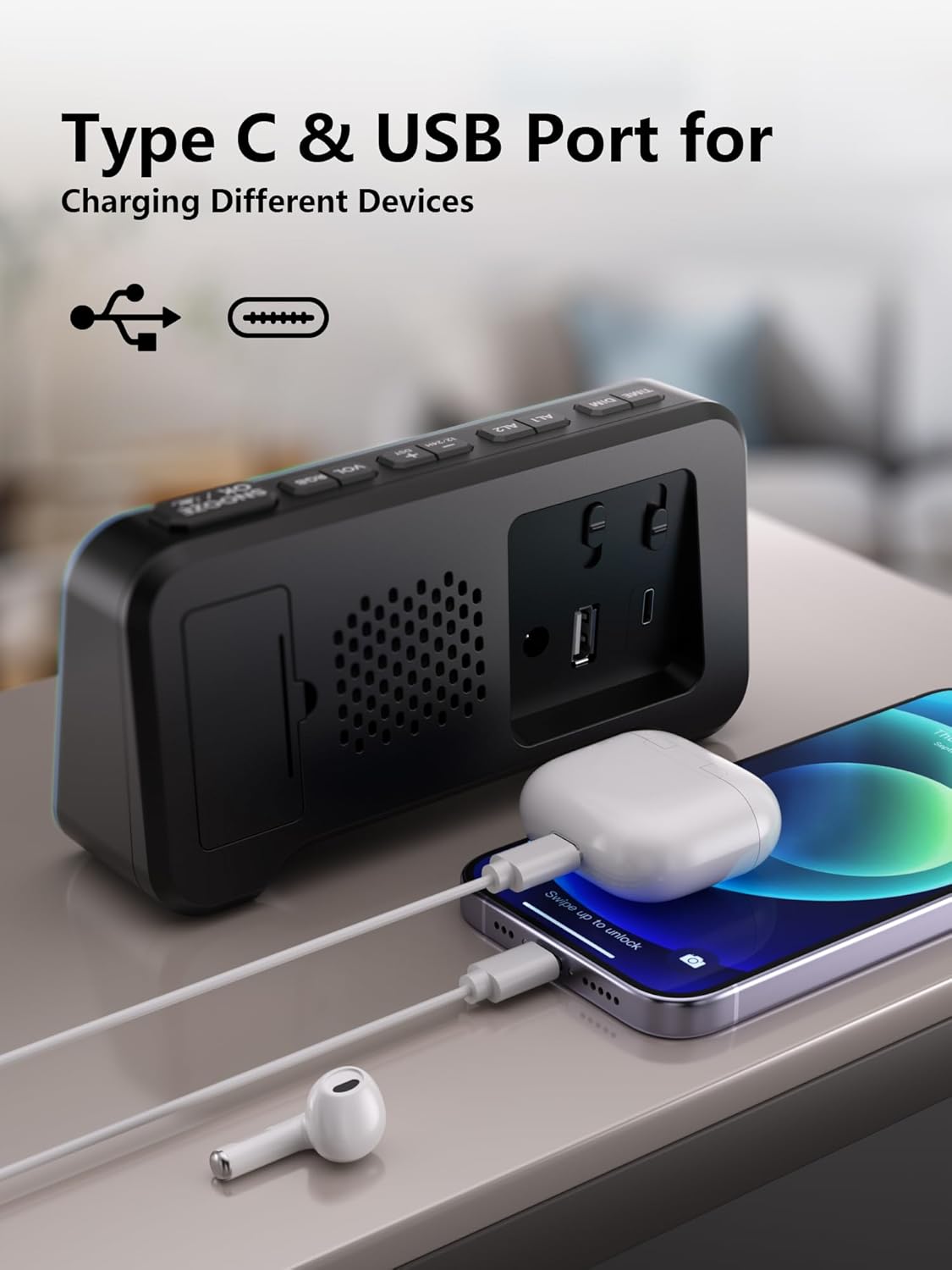
- USB-A 충전 포트: 외부 장치를 충전하는 데 사용됩니다.
- Type-C 충전 포트: 외부 장치를 충전하는 데 사용됩니다.
- 배터리 칸: Houses 2 AAA batteries for backup (not included).
- Time/Alarm Set Switch: Slide to set time or alarm.
- 볼륨 슬라이더 : Adjusts the alarm sound level (Low, Mid, High).
설치 가이드
1. 시계에 전원을 공급하다
- Connect the provided power adapter to the DC 5V input port on the back of the clock.
- Plug the adapter into a standard wall outlet. The display will illuminate.

2. 배터리 백업 설치
- 시계 뒷면의 배터리함 덮개를 여세요.
- AAA 배터리 2개(별도 구매)를 넣을 때, 극성(+/-)을 정확히 확인하십시오.
- 배터리 덮개를 닫습니다.
메모: The battery backup retains time and alarm settings during power outages but does not power the display. The display will turn off during a power cut, but settings will be preserved.

3. 시간 설정
- Slide the switch on the rear panel to the "TIME SET" position. The time display will start blinking.
- Use the "+" and "-" buttons on the top panel to adjust the hours and minutes.
- Once the correct time is set, slide the switch back to the "LOCK" position to save.
작동 지침
1. Time Format (12/24H) and DST
- To switch between 12-hour and 24-hour time formats, press the "12/24HR" button on the rear panel.
- To activate or deactivate Daylight Saving Time (DST), long press the "DST" button on the rear panel.

2. 이중 알람 설정
- Slide the switch on the rear panel to "ALARM SET" (for Alarm 1 or Alarm 2). The alarm time will blink.
- Use the "+" and "-" buttons on the top panel to set the desired alarm time.
- Slide the switch back to "LOCK" to save the alarm time.
- To activate an alarm, press the corresponding "ALARM 1 ON/OFF" or "ALARM 2 ON/OFF" button on the top panel. An alarm icon will appear on the display.
- To deactivate an alarm, press the corresponding "ALARM 1 ON/OFF" or "ALARM 2 ON/OFF" button again. The alarm icon will disappear.
The clock supports flexible alarm routines: weekday-only, weekend-only, or daily settings. Adjust these using the dedicated switches on the rear panel for each alarm.

3. 스누즈 기능
- When an alarm sounds, press the large "SNOOZE" button on the top panel to temporarily silence it for 9 minutes.
- You can repeat the snooze function up to 9 times.
4. 화면 밝기 조절 (밝기 낮추기)
- Press the "DIMMER" button on the top panel to cycle through 7 levels of display brightness.
- Select the brightness level that is most comfortable for your environment.

5. RGB Display Colors
- Long press the "SNOOZE/MULTICOLOR" button to cycle through 10 RGB display colors and dynamic color modes.
- Release the button when your desired color or mode is displayed.

6. 야간 조명 기능
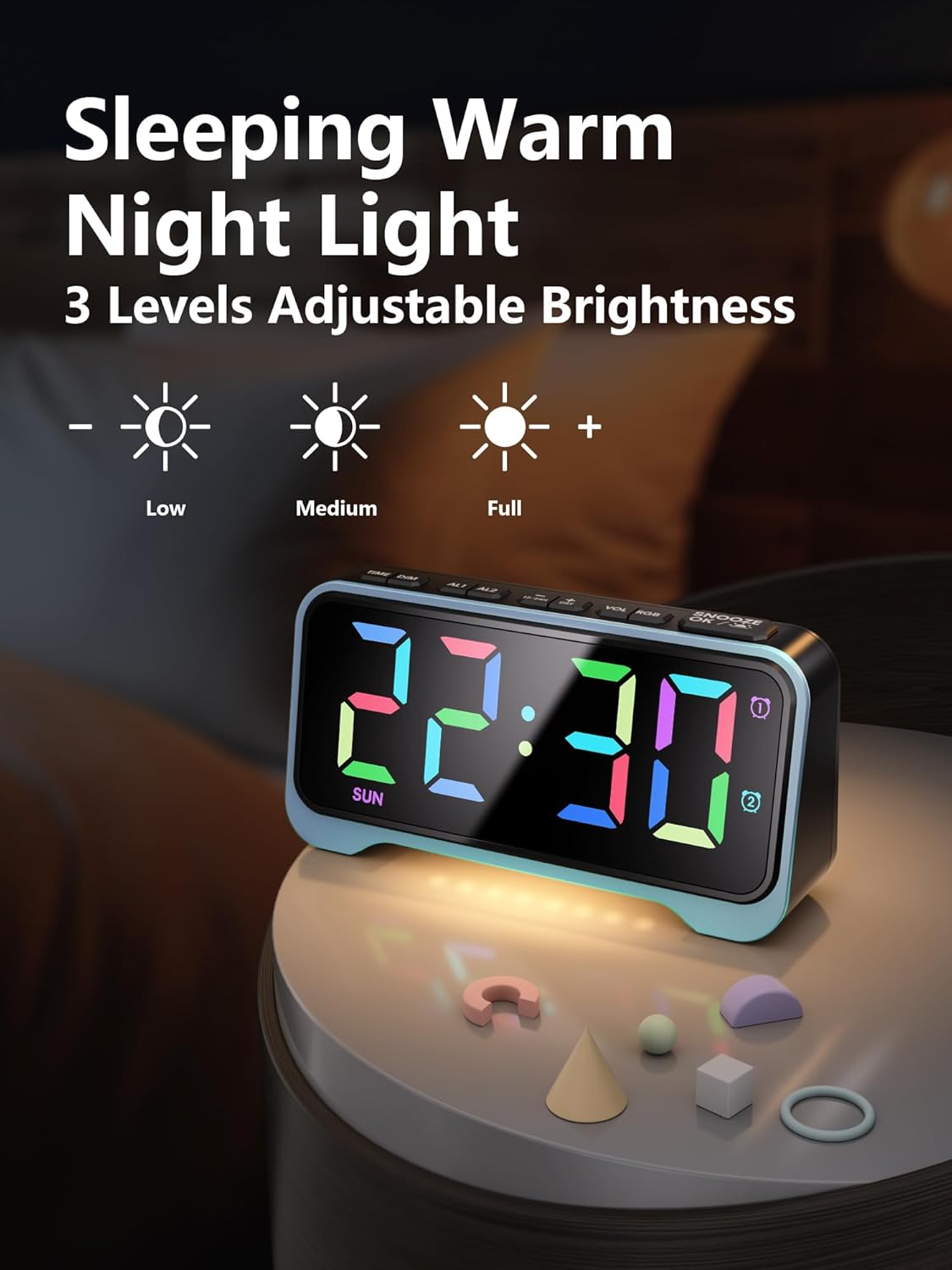
- The clock features a soft warm night light at its base.
- Press the dedicated night light button (often integrated with dimmer or snooze, refer to specific button labels) to cycle through 3 adjustable brightness levels for the night light.
7. Adjustable Alarm Volume
- Use the "VOL +/-" buttons on the top panel to adjust the alarm volume through 5 available levels.
- Alternatively, use the physical volume slider on the rear panel to select between Low, Mid, and High settings.
8. USB 충전 포트
- The clock is equipped with both USB-A and Type-C charging ports on the rear panel.
- Connect your smartphone, tablet, or other USB-powered devices to these ports for convenient overnight charging.
유지
- Clean the clock's exterior with a soft, dry cloth. Avoid abrasive cleaners or solvents.
- 청소하기 전에 시계의 전원 플러그를 뽑으십시오.
- 시계를 물과 높은 습도로부터 멀리 두십시오.
- Replace AAA backup batteries annually or as needed to ensure settings are retained during power outag에스.
문제 해결
| 문제 | 가능한 원인 | 해결책 |
|---|---|---|
| 디스플레이가 꺼져 있습니다. | 힘도 없고 힘도 없고tage. | Ensure the power adapter is securely plugged into the clock and a working outlet. If there's a power outage, the display will be off, but settings are retained by backup batteries. |
| 알람이 울리지 않습니다. | 알람이 활성화되지 않았거나 볼륨이 너무 낮습니다. | Press the "ALARM ON/OFF" button to activate the desired alarm (icon should appear). Check the alarm volume settings using the "VOL +/-" buttons or the rear slider. |
| Time/Alarm cannot be set. | The lock switch is engaged. | Slide the rear switch to "TIME SET" or "ALARM SET" before attempting to adjust. Return to "LOCK" after setting. |
| USB 충전이 작동하지 않습니다. | 기기 호환성 문제 또는 케이블 문제입니다. | Ensure your device is compatible with USB charging. Try a different USB cable. Verify the clock is powered on. |
명세서
- 상표: 메스쿨
- 모델 번호: CR1028R
- 디스플레이 유형: Digital, RGB
- 전원: 유선 전기 (DC 5V)
- 배터리 백업 : AAA 배터리 2개 (포함되지 않음)
- 제품 크기: 폭 6.65인치 x 높이 3.39인치
- 품목 무게: 10.8 온스
- 재료: 아크릴로니트릴 부타디엔 스티렌(ABS)
- 특별 기능: 10 RGB Display Colors, 7 Dimmer Levels, Dual Alarms (Weekday/Weekend modes), 3-Level Adjustable Night Light, 5-Level Adjustable Alarm Volume, Snooze Function (9 minutes, up to 9 times), Dual USB Charging Ports (USB-A & Type-C), 12/24H Time Format, DST Function.
- 객실 유형: Bedroom, Nursery, Dorm
공식 제품 영상
Mesqool Dual Alarm Clock with Weekday/Weekend Mode
Video: This video demonstrates the dual alarm clock's functionality, including setting alarms for weekdays and weekends, and its overall design. Creator: Mestcool (Seller).
Mesqool Super Loud Alarm Clock
Video: This video highlights the super loud alarm feature of the Mesqool clock, demonstrating its effectiveness for heavy sleepers. Creator: Mestcool (Seller).
보증 및 지원
For warranty information or technical support, please contact Mesqool E-commerce Co.,Ltd. Refer to the product packaging or official web최신 연락처 정보는 사이트에서 확인하세요.
제조업체: Mesqool E-commerce Co.,Ltd


