소개
The Visual Land SOUNDWAVE A1 (2024 Edition) Active Noise Cancelling Earbuds are designed to provide a superior audio experience with advanced features for daily use. These earbuds offer 6-microphone active noise cancellation, extended playtime, and fast charging capabilities, all within a water-resistant design.
상자 안에 무엇이 들어있나요?
- Soundwave A1 Earbuds (Rose) and Charging Case
- USB-C 충전 케이블
- Additional Ear Tips Sizes (S, M, L)
- 사용자 지침
제품 끝view
Familiarize yourself with the components of your Soundwave A1 Earbuds.

Image: The rose-colored Soundwave A1 earbuds resting inside their matching charging case, with the case lid closed. Three indicator lights are visible on the front of the case.
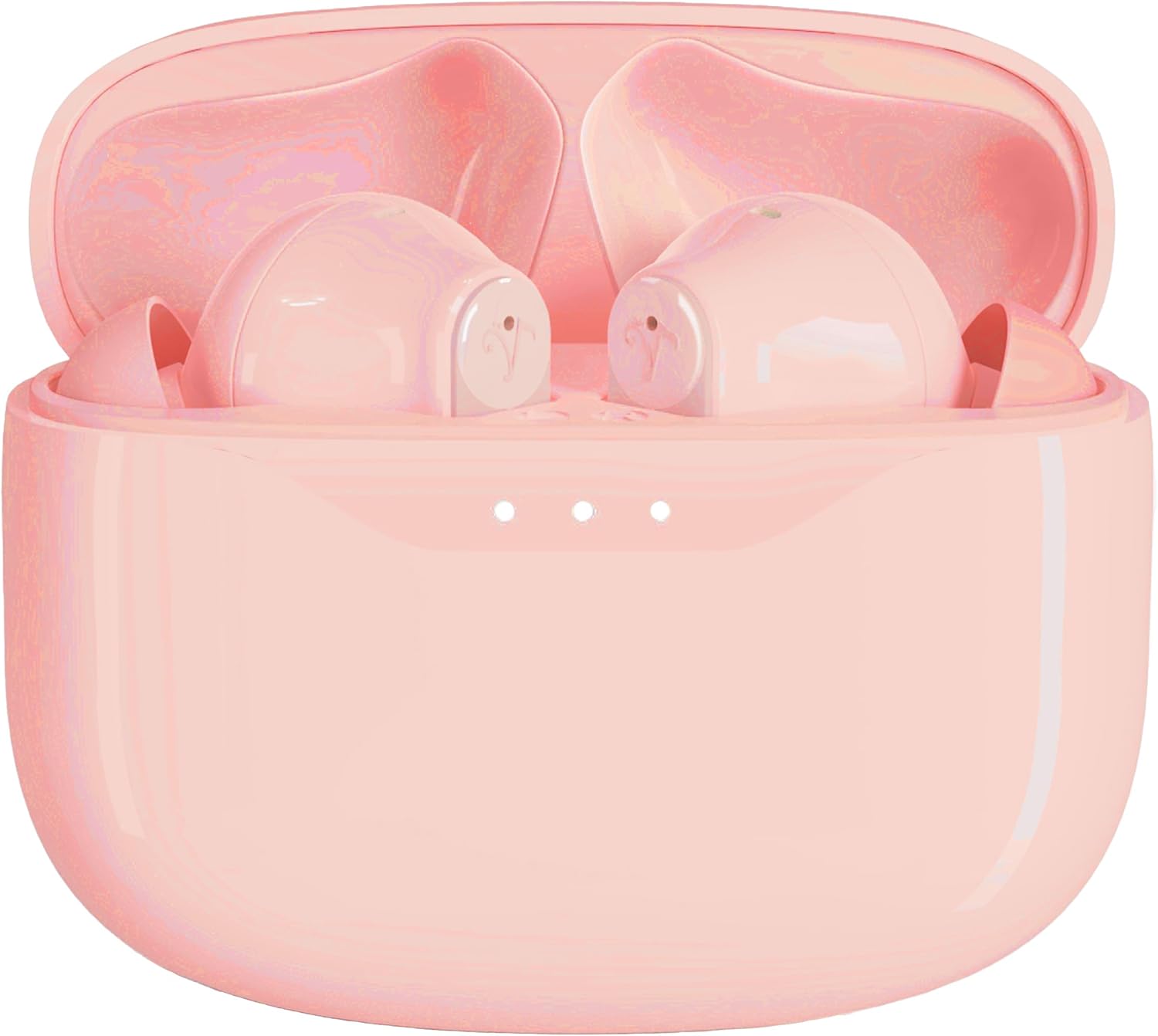
Image: The rose-colored Soundwave A1 earbuds are shown inside their open charging case, revealing the individual earbud slots and the charging contacts.

이미지: 측면 view of both rose-colored Soundwave A1 earbuds, highlighting their ergonomic design and the stem extending from the main body.
설정
1. 이어버드와 케이스 충전
Before first use, fully charge the Soundwave A1 earbuds and their charging case. The case provides additional charges for extended playtime.
- 제공된 USB-C 충전 케이블을 케이스의 충전 포트에 연결하세요.
- 케이블의 다른 쪽 끝을 호환되는 USB 전원(예: 벽면 어댑터, 컴퓨터 USB 포트)에 연결합니다.
- The indicator lights on the case will show charging status. A full charge of the case provides up to 30 hours of battery life for the earbuds.
- For quick power, 15 minutes of charging provides up to 5 hours of playtime.
2. 블루투스 페어링
Pair your Soundwave A1 earbuds with your device for wireless audio.
- 이어버드가 충전 케이스에 들어 있고 케이스가 열려 있는지 확인하세요.
- 기기(스마트폰, 태블릿 등)에서 Bluetooth 설정으로 이동합니다.
- Select "Soundwave A1" from the list of available devices.
- 연결되면 확인음이 울리고 이어버드를 사용할 준비가 됩니다.
- 이 이어버드는 안정적이고 효율적인 연결을 위해 블루투스 5.3을 사용합니다.
3. 이어버드 장착
For optimal sound quality and comfort, select the correct ear tip size.
- The Soundwave A1 comes with 3 ear tip sizes (Small, Medium, Large).
- Try each size to find the one that provides a secure and comfortable fit in your ear canal. A good seal is crucial for effective Active Noise Cancellation.
작동 지침
터치 컨트롤
The Soundwave A1 earbuds feature intuitive touch controls for managing audio playback and calls.
| 행동 | 기능 |
|---|---|
| 싱글 탭 | 음악 재생/일시 정지, 전화 받기/종료 |
| 더블 탭(오른쪽 이어버드) | 다음 트랙 |
| 더블 탭(왼쪽 이어버드) | 이전 트랙 |
| 트리플 탭 | 음성 지원 활성화 |
| 길게 누르기(2초) | Toggle Active Noise Cancellation (ANC) / Transparent Mode / Off |
| (수신 전화 중) 길게 누르기 | 전화 거부 |
능동 잡음 제거 (ANC)
The Soundwave A1 features 6-microphone Active Noise Cancellation to reduce ambient noise. Long press either earbud to cycle through the following modes:
- ANC 켜기: Blocks out most external noise for an immersive listening experience.
- 투명 모드: 주변 소리를 들으면서 동시에 오디오를 즐길 수 있어, 혼잡한 환경에서 주변 상황을 파악하는 데 유용합니다.
- ANC 끄기: 노이즈 캔슬링 기능이 없는 일반 오디오 재생.
Video: Demonstrates the Active Noise Cancellation feature of the Soundwave A1 earbuds, showing users enjoying immersive sound in various environments and highlighting the long-lasting battery life.
유지
청소
정기적으로 청소하면 이어버드의 성능과 수명을 유지하는 데 도움이 됩니다.
- 부드럽고 마른 보푸라기 없는 천으로 이어버드와 충전 케이스를 조심스럽게 닦으세요.
- 이어팁을 제거하고 필요한 경우 순한 비누와 물로 세척하세요. 다시 부착하기 전에 완전히 말랐는지 확인하세요.
- 마른 면봉을 사용하여 이어버드와 케이스 내부의 충전 접점을 조심스럽게 닦으세요.
방수성
The Soundwave A1 earbuds are IPX5 water-resistant, meaning they can withstand splashes and sweat. They are not designed for submersion in water. Avoid exposing them to strong jets of water or prolonged immersion.
문제 해결
Soundwave A1 이어버드 사용 중 문제가 발생하면 다음 해결 방법을 시도해 보세요.
- 이어버드가 페어링되지 않음:
- 기기에서 Bluetooth가 활성화되어 있는지 확인하세요.
- 이어버드가 완전히 충전되었는지 확인하세요.
- 이어버드를 케이스에 다시 넣고 뚜껑을 닫은 후 몇 초간 기다렸다가 뚜껑을 열어 페어링 모드로 다시 진입하세요.
- Forget "Soundwave A1" from your device's Bluetooth settings and try pairing again.
- One earbud not working/charging:
- Ensure the earbud is properly seated in the charging case and the charging contacts are clean.
- Check the battery level of the charging case.
- Try resetting the earbuds (refer to specific reset instructions if available in the full manual, otherwise, a general suggestion is to place them in the case and hold a button for 10 seconds if one exists).
- 음질이 좋지 않음:
- 이어팁이 귀에 잘 밀착되는지 확인하세요. 다양한 크기를 사용해 보세요.
- 이어버드 스피커에서 이물질을 청소하세요.
- 간섭을 피하려면 연결된 장치에 더 가까이 다가가세요.
- 능동형 소음 제거 기능이 효과적이지 않음:
- Ensure ANC is activated (long press touch control).
- Verify that the ear tips create a proper seal in your ear canal.
명세서
| 특징 | 세부 사항 |
|---|---|
| 모델명 | 사운드웨이브 A1 V2 |
| 연결 기술 | 무선, 블루투스 |
| 무선 통신 기술 | 블루투스 |
| 블루투스 버전 | 5.3 |
| 소음 제어 | 능동형 소음 제거(6마이크) |
| 제어 방법 | 터치 컨트롤 |
| 방수 레벨 | IPX5 방수 |
| 총 재생 시간(케이스 포함) | 최대 40시간 |
| 빠른 충전 | 15분 충전으로 최대 5시간 재생 가능 |
| 운반 케이스 배터리 용량 | 500밀리amp 시간 |
| 재료 | 플라스틱 |
| 품목 무게 | 2 온스 |
| 색상 | 장미 |
| 귀 위치 | 귀에 |
| 폼 팩터 | 귀에 |
| 호환 장치 | iOS and Android devices (wide range listed in product data) |
중요한 안전 정보
- 제품을 분해하거나 개조하지 마십시오.
- 극한 온도와 직사광선을 피해 보관하십시오.
- 이어폰을 떨어뜨리거나 강한 충격을 가하지 마십시오.
- 연마성 세제나 독한 화학 물질을 사용하지 마십시오.
- 현지 규정에 따라 배터리를 폐기하십시오.
- Prolonged listening at high volumes can cause hearing damage.


