소개
Thank you for choosing the Sofirn Q8 Plus and SC13 Flashlight Bundle. This manual provides essential information for the safe and effective operation, maintenance, and troubleshooting of your new flashlights. The Sofirn Q8 Plus is a high-power, ultra-bright flashlight designed for extensive illumination, while the Sofirn SC13 is a compact, versatile EDC (Everyday Carry) flashlight. Both models feature USB-C rechargeable capabilities and robust construction.
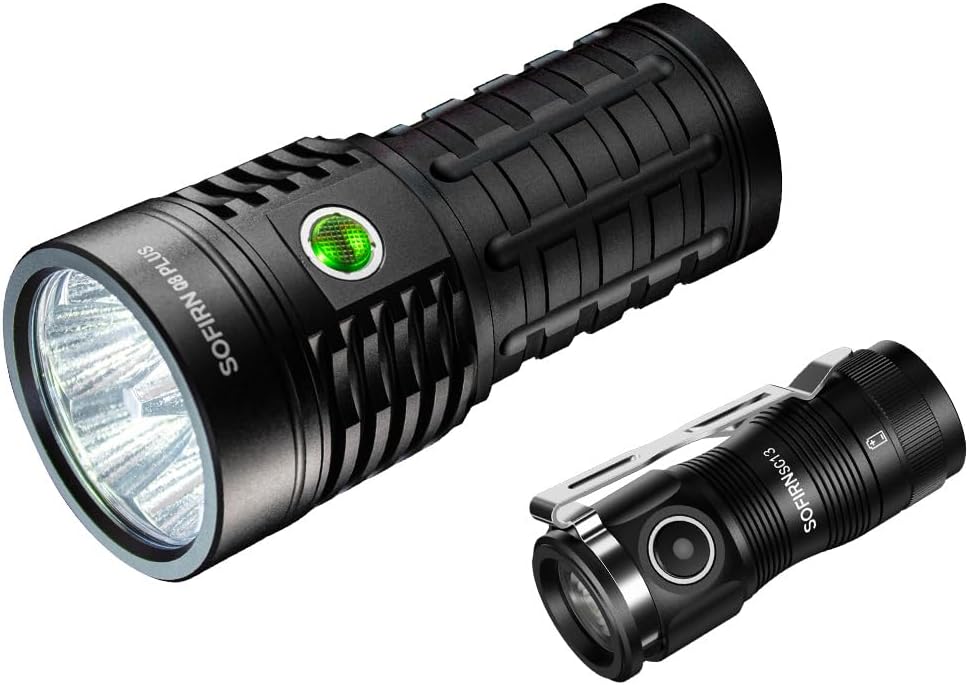
Image: The Sofirn Q8 Plus (larger) and Sofirn SC13 (smaller) flashlights, showcasin묶음을 g.
설정
배터리 설치 및 초기 충전
Both the Sofirn Q8 Plus and SC13 come with pre-installed Lithium-Ion batteries. Before first use, it is recommended to fully charge both flashlights.
- Q8 Plus: Unscrew the tail cap to ensure the battery insulating film is removed. Screw it back on tightly.
- SC13: Unscrew the head of the flashlight to ensure the battery insulating film is removed. Screw it back on tightly.
- Connect the included USB-C charging cable to the flashlight's USB-C port and plug the other end into a compatible USB power adapter (e.g., 5V 3A for Q8 Plus).
- The indicator light will show charging status. For SC13, a red light indicates charging (0-70%), and a green light indicates charging (70-100%) or fully charged. For Q8 Plus, the button light will indicate charging status (blinking for charging, steady for fully charged).
- Allow the flashlights to charge until the indicator shows a full charge. This typically takes about 5 hours for the Q8 Plus.

Image: The Sofirn Q8 Plus connected via USB-C for charging, with indicator lights showing charging and discharging states.

Image: The Sofirn SC13 connected via USB-C for charging, with indicator lights showing battery levels (red for low, green for high).
작동 지침
Sofirn Q8 Plus Operation (Anduril 2.0 UI)
The Q8 Plus utilizes the advanced Anduril 2.0 user interface, offering a wide range of modes and customization. Basic operation is as follows:
- 켜기/끄기: 측면 스위치를 한 번 클릭하세요.
- 밝기 변경(R)amping): 전원이 켜진 상태에서 스위치를 길게 눌러 r로 전환하세요.amp up or down. Release and press again to change direction.
- 터보 모드: From ON, double-click to activate Turbo (16000 lumens). Double-click again to return to the previous brightness.
- 달빛 모드: From OFF, press and hold the switch for 1 second.
- 배터리 점검: From OFF, triple-click. The main LEDs will flash out the voltage (e.g., 4 flashes, pause, 1 flash for 4.1V).
- 잠금 모드: From OFF, 4 clicks to activate. The light will flash once to confirm. To unlock, 4 clicks again.
- 순간 터보: From lockout mode, hold the switch.
- 순간의 달빛: From lockout mode, single click and hold.

Image: The Sofirn Q8 Plus illuminating a wide area, highlighting its 16000 lumens output, 554 meters beam distance, 120-degree flood, 10-hour runtime at medium, Anduril 2.0 UI, IPX8 water resistance, and solid build.
Sofirn SC13 Operation
The SC13 offers multiple lighting modes for various situations:
- 켜기/끄기: 측면 스위치를 한 번 클릭하세요.
- 밝기 변경: While on, press and hold the switch to cycle through Moonlight (1lm), Low (10lm), Medium (150lm), High (500lm). Release to select.
- 터보 모드: Double-click from ON or OFF to activate Turbo (1300 lumens). Double-click again to return to the previous mode.
- 스트로브 모드: Triple-click from ON or OFF to activate Strobe. Single click to turn off.
- 잠금 기능: From OFF, rapidly click the switch 3 times to activate lockout. The light will flash once to confirm. To unlock, rapidly click 3 times again. This prevents accidental activation during transit or storage.

Image: The Sofirn SC13 in hand, illustrating its various lighting modes: Moonlight (1lm), Low (10lm), Medium (150lm), High (500lm), Turbo (1300lm), and Strobe (1300lm), along with its Fresnel Lens.

Image: A hand demonstrating the 3-click lockout/unlock function of the Sofirn SC13, preventing accidental activation.
유지
Proper maintenance ensures the longevity and optimal performance of your Sofirn flashlights.
- 청소: Wipe the flashlight body with a clean, soft cloth. For optical surfaces, use a lens cleaning cloth. Avoid harsh chemicals.
- 매끄럽게 하기: 방수 기능과 원활한 작동을 유지하려면 주기적으로 O링과 나사산에 실리콘 그리스를 도포하십시오.
- 배터리 관리 : Recharge batteries regularly, even if not frequently used, to prevent deep discharge. Store flashlights with a partial charge (around 50%) if storing for extended periods.
- 방수 기능: Ensure all parts are screwed on tightly to maintain the water-resistant seal (IPX8 for Q8 Plus). Avoid submerging the flashlight beyond its rated depth.
문제 해결
| 문제 | 가능한 원인 | 해결책 |
|---|---|---|
| 손전등이 켜지지 않습니다. | Battery low or depleted; Battery insulating film not removed; Loose tail cap/head; Lockout mode activated. | Charge the battery; Remove insulating film; Tighten tail cap/head; Deactivate lockout mode (4 clicks for Q8 Plus, 3 clicks for SC13). |
| 예상치 못하게 불빛이 깜빡이거나 어두워집니다. | 배터리 부족; 연결 불량; 접촉면 오염. | Recharge battery; Ensure all parts are tightly screwed; Clean battery contacts and threads with a clean cloth. |
| 모드를 변경할 수 없습니다. | Incorrect operation; Lockout mode. | Refer to operating instructions for correct mode changes; Deactivate lockout mode. |
| 충전이 되지 않습니다. | Cable issue; Power adapter issue; Dirty charging port. | Try a different USB-C cable and power adapter; Clean the USB-C port. |
명세서
Sofirn Q8 Plus
- 최대 밝기: 16000루멘
- 빔 거리 : 605야드(약 554미터)
- 빛의 출처: LED 6개
- 전원: 배터리 구동(리튬 이온)
- 실행 시간: Up to 10 hours at 1800 lumens
- 방수 기능: 방수 (IPX8)
- 충전 중: USB-C 충전식
- 사용자 인터페이스: Anduril 2.0

Image: A chart detailing the runtime of the Sofirn Q8 Plus at various brightness levels: Turbo (16000lm for 2.5h), High (7000lm for 4.5h), Med (1800lm for 10.25h), Low (200lm for 27.75h), and Moon (5lm for 40 days).
소피른 SC13
- 최대 밝기: 1300루멘
- 빔 거리 : 최대 217미터
- 치수: Length 2.54 inches, Diameter 1.12 inches
- 무게: 1.41 ounces (40g excluding battery)
- 전원: 배터리 구동(리튬 이온)
- 충전 중: USB-C 충전식
- 특별 기능: Lockout Function, Fresnel Lens
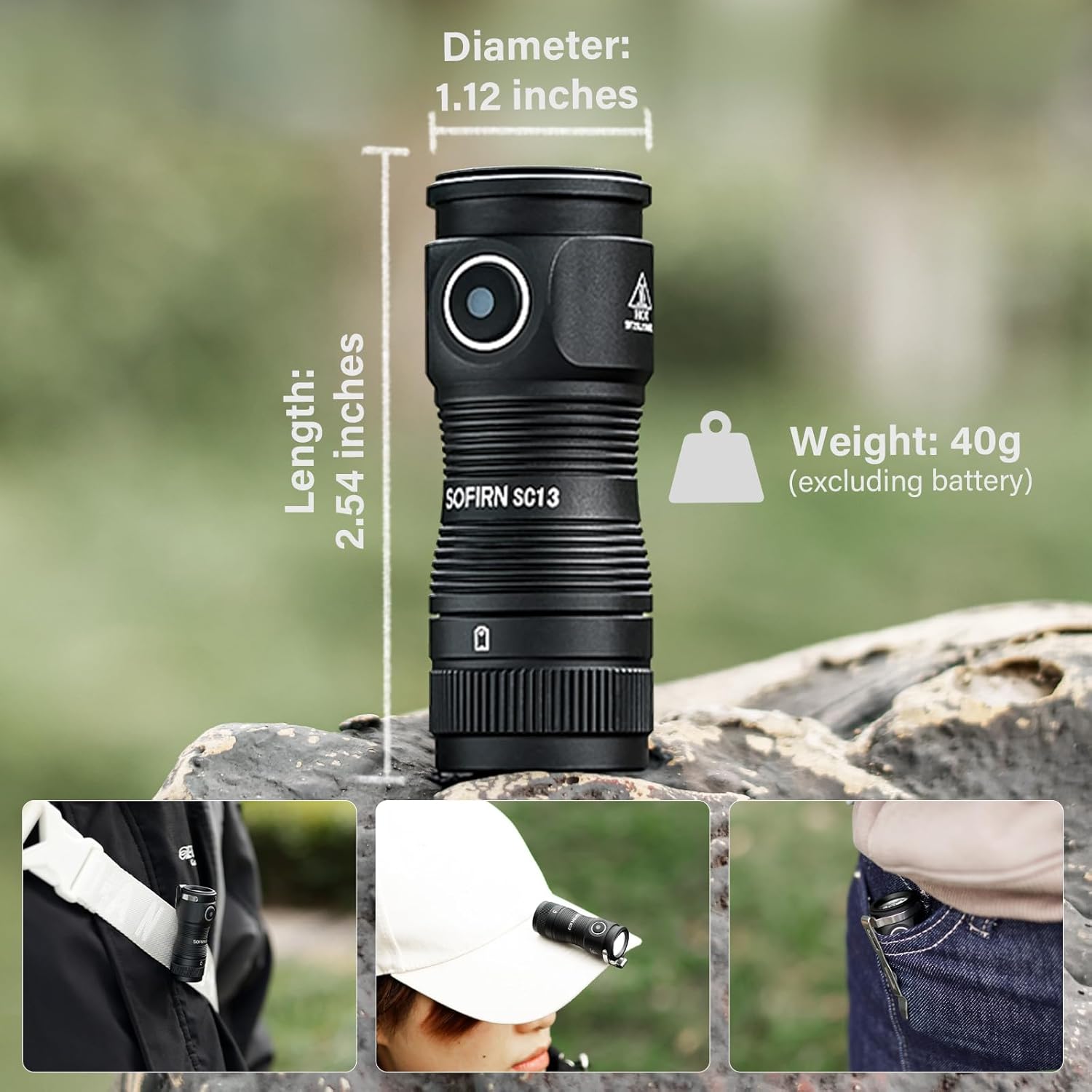
Image: The Sofirn SC13 with its dimensions (Length: 2.54 inches, Diameter: 1.12 inches, Weight: 40g excluding battery) and examples of its portability (clipped to a strap, worn on a hat, carried in a pocket).
보증 및 지원
Sofirn products are designed for durability and performance. For specific warranty details and customer support, please refer to the warranty card included with your product or visit the official Sofirn website. If you encounter any issues not covered in this manual, please contact Sofirn customer service for assistance.
For further information and product updates, visit the Sofirn Store on Amazon.


