1. 서론
Thank you for choosing the Airdog X3D Black Air Purifier. This manual provides essential information for the safe and efficient operation, maintenance, and troubleshooting of your device. Please read this manual thoroughly before use and retain it for future reference.

그림 1: 전면 view of the Airdog X3D Black Air Purifier.
2. 안전 정보
To reduce the risk of electric shock, fire, or injury, always follow basic safety precautions when operating electrical appliances. This device is for indoor use only.
- 장치를 물이나 다른 액체에 담그지 마십시오.
- 전원 코드를 뜨거운 표면에서 멀리 두세요.
- 손상된 코드나 플러그를 사용하여 장치를 작동하지 마십시오.
- Ensure the air inlets and outlets are not blocked.
- 청소나 유지관리 작업을 하기 전에는 반드시 장치의 플러그를 뽑으세요.
- 어린이와 애완동물의 손이 닿지 않는 곳에 보관하세요.
3. 패키지 내용
패키지에 모든 품목이 들어 있는지 확인하세요.
- Airdog X3D Black Air Purifier Unit
- 전원 어댑터
- 원격 제어
- 사용 설명서 (본 문서)
4. 제품 오버view
The Airdog X3D features a compact design with advanced air purification technology, including a TPA filter system, light sensor, human sensor, and a 3-way wide-angle exhaust system for efficient air circulation.
4.1. 주요 구성 요소
- 제어판/디스플레이: Shows air quality index (AQI) and operational status.
- 공기 유입구: Located on the sides and back of the unit.
- 공기 배출구: Top of the unit, designed for 3-way wide-angle exhaust.
- TPA Filter System: Internal, washable filter components.
- 센서: Integrated light and human presence sensors.
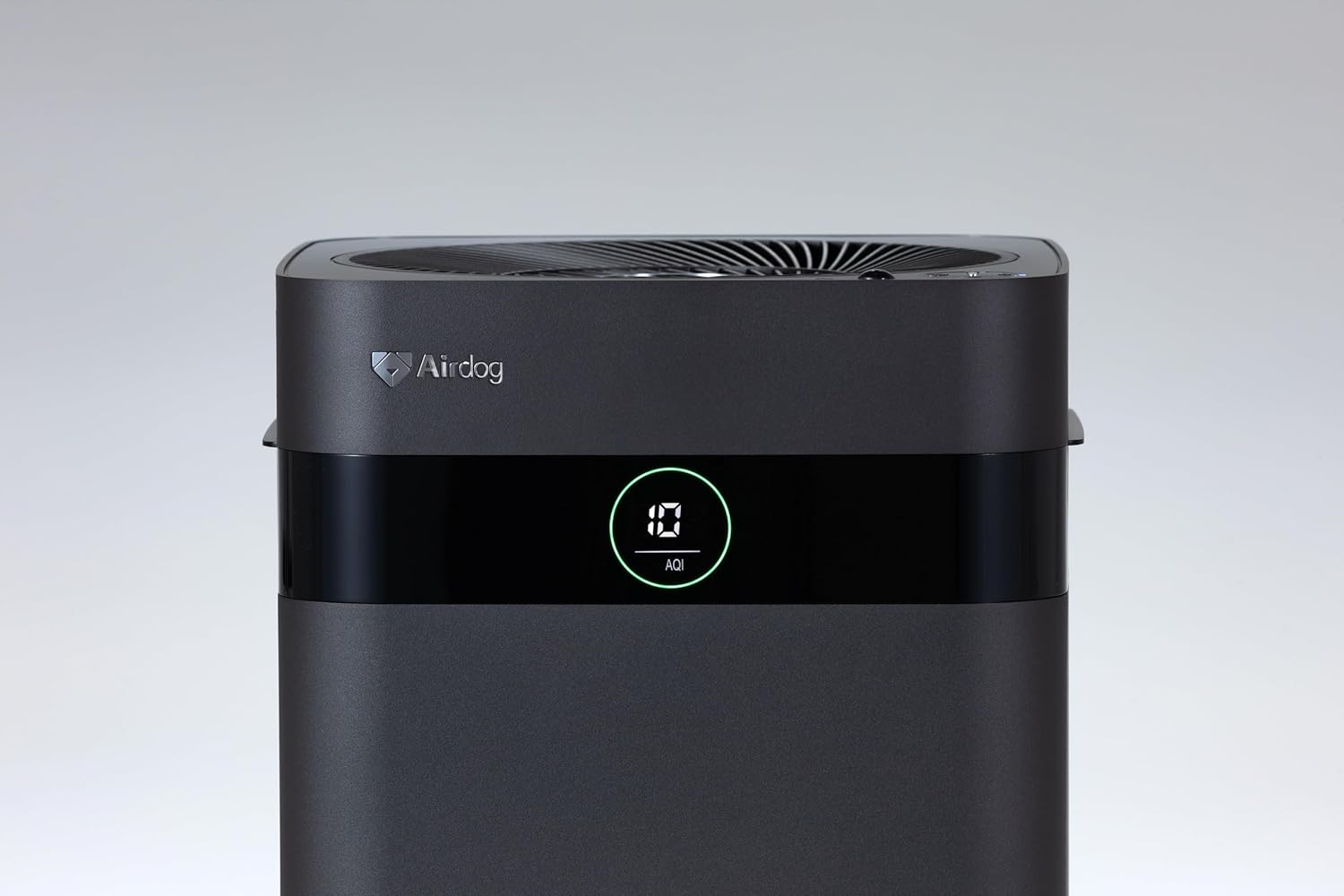
Figure 2: Close-up of the control panel and AQI display.

그림 3: 상단 view illustrating the air outlet design.

Figure 4: The bottom light indicator provides visual feedback on air quality.
5. 설정
5.1. 풀기
- 공기 청정기의 포장을 조심스럽게 꺼내세요.
- 제품에서 모든 보호 필름과 포장재를 제거하십시오.
- 섹션 3에 나열된 모든 구성 요소가 있는지 확인하세요.
5.2. 배치
Place the air purifier on a flat, stable surface. For optimal performance, ensure there is adequate space around the unit for air circulation. Avoid placing it directly against walls or furniture that might obstruct the air inlets or the 3-way wide-angle exhaust.

그림 5: 예ample placement in a kitchen area.

그림 6: 예ample placement in a living room.
5.3. 전원 연결
Connect the power adapter to the power input port on the back of the unit, then plug the adapter into a suitable electrical outlet.
6. 사용 설명서
6.1. 전원 켜기/끄기
Press the power button on the control panel or the remote control to turn the unit on or off. The display will illuminate when the unit is active.
6.2. 모드 선택
The Airdog X3D offers various operating modes:
- 자동 모드 : The unit automatically adjusts fan speed based on detected air quality (AQI).
- 수동 모드: 원하는 팬 속도를 수동으로 선택할 수 있습니다.
- 수면 모드 : Operates at the lowest fan speed with reduced display brightness for quiet operation.
Use the mode button on the control panel or remote control to cycle through the available modes.
6.3. Sensor Functions
- 조도 센서: Automatically adjusts display brightness based on ambient light conditions.
- Human Sensor: Detects human presence to optimize operation, potentially saving energy when the room is unoccupied.
6.4. 원격 제어
The included remote control allows for convenient operation from a distance. Point the remote control directly at the unit's sensor. Note that the effective range of the remote control may be limited (approximately 1 meter).
7. 유지관리
Regular maintenance ensures the longevity and optimal performance of your Airdog X3D air purifier.
7.1. TPA Filter Cleaning
The TPA filter system is washable and reusable. Refer to the detailed instructions in the full user manual for specific cleaning procedures. Generally, the collector plates should be cleaned regularly to maintain purification efficiency.
- Turn off and unplug the unit before opening the filter compartment.
- Remove the collector plates and wash them with water and mild detergent.
- Ensure all filter components are completely dry before reinserting them into the unit.
7.2. 외부 청소
부드러운 천으로 기기 외부를 닦아주세요.amp 천. 연마성 세척제나 용매를 사용하지 마십시오.
8. 문제 해결
If you encounter issues with your Airdog X3D, please refer to the following common problems and solutions:
| 문제 | 가능한 원인 | 해결책 |
|---|---|---|
| 장치의 전원이 켜지지 않습니다. | 전원이 들어오지 않고 연결이 느슨합니다. | 전원 코드 연결과 벽면 콘센트를 확인하세요. |
| 공기 정화 성능이 떨어집니다. | Dirty TPA filter, obstructed air inlets/outlets. | Clean TPA filter components. Ensure clear airflow paths. |
| 리모컨이 응답하지 않습니다. | Low battery, out of range, obstruction. | Replace remote battery. Ensure direct line of sight within 1 meter. |
| 이상한 소음. | Foreign object, improper filter installation. | Check for obstructions. Reinstall filter components correctly. |
이러한 해결 방법을 시도한 후에도 문제가 지속되면 고객 지원팀에 문의하세요.
9. 사양
| 특징 | 세부 사항 |
|---|---|
| 상표 | 에어독 |
| 모델 번호 | AIR-X3-AMB310 |
| 색상 | 매트블랙 |
| 제품 치수 | 26cm(깊이) x 27cm(너비) x 56cm(높이) |
| 패키지 무게 | 7.5kg |
| 배터리 사용 | 네 (원격 제어용) |
| 배터리 포함 | 아니요 |
| 제조 연도 | 2024 |
| 특별 기능 | Light & Human Sensor, 3-way Wide-Angle Exhaust System, TPA Filter |
10. 보증 및 지원
The Airdog X3D Black Air Purifier comes with a manufacturer's warranty. Please refer to the warranty card included with your product for specific terms and conditions. For technical support, service, or warranty claims, please contact Airdog customer service through their official web사이트 또는 제품 설명서에 제공된 연락처 정보를 참조하세요.


