1. 제품 오버view
The Lexar SL500 Portable SSD is a high-performance external solid-state drive designed for fast data transfer and reliable storage. Its compact and durable design makes it ideal for professionals, gamers, and anyone needing portable, high-speed storage.
- 뛰어난 성능: Up to 2000MB/s read and 1800MB/s write speeds for efficient file 이전.
- Slim & Lightweight Design: Solid aluminum unibody construction, easily fits in your pocket.
- 폭넓은 호환성: Works with Type-C laptops, iPhone 15/16 series, smartphones, tablets, PS5, Xbox, and cameras.
- Apple ProRes Recording: Supports direct recording in up to 4K 60FPS with iPhone 15 Pro and iPhone 15 Pro Max.
- Thermal Control Design: Ensures optimal temperatures for sustained high performance.
- 데이터 보안: Includes Lexar DataShield 256-bit AES encryption software.
- 플러그 앤 플레이: Equipped with a Type-C data cable for immediate use.
동영상 1 : Lexar SL500 Portable SSD Overview. This video provides a general introduction to the Lexar SL500 Portable SSD, highlighting its key features and design.
동영상 2 : Meet The Lexar 2TB SL500 Portable SSD. A brief video showcasing the Lexar SL500 SSD's design and portability.
동영상 3 : 제품 끝view Video. This video offers a detailed look at the Lexar SL500 Portable SSD and its features.
2. 설정
Setting up your Lexar SL500 Portable SSD is straightforward. It is designed for plug-and-play convenience across various devices.
2.1 상자 내용물
- SL500 Portable SSD
- USB Type-C 케이블
2.2 SSD 연결하기
- Locate the USB Type-C port on your device (laptop, smartphone, gaming console, camera).
- Connect one end of the provided USB Type-C cable to the Lexar SL500 Portable SSD.
- Connect the other end of the USB Type-C cable to your device's USB Type-C port.
- The SSD should be automatically recognized by your device. For some operating systems, you may need to format the drive before first use. Refer to your device's operating system instructions for formatting external drives.
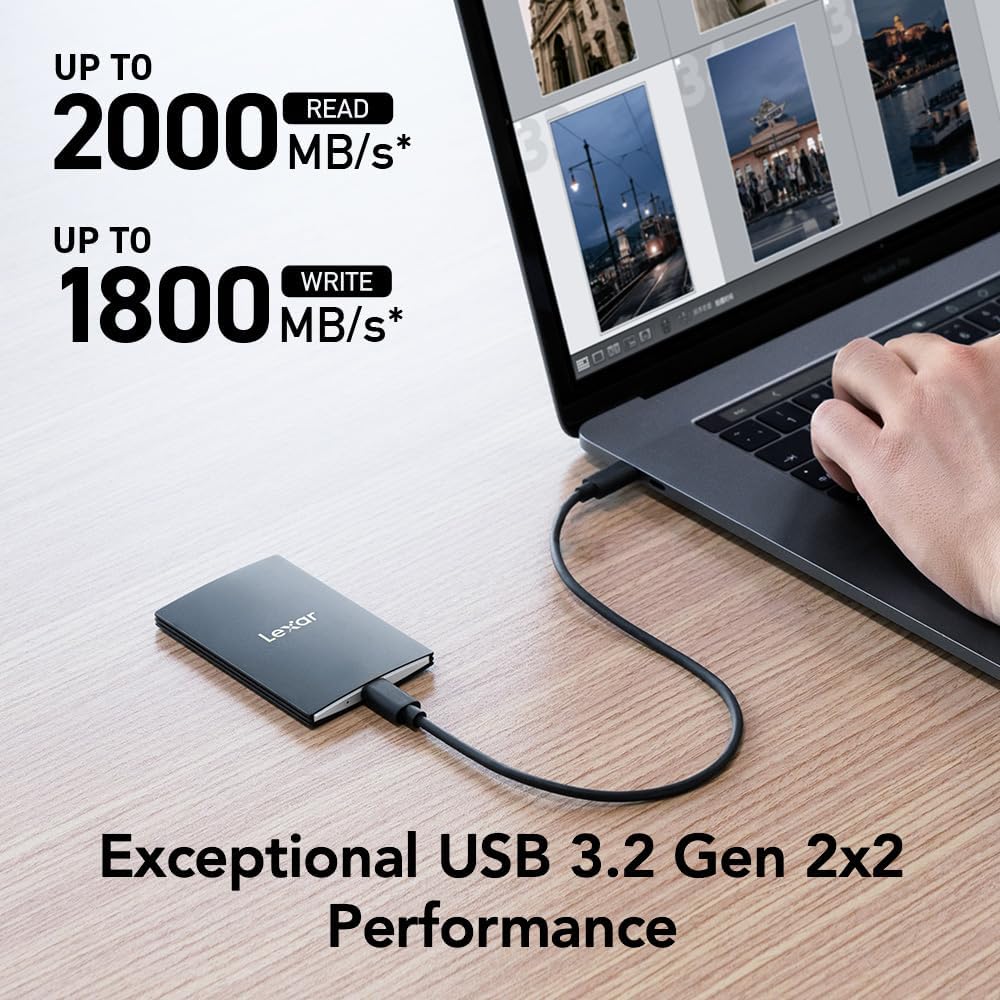
이미지 1: The Lexar SL500 Portable SSD connected to a laptop, demonstrating its high-speed data transfer capabilities.
3. 사용 설명서
The Lexar SL500 Portable SSD offers versatile functionality for various tasks, from general file storage to specialized media recording.
3.1 File 옮기다
연결되면 드래그 앤 드롭할 수 있습니다. files to and from the Lexar SL500 SSD just like any other external drive. Its USB 3.2 Gen 2x2 interface ensures rapid transfer of large files, making it efficient for backups, project transfers, and media editing.
3.2 호환성 및 사용 시나리오
- Laptops & PCs: Ideal for expanding storage, backing up important documents, and running applications directly from the drive.
- Smartphones & Tablets (Type-C): Transfer photos, videos, and other large file빨리.
- iPhone 15 Pro/Pro Max: Supports direct Apple ProRes video recording in up to 4K 60FPS, saving valuable internal storage space.
- Gaming Consoles (PS5, Xbox): Expand your game library and reduce load times for compatible games.
- 카메라: Use as an external recording device for high-resolution video capture.

이미지 2: The Lexar SL500 Portable SSD connected to an iPhone 15 Pro, enabling direct Apple ProRes video recording.

이미지 3: A visual representation of the Lexar SL500 Portable SSD's wide compatibility with multiple devices, including smartphones, cameras, gaming consoles, and laptops.
3.3 DataShield Encryption Software
The Lexar SL500 includes Lexar DataShield 256-bit AES encryption software to protect your sensitive files. Follow the instructions provided on the drive or Lexar's official website to install and configure the software for enhanced data security.
4. 유지관리
To ensure the longevity and optimal performance of your Lexar SL500 Portable SSD, follow these maintenance guidelines:
- 적절한 취급: While durable, avoid dropping the SSD from excessive heights or subjecting it to extreme physical impact.
- 열 관리: The unique thermal control design helps maintain optimal temperatures. Ensure the drive is not covered or placed in enclosed spaces during heavy use to allow for proper heat dissipation.
- 안전한 배출: Always safely eject the SSD from your device before disconnecting the cable to prevent data corruption.
- 펌웨어 업데이트: Periodically check the Lexar official web최상의 성능과 호환성을 보장하기 위해 사용 가능한 펌웨어 업데이트가 있는지 해당 사이트를 확인하십시오.
- 청소: Use a soft, dry cloth to clean the exterior of the SSD. Avoid using harsh chemicals or abrasive materials.

이미지 4: 내부 view highlighting the unique thermal control design of the Lexar SL500 Portable SSD, which helps maintain optimal operating temperatures.
5. 문제 해결
If you encounter issues with your Lexar SL500 Portable SSD, try the following troubleshooting steps:
- 드라이브가 인식되지 않음:
- Ensure the USB Type-C cable is securely connected to both the SSD and your device.
- Try connecting the SSD to a different USB Type-C port on your device.
- Test with a different compatible USB Type-C cable.
- 컴퓨터나 기기를 다시 시작하세요.
- Check your device's Disk Management (Windows) or Disk Utility (macOS) to see if the drive is detected but unformatted.
- 느린 전송 속도:
- Ensure your device's USB port supports USB 3.2 Gen 2x2 for optimal performance. Older USB standards will result in lower speeds.
- 시스템 리소스를 소모할 수 있는 백그라운드에서 실행 중인 불필요한 애플리케이션을 닫으세요.
- Verify the cable is the original Lexar cable or a high-quality USB 3.2 Gen 2x2 compatible cable.
- Performance on Mac and other systems not supporting USB 3.2 Gen 2x2 may be lower.
- 데이터 손상:
- 연결을 해제하기 전에 항상 SSD를 안전하게 꺼내십시오.
- If data corruption occurs, try running a disk check utility on your operating system.
- 과열:
- Ensure the SSD has adequate airflow and is not covered during prolonged use.
- Reduce the intensity of data transfer operations if the drive consistently overheats.
6. 사양
Detailed technical specifications for the Lexar SL500 Portable SSD (Model: LSL500X002T-RNBNU).
| 특징 | 세부 사항 |
|---|---|
| 모델 번호 | LSL500X002T-RNBNU |
| 디지털 저장 용량 | 2테라바이트 |
| 읽기 속도 | 최대 2000MB/s |
| 쓰기 속도 | 최대 1800MB/s |
| 인터페이스 | USB 3.2 Gen 2x2 (Type-C) |
| 치수(길이x너비x높이) | 3.15 x 2.76 x 1.97인치(80 x 70 x 50mm) |
| 품목 무게 | 1.52 온스(43그램) |
| 색상 | 검은색 |
| 특별 기능 | Compact, Thin, Durable Metal Design, Ultra Lightweight, Thermal Control Design |
| 호환성 | Camera, Gaming Console, Laptop, Smartphone (Type-C) |

이미지 5: Dimensions of the Lexar SL500 Portable SSD, highlighting its compact and slim profile.
7. 보증 및 지원
Lexar stands behind the quality of its products. Your Lexar SL500 Portable SSD comes with a limited warranty and additional support options.
7.1 제한 보증
The Lexar SL500 Portable SSD is covered by a XNUMX 년 제한 보증. This warranty covers defects in materials and workmanship under normal use. For full terms and conditions, please refer to the warranty documentation included with your product or visit the official Lexar support web대지.
7.2 데이터 복구 계획
For added peace of mind, optional data recovery plans are available:
- 2년 데이터 복구 플랜: Provides professional data recovery services for two years.
- 3년 데이터 복구 플랜: Extends professional data recovery services for three years.
These plans can be purchased separately to protect against accidental data loss. Contact Lexar customer support or your retailer for more information on purchasing and activating these plans.
7.3 고객 지원
For technical assistance, product inquiries, or warranty claims, please visit the official Lexar support website or contact their customer service team. You can find contact information and FAQs on the Lexar web대지.


