소개
This manual provides comprehensive instructions for the setup, operation, and maintenance of your Ceybo RC813 FMB1 Voice Remote Control. This remote is designed to work seamlessly with a wide range of TCL QLED Smart TVs, offering convenient control and voice assistant capabilities.

그림 1: 앞면과 뒷면 view of the Ceybo RC813 FMB1 Voice Remote Control. The front features various buttons including navigation, volume, channel, and dedicated app shortcuts. The back is smooth and ergonomic.
설정
1. 배터리 설치
The RC813 FMB1 remote control requires two (2) AAA batteries (not included) for operation. Follow these steps to install the batteries:
- 리모콘 뒷면에 있는 배터리함 덮개를 찾으세요.
- 덮개를 아래로 밀거나 걸쇠를 눌러 수납 공간을 엽니다.
- AAA 배터리 2개를 넣고 양극(+)과 음극(-) 단자가 배터리함 내부의 표시기와 올바르게 맞춰졌는지 확인합니다.
- 배터리 칸 덮개를 제자리에 다시 밀어 넣어 딸깍 소리가 날 때까지 단단히 고정합니다.

그림 2: Illustration of the battery compartment and proper insertion of AAA batteries.
2. 리모컨 페어링
To ensure full functionality, including voice control, the remote must be paired with your TCL Smart TV. Follow these steps:
- Ensure your TCL Smart TV is powered on.
- 리모컨을 TV쪽으로 향하게 하세요.
- 동시에 눌러서 유지하세요 "좋아요" button (center of the navigation pad) and the "Home" button (house icon) for approximately 2 seconds.
- A pairing confirmation message should appear on your TV screen, indicating successful pairing.
- If pairing fails, ensure the batteries are correctly installed and try again. Move closer to the TV if necessary.
리모컨 조작하기
버튼 기능 이상view
The RC813 FMB1 remote control features a variety of buttons for intuitive navigation and control of your TCL Smart TV. Refer to the image below for button layout.
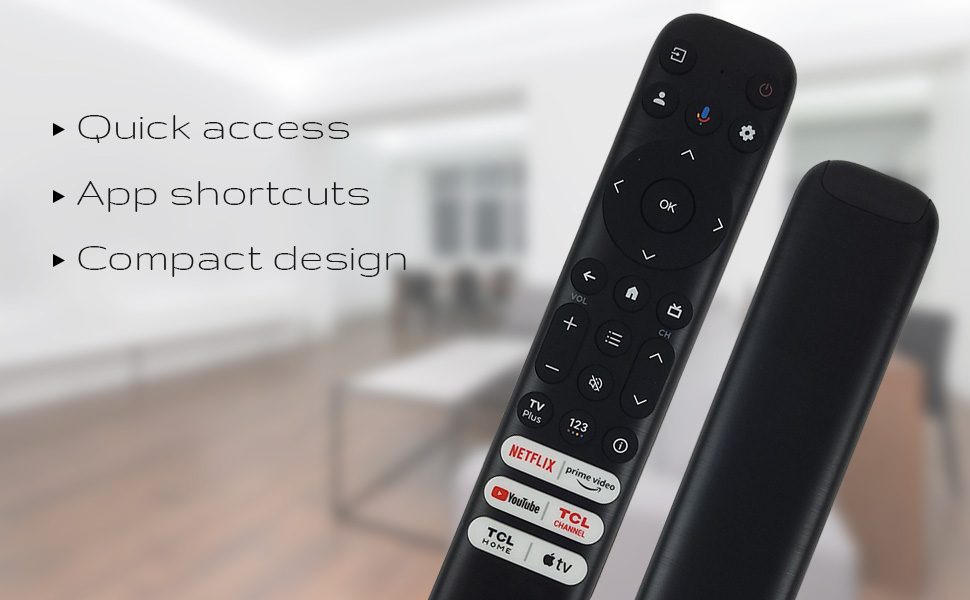
그림 3: The remote's design emphasizes quick access, app shortcuts, and a compact form factor for ease of use.
- 전원 버튼 (⏻): TV를 켜거나 끕니다.
- 내비게이션 패드(위, 아래, 왼쪽, 오른쪽): 메뉴를 탐색하고 옵션을 선택하는 데 사용됩니다.
- 확인 버튼: Confirms selections or opens items.
- 뒤로가기 버튼: 이전 화면 또는 메뉴로 돌아갑니다.
- 홈 버튼(집 모양 아이콘): TV 홈 화면으로 돌아갑니다.
- 볼륨 높이기/낮추기: TV의 볼륨을 조절합니다.
- 채널 위/아래: TV 채널을 변경합니다.
- 설정 버튼(톱니바퀴 아이콘): TV 설정에 접근합니다.
- 입력 버튼: Changes the TV's input source.
음성 어시스턴트 기능
The remote features a dedicated button for Google Assistant, allowing you to control your TV and search for content using voice commands.
- 구글 어시스턴트 버튼(마이크 아이콘): Press and hold this button, then speak your command clearly into the remote. Release the button when you are finished speaking.
- Examples of commands include: "Open Netflix," "검색 action movies," "What's the weather like?", "Turn up the volume."
Dedicated Shortcut Buttons
Quickly access your favorite streaming services and TCL features with the dedicated shortcut buttons located at the bottom of the remote.

그림 4: Dedicated shortcut buttons for popular streaming services and TCL applications.
- 넷플릭스: Direct access to the Netflix streaming service.
- 프라임 비디오: 아마존 프라임 비디오에 바로 접속할 수 있습니다.
- 유튜브: 유튜브에 바로 접속할 수 있습니다.
- TCL Channel: TCL 채널에 바로 접속할 수 있습니다.
- TCL Home: Direct access to TCL Home features.
- 애플 TV: Direct access to Apple TV.
호환성
The Ceybo RC813 FMB1 Voice Remote Control is compatible with a wide range of TCL QLED Smart TV models, including those with Google TV functionality. Below is a list of some compatible models:
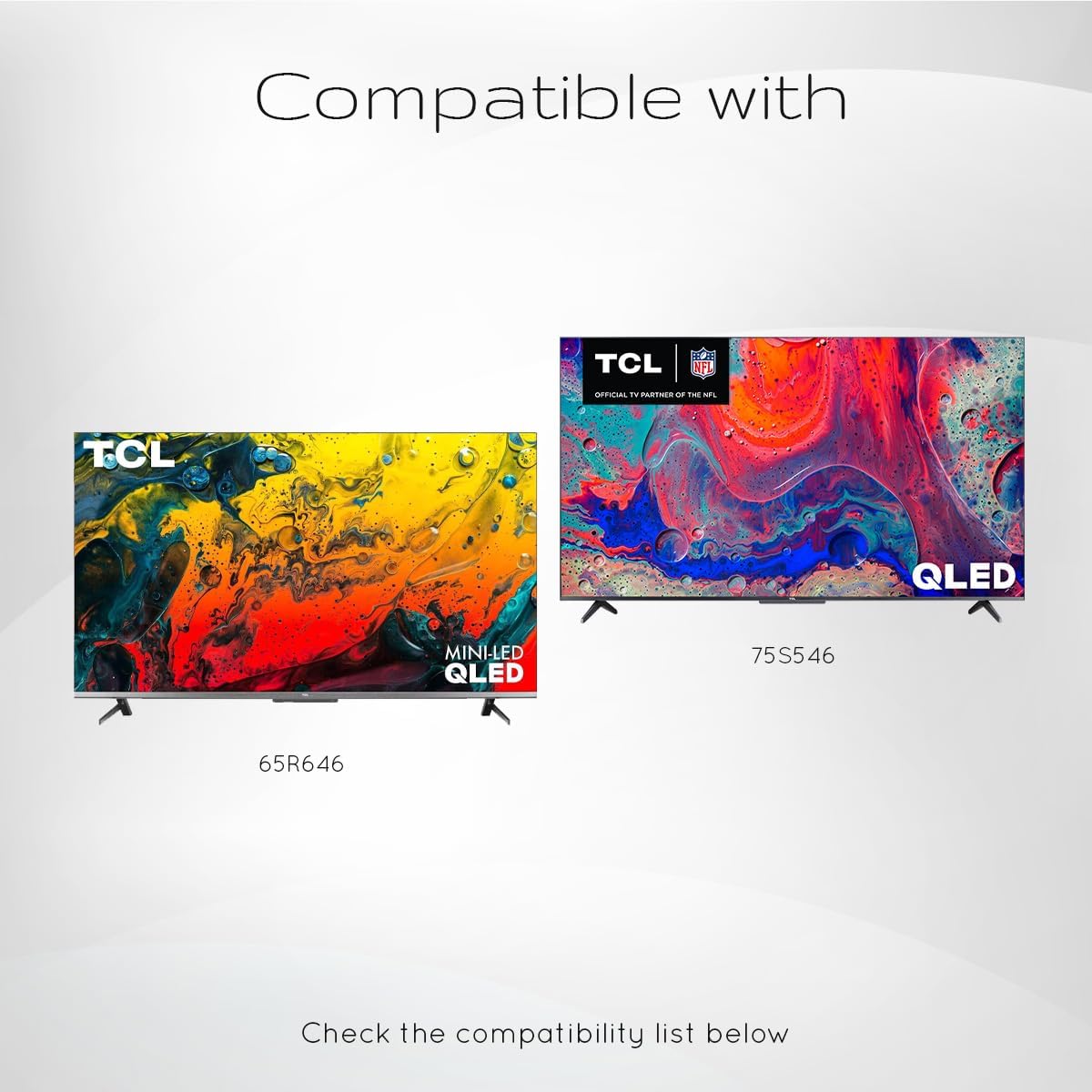
그림 5: Examples of compatible TCL QLED TV models.
- Google TV 65Q750G
- Google TV 55Q750G
- Google TV 75Q750G
- Google TV 50Q750G
- Google TV 43Q750G
- Google TV 58Q750G
- 65QM850G
- 55QM850G
- 75QM850G
- 58QM850G
- And many more TCL QLED Smart TV models.
Note: Always verify compatibility with your specific TV model before use.
유지
배터리 교체
When the remote control's performance degrades or it stops responding, it is likely time to replace the batteries. Follow the battery installation steps outlined in the "Setup" section.
- AAA 배터리는 항상 두 개를 동시에 교체하십시오.
- 오래된 건전지와 새 건전지, 다른 종류의 건전지를 혼용하지 마세요.
- 사용한 배터리는 현지 규정에 따라 책임감 있게 폐기하십시오.
리모컨 청소
To maintain the remote control's appearance and functionality, clean it periodically.
- 부드럽고 마른 천으로 리모컨 표면을 닦으세요.
- 완고한 먼지에는 약간 damp천에 물이나 순하고 연마성이 없는 세제를 묻혀 닦아주세요. 과도한 습기는 피하세요.
- Do not use harsh chemicals, solvents, or abrasive cleaning materials, as these can damage the remote's finish or internal components.
문제 해결
If you encounter issues with your Ceybo RC813 FMB1 remote control, refer to the following common problems and their solutions:
| 문제 | 가능한 원인 / 해결책 |
|---|---|
| 리모컨이 응답하지 않습니다. |
|
| 음성 제어가 작동하지 않습니다. |
|
| Shortcut buttons are not working. |
|
명세서
| 특징 | 세부 사항 |
|---|---|
| 모델 번호 | RC813 FMB1 |
| 상표 | 사이보 |
| 연결 기술 | 블루투스 |
| 호환 장치 | TCL QLED Smart Televisions |
| 특징 | Voice Search (Google Assistant) |
| 전원 | AAA 배터리 2개(포함되지 않음) |
| 품목 무게 | 3.2 온스(약 90.7그램) |
| 패키지 크기 | 8 x 2 x 0.5인치(약 20.3 x 5.1 x 1.3cm) |


