1. 서론
The VTech VG131-11 DECT 6.0 Cordless Phone offers reliable and clear communication with advanced features. Enjoy hands-free conversations with Bluetooth connectivity, superior range with DECT 6.0 technology, and enhanced visibility with its backlit display and large buttons. This manual provides comprehensive instructions for setting up, operating, and maintaining your new cordless phone.

Image: The VTech VG131-11 DECT 6.0 Cordless Phone handset resting in its black base unit. The handset features a blue-white display and large, green-backlit buttons.
2. 상자 안에 무엇이 들어있나요?
패키지에 모든 품목이 들어 있는지 확인하세요.
- 기본 유닛
- 무선 핸드셋
- AC 어댑터
- 배터리 팩
- 전화선 코드
3. 설정
3.1. 초기 설치
- Connect the AC adapter to the base unit and plug it into a power outlet.
- Connect the telephone line cord to the base unit and plug the other end into a telephone wall jack.
3.2. 배터리 설치
- 핸드셋 뒷면의 배터리 덮개를 엽니다.
- 배터리 팩 플러그를 수납 공간 내부의 잭에 단단히 연결하세요.
- 배터리 팩을 라벨이 위쪽을 향하도록 놓고 전선을 수납 공간 안쪽에 깔끔하게 정리하세요.
- 배터리 덮개를 닫습니다.
3.3. 휴대폰 충전
Place the handset face forward in the base unit. The CHARGE light on the base unit will illuminate, indicating proper charging. Allow the handset to charge for at least 16 hours before initial use for optimal battery performance.
4. 사용 설명서
4.1. 전화 걸고 받기
- 전화를 걸려면: 누르세요 말하다, 전화번호를 누르세요.
- 전화를 받으려면: 누르세요 말하다 또는 모든 다이얼 키(0-9, #, *).
- 통화를 종료하려면 다음을 누르세요. 끄다.
4.2. 스피커폰 사용
The phone features a full-duplex speakerphone, allowing both parties to speak and be heard simultaneously for more natural conversations.
- 통화 중에 스피커 스피커폰을 활성화하는 버튼입니다.
- 를 누르세요 스피커 버튼을 다시 누르면 핸드셋 모드로 돌아갑니다.
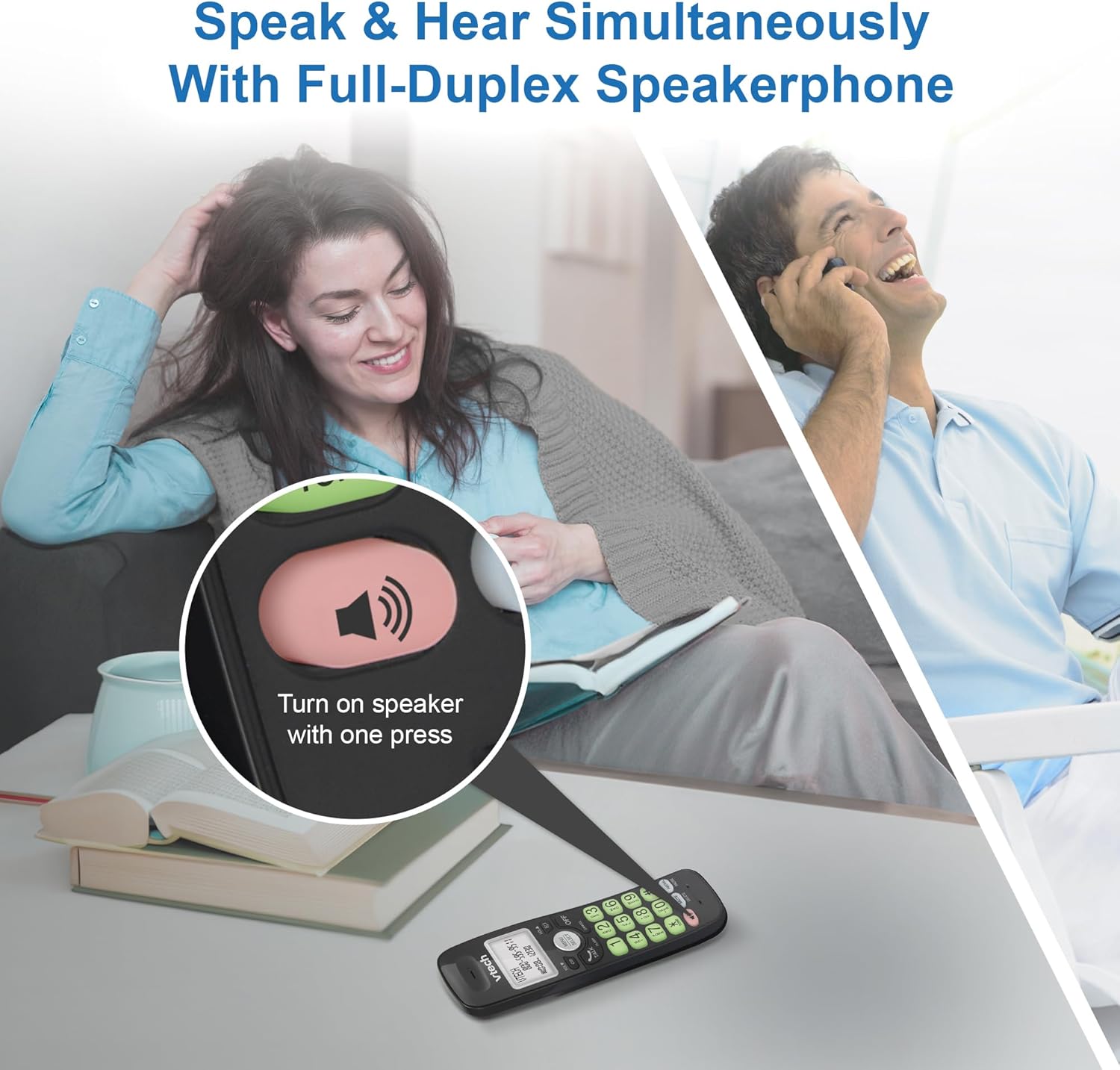
Image: A close-up of the VTech cordless phone handset showing the speakerphone button highlighted, with a person talking on the phone in the background, demonstrating the full-duplex speakerphone feature.
4.3. Volume Control and Mute
- To adjust earpiece or speakerphone volume during a call, press 볼륨 ▼ or 권 ▲.
- To mute the microphone during a call, press 음소거. The other party cannot hear you, but you can still hear them. Press 음소거 다시 음소거를 해제합니다.

이미지: 자세한 view of the VTech cordless phone handset, highlighting the 'MUTE' button, indicating its function for silencing the microphone during a call.
4.4. Caller ID and Phonebook
The handset displays the name, number, time, and date of incoming calls. The phone also includes a 30-name and number phonebook directory.
- 다시view Caller ID history, press 신원확인.
- To access the phonebook, press 메뉴/선택, then navigate to the Phonebook option.

Image: A person smiling while holding the VTech cordless phone, with an overlay showing a digital phonebook display with contact names and icons, illustrating the Caller ID and phonebook features.
5. 특징
5.1. 블루투스 연결
By pairing a Bluetooth headset, earbuds, or conference speakerphone to the system, you can enjoy a wireless calling experience. This feature is perfect for multitasking around your home or office.

Image: A woman in a kitchen pouring a drink while wearing wireless earbuds, with the VTech cordless phone and its base unit visible on the counter, demonstrating hands-free calling via Bluetooth connection.
Bluetooth 장치 페어링:
- Ensure your Bluetooth headset/earbuds are in pairing mode (refer to your device's manual).
- On the VTech phone, navigate to the Bluetooth menu (usually via 메뉴/선택).
- '기기 페어링' 또는 유사한 옵션을 선택하세요.
- 휴대폰이 사용 가능한 Bluetooth 기기를 검색합니다. 목록에서 기기를 선택하세요.
- 화면의 지시에 따라 페어링 과정을 완료하세요.
5.2. DECT 6.0 기술
Trusted by families worldwide for decades, VTech's cordless telephone transmits secure signals via the DECT 6.0 channel. This ensures crystal clear sounds, interference-free communication, and a stable operation range of up to 1000 ft outdoors, allowing you to move freely while on a call.

Image: A woman working on a laptop at a table, with the VTech cordless phone and its base unit nearby, and a graphic indicating DECT 6.0 digital technology, highlighting its superior range and clarity.
5.3. Backlit Display and Big Buttons
The phone features a blue-white backlit display and green backlit keypad for easier viewing and dialing in dim light conditions. The large buttons enhance usability, especially for those with visual impairments.

이미지: 클로즈업 view of the VTech cordless phone handset, emphasizing its backlit LCD screen and large, clearly visible buttons, designed for better visibility and ease of use.
5.4. Easy Wall Mount
The base unit is designed for easy wall mounting, fitting all standard wall mount plates without the need for additional brackets. Simply slide the base unit into the mounting plate using the built-in mounting holes for convenient placement.

Image: The VTech cordless phone base unit shown mounted on a wall, highlighting its built-in mounting holes on the back of the base for easy installation.
5.5. Hearing Aid Compatible
This phone is designed to be compatible with hearing aids, providing a clearer audio experience for users with hearing devices.

Image: A woman with a hearing aid talking on the VTech cordless phone, illustrating the phone's hearing aid compatibility feature.
5.6. 제품 오버view 동영상
영상: 간략한 제품 소개view of the VTech VG131-11 DECT 6.0 Cordless Phone, showcasing its key features and ease of use.
6. 유지관리
To ensure the longevity and optimal performance of your VTech cordless phone, follow these maintenance guidelines:
- 청소: 부드러운 천으로 휴대폰과 베이스 유닛을 닦으세요.amp 천으로 닦으세요. 세척용 스프레이나 강한 화학 약품을 사용하지 마세요.
- 배터리 관리 : Avoid exposing the battery to extreme temperatures. If the phone will not be used for an extended period, remove the battery from the handset.
- 놓기: 휴대전화를 열원, 직사광선, 습기로부터 멀리 두세요.
7. 문제 해결
If you experience any issues with your VTech cordless phone, please refer to the following common problems and solutions:
| 문제 | 해결책 |
|---|---|
| 발신음이 없습니다. | Ensure the telephone line cord is securely plugged into both the base unit and the wall jack. Check if the AC adapter is properly connected to the base unit and a working power outlet. |
| 핸드셋이 충전되지 않습니다. | Make sure the handset is correctly placed in the base unit. Clean the charging contacts on both the handset and the base unit with a dry cloth. Verify the AC adapter is plugged in. |
| 음질이 좋지 않거나 잡음이 있습니다. | Move closer to the base unit. Other electronic devices (Wi-Fi routers, microwaves) may cause interference; try relocating the base unit. Ensure the handset battery is fully charged. |
| Cannot connect to Bluetooth headset. | Ensure both the phone and the Bluetooth headset are in pairing mode. Make sure the headset is within range of the phone's base unit. Try restarting both devices and attempting the pairing process again. Confirm the headset is compatible with the phone's Bluetooth version. |
| 디스플레이가 비어 있거나 읽을 수 없습니다. | Ensure the handset battery is charged. If the display is dim, check if the backlight setting is enabled or adjust the contrast if available. |
8. 사양
| 특징 | 세부 사항 |
|---|---|
| 모델 번호 | VG131-11 |
| 제품 치수 | 3.8 x 4.09 x 7.17 인치 |
| 품목 무게 | 14.9온스(0.42킬로그램) |
| 배터리 | 제품별 배터리 1개(포함) |
| 전화 유형 | 무선 |
| 재료 | 플라스틱 |
| 전원 | 코드식 전기 |
| DECT 기술 | 6.0월 XNUMX |
| 블루투스 | 예 |
| 발신자 번호 표시 / 통화 대기 | 예 |
| 전이중 스피커폰 | 예 |
| Backlit Display & Keypad | Yes (Blue-white display, green keypad) |
| 벽면 장착 가능 | 예 |
| 전화번호부 용량 | 30개의 이름과 숫자 |
| 범위 | Up to 1000 ft outdoor |
9. 보증 및 지원
보증 정보, 기술 지원 또는 액세서리 구매에 대해서는 VTech 공식 웹사이트를 방문하십시오. web사이트를 방문하거나 고객 서비스 부서에 문의하세요. 보증 청구를 위해 구매 증빙 자료로 구매 영수증을 보관하세요.
VTech Customer Service: www.vtechphones.com/support


