소개
The Roku Streambar SE is a compact 2-in-1 entertainment device designed to upgrade your television's audio and streaming capabilities. It integrates 4K/HD/HDR streaming with premium sound, featuring enhanced speech clarity for clear dialogue. This manual provides essential information for setting up, operating, maintaining, and troubleshooting your Roku Streambar SE.
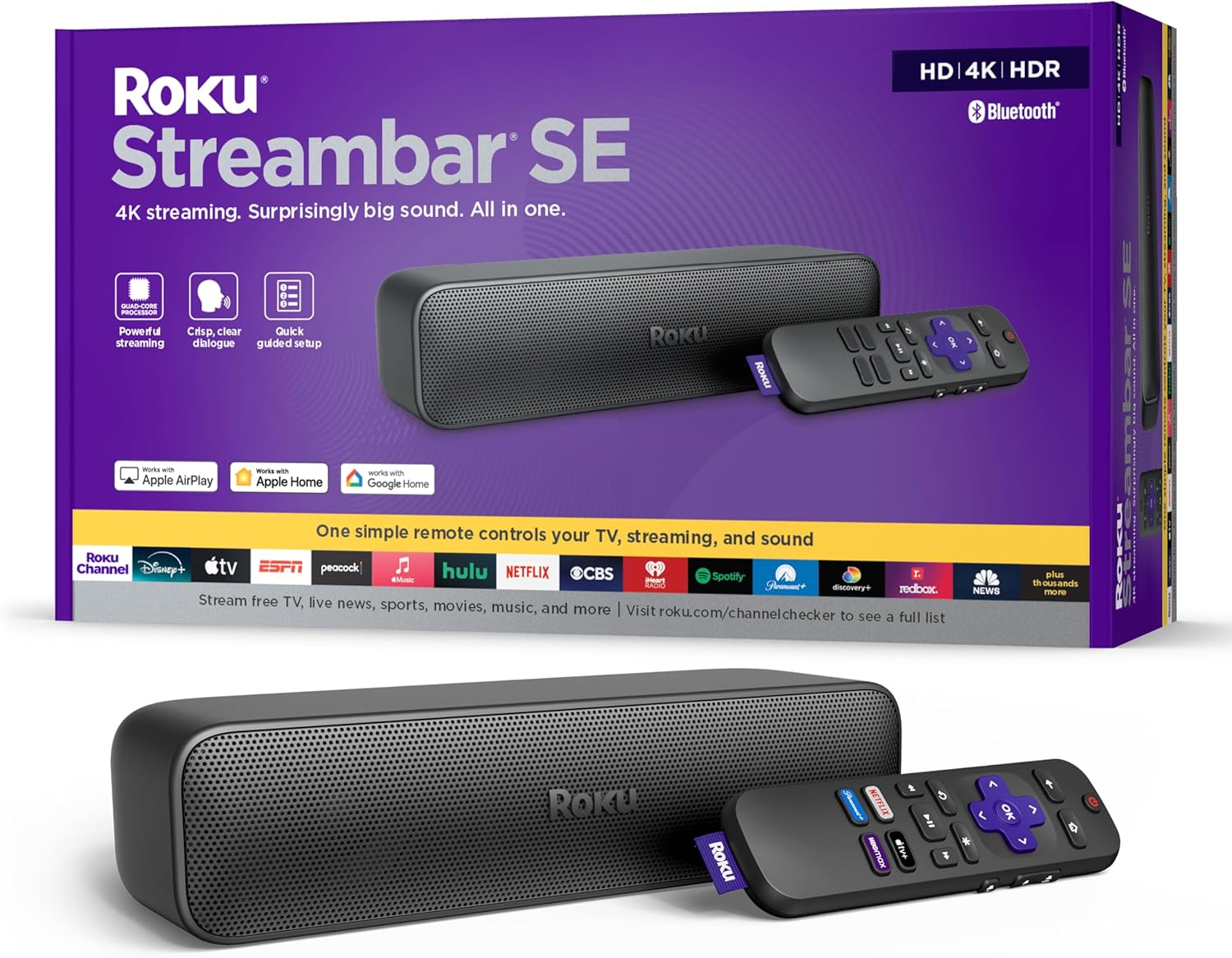
Image: Roku Streambar SE packaging and the device itself, showcasing its compact design and included remote.
상자 안에 무엇이 들어있나요?
모든 품목이 포장에 들어 있는지 확인하세요.
- 로쿠 스트림바 SE
- Standard Remote and 2 AAA batteries
- 전원 어댑터
- 프리미엄 고속 HDMI 케이블
- Optical Cable (only for use if your TV doesn't have an HDMI-ARC port)
Video: An unboxing of the Roku Streambar SE, showing the contents of the package including the soundbar, remote, cables, and quick start guide.
설정
Follow these steps for a quick and guided setup:
- TV에 연결: Plug the included Premium High Speed HDMI Cable into the HDMI-ARC port on your TV and the HDMI port on the Streambar SE. If your TV does not have an HDMI-ARC port, use the included Optical Cable for audio and a standard HDMI cable (not included) for video.
- 전원 켜기: Connect the power adaptor to the Streambar SE and then to a wall outlet.
- 배터리 삽입: Open the remote control battery compartment and insert the two AAA batteries.
- 화면의 지시를 따르세요: Turn on your TV and select the correct HDMI input. The Roku guided setup will appear on your screen. Follow the instructions to connect to your home Wi-Fi network and activate your Roku account.
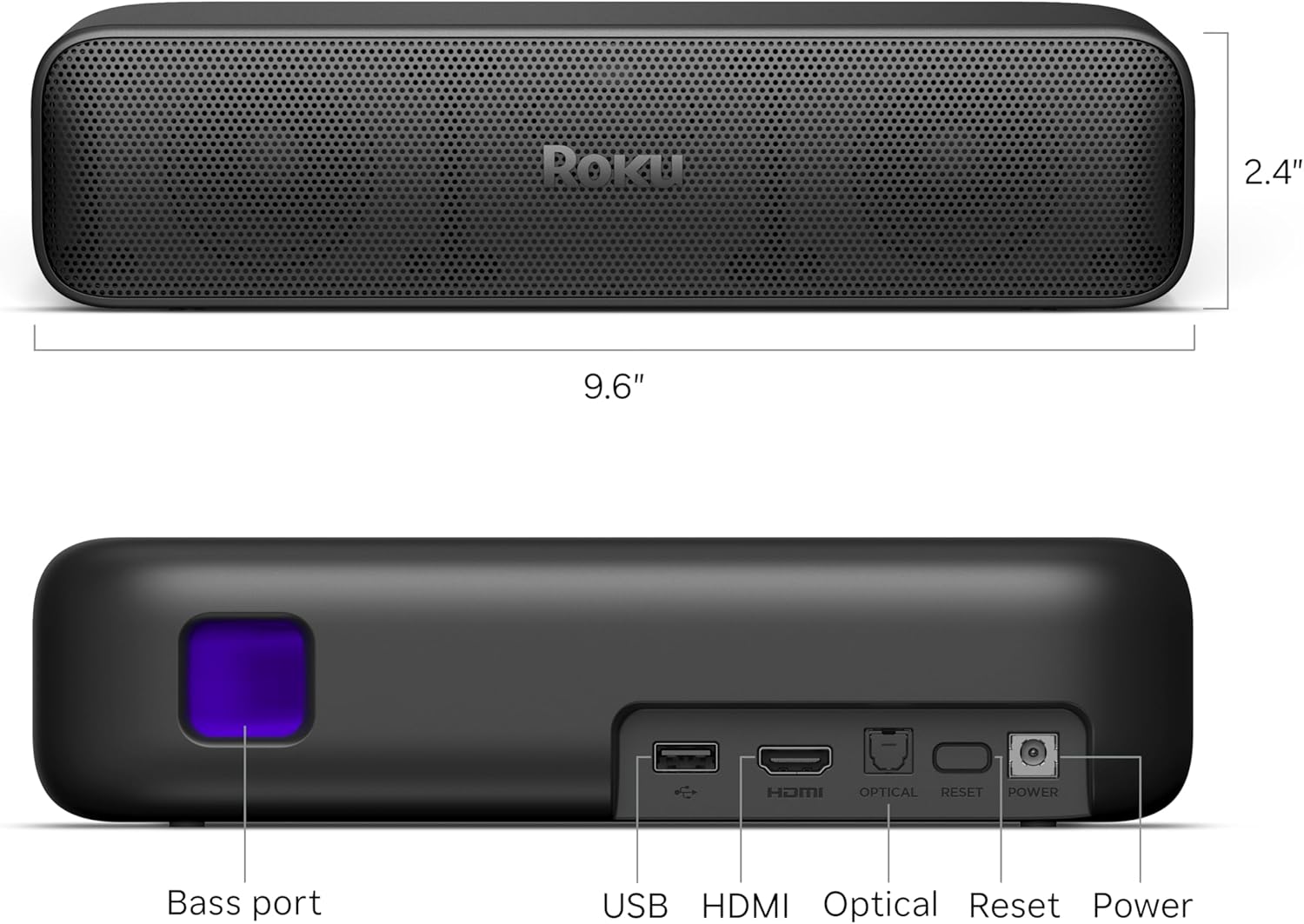
Image: The Roku Streambar SE positioned below a television, showing the device's integration with the TV's display.
Video: A demonstration of the Roku Streambar SE's setup process and its functionality with a television, highlighting ease of use.
운영
원격 제어 기능
The included remote control allows you to navigate the Roku interface and control your TV's power and volume. It features dedicated buttons for popular streaming services.
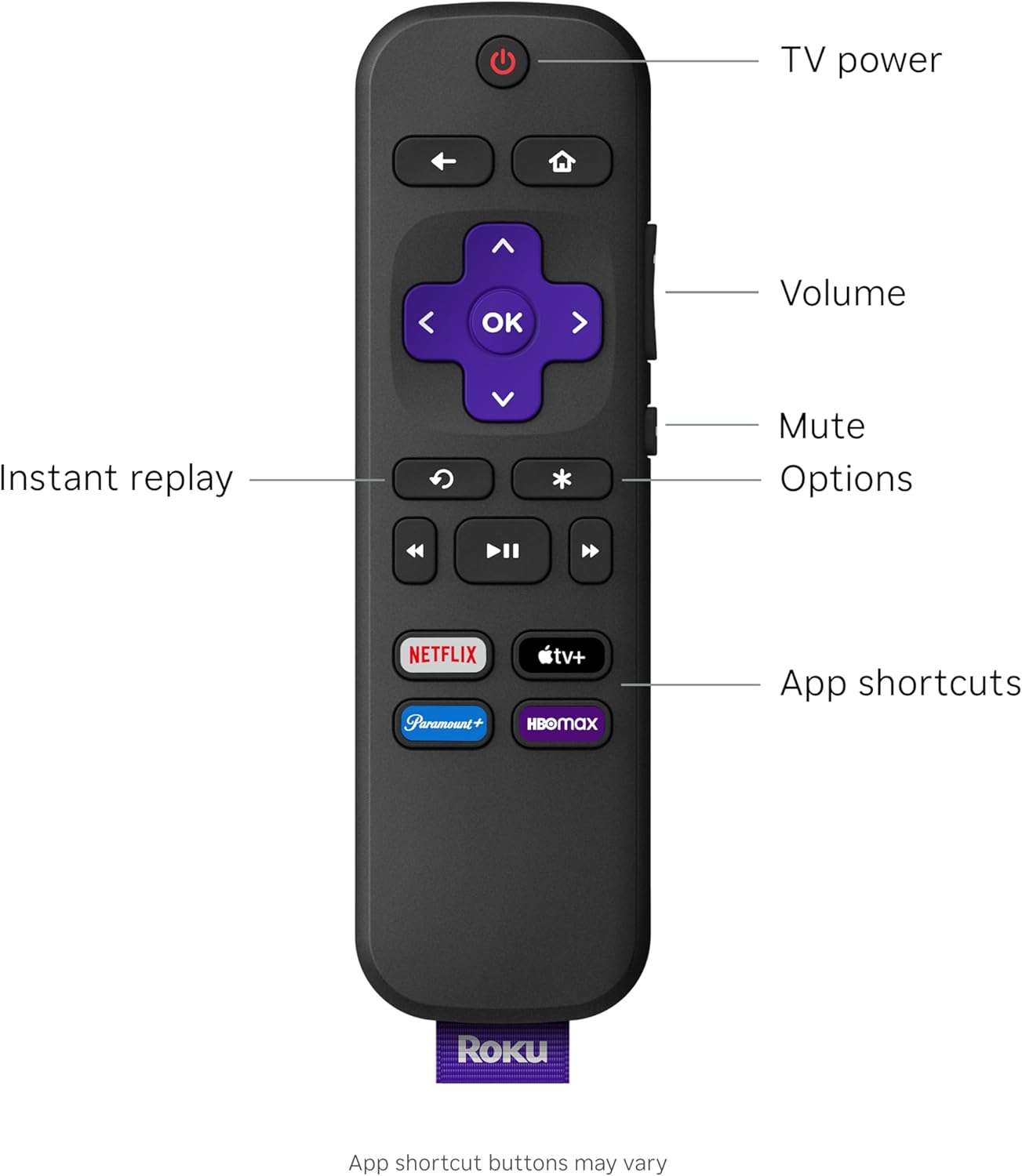
Image: Close-up of the Roku Streambar SE remote control, detailing its buttons for navigation, playback, and quick access to streaming apps.
- 전원 버튼: Turns your TV and Streambar SE on/off.
- 볼륨 버튼: Adjusts the volume of the Streambar SE.
- 음소거 버튼: 오디오를 음소거합니다.
- 내비게이션 패드(보라색): Use the directional arrows to move through menus and the OK button to select.
- 홈 버튼: Roku 홈 화면으로 돌아갑니다.
- 뒤로가기 버튼: 이전 화면으로 돌아갑니다.
- 즉시 재생: 비디오 재생 중 몇 초 뒤로 이동합니다.
- 옵션(*): Accesses additional options within apps or menus.
- 전용 앱 버튼: 인기 스트리밍 서비스에 빠르게 접속할 수 있습니다.
Streaming Features
The Roku Streambar SE offers seamless access to a vast library of streaming content in brilliant 4K HDR picture quality. The intuitive interface allows for quick app launches and easy navigation.
오디오 모드
Enhance your listening experience with various audio settings:
- Enhanced Speech Clarity: Boosts the volume of dialogue, making conversations clearer and easier to understand.
- Automatic Volume Leveler: Automatically adjusts the volume to prevent sudden loud commercials or quiet scenes, providing a consistent listening level.
- 밤에 듣기: Reduces the intensity of loud sounds while boosting quieter ones, ideal for late-night view다른 사람을 방해하지 않고 지내요.
블루투스 페어링
The Streambar SE supports Bluetooth connectivity for audio. You can pair your favorite wireless headphones for private listening or stream music from your mobile device directly through the soundbar.
- To pair headphones, access the Bluetooth settings on your Roku device and follow the pairing instructions.
- To stream music from a mobile device, enable Bluetooth on your device, select the Roku Streambar SE from the list of available devices, and begin playback.
Video: A user demonstrates the sound quality and streaming interface of the Roku Streambar SE, highlighting its performance during media playback.
유지
To ensure optimal performance and longevity of your Roku Streambar SE, follow these maintenance guidelines:
- 청소: Use a soft, dry, lint-free cloth to clean the exterior of the Streambar SE. Do not use liquid cleaners or abrasive materials.
- 소프트웨어 업데이트: The device will automatically download and install software updates when connected to the internet. Ensure your Streambar SE remains connected to the internet for the latest features and security enhancements.
- 놓기: Place the Streambar SE on a stable, flat surface in front of your TV. Ensure it is not obstructed to allow for optimal sound dispersion.
문제 해결
If you encounter issues with your Roku Streambar SE, try the following solutions:
- 전원 없음: Ensure the power adaptor is securely connected to both the Streambar SE and a working wall outlet.
- 소리 없음:
- Verify the HDMI cable is connected to the TV's HDMI-ARC port.
- Check your TV's audio settings to ensure audio output is set to the correct HDMI-ARC or optical port.
- Ensure the Streambar SE is not muted and the volume is turned up.
- No Picture/Streaming Issues:
- Confirm the HDMI cable is properly connected.
- 인터넷 연결 상태를 확인하세요. 필요한 경우 라우터를 재시작하세요.
- Restart the Roku Streambar SE by unplugging it from power for 10 seconds and plugging it back in.
- 원격 응답 없음: Replace the AAA batteries in the remote control. Ensure there are no obstructions between the remote and the Streambar SE.
명세서
| 특징 | 세부 사항 |
|---|---|
| 모델명 | Streambar SE |
| 품목 모델 번호 | 9104R |
| 제품 치수 | 9.6 x 3.5 x 2.4 인치 |
| 품목 무게 | 2파운드 |
| 해결 | 4K HDR/HDR10+ |
| 연결 기술 | 블루투스, HDMI, 광, Wi-Fi |
| 커넥터 유형 | HDMI, Optical cable |
| 지원되는 인터넷 서비스 | Hulu, Netflix, Prime Video, YouTube (and more) |
| 특별 기능 | 4K HDR/HDR10+ Streaming, Auto Volume Leveler, Compatible with Wireless Headphones, Enhanced Speech Clarity and Automatic Volume Control, Quick Guided Simple Setup |
보증 및 지원
For warranty information, technical support, and additional resources, please visit the official Roku support web자세한 내용은 웹사이트를 참조하거나 제품에 포함된 설명서를 확인하십시오. 보증 청구를 위해 구매 증빙 자료를 보관하십시오.


