1. 서론
Thank you for choosing the iSinbox A30 Smart Projector. This manual provides essential information for setting up, operating, and maintaining your device. The iSinbox A30 offers a high-brightness 1000 ANSI lumen display, native 1080P resolution with 4K support, and advanced features like auto focus and auto keystone correction. Enjoy seamless streaming with built-in Wi-Fi 6 and versatile connectivity options including Bluetooth 5.3.
2. 상자 안에 무엇이 들어있나요?
Upon opening your iSinbox A30 Smart Projector package, please verify that all the following items are included:
- iSinbox A30 Smart Projector
- 원격 제어
- 전원 케이블
- HDMI 케이블
- AV 케이블
- 사용자 설명서
- 조절식 발 나사

그림 2.1: The iSinbox A30 Smart Projector shown with its included accessories, including the remote control, various cables, and the user manual.
3. 초기 설정
3.1 전원 연결
- 프로젝터의 전원 입력 포트에 전원 케이블을 연결하십시오.
- 전원 케이블의 다른 쪽 끝을 일반 전기 콘센트에 꽂으세요.
- 프로젝터나 리모컨의 전원 버튼을 눌러 장치를 켜세요.
3.2 배치 및 투영
Position the projector on a stable surface. The iSinbox A30 supports various projection methods:
- 전면 투영: Place the projector in front of the screen.
- 후면 투영: 프로젝터를 반투명 스크린 뒤에 놓으세요.
- 천장 돌출부: Mount the projector upside down on the ceiling.
- 탁상용 프로젝션: Place the projector on a table.

그림 3.1: Illustration of different projection setups, including tabletop, stand, and ceiling mounting, demonstrating the projector's versatility.
3.3 자동 초점 및 키스톤 보정
The iSinbox A30 features automatic focus and keystone correction for a clear and rectangular image. After powering on or moving the projector, the system will automatically adjust the image. If manual adjustment is needed, navigate to the 'Focus' or 'Keystone' settings in the menu.

그림 3.2: Visual representation of the auto-focus and auto-keystone correction features, ensuring a sharp and perfectly shaped image without manual intervention.
4. 사용 설명서
4.1 네트워크 연결(Wi-Fi)
To access online streaming services and browser functions, connect your projector to a Wi-Fi network:
- 홈 화면에서 다음으로 이동하세요. 설정.
- 선택하다 의사소통 or 회로망.
- 선택하다 와이파이 그리고 그것을 돌려 On.
- 목록에서 원하는 Wi-Fi 네트워크를 선택하세요.
- 암호를 입력하라는 메시지가 나타나면 암호를 입력하고 확인하십시오.
The iSinbox A30 supports Wi-Fi 6 for a stable and high-speed connection, ideal for streaming and gaming.

그림 4.1: Depiction of the projector utilizing Wi-Fi 6 for seamless content delivery, highlighting its capability for smooth gaming and video playback.
4.2 Adjusting Focus and Keystone Manually
While the projector offers automatic adjustments, you can fine-tune the focus and keystone manually:
- 홈 화면에서 다음으로 이동하세요. 설정.
- 선택하다 집중하다 to adjust image sharpness. Use the remote control's navigation buttons to achieve optimal clarity.
- 선택하다 요지 for image shape correction. Choose Four-Point Correction for precise adjustments to each corner of the projected image.
4.3 Using Streaming Applications and Browser
The iSinbox A30 comes with pre-installed streaming applications like Netflix, YouTube, and Prime Video. You can also use the built-in browser to access other online content.
- From the home screen, select the icon for the desired application (e.g., Netflix, YouTube).
- 을 위한 web browsing, select the 브라우저 열기 상.
4.4 오디오 출력
The projector features a built-in 10W HiFi speaker with Dolby Audio and DTS-HD Master Audio support for an immersive sound experience. You can also connect external audio devices via Bluetooth 5.3.
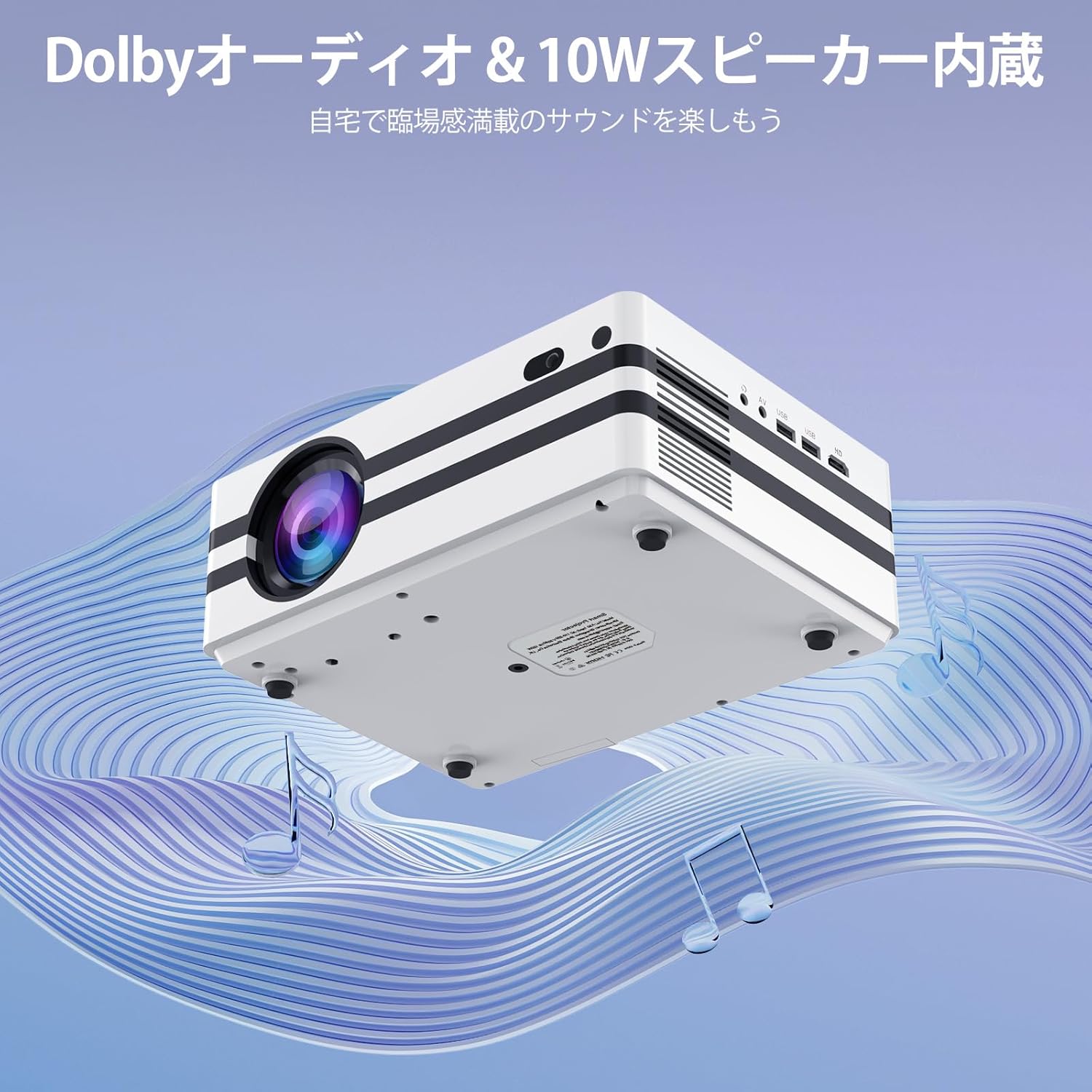
그림 4.2: The projector's integrated 10W speaker system, featuring Dolby Audio, designed to deliver rich and clear sound directly from the device.
4.5 외부 장치 연결
The iSinbox A30 offers multiple ports for connecting various external devices:
- HDMI : Connect laptops, gaming consoles (PS3, PS4), TV sticks, and other HDMI-enabled devices.
- USB(x2): 미디어 재생을 위해 USB 드라이브를 연결하거나 외장 키보드/마우스를 연결하세요.
- 유명인 : 제공된 AV 케이블을 사용하여 구형 기기를 연결하세요.
- Bluetooth 5.3 (Bidirectional): Connect to Bluetooth speakers/headphones (BT-OUT) or use your smartphone/tablet as a source (BT-IN).

그림 4.3: 위에view of the projector's various input and output ports, including HDMI, USB, and AV, illustrating how different devices can be connected.
5. 유지관리
5.1 먼지 필터 청소
To ensure optimal performance and longevity of your projector, it is recommended to regularly clean the internal dust filter. A clean filter helps maintain proper airflow and prevents overheating.
- Locate the dust filter cover on the side or bottom of the projector.
- 덮개를 조심스럽게 제거하십시오.
- Gently remove the dust filter.
- Use a soft, dry cloth or a small brush to remove any accumulated dust. Do not use water or liquid cleaners.
- 깨끗한 필터를 다시 끼우고 덮개를 단단히 닫으십시오.

그림 5.1: Diagram illustrating the location and recommended method for cleaning the projector's internal dust filter to maintain performance.
6. 문제 해결
This section addresses common issues you might encounter with your iSinbox A30 projector.
| 문제 | 가능한 원인 | 해결책 |
|---|---|---|
| 전원이 없습니다 | 전원 케이블이 연결되지 않았습니다. 전원 콘센트 문제입니다. | Ensure power cable is securely connected to both projector and outlet. Test outlet with another device. |
| 흐릿한 이미지 | 초점이 조정되지 않았습니다. 프로젝터가 스크린에서 너무 멀거나 가깝습니다. | Use auto-focus or manually adjust focus via settings. Adjust projection distance. |
| 왜곡된 이미지(사다리꼴) | Keystone not corrected; Projector not perpendicular to screen. | Use auto-keystone or manually adjust keystone via settings. Reposition projector. |
| 소리가 나지 않습니다 | 볼륨이 너무 작음; 음소거됨; 외부 오디오 장치가 제대로 연결되지 않았습니다. | Increase volume. Check if muted. Ensure external speakers are connected and powered on. |
| Wi-Fi 연결 없음 | 잘못된 비밀번호; 라우터 문제; 범위 이탈. | Verify Wi-Fi password. Restart router. Move projector closer to router. |
7. 사양
Key technical specifications for the iSinbox A30 Smart Projector:
| 특징 | 사양 |
|---|---|
| 상표 | 아이신박스 |
| 모델명 | A30 |
| 명도 | 1000 ANSI 루멘스 |
| 네이티브 해상도 | 1080P (Supports 4K) |
| 디스플레이 기술 | 미니 LED |
| 화면 크기 | 최대 300인치 |
| 종횡비 | 16시 9분 |
| 연결성 | Wi-Fi 6, Bluetooth 5.3 (Bidirectional), HDMI, USB (x2), AV |
| 특별 기능 | Auto Focus, Auto Keystone Correction, Short Throw |
| 스피커 | 10W HiFi Built-in Speaker, Dolby Audio & DTS-HD Master Audio compatible |
| 운영 체제 | 기계적 인조 인간 |
| 지원되는 스트리밍 서비스 | Amazon Prime Video, YouTube, Netflix |
| 제품 무게 | 2.52kg |
| 치수(패키지) | 29.6 x 26.1 x 17.4cm |
8. 보증 및 지원
The iSinbox A30 Smart Projector comes with a standard manufacturer's warranty. For detailed warranty information, including coverage period and terms, please refer to the warranty card included in your product packaging or visit the official iSinbox web대지.
If you encounter any issues or require technical assistance, please contact iSinbox customer support through the contact information provided on the official website or your purchase platform. Please have your product model (A30) and purchase details ready when contacting support.


